OpenCart Security in 2026: Admin 2FA, Known Vulnerabilities, Malware Signs and a Hacked Store Recovery Checklist
Turn on OpenCart 4's built-in two-factor login, lock down the admin, know the OpenCart CVEs that matter, spot card skimmers and injected code, and clean up a hacked store step by step, including the event and OCMOD tables attackers use to hide.
 Rupak NepaliPublished Oct 26, 2026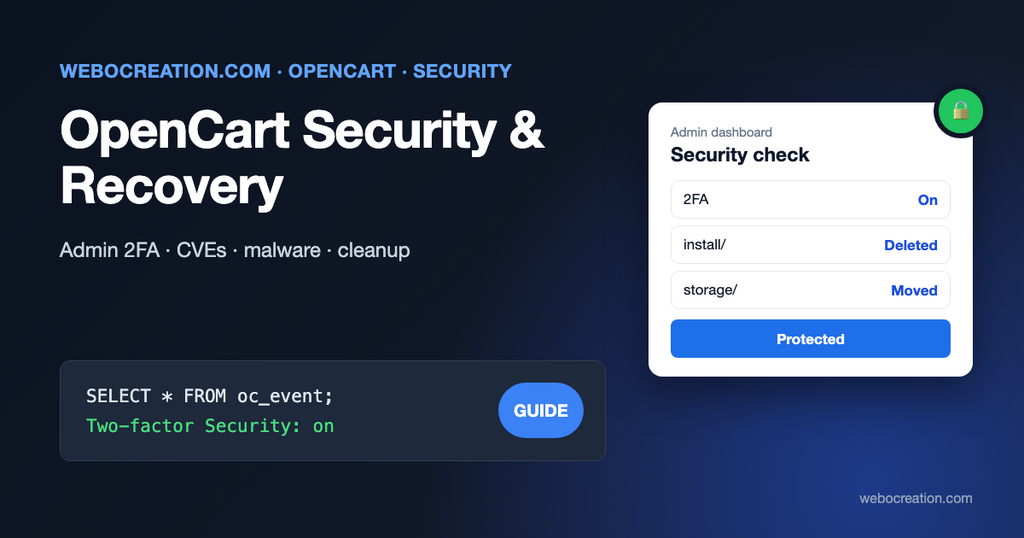
Small stores get hacked for the same reasons big ones do, with fewer people watching. The attacker doesn’t care that you sell 40 products; they care that your checkout page handles card numbers, your server can send email, and your admin password might be reused from another site.
This post has two halves. The first is prevention: the OpenCart 4 security settings most stores leave off, and the vulnerabilities you should know about. The second is response: how to tell you’ve been hacked, and how to clean up properly, including the two places in OpenCart’s database where malware hides and most cleanup guides don’t mention.
Part 1: prevention
Turn on two-factor login for the admin
OpenCart 4 has a built-in second factor for admin users. It’s off by default. Under System > Settings > Server:
- Two-factor Security (for admin users): on.
- Token Expire: the number of days a computer stays trusted after a successful code, for example 30.
When an admin logs in from an unknown device, OpenCart asks them to send a security code to their email and enter it. After three wrong codes the account is locked, and an unlock link is emailed. It requires working store email; OpenCart refuses to enable it otherwise (“Two-factor Security cannot be used if you do not have your email setup yet!”). The Option tab has the customer equivalent, and Max Login Attempts, which locks an account for an hour after that many failed passwords.
Why bother, if you have a strong password? Because most admin break-ins use passwords stolen elsewhere. The OWASP cheat sheet sums up the evidence:
MFA is by far the best defense against the majority of password-related attacks, including brute-force, credential stuffing and password spraying, with analysis by Microsoft suggesting that it would have stopped 99.9% of account compromises.
OWASP, Multifactor Authentication Cheat Sheet
Know its limit: an email code is only as safe as the mailbox. The same cheat sheet notes that email verification “relies entirely on the security of the email account, which often lacks MFA.” Put an authenticator app on every admin’s email account, and you have two real factors.
Hide and restrict the admin
- Rename the admin folder. OpenCart 4’s dashboard shows a security notice with a button that renames
admin/for you and updates the config. Automated scanners try/admin/first. - Restrict by IP if your team works from fixed addresses, with an Nginx
allow/denyblock (see our Nginx guide) or Cloudflare. For teams on the move, Cloudflare Access puts a login page in front of the admin folder without code changes; our Cloudflare security rules for OpenCart has examples. - One user per person, with the smallest user group that works (System > Users > User Groups). No shared “admin” account.
- Delete the
install/folder and movestorage/out of the web root: the dashboard’s security notice offers both.
Keep OpenCart, extensions and PHP up to date
These are OpenCart CVEs published in the National Vulnerability Database that affect 4.x releases:
| CVE | Affects | Type |
|---|---|---|
| CVE-2024-21517 | 4.0.0.0 and later | Reflected XSS in the redirect parameter of the customer login page. NVD notes “The fix for this vulnerability is incomplete”. |
| CVE-2024-58341 (published March 2026) | 4.0.2.3 | SQL injection through the product search parameter, without logging in |
| CVE-2025-45892 | 4.1.0.4 (as reported) | Stored XSS through the blog editor |
| CVE-2026-3714 | 4.0.2.3 | Template injection in the admin template editor (an incomplete fix of CVE-2024-36694) |
The pattern matters more than the list. 4.0.2.3 has an unauthenticated SQL injection: if you still run it, upgrading is urgent. Admin-side issues (the template editor, the blog editor) become dangerous when an admin account is compromised, which is another reason for 2FA. And several fixes were incomplete, so check NVD and the OpenCart GitHub repository when you plan upgrades rather than assuming the latest version fixes everything.
Extensions are a larger attack surface than core. Remove extensions you don’t use (uninstall and delete under Extensions > Installer), and install only from sources that publish updates. Keep PHP on a supported version: see OpenCart and PHP 8.
Watch the checkout
Card skimming scripts (“Magecart”) are the attack that costs stores the most. They’re small pieces of JavaScript added to the checkout, which copy card details as the customer types them and send them elsewhere. Two defenses:
- Use a payment integration where card fields are in the provider’s iframe or on their page, as in our Stripe guide. A skimmer on your page can’t read inside another site’s iframe.
- A Content Security Policy that only allows scripts and connections to domains you know. See securing OpenCart with CSP.
Part 2: signs you’ve been hacked
Any one of these is a reason to investigate today:
- Customers report card fraud after shopping with you, or your payment provider contacts you.
- Google Search Console shows Security issues, or search results show pages in a language you don’t sell in (spam injection).
- Visitors from Google or mobile phones get redirected to another site, while you, logged in, don’t.
- Admin users you don’t recognize under System > Users > Users.
- Unknown entries in Extensions > Installer, Extensions > Events or Extensions > Modifications.
- PHP files with recent dates that you didn’t upload, or a sudden flood of outgoing email.
- Your hosting company suspends the account for malware or spam.
Part 3: the recovery checklist
Work through this in order. Skipping the investigation and restoring last week’s backup is the most common way to get hacked again the following week: the hole is still open, and the backup may already be infected.
1. Contain
- Put the store in maintenance mode (System > Settings > Server > Maintenance Mode), or take it offline at the web server if the admin can’t be trusted.
- Make a full copy of the current files, database and server logs before you change anything. You need it to find out what happened, and payment card investigators may ask for it.
- If card data may be involved, call your payment provider now. They will tell you what’s required next.
2. Change every credential
From a computer you trust: hosting control panel, SFTP/SSH, database user, every OpenCart admin password, OpenCart API keys (System > Users > API), payment and shipping API keys, SMTP passwords, and email accounts of all admins. Rotate payment webhook secrets too.
3. Find modified files
Download a clean copy of exactly your OpenCart version from GitHub and compare:
diff -rq clean/upload/ /var/www/opencart/ | grep -v "image/\|storage/\|config.php"Anything that differs in core folders is suspicious. Then look for recently changed PHP files and common malware patterns:
find /var/www/opencart -name "*.php" -mtime -30 -printf "%TY-%Tm-%Td %p\n" | sort
grep -rlE "eval\(base64_decode|gzinflate\(base64|str_rot13\(|assert\(\\\$_(POST|GET|REQUEST)" /var/www/opencart --include=*.php
find /var/www/opencart/image -name "*.php"
PHP files inside image/ are always malicious; OpenCart never puts code there.
4. Check the database, including events and modifications
This is where OpenCart-specific malware hides, and file scanners don’t look. Run these in phpMyAdmin (change the oc_ prefix if yours differs):
-- Admin users: anyone you don't know?
SELECT user_id, username, email, status, date_added FROM oc_user ORDER BY date_added DESC;

-- Events run code on every page load. Look for actions you don't recognize.
SELECT event_id, code, `trigger`, action, status FROM oc_event ORDER BY event_id DESC;

-- OCMOD modifications rewrite core files at run time.
SELECT * FROM oc_modification ORDER BY modification_id DESC;

-- Installed extension packages.
SELECT * FROM oc_extension_install ORDER BY extension_install_id DESC;

-- Scripts injected into settings, HTML modules and pages.
SELECT store_id, `key` FROM oc_setting WHERE `value` LIKE '%<script%' OR `value` LIKE '%eval(%';
SELECT module_id, name FROM oc_module WHERE setting LIKE '%<script%';
SELECT information_id, title FROM oc_information_description WHERE description LIKE '%<script%';
An event whose action points to an extension folder you didn’t install, or a modification that touches checkout/ or payment/ files from an unknown author, is a strong lead. Some legitimate settings (analytics extensions) contain scripts; compare against what you installed. Our OpenCart events by examples and OCMOD in OpenCart 4 posts explain what normal entries look like.
5. Rebuild clean
The safest rebuild:
- A fresh copy of the current OpenCart release (upgrading if you were behind).
- Fresh downloads of your extensions and theme from their authors, not from the infected site.
- Your
image/catalog/folder, after checking it contains only images. - The database, after removing what you found in step 4.
- New
config.phpfiles with the new database password.
Then delete the infected copy from the web server (keep the evidence copy offline).
6. Find and close the hole
Use the access logs from your evidence copy: requests to unusual PHP files, POST requests to the admin from unknown IP addresses, the first appearance of the malicious file. Typical holes are an outdated OpenCart version, a vulnerable extension, a reused admin password, or another site on the same hosting account. If you can’t find it, have a professional look before going live.
7. Notify and monitor
- Card data: follow your payment provider’s instructions; card brand rules may require a forensic investigation.
- Personal data: in the EU and UK, a personal data breach that’s a risk to people must be reported to the regulator within 72 hours of becoming aware of it, and affected people informed when the risk is high. Other countries have similar rules. Get advice.
- Google: after cleaning, request a review in Search Console’s Security issues report.
- Monitoring: file integrity monitoring, alerts for new admin users, and an automated vulnerability scan on a schedule. Publish a security.txt so researchers can reach you.
The 15-minute hardening list
- Two-factor Security on for admin users.
- Max Login Attempts set (5 is reasonable).
- Admin folder renamed,
install/deleted, storage moved outside the web root. - One admin user per person, smallest permissions.
- OpenCart on the latest release of your branch; unused extensions deleted.
- PHP on a supported version.
- Daily off-site backups of files and database, with one restore actually tested. See backup and restore in OpenCart.
- Card fields in your payment provider’s iframe or page.
- Cloudflare or another WAF in front of the store, with rate limiting on login pages.
Our 25 website security measures for OpenCart covers more ground, and carding attacks 101 explains the attack you’re most likely to see first.

Author of four Opencart book.
The recent are Opencart 4 developer book and Opencart 4 user manual