Why Your Analytics and Ad Platform Numbers Don’t Match (and Which One to Trust)
Meta says 120 conversions, Google Ads says 95, GA4 says 70 and your store says 80. Here is why every tool counts differently, how big a gap is normal, and how to report with confidence.
 Rupak NepaliPublished Oct 23, 2026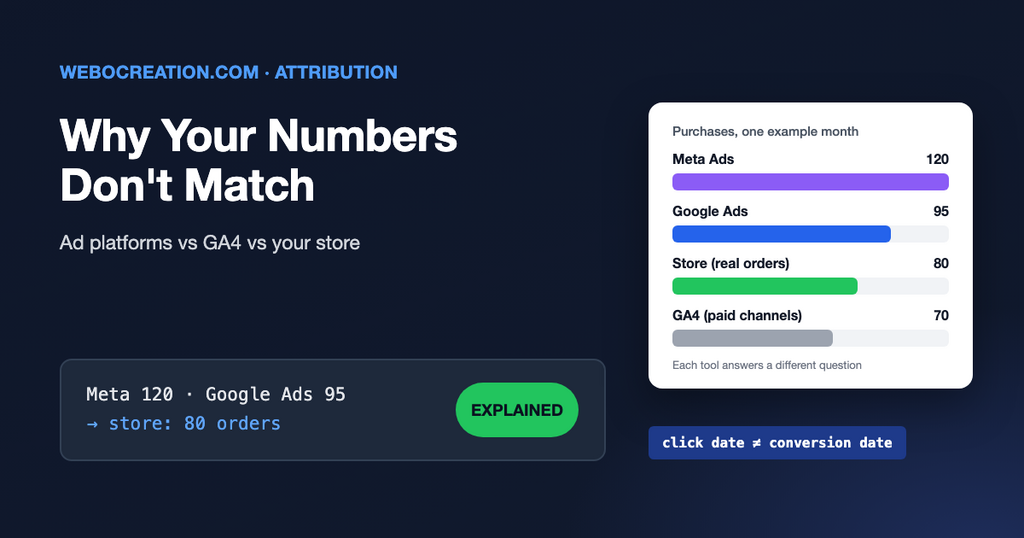
It’s one of the most common questions in marketing meetings. Meta Ads reports 120 purchases this month. Google Ads reports 95. GA4 shows 70 from those two channels combined. The store’s back office shows 80 orders in total. Which number is right?
Usually, all of them, for the question each tool is answering. They count different things in different ways. Once you know the differences, the gap stops being a mystery and you can decide which number to use for which decision.
Reason 1: every platform takes credit
A customer sees a Meta ad on Monday, clicks a Google ad on Wednesday and buys. Meta counts the purchase. Google Ads counts the purchase. Each platform only sees its own ads, so each believes it caused the sale. Add up the platforms and you get more conversions than you actually had.
GA4 sees every channel, so it shares the credit between them and the total matches reality more closely.
Reason 2: view-through conversions
Meta’s default attribution setting counts a purchase if someone clicked an ad within 7 days or viewed one within 1 day. Someone who scrolled past your ad and later bought after searching your brand name counts as a Meta conversion. GA4 doesn’t know about the ad view, so it credits the search. Check the attribution setting column in Ads Manager to see which kind you are looking at.
Reason 3: different dates
Google Ads reports a conversion on the date of the ad click. GA4 reports it on the date of the conversion. A click on 30 September and a purchase on 2 October count in September in Google Ads and October in GA4. Over a long period this evens out. Over a week it can look like a big difference, and the latest days in Google Ads keep rising as late conversions arrive.
Reason 4: consent and blocked tracking
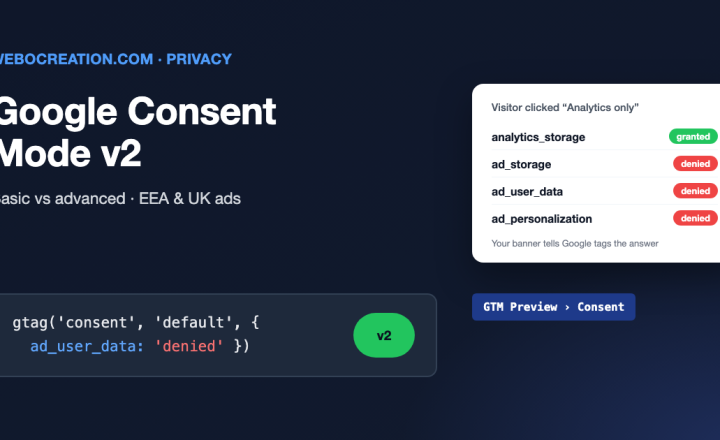
If a visitor rejects cookies on your consent banner, uses an ad blocker or a privacy-focused browser, or opts out of tracking in an app, some tags don’t fire. Each tool loses a different share of those visits, and each tool fills the gap differently. Google can estimate missing conversions through Consent Mode. Meta uses its own modelling. Your store’s database doesn’t need cookies at all, which is why it is often the most complete count.
Reason 5: different definitions
- Is the conversion counted once per click or every time? A customer who buys twice may count as one or two, depending on the setting.
- Are cancelled and refunded orders removed? The store usually removes them; ad platforms don’t know about them.
- Does the conversion fire on the thank-you page? If customers refresh it, or the payment gateway skips it, counts go up or down.
- Is time zone and currency the same in every tool?
How to compare fairly
- Start with the source of truth. Your store, CRM or billing system counts real orders and revenue. Compare everything else to it.
- Match the settings. Same date range, same time zone, same conversion action, clicks only (no view-through) when comparing to GA4.
- Look at trends, not single days. If the gap between GA4 and the store is steady at 15%, tracking is working. If it suddenly jumps to 40%, something broke.
- Pass an order ID with each conversion. With a transaction ID in GA4 and the ad platforms, duplicates are removed and you can check individual orders.
Which number to use for what
| Decision | Use |
|---|---|
| Total revenue and orders for the business | Store, CRM or finance system |
| Comparing channels against each other | GA4 (or another cross-channel tool) |
| Optimising ads inside one platform (which ad, which audience) | That platform’s own numbers |
| Is advertising actually adding sales? | Tests: pause a channel in one region, or run the platform’s lift study |
Signs that tracking is actually broken
- GA4 shows more purchases than the store had.
- Conversions drop to zero on a day the website was updated.
- A large share of purchases come from “(direct)” or “Unassigned” in GA4. Often a payment gateway redirect or messy UTMs is to blame.
- Your payment provider (PayPal, Stripe checkout) shows up as a top referral source. Add it to GA4’s list of unwanted referrals.
Learn the rest of the technical side
Understanding how each tool counts is the difference between arguing about numbers and using them. My book, The Technical Web Guide for Marketers, explains tracking, cookies, consent and attribution in plain language, along with domains, email, search and AI. (I’m the author; the Amazon link is an affiliate link.)

Author of four Opencart book.
The recent are Opencart 4 developer book and Opencart 4 user manual