Webhooks for OpenCart 4: Send New Orders, Status Changes and Customers to Slack, Zapier, n8n or Your ERP (Free Extension)
OpenCart 4 can't notify other systems when an order is placed. This free extension sends signed JSON webhooks (Standard Webhooks format) on order.created, order.status_changed and customer.created, with retries and a delivery log. Includes receiver code in PHP and Node.js.
 Rupak NepaliPublished Oct 26, 2026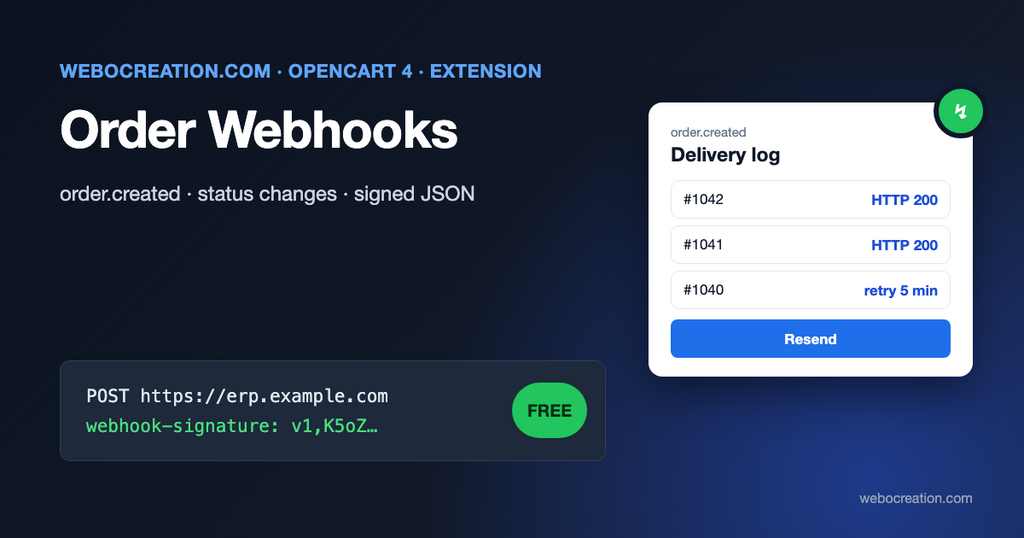
Sooner or later every store needs orders to go somewhere else: a Slack channel for the team, a warehouse or fulfillment service, accounting software, an ERP, a Google Sheet, a CRM. OpenCart 4 has an API, but it works the other way around: other systems have to ask OpenCart for new orders every few minutes. That’s slow, wasteful, and fragile.
Webhooks reverse it. When something happens in the store, OpenCart sends the details to a URL you choose, within seconds. This post explains how our free extension does that, how to receive the webhooks safely, and how to connect them to common tools.
What the extension does
- Sends a JSON
POSTto one or more HTTPS endpoints on three events:
– order.created: an order gets its first order status (the customer completed checkout). – order.status_changed: an order moves to another status, from the storefront, a payment callback or the admin. – customer.created: a customer registers.
- Each endpoint chooses its own events, and has its own signing secret.
- Every request is signed in the Standard Webhooks format, so receivers can check it came from your store.
- Sends right after the event, after the customer’s page has been delivered when your server uses PHP-FPM, so checkout isn’t slowed down.
- Retries failed deliveries through OpenCart’s cron after 1, 5, 30, 120, 300, 600 and 1440 minutes, then marks them failed.
- Delivery log in the admin, with the response code and body, a filter for pending and failed deliveries, and a Resend button.
- Send test button per endpoint.
Why “signed” matters
A webhook URL is just a URL. Anyone who finds it can send it fake data, for example a fake “order paid” to your fulfillment system. The fix is a shared secret and a signature on every request. Rather than inventing a format, the extension follows an open specification:
Standard Webhooks is a set of open source tools and guidelines to send webhooks easily, securely and reliably.
standardwebhooks.com
Every request carries three headers:
| Header | Example | Meaning |
|---|---|---|
webhook-id | msg_5f1c0a9e2b7d4c3a8e6f0b1d | Unique per delivery. Use it to ignore duplicates. |
webhook-timestamp | 1793088000 | Unix time the request was signed. Reject old ones. |
webhook-signature | v1,K5oZfzN95Z9UVu1EsfQmfVNQhnkZ2pj9o9NDN/H/pI4= | HMAC-SHA256 of id.timestamp.body |
The specification describes the signature as “the message’s: ID, timestamp and body are concatenated (delimited by full-stops) and then signed”, using the endpoint’s secret. Secrets start with whsec_. Because this is a published standard, there are ready-made verification libraries for most languages, and you don’t have to write the crypto yourself.
Installation
- Download order_webhooks.ocmod.zip with the button above.
- Extensions > Installer, upload the zip, and click the green Install button in the list.
- Extensions > Extensions, choose Modules, find Order Webhooks, click +, then the pencil.
- Click + under the endpoint table, enter your receiver’s
https://URL, tick the events, and Save. A signing secret appears; copy it into your receiver. - Switch Status on, save, and click Send test (the paper plane) next to the endpoint.
Installing creates the oc_webhook_delivery table, three events and a cron job. Uninstalling removes them.
Retries need the server cron
The first delivery doesn’t need cron. Retries do: they’re sent by the order_webhooks job in Extensions > Cron Jobs, which runs every time your server runs OpenCart’s cron.php. For prompt retries, run it every 5 minutes:
*/5 * * * * cd /home/USER/public_html && /usr/local/bin/php cron.php > /dev/null 2>&1What a webhook looks like
The body of an order.created webhook (shortened):
{
  "type": "order.created",
  "timestamp": "2026-10-26T14:03:11+00:00",
  "data": {
    "order_id": 1042,
    "store_id": 0,
    "store_name": "Your Store",
    "order_status_id": 1,
    "order_status": "Pending",
    "previous_status_id": 0,
    "currency_code": "USD",
    "currency_value": 1.0,
    "total": 127.2,
    "customer": {
      "customer_id": 17,
      "customer_group_id": 1,
      "firstname": "Ana",
      "lastname": "Lopez",
      "email": "ana@example.com",
      "telephone": "555-0100"
    },
    "payment_address": {"firstname": "Ana", "city": "Austin", "postcode": "78701", "country": "United States", "...": "..."},
    "shipping_address": {"firstname": "Ana", "city": "Austin", "...": "..."},
    "payment_method": "Cash On Delivery",
    "shipping_method": "Flat Shipping Rate",
    "comment": "",
    "products": [
      {"product_id": 40, "master_id": 0, "name": "iPhone", "model": "product 11", "quantity": 1, "price": 101.0, "tax": 20.2, "total": 101.0, "options": []}
    ],
    "totals": [
      {"code": "sub_total", "title": "Sub-Total", "value": 101.0},
      {"code": "shipping", "title": "Flat Shipping Rate", "value": 5.0},
      {"code": "tax", "title": "VAT (20%)", "value": 21.2},
      {"code": "total", "title": "Total", "value": 127.2}
    ],
    "date_added": "2026-10-26 14:03:10"
  }
}
Amounts are in your store’s default currency, as OpenCart stores them. Multiply by currency_value for the amount in the customer’s currency. order.status_changed has the same data, with previous_status_id set to the old status.
Receiving webhooks: PHP
A minimal receiver on any PHP server. It verifies the signature, rejects old messages and ignores duplicates:
<?php
$secret = getenv('OPENCART_WEBHOOK_SECRET'); // whsec_...

$body = file_get_contents('php://input');
$id = $_SERVER['HTTP_WEBHOOK_ID'] ?? '';
$timestamp = (int)($_SERVER['HTTP_WEBHOOK_TIMESTAMP'] ?? 0);
$header = $_SERVER['HTTP_WEBHOOK_SIGNATURE'] ?? '';

// 1. Reject messages older than 5 minutes (replay protection).
if (abs(time() - $timestamp) > 300) {
	http_response_code(400);
	exit('Old timestamp');
}

// 2. Compute the expected signature with the decoded secret.
$key = base64_decode(substr($secret, strlen('whsec_')));
$expected = base64_encode(hash_hmac('sha256', $id . '.' . $timestamp . '.' . $body, $key, true));

// 3. The header may contain several "v1,..." values separated by spaces.
$valid = false;

foreach (explode(' ', $header) as $signature) {
	if (str_starts_with($signature, 'v1,') && hash_equals($expected, substr($signature, 3))) {
		$valid = true;
	}
}

if (!$valid) {
	http_response_code(401);
	exit('Bad signature');
}

// 4. Ignore deliveries you've already processed (store the IDs you've seen).
$event = json_decode($body, true);

// ... do the work: save to your database, queue a job ...

http_response_code(200);
echo 'ok';
Always compute the signature over the raw body, exactly as received. Decoding the JSON and encoding it again changes spacing and escaping, and the signature won’t match.
Receiving webhooks: Node.js
With the official standardwebhooks package (npm install standardwebhooks express):
import express from 'express';
import { Webhook } from 'standardwebhooks';

const app = express();
const wh = new Webhook(process.env.OPENCART_WEBHOOK_SECRET.replace('whsec_', ''));

app.post('/opencart', express.raw({ type: 'application/json' }), (req, res) => {
  try {
    const event = wh.verify(req.body.toString(), req.headers);
    console.log(event.type, event.data.order_id);
    res.sendStatus(200);
  } catch (err) {
    res.sendStatus(401);
  }
});

app.listen(3000);
Connecting to no-code tools
- Zapier: create a Zap with Webhooks by Zapier > Catch Raw Hook, use the URL it gives you as the endpoint, click Send test, then map the fields to Slack, Google Sheets, your CRM or accounting app. Zapier doesn’t verify the signature for you; treat the hook URL as a secret.
- Make: Webhooks > Custom webhook, same idea.
- n8n (self-hosted or cloud): a Webhook node, followed by a Crypto node (HMAC, SHA256) and an IF node to check the signature if you want verification inside the workflow.
- Slack only: a tiny receiver (like the PHP one above) that posts
"New order #1042: 127.20 USD from Ana Lopez"to a Slack incoming webhook. Don’t point the extension directly at a Slack webhook URL: Slack expects its own message format.
Good practices for the receiving side
These follow from how webhooks fail in real life:
- Respond fast, work later. Return 200 within a few seconds and do slow work (calling an ERP, generating PDFs) in a queue. The extension waits 10 seconds for an answer; a slow receiver gets retried and does the work twice.
- Expect duplicates and out-of-order messages. A retry after a timeout can deliver the same event twice, and
order.status_changedto Processing can arrive beforeorder.createdif the first delivery failed. Usewebhook-idto skip duplicates, and when order matters, fetch the current state rather than trusting the event order. - 2xx means delivered. Anything else, including redirects, is a failure and will be retried. Point the endpoint at the final URL.
- Keep secrets out of code. Store them in environment variables, and use New secret (then save) if a secret leaks.
Privacy
Webhooks carry personal data: names, email addresses, phone numbers and addresses. Only send them to systems you’d also give admin access to, list those systems in your privacy policy as processors, and use HTTPS (the extension refuses http:// endpoints). The delivery log stores the payloads too; it deletes delivered and failed entries after the number of days you set (30 by default).
Limitations
- Admin-created customers don’t trigger
customer.created; only storefront registrations do. - Editing an order’s products in the admin without changing its status doesn’t send an event.
- Amounts are in the default currency; there’s no per-endpoint currency conversion.
- Built for OpenCart 4.1.0.x.
For the opposite direction (other systems reading from OpenCart), see our OpenCart API documentation, and for event basics, OpenCart 4 events by examples. The extension’s code is on GitHub with our other free OpenCart extensions.

Author of four Opencart book.
The recent are Opencart 4 developer book and Opencart 4 user manual