Meta Conversions API for OpenCart 4: Server-Side Purchase Events, Deduplication With the Pixel, and Hashing Done Right
Browser-only Meta Pixel tracking misses purchases. Send Purchase events from the OpenCart 4 server with the Conversions API: capturing fbp and fbc at checkout, normalizing and hashing customer data, matching event_id with the Pixel for deduplication, testing in Events Manager, and consent.
 Rupak NepaliPublished Oct 26, 2026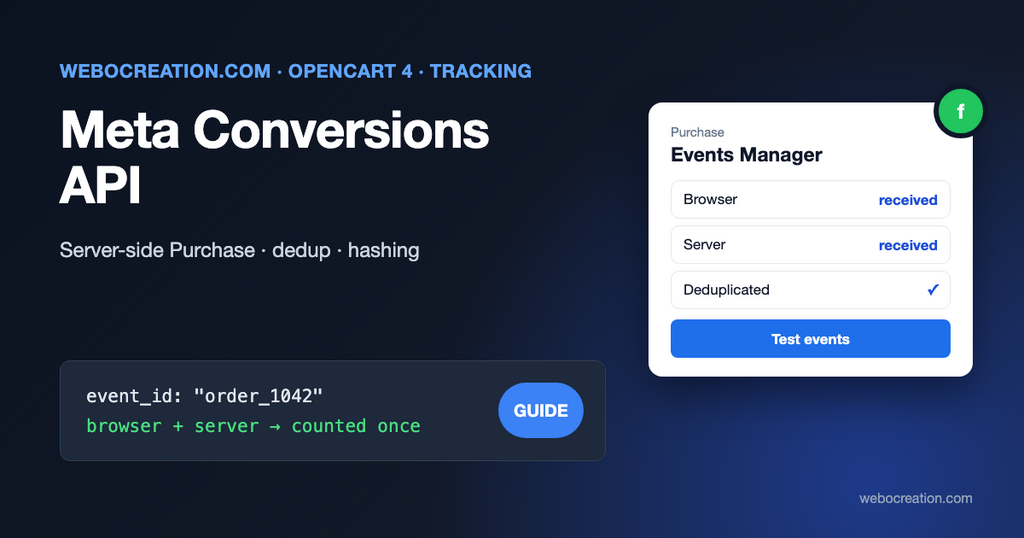
Our guide to Meta Pixel tracking in OpenCart 4 sends ViewContent, AddToCart, InitiateCheckout, and Purchase from the browser. That’s the foundation, and it has a gap: the browser has to reach the success page and run the Pixel. Ad blockers, browser tracking protection, payment redirects that never return, and customers closing the tab all lose purchases. Meta then optimizes your ads on incomplete data.
The Conversions API (CAPI) closes the gap by sending the same events from your server. Meta’s own recommendation:
For optimal ad performance, we recommend that advertisers implement the Conversions API alongside their Meta Pixel.
Meta for Developers, Handling duplicate Pixel and Conversions API events
This post shows how to send server-side Purchase events from OpenCart 4, make Meta count each purchase once, and handle customer data the way Meta requires.
How it fits together
- The Pixel in the browser sends
Purchasewith aneventID, as now. - The OpenCart server sends
Purchaseto the Conversions API with the same event name and anevent_idwith the same value. - Meta receives one or both, and keeps one.
Meta’s documentation spells out the matching rule: “We determine if events are identical based on their ID and name.” The Pixel’s eventID must match the API’s event_id, and the Pixel’s event name must match event_name. There’s also a time limit: “events are only deduplicated if they are received within 48 hours”. Use the order ID, which both sides know: order_1042.
Step 1: Add the event ID to the Pixel’s Purchase call
On the success page, the Pixel’s Purchase call gets a fourth argument:
fbq('track', 'Purchase', {
  value: 127.20,
  currency: 'USD',
  content_ids: ['40'],
  content_type: 'product'
}, {eventID: 'order_1042'});
The order ID has to be read before OpenCart clears it from the session in the success page’s controller. An event on catalog/controller/checkout/success/before can read it in time; our GA4 extension uses exactly that event for its purchase data, and you can reuse the pattern for the Pixel.
Step 2: Capture browser identifiers at checkout
The server-side Purchase is sent when the order gets its first paid status. With many payment methods that happens in a payment provider’s callback, a server-to-server request where the customer’s browser isn’t involved, so there are no cookies to read. Capture what you need while the customer is still on the site.
Meta uses these browser values to match events to people, and they’re not hashed:
fbp: the_fbpcookie, set by the Pixel.fbc: the_fbccookie, set when someone arrives from an ad click (from thefbclidURL parameter).client_ip_addressandclient_user_agent: OpenCart already stores both on every order (ipanduser_agentcolumns).
Save the two cookies when the order is created, with an event on catalog/model/checkout/order.addOrder/after, which runs in the customer’s own request:
public function addOrder(string &$route, array &$args, &$output): void {
	$order_id = (int)$output;

	if (!$order_id) {
		return;
	}

	$fbp = (string)($this->request->cookie['_fbp'] ?? '');
	$fbc = (string)($this->request->cookie['_fbc'] ?? '');

	// Only keep values in Meta's documented format: fb.{subdomain_index}.{creation_time}.{value}
	$fbp = preg_match('/^fb\.\d\.\d+\.[\w-]+$/', $fbp) ? $fbp : '';
	$fbc = preg_match('/^fb\.\d\.\d+\.[\w-]+$/', $fbc) ? $fbc : '';

	$this->db->query("REPLACE INTO `" . DB_PREFIX . "meta_capi` SET `order_id` = '" . $order_id . "', `fbp` = '" . $this->db->escape($fbp) . "', `fbc` = '" . $this->db->escape($fbc) . "', `consent` = '" . (int)$this->hasConsent() . "', `sent` = '0'");
}
Create the small oc_meta_capi table (order_id, fbp, fbc, consent, sent) in your extension’s install(). hasConsent() is yours to write: it should return true only if the visitor accepted marketing cookies (see “Consent” below).
Step 3: Normalize and hash customer data
Meta matches people on hashed contact information, and is strict about it: “Our systems are designed to not accept customer information that is unhashed Contact Information, unless noted below.” Each field must be normalized before it’s hashed with SHA-256, or the hash won’t match:
| Field | Key | Normalize before hashing |
|---|---|---|
em | Trim spaces, lowercase | |
| Phone | ph | Digits only, with country code, no leading zeros |
| First / last name | fn, ln | Lowercase, no punctuation |
| City | ct | Lowercase, no spaces or punctuation |
| State | st | Lowercase; 2-letter code for US states |
| ZIP / postcode | zp | Lowercase, no spaces or dashes; first 5 digits for US |
| Country | country | Lowercase ISO 3166-1 alpha-2, for example us |
| Customer ID | external_id | Hashing recommended |
And the opposite rule for the IP address: “The client_ip_address user data parameter must never be hashed.”
A helper that does both:
private function hash(string $value): string {
	return $value === '' ? '' : hash('sha256', $value);
}

private function userData(array $order, array $capi): array {
	$phone = preg_replace('/\D+/', '', (string)$order['telephone']);
	$zip = strtolower(str_replace([' ', '-'], '', (string)$order['payment_postcode']));

	if (strtoupper((string)$order['payment_iso_code_2']) == 'US') {
		$zip = substr($zip, 0, 5);
	}

	$data = [
		'em'                => [$this->hash(strtolower(trim($order['email'])))],
		'ph'                => [$this->hash(ltrim($phone, '0'))],
		'fn'                => [$this->hash(preg_replace('/[^\p{L}]/u', '', mb_strtolower($order['firstname'])))],
		'ln'                => [$this->hash(preg_replace('/[^\p{L}]/u', '', mb_strtolower($order['lastname'])))],
		'ct'                => [$this->hash(preg_replace('/[^\p{L}]/u', '', mb_strtolower((string)$order['payment_city'])))],
		'zp'                => [$this->hash($zip)],
		'country'           => [$this->hash(strtolower((string)$order['payment_iso_code_2']))],
		'external_id'       => [$this->hash((string)$order['customer_id'])],
		'client_ip_address' => $order['ip'],
		'client_user_agent' => $order['user_agent'],
		'fbp'               => $capi['fbp'],
		'fbc'               => $capi['fbc']
	];

	// Drop empty values rather than sending hashes of nothing.
	return array_filter($data, fn ($value) => is_array($value) ? $value[0] !== '' : $value !== '');
}
Phone numbers need the country code. OpenCart’s telephone field is free text; if customers type local numbers, convert them with the address country first (libphonenumber does this well). A wrong phone hash doesn’t break anything; it just doesn’t match.
Step 4: Send the Purchase event
When the order first reaches a processing status, send the event. Use an event on catalog/model/checkout/order.addHistory/after:
public function addHistory(string &$route, array &$args, &$output): void {
	$order_id = (int)$args[0];

	if (!in_array((int)$args[1], (array)$this->config->get('config_processing_status'))) {
		return;
	}

	$capi = $this->db->query("SELECT * FROM `" . DB_PREFIX . "meta_capi` WHERE `order_id` = '" . $order_id . "' AND `sent` = '0' AND `consent` = '1'")->row;

	if (!$capi) {
		return;
	}

	$this->load->model('checkout/order');

	$order = $this->model_checkout_order->getOrder($order_id);
	$products = $this->model_checkout_order->getProducts($order_id);

	$event = [
		'event_name'       => 'Purchase',
		'event_time'       => time(),
		'event_id'         => 'order_' . $order_id,
		'action_source'    => 'website',
		'event_source_url' => $order['store_url'] . 'index.php?route=checkout/success',
		'user_data'        => $this->userData($order, $capi),
		'custom_data'      => [
			'currency'     => $order['currency_code'],
			'value'        => round((float)$order['total'] * (float)$order['currency_value'], 2),
			'content_ids'  => array_map('strval', array_column($products, 'product_id')),
			'content_type' => 'product',
			'num_items'    => array_sum(array_column($products, 'quantity')),
			'order_id'     => (string)$order_id
		]
	];

	$curl = curl_init('https://graph.facebook.com/v26.0/' . $this->config->get('module_meta_capi_pixel_id') . '/events?access_token=' . urlencode((string)$this->config->get('module_meta_capi_token')));

	curl_setopt_array($curl, [
		CURLOPT_POST           => true,
		CURLOPT_POSTFIELDS     => json_encode(['data' => [$event]]),
		CURLOPT_HTTPHEADER     => ['Content-Type: application/json'],
		CURLOPT_RETURNTRANSFER => true,
		CURLOPT_TIMEOUT        => 5
	]);

	$response = curl_exec($curl);

	if ((int)curl_getinfo($curl, CURLINFO_RESPONSE_CODE) == 200) {
		$this->db->query("UPDATE `" . DB_PREFIX . "meta_capi` SET `sent` = '1' WHERE `order_id` = '" . $order_id . "'");
	} else {
		$this->log->write('Meta CAPI: order ' . $order_id . ': ' . substr((string)$response, 0, 300));
	}
}
Details that matter:
- Graph API version: Meta’s current examples use
v26.0. Pin a version and update it when Meta deprecates it. - Timing: Meta recommends sending “as soon as they occur and ideally within an hour”. Events can be up to 7 days old, but if any
event_timein a request is older than that, Meta rejects the whole request. - The access token is generated in Events Manager (your dataset/Pixel > Settings > Conversions API > Generate access token). Store it as a setting, never in JavaScript.
- Don’t block checkout: the 5-second timeout and logging keep a Meta outage from affecting customers. For more resilience, send through our order webhooks extension to a separate service that retries.
Step 5: Test before trusting it
- In Events Manager, open your dataset and the Test events tab, and copy the test code (for example
TEST12345). - Add
"test_event_code": "TEST12345"at the top level of the request body (next todata), and place a test order. - The event should appear within seconds, marked as received from the server, alongside the browser event, with deduplication noted.
- Check the Event match quality score after a few days of real orders; more correctly hashed fields mean better matching.
- Remove
test_event_code. Meta’s docs are explicit: “You need to remove it when sending your production payload.”
Consent
Server-side tracking doesn’t remove consent obligations. If a visitor declined marketing cookies, don’t send their purchase to Meta from the server either; that’s why the code stores a consent flag at checkout and only sends when it’s set. In the EU and UK this matters legally; elsewhere it’s still what customers expect. Our Google Consent Mode v2 guide explains the consent categories, and your privacy policy should name Meta as a recipient.
Beyond Purchase
Purchase is where server-side sending pays off most. You can send other events the same way (InitiateCheckout from the checkout page request, Lead from the contact form), as long as each has an event ID that the Pixel sends too. Keep the number of events small and accurate rather than large and duplicated.
For the analytics side, compare Meta’s reported conversions with your OpenCart orders monthly; our post on why analytics and ad platform numbers don’t match explains the gaps that remain.

Author of four Opencart book.
The recent are Opencart 4 developer book and Opencart 4 user manual