UTM Parameters Done Right: A Naming Convention Your Whole Marketing Team Can Follow
Messy UTMs split your campaign data and push traffic into "Unassigned" in GA4. A simple UTM naming convention, the values GA4 expects, and the mistakes that quietly break attribution.
 Rupak NepaliPublished Oct 23, 2026
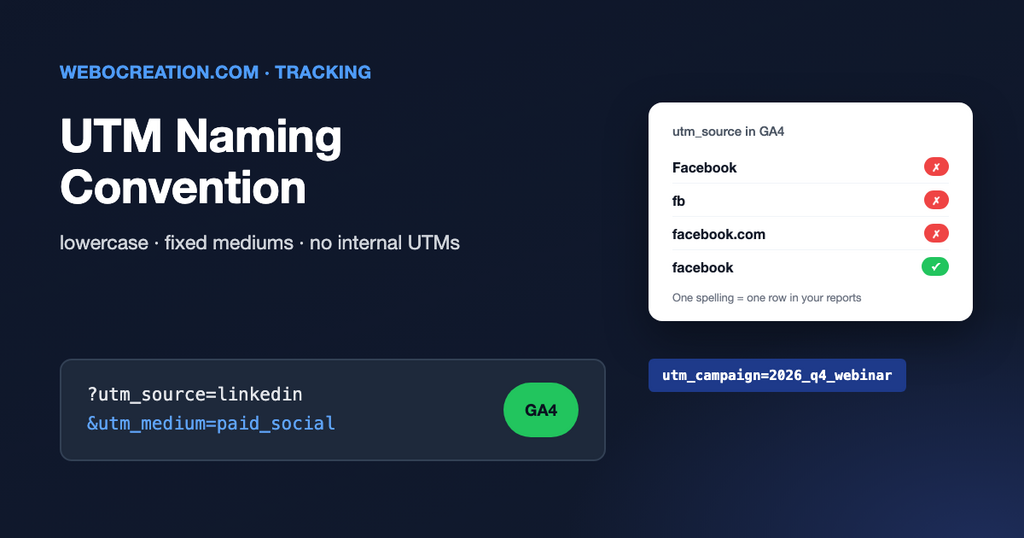
UTM parameters are the small tags at the end of a link that tell your analytics where a visitor came from:
https://yourcompany.com/pricing?utm_source=linkedin&utm_medium=paid_social&utm_campaign=2026_q4_webinarThey are simple, and that’s the problem. Anyone can type anything, so after a year most accounts have Facebook, facebook, fb and facebook.com as four separate sources, and a chunk of traffic in GA4’s “Unassigned” channel. A short written convention fixes this.
The five parameters
| Parameter | Answers | Examples |
|---|---|---|
utm_source | Which site or sender? | google, linkedin, newsletter, partner_acme |
utm_medium | What type of channel? | cpc, paid_social, social, email, referral, display |
utm_campaign | Which campaign? | 2026_q4_webinar, black_friday_2026 |
utm_content | Which ad, link or version? | video_a, header_button |
utm_term | Which keyword or audience? | crm_software, lookalike_1pct |
Source, medium and campaign should be on every tagged link. Content and term are optional.
Medium matters more than you think
GA4 sorts traffic into channels (Paid Search, Paid Social, Email, Organic Social and so on) using rules based mostly on utm_medium and utm_source. If your medium doesn’t match its rules, the traffic lands in “Unassigned” and your channel reports are wrong.
| Channel you want in GA4 | Use this medium | Avoid |
|---|---|---|
email | newsletter, mail, email_blast | |
| Paid Search | cpc (with a search engine as source) | ppc_google, adwords |
| Paid Social | paid_social or cpc (with a social network as source) | sponsored, boost |
| Organic Social | social | post, organic |
| Display | display or banner | programmatic_ad |
| Affiliates | affiliate | partner |
Google publishes the full default channel group rules. Check them before you invent a new medium.
A convention you can copy
- Lowercase everything. GA4 treats
LinkedInandlinkedinas different values. - Underscores, no spaces. Spaces become
%20or+and break in some tools. - Source is the platform name, not the domain:
facebook, notfacebook.comorfb. - Medium comes from a fixed list (the table above). Nobody adds a new one without agreement.
- Campaign follows a pattern, for example
year_quarter_name:2026_q4_webinar. Use the same campaign name across every channel so you can compare them. - Use a shared builder. A spreadsheet with drop-down lists for source and medium and a formula that builds the URL stops typos before they happen. It also gives you a log of every tagged link.
Mistakes that quietly break attribution
UTMs on internal links
Never put UTMs on links from your own website to your own website, such as a home page banner. When a visitor who came from Google clicks it, GA4 starts a new attribution with your fake source and the real one is lost. Use GA4 events to measure internal promotions instead.
Tagging Google Ads manually
If Google Ads is linked to GA4 with auto-tagging on (the gclid parameter), you don’t need UTMs on Google Ads. Adding them can lead to conflicting data. Leave auto-tagging to do the job.
Redirects that drop the parameters
Some link shorteners, redirects and website setups strip everything after the ?. Click every tagged link before launch and check that the final page address still has the UTMs.
Personal data in UTMs
Never put email addresses, names or phone numbers in a URL. They end up in analytics, which breaks Google’s terms and creates a privacy problem.
Keeping the first touch, too
Analytics tools mostly report the visit that led to the conversion. If you also want to know which campaign first brought a lead in, save the UTMs into hidden form fields or your CRM. We explain how in first-touch vs last-touch UTMs.
Learn the rest of the technical side
UTMs are the first layer of tracking. Cookies, pixels, consent and attribution sit on top. My book, The Technical Web Guide for Marketers, explains how they fit together, along with domains, email, search and AI. (I’m the author; the Amazon link is an affiliate link.)

Author of four Opencart book.
The recent are Opencart 4 developer book and Opencart 4 user manual