First‑Touch vs Last‑Touch UTMs with Cookies: Track with two fields for Better Attribution
 Rupak NepaliPublished Jul 7, 2026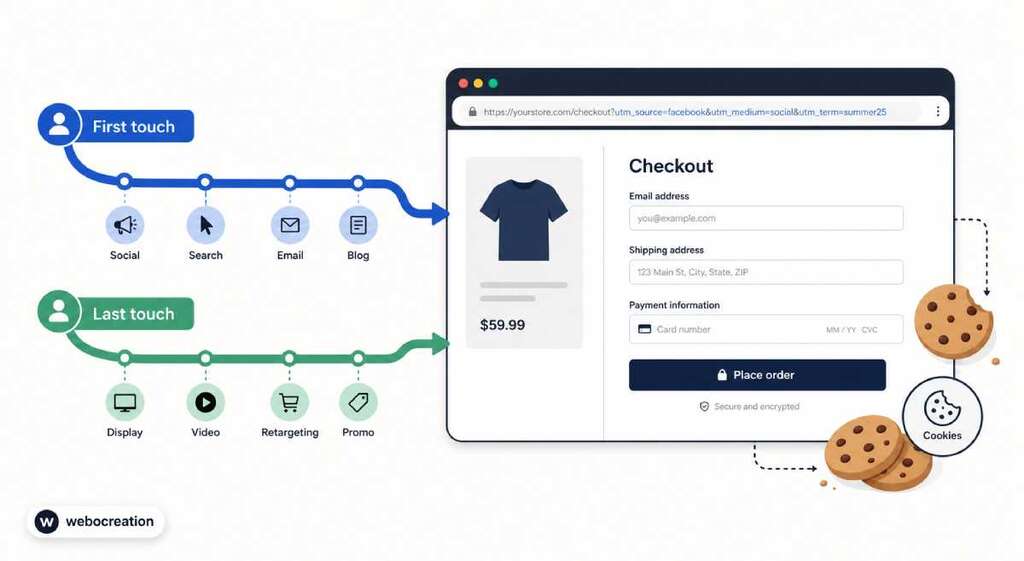
In our previous article, we showed how to capture UTMs, store them in cookies, and keep attribution working across multiple pages and sub‑domains. That gave us solid last‑touch data: we knew which campaign was active at the moment of conversion—but we still didn’t know which campaign first brought the user into our world.
In this post, we’ll extend that approach so we can track:
- First‑touch UTMs (the very first campaign that brought a visitor in).
- Last‑touch UTMs (the campaign active when they finally converted).
We’ll do this by storing UTMs twice in cookies and sending them into paired fields, like:
utm_term→ last‑touch term.utm_term_first→ first‑touch term.
You can replicate this pattern for utm_source, utm_medium, utm_campaign, and utm_content so your CRM or order table gets clean first‑ vs last‑touch attribution per order or lead.
Why First‑Touch and Last‑Touch UTMs Matter
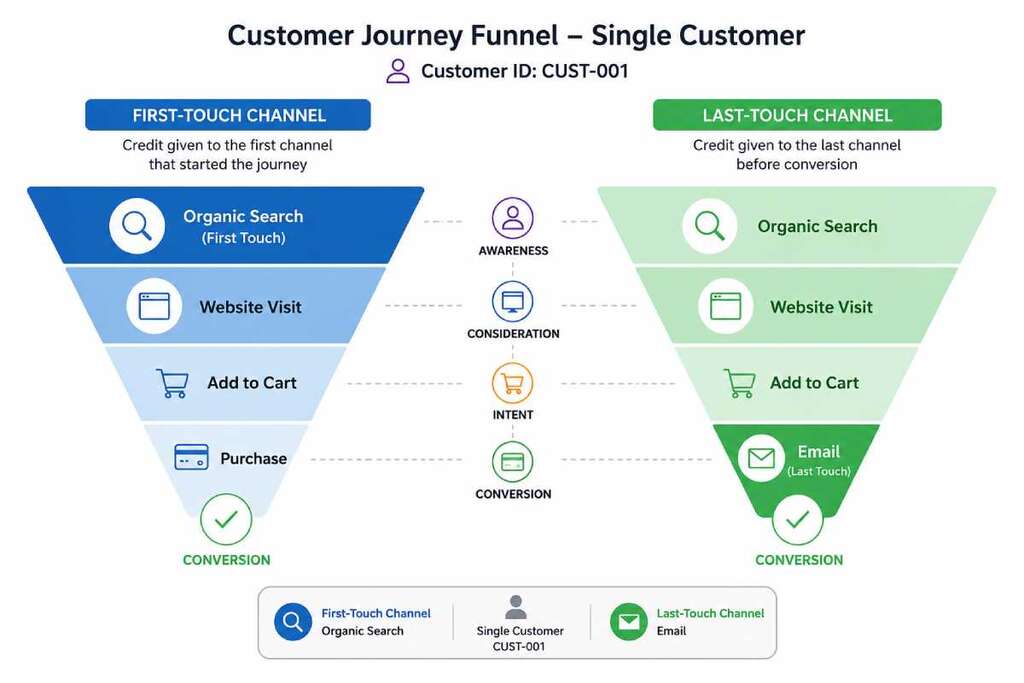
Most basic UTM setups only care about the current URL, which effectively gives you last‑touch attribution only: the last campaign that had UTMs in the URL gets all the credit. That hides a lot of reality in ecommerce:
- A user first discovers you via a generic search ad.
- They come back later through retargeting or email.
- They finally convert from a coupon site or branded search.
Analytics platforms like Mixpanel, Mailchimp, and others explicitly talk about first‑touch vs last‑touch models because each answers a different question:
- First‑touch: Which channels are best at initial acquisition?
- Last‑touch: Which channels are best at closing the deal?
By storing both versions of the UTMs in your own cookies and form fields, you get that same clarity without needing a heavyweight attribution tool.
Data Model: Doubling Each UTM Field
UTM parameters are just tags on URLs like utm_source, utm_medium, utm_campaign, utm_content, and utm_term. To support first‑touch and last‑touch, we keep the original field names and add a “_first” variant for each.
Recommended naming convention:
utm_sourceandutm_source_firstutm_mediumandutm_medium_firstutm_campaignandutm_campaign_firstutm_contentandutm_content_firstutm_termandutm_term_first
At conversion time (checkout, signup, quote request, etc.) you’ll:
- Map last‑touch UTMs into the standard fields (
utm_source,utm_term, etc.). - Map first‑touch UTMs into the
*_firstfields (utm_source_first,utm_term_first, etc.).
This gives your backend and BI tools clean, queryable columns for both attribution models on every contact or order.
Cookie Strategy: Two Cookies, Shared Across Sub‑Domains
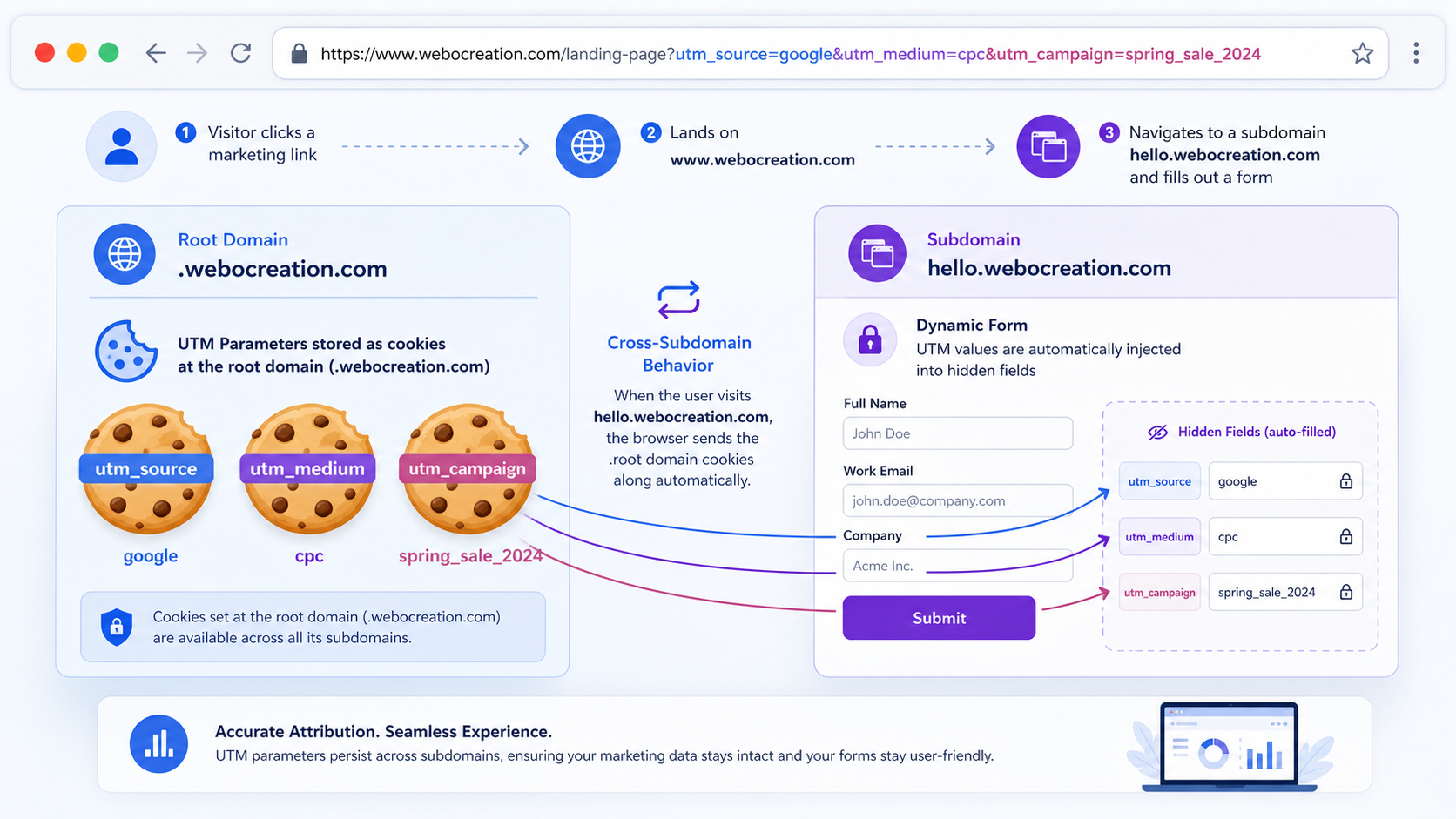
We’ll reuse the core idea from the original article: capture UTMs when users land, then store them in first‑party cookies so they survive page changes and sub‑domains.
We’ll use two cookies:
wc_utm_first→ first‑touch UTMs (written once per attribution window).wc_utm_last→ last‑touch UTMs (updated whenever new UTMs appear).
Each cookie will contain a JSON object with all UTM parameters present on that visit:
json{
  "utm_source": "facebook",
  "utm_medium": "paid-social",
  "utm_campaign": "summer_sale_2026",
  "utm_content": "carousel_ad_1",
  "utm_term": "summer dresses"
}
For multi‑sub‑domain setups (www.example.com, shop.example.com, checkout.example.com), use the root domain (e.g. .example.com) in the cookie’s domain attribute so every sub‑domain sees the same attribution data.
JavaScript: Capturing UTMs and Writing First/Last‑Touch Cookies
Load the following script on all pages, ideally via your template, a small OpenCart module, or a custom HTML tag in Google Tag Manager. It:
- Reads UTM parameters from the URL.
- Writes them to
wc_utm_firstonly if that cookie doesn’t exist. - Writes them to
wc_utm_lastevery time new UTMs appear. - Uses cookie expiry for the attribution window.
<script>
(function () {
  var utmKeys = [
    "utm_source",
    "utm_medium",
    "utm_campaign",
    "utm_content",
    "utm_term"
  ];

  function getQueryParam(name) {
    var params = new URLSearchParams(window.location.search);
    return params.get(name) || "";
  }

  function getUtmObject() {
    var data = {};
    utmKeys.forEach(function (key) {
      var val = getQueryParam(key);
      if (val) {
        data[key] = val;
      }
    });
    return data;
  }

  function readCookie(name) {
    var match = document.cookie.match(new RegExp("(^|; )" + name + "=([^;]+)"));
    return match ? decodeURIComponent(match[2]) : null;
  }

  function writeCookie(name, value, days) {
    var expires = "";
    if (days) {
      var date = new Date();
      date.setTime(date.getTime() + days * 24 * 60 * 60 * 1000);
      expires = "; expires=" + date.toUTCString();
    }

    // IMPORTANT: change ".example.com" to your root domain
    var domain = "; domain=.example.com";

    document.cookie =
      name +
      "=" +
      encodeURIComponent(value) +
      expires +
      domain +
      "; path=/; SameSite=Lax";
  }

  var utm = getUtmObject();

  // If there are UTMs in the URL…
  if (Object.keys(utm).length > 0) {
    var firstCookie = readCookie("wc_utm_first");

    // First-touch: set once per attribution window
    if (!firstCookie) {
      writeCookie("wc_utm_first", JSON.stringify(utm), 90); // 90 days
    }

    // Last-touch: always update when we see new UTMs
    writeCookie("wc_utm_last", JSON.stringify(utm), 30); // 30 days
  }
})();
</script>
This is very close to patterns recommended in GTM and analytics communities for “persist campaign data in a cookie and reuse it later.”
Populating Form Fields (utm_term vs utm_term_first)
Next, we need to get cookie values into our forms: checkout, lead forms, signup, etc. The idea is:
- Read
wc_utm_first→ fill*_firstfields. - Read
wc_utm_last→ fill standard UTM fields.
Hidden Inputs in Your Form
Add hidden inputs for both first‑touch and last‑touch UTMs:
<!-- Last-touch UTMs -->
<input type="hidden" name="utm_source" id="utm_source">
<input type="hidden" name="utm_medium" id="utm_medium">
<input type="hidden" name="utm_campaign" id="utm_campaign">
<input type="hidden" name="utm_content" id="utm_content">
<input type="hidden" name="utm_term" id="utm_term">

<!-- First-touch UTMs -->
<input type="hidden" name="utm_source_first" id="utm_source_first">
<input type="hidden" name="utm_medium_first" id="utm_medium_first">
<input type="hidden" name="utm_campaign_first" id="utm_campaign_first">
<input type="hidden" name="utm_content_first" id="utm_content_first">
<input type="hidden" name="utm_term_first" id="utm_term_first">
You can add these directly in your checkout template, contact form, or via GTM if the form is rendered client‑side.
Script to Map Cookies to Inputs
Now, add a small script on your conversion page(s) to read the cookies and populate the fields:
<script>
(function () {
  function readCookie(name) {
    var match = document.cookie.match(new RegExp("(^|; )" + name + "=([^;]+)"));
    return match ? decodeURIComponent(match[2]) : null;
  }

  function setFields(prefix, data) {
    if (!data) return;

    Object.keys(data).forEach(function (key) {
      var fieldId = prefix === "first" ? key + "_first" : key; // utm_term vs utm_term_first
      var el = document.getElementById(fieldId);
      if (el) {
        el.value = data[key];
      }
    });
  }

  var firstRaw = readCookie("wc_utm_first");
  var lastRaw = readCookie("wc_utm_last");

  var first = null;
  var last = null;

  try {
    first = firstRaw ? JSON.parse(firstRaw) : null;
    last = lastRaw ? JSON.parse(lastRaw) : null;
  } catch (e) {
    // swallow parse errors
  }

  // Map first-touch UTMs to *_first fields
  setFields("first", first);

  // Map last-touch UTMs to standard UTM fields
  setFields("last", last);
})();
</script>
With this:
utm_term_firstwill store the very first search term or ad keyword that brought the user in.utm_termwill store the search term or keyword for the last campaign before conversion.
This mirrors how attribution templates push cookie data into hidden form fields so the backend can store it reliably.
Attribution Windows and Reset Logic
If you never reset wc_utm_first, someone who bought from you two years ago could still show attribution to an old campaign. Most attribution tools use attribution windows or reset logic to keep data meaningful.
Practical rules for ecommerce:
- First‑touch window: 60–90 days is common, aligning with typical research/buy cycles.
- Last‑touch window: much shorter (30 minutes to a few days) so micro‑navigation on your own site doesn’t create “new campaigns.”
You can implement resets by:
- Relying on cookie expiry (as in the script above).
- Optionally clearing
wc_utm_firstwhen big events happen, like “Order completed” or “Lead qualified,” so new journeys start fresh.
Screenshot Cookie settings diagram showing expiry windows for first‑touch vs last‑touch cookies.
Cross‑Sub‑Domain and Cross‑Domain Considerations
If your stack uses multiple sub‑domains:
- Use
.example.comas cookie domain sowww,shop, andcheckoutshare the same UTMs. - Keep paths as
/so cookies are visible everywhere.
For truly separate domains (e.g., external payment gateways or microsites):
- You can forward UTMs via URL parameters when redirecting back to the main site, then let the script capture them again into cookies.
- Server‑side tagging or server‑set first‑party cookies can make this more robust and privacy‑friendly for complex environments.
Reporting Ideas: Making First vs Last‑Touch Actionable
Once you’re collecting both fields (e.g., utm_term and utm_term_first) on every order or lead, you can start answering questions that GA alone struggles with:
- Which channels rarely close deals but excel at first touch?
- How often does a brand search close vs a generic search open the journey?
- Do coupon sites mostly appear as last‑touch, while social and content carry first‑touch credit?
Example reports in your BI tool or database:
- Group by
utm_source_firstvsutm_sourceand compare revenue. - Compare conversion rates for journeys that start via paid search but end via email.
- Segment repeat purchasers by their first‑touch channel to see which campaigns bring in high‑LTV customers.
Privacy and Compliance Note
Because we’re using first‑party cookies and storing marketing metadata (not PII) we’re in a relatively safe zone, but modern privacy laws still expect you to:
- Document your cookie usage.
- Ask for consent where required (especially for marketing analytics).
- Keep cookie data as minimal and short‑lived as practical.
Avoid sticking user IDs or personal data into these UTM cookies; keep them focused on campaign tags only.
Wrap‑Up
With just a few extra lines of JavaScript and some hidden fields, we can upgrade a standard cookie‑based UTM implementation into a first‑touch + last‑touch attribution layer that works across pages and sub‑domains.
The key pattern is simple:
- Capture UTMs once for first touch and keep them stable.
- Update UTMs for last touch whenever a new campaign link is clicked.
- Map each set into paired fields like
utm_termandutm_term_firston every conversion.
From there, your ecommerce backend, CRM, or data warehouse can run whatever attribution analyses you want—without waiting for a third‑party tool to catch up

Author of four Opencart book.
The recent are Opencart 4 developer book and Opencart 4 user manual