Admin Template file to make hello world – OpenCart Module Development
 Rupak NepaliPublished Dec 13, 2018
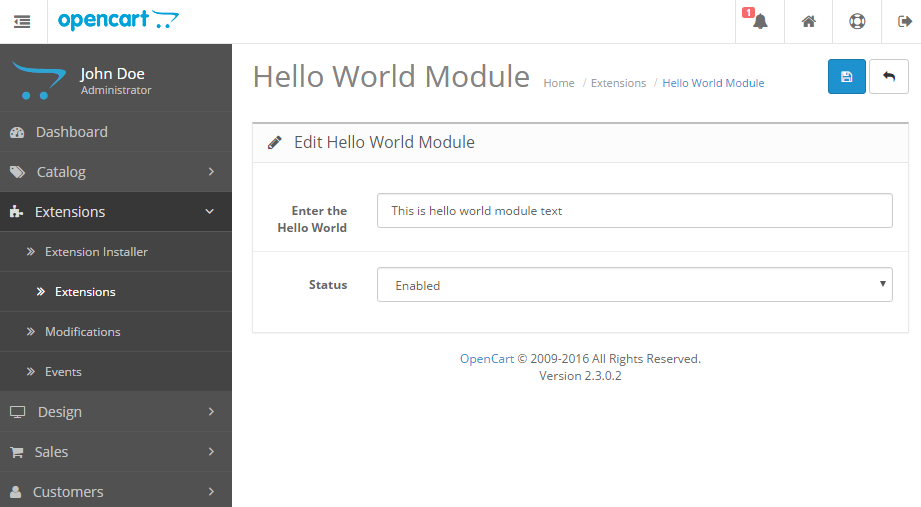
Now let’s develop the Admin Template file to make the hello world module. Go to admin/view/template/extension/module/ folder and make HelloWorld.tpl.
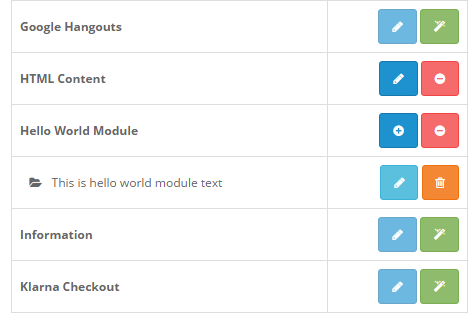
The following are full codes of template file which will be in HelloWorld.tpl at
<?php echo $header; ?><?php echo $column_left; ?>
<div id="content">
<div class="page-header">
<div class="container-fluid">
<div class="pull-right">
<button type="submit" form="form-html" data-toggle="tooltip" title="<?php echo $button_save; ?>" class="btn btn-primary"><i class="fa fa-save"></i></button>
<a href="<?php echo $cancel; ?>" data-toggle="tooltip" title="<?php echo $button_cancel; ?>" class="btn btn-default"><i class="fa fa-reply"></i></a>
</div>
<h1><?php echo $heading_title; ?></h1>
<ul class="breadcrumb">
<?php foreach ($breadcrumbs as $breadcrumb) { ?>
<li><a href="<?php echo $breadcrumb['href']; ?>"><?php echo $breadcrumb['text']; ?></a></li>
<?php } ?>
</ul>
</div>
</div>
<div class="container-fluid">
<?php if ($error_warning) { ?>
<div class="alert alert-danger"><i class="fa fa-exclamation-circle"></i> <?php echo $error_warning; ?>
<button type="button" class="close" data-dismiss="alert">×</button>
</div>
<?php } ?>
<div class="panel panel-default">
<div class="panel-heading">
<h3 class="panel-title"><i class="fa fa-pencil"></i> <?php echo $text_edit; ?></h3>
</div>
<div class="panel-body">
<form action="<?php echo $action; ?>" method="post" enctype="multipart/form-data" id="form-html" class="form-horizontal">
<div class="form-group">
<label class="col-sm-2 control-label" for="input-name"><?php echo $entry_name; ?></label>
<div class="col-sm-10">
<input type="text" name="name" value="<?php echo $name; ?>" placeholder="<?php echo $entry_name; ?>" id="input-name" class="form-control" />
<?php if ($error_name) { ?>
<div class="text-danger"><?php echo $error_name; ?></div>
<?php } ?>
</div>
</div>
<div class="form-group">
<label class="col-sm-2 control-label" for="input-status"><?php echo $entry_status; ?></label>
<div class="col-sm-10">
<select name="status" id="input-status" class="form-control">
<?php if ($status) { ?>
<option value="1" selected="selected"><?php echo $text_enabled; ?></option>
<option value="0"><?php echo $text_disabled; ?></option>
<?php } else { ?>
<option value="1"><?php echo $text_enabled; ?></option>
<option value="0" selected="selected"><?php echo $text_disabled; ?></option>
<?php } ?>
</select>
</div>
</div>
</form>
</div>
</div>
</div>
<?php echo $footer; ?>
In the controller, we have assigned variables to data objects to pass to the view section.

Rupak Nepali is a web developer, manage Webocreation website and the author of six books:
Getting Started with OpenCart Module Development (Packt, 2013),
OpenCart Theme and Module Development (Packt, 2015),
OpenCart 4: Dev Guide for Themes & Extensions (2024),
OpenCart 4: User Manual (2025),
Cloudflare for the Enterprise Website (2026) and
The Technical Web Guide for Marketers (2026).
Rupak has built OpenCart stores and extensions since 2010, has published more than 600 tutorials on Webocreation, and shares free OpenCart extensions on GitHub.
Find Rupak on
GitHub | Amazon | LinkedIn | X | YouTube.