Product Availability on Product Cards for OpenCart 4: In Stock, Quantity or Pre-Order on Every Listing (Free Extension)
A free OpenCart 4 extension that shows availability (In Stock, the quantity, or the product's out-of-stock status such as Pre-Order) on every product card, in categories, search, specials and modules, with an out-of-stock-only mode.
 Rupak NepaliPublished Nov 19, 2026
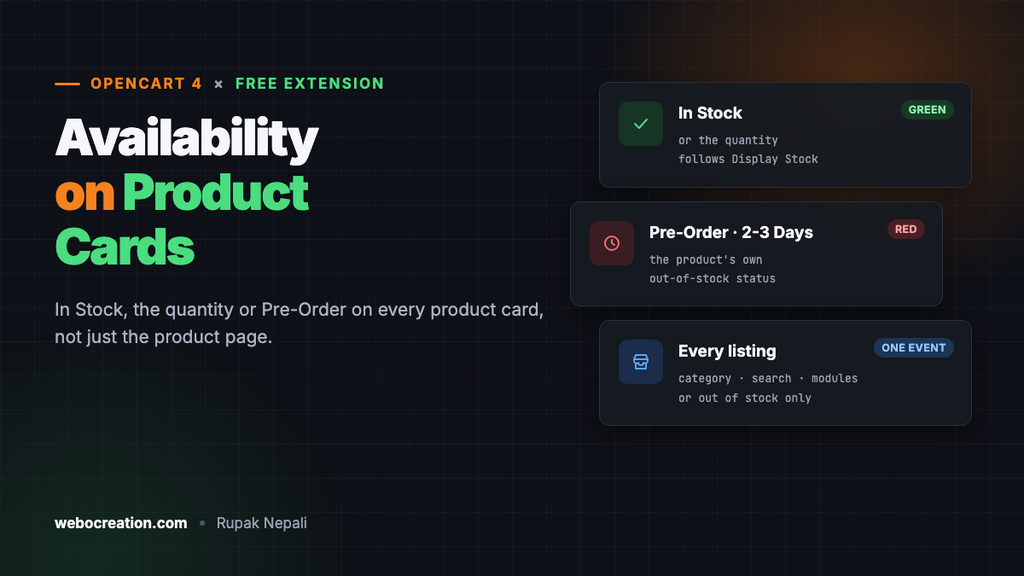
OpenCart tells shoppers whether a product is in stock only on the product page. On category pages, search results and the home page, an out-of-stock product looks exactly like one you can ship today, so shoppers click, read, and find out at the last moment.
This free extension adds the availability line to every product card: In Stock, the quantity, or the product’s out-of-stock status such as Pre-Order or 2-3 Days. It’s the OpenCart 4 version of our OpenCart 3 product availability OCMOD.
Download Product Availability on Product Cards for OpenCart 4 (free, tested on OpenCart 4.1.0.4)
What it does
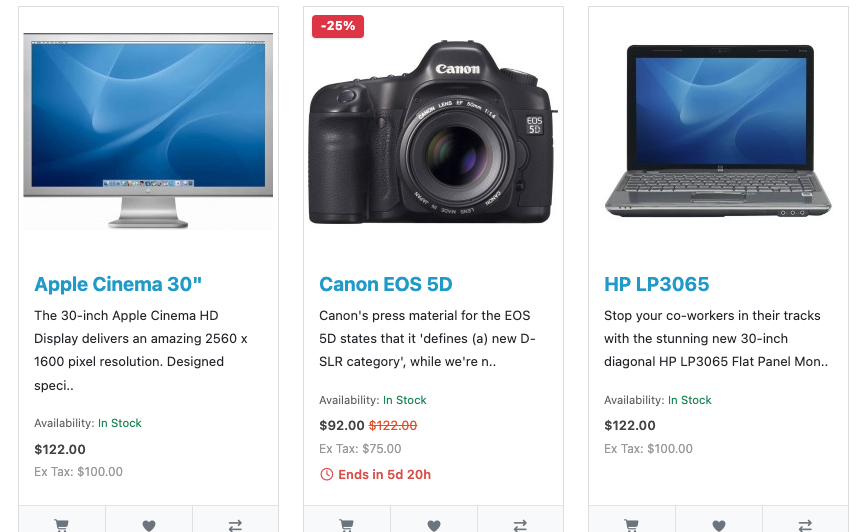
- The same text as the product page, on every card: in stock shows “In Stock” (or the quantity, if you show stock levels), out of stock shows the product’s stock status.
- Green for available, red for not, using Bootstrap’s text colours, so your theme’s colours apply.
- Every listing: category, search, specials, manufacturer pages and modules such as Featured, Latest and Bestsellers.
- Optional “out of stock only” mode, if you’d rather flag only the exceptions.
Install it
- Download
availability.ocmod.zip. - Go to Extensions → Installer, upload it, and click the green +.
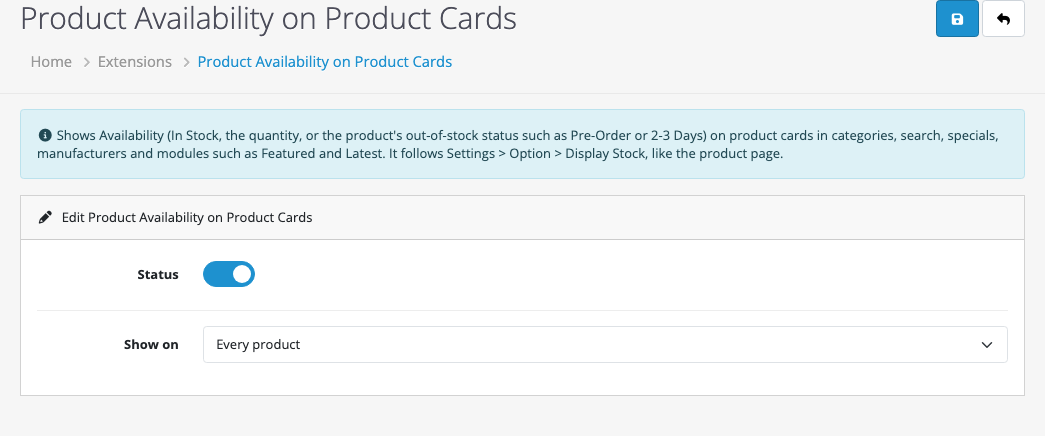
- Go to Extensions → Extensions → Modules and install Product Availability on Product Cards.
- Click Edit, turn Status on and save.
What shoppers see
| Product | Display Stock setting | Card shows |
|---|---|---|
| Quantity above 0 | Off | Availability: In Stock (green) |
| Quantity above 0 | On | Availability: 12 (green) |
| Quantity 0 or less | Either | Availability: the product’s Out Of Stock Status, for example Pre-Order (red) |
Display Stock is in System → Settings → Option → Stock, and each product’s Out Of Stock Status is on its Data tab. Set it per product to something useful: “Pre-Order”, “2-3 Days” or “Back in December” tells shoppers far more than “Out Of Stock”. Pair it with back-in-stock notifications so they can ask to be told.
How it’s built
The OpenCart 3 version edited five controllers and five templates through OCMOD: the category page and four modules. Anything else, such as search or a third-party module, showed nothing. In OpenCart 4, every listing renders products through one shared template, product/thumb, so one event on catalog/view/product/thumb/after covers them all.
The event uses one small query per card rather than getProduct(), which also loads specials, discounts and ratings that the card has already loaded:
SELECT p.`quantity`, ss.`name` AS stock_status
FROM `oc_product` p
LEFT JOIN `oc_stock_status` ss ON (ss.`stock_status_id` = p.`stock_status_id` AND ss.`language_id` = '1')
WHERE p.`product_id` = '33'
The line goes in just above the price, or above the buttons if the product shows no price (for example when prices are hidden from guests).
Testing
| Test | Result |
|---|---|
| Desktops category, all in stock | “Availability: In Stock” on all 10 cards |
| Monitor set to quantity 0, status Pre-Order | “Availability: Pre-Order” in red |
| “Only products that are out of stock” mode | Pre-Order shown on the monitor, nothing on the in-stock product |
Related: an “Only 3 left” low-stock message on product pages and managing stock statuses in OpenCart 4.

Rupak Nepali is a web developer, manage Webocreation website and the author of six books:
Getting Started with OpenCart Module Development (Packt, 2013),
OpenCart Theme and Module Development (Packt, 2015),
OpenCart 4: Dev Guide for Themes & Extensions (2024),
OpenCart 4: User Manual (2025),
Cloudflare for the Enterprise Website (2026) and
The Technical Web Guide for Marketers (2026).
Rupak has built OpenCart stores and extensions since 2010, has published more than 600 tutorials on Webocreation, and shares free OpenCart extensions on GitHub.
Find Rupak on
GitHub | Amazon | LinkedIn | X | YouTube.