2 Free Mailchimp Email Templates: Newsletter and Product Launch (Coded, Responsive, Importable)
Two free, responsive, custom-coded Mailchimp email templates (a monthly newsletter and a product launch) with editable regions, repeatable and hideable blocks, and the required footer merge tags, plus how to import them and the builder limitation to check first.
 Rupak NepaliPublished Nov 16, 2026
Mailchimp’s drag-and-drop templates are quick, but every store using them looks a little alike, and they’re hard to bend to a brand. A custom-coded template gives you a layout that’s yours, with Mailchimp’s editor still letting anyone on the team change text, images and buttons without touching code.
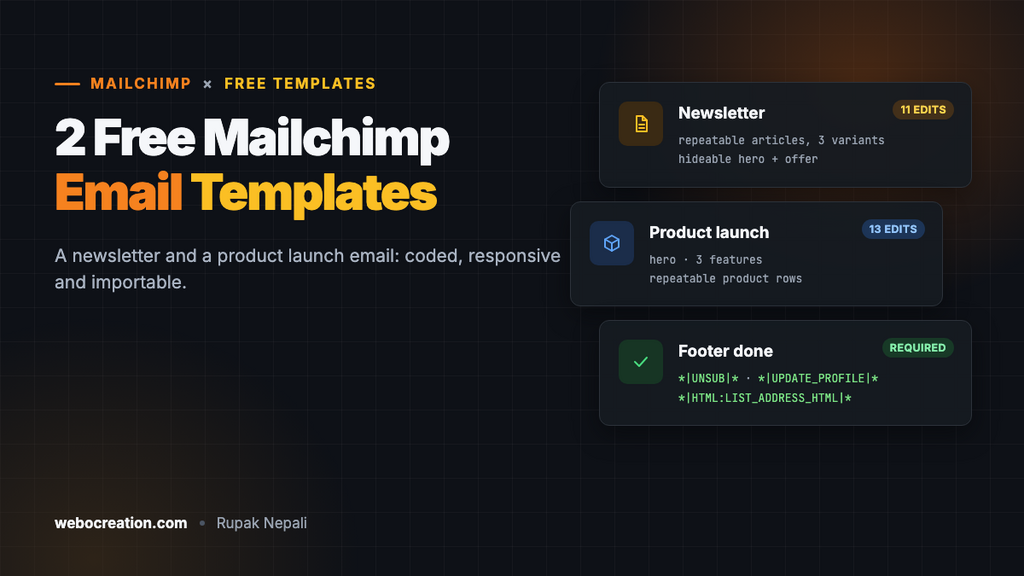
Here are two free coded templates, the same quality as our HubSpot, Marketo and Pardot packs: a monthly newsletter and a product launch email.
Download the 2 Mailchimp templates (zip): two .html files and a README.
Check this first: which builder you have
Mailchimp has two email builders. According to Mailchimp’s own comparison, custom-coded templates work in the legacy (classic) builder, and the new builder doesn’t support them. Mailchimp also says the legacy builder is available to accounts created before July 2023; newer accounts default to the new builder. Some plans don’t include custom-coded templates at all.
If your account doesn’t have the classic builder, you can still use these files as a design to rebuild in the new builder, or send them through another platform. The Klaviyo versions and our other packs import as code.
Template 1: Monthly newsletter
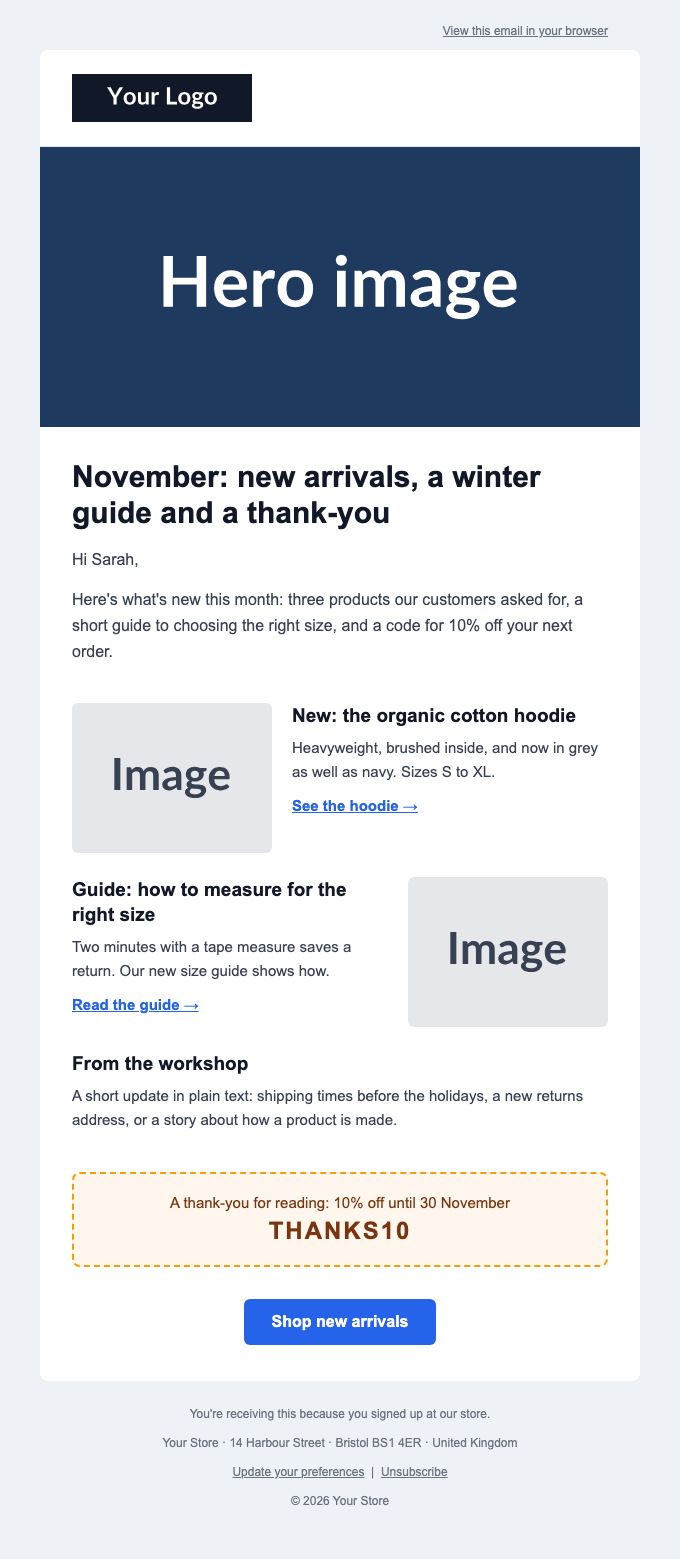
| Section | How it’s editable |
|---|---|
| Logo | Editable image (mc:edit="header_logo") |
| Hero image | Editable image, and the row can be hidden per campaign (mc:hideable) |
| Intro with heading | Editable text, starting “Hi *|FNAME|*” |
| Articles | A repeatable block with three variants: image on the left, image on the right, or text only. Add as many as you need |
| Offer box | Editable text with a dashed coupon style; hideable |
| Button | Editable link and text |
| Footer | Editable note, plus the required unsubscribe, preferences and address tags |
Template 2: Product launch

| Section | How it’s editable |
|---|---|
| Product photo and launch text | Editable image and text: label, headline, description |
| Call-to-action button | Editable |
| Three feature points | Three editable cells, side by side on desktop, stacked on phones |
| “Complete the kit” products | A repeatable row of two products, each with an editable image and text |
| Launch offer | Editable, hideable |
Import into Mailchimp
- In Mailchimp, go to Content → Email templates and click Create template.
- Choose Code your own, then Import HTML, and pick one of the
.htmlfiles. - Name the template and save. It now appears under Saved templates.
- Create a campaign with the classic builder, choose Saved templates, and select it.
- Click each placeholder image to upload your own, and edit the text blocks. Use the block’s repeat icon to add articles or product rows, and the hide icon for the hero and offer sections.
- Set the campaign’s preview text: the template already contains the
*|MC_PREVIEW_TEXT|*tag that shows it.
The placeholder images load from placehold.co so the templates look right straight away. Replace all of them before sending.
What’s inside the code
- Table-based layout, 600 px wide, which renders consistently in Outlook, Gmail and Apple Mail.
- Responsive: a media query stacks columns and makes images full width below 620 px.
- Mailchimp’s template language:
mc:editfor editable areas,mc:repeatableandmc:variantfor the article and product blocks,mc:hideablefor optional sections,mc:labelfor friendly names in the editor. Our Mailchimp template language guide explains each one with examples from these templates. - The required footer:
*|UNSUB|*,*|UPDATE_PROFILE|*and*|HTML:LIST_ADDRESS_HTML|*. Mailchimp describes the unsubscribe option as required “by law and our Terms of Use”, and fills the address from your audience’s required footer content. - Accessibility basics:
role="presentation"on layout tables, real text for headings and buttons (not images of text), and alt text on images.
We validated both files before publishing: every mc:edit name is unique (11 editable regions in the newsletter, 13 in the launch email), no editable region is nested inside another, variants only appear on repeatable blocks, and all tags are balanced. Those are the rules Mailchimp’s template language documentation sets.
One-click unsubscribe is handled
Gmail and Yahoo require bulk senders to support one-click unsubscribe. Mailchimp adds the List-Unsubscribe and List-Unsubscribe-Post headers to your campaigns automatically; the *|UNSUB|* link in these templates covers the visible link Google also requires. Details in our one-click unsubscribe guide. Make sure your sending domain is authenticated in Mailchimp’s Domains settings, so DKIM is signed with your domain; see SPF, DKIM and DMARC setup.
Customising the design
| Change | Where |
|---|---|
| Brand colours | Search for #2563eb (newsletter blue) or #d97706 and #111827 (launch amber and black) and replace |
| Fonts | Arial is used for reliability; you can put a web font first in the font-family lists, with Arial as the fallback |
| Width | Change 600 in the container table and the image widths together |
| New editable areas | Add mc:edit="a_unique_name" to a div or td; never rename an existing one after you’ve used the template, or Mailchimp loses that content |
Next: the Mailchimp template language guide walks through building your own coded template. For other platforms, see the free Klaviyo, HubSpot and Marketo templates.

Rupak Nepali is a web developer, manage Webocreation website and the author of six books:
Getting Started with OpenCart Module Development (Packt, 2013),
OpenCart Theme and Module Development (Packt, 2015),
OpenCart 4: Dev Guide for Themes & Extensions (2024),
OpenCart 4: User Manual (2025),
Cloudflare for the Enterprise Website (2026) and
The Technical Web Guide for Marketers (2026).
Rupak has built OpenCart stores and extensions since 2010, has published more than 600 tutorials on Webocreation, and shares free OpenCart extensions on GitHub.
Find Rupak on
GitHub | Amazon | LinkedIn | X | YouTube.