OpenCart 4 Maintenance Mode Done Right: 503 for SEO, Admin Preview, and What It Silently Blocks (Payments, Cron)
We tested OpenCart 4.1's maintenance mode: it correctly sends 503 with Retry-After for search engines and lets logged-in admins preview the store, but it also blocks payment callbacks, the cron URL and the currency switcher. Here's how to use it safely.
 Rupak NepaliPublished Nov 16, 2026
Every store needs to close for a while sometimes: an upgrade, a theme change, a database migration. OpenCart 4 has a maintenance mode switch for exactly that. Turn it on and customers see a “we’ll be back” page, while you keep browsing the store as normal.
We tested what it actually does on OpenCart 4.1.0.4. The good news: it handles search engines properly. The surprise: it also blocks things you probably want running, such as payment notifications and cron jobs. Here’s the whole picture, and a safe way to use it.
Turning it on
Go to System → Settings, edit your store, open the Server tab, and switch on Maintenance Mode:

Visitors then see this on every page:
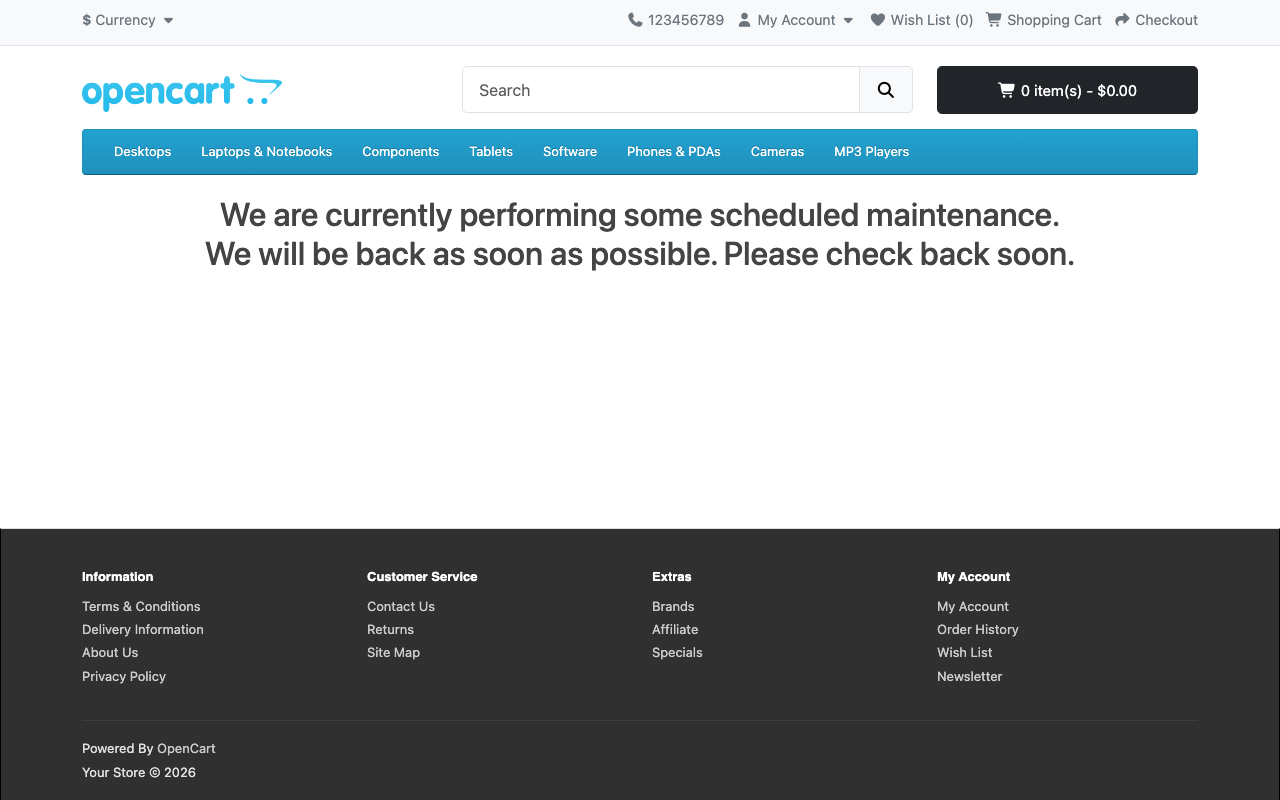
catalog/language/en-gb/common/maintenance.php.What it does for SEO: the right thing
A closed store must not tell search engines its pages are gone. OpenCart gets this right. We requested pages with maintenance mode on:
$ curl -sI https://www.example.com/
HTTP/1.1 503 Service Unavailable
Retry-After: 3600
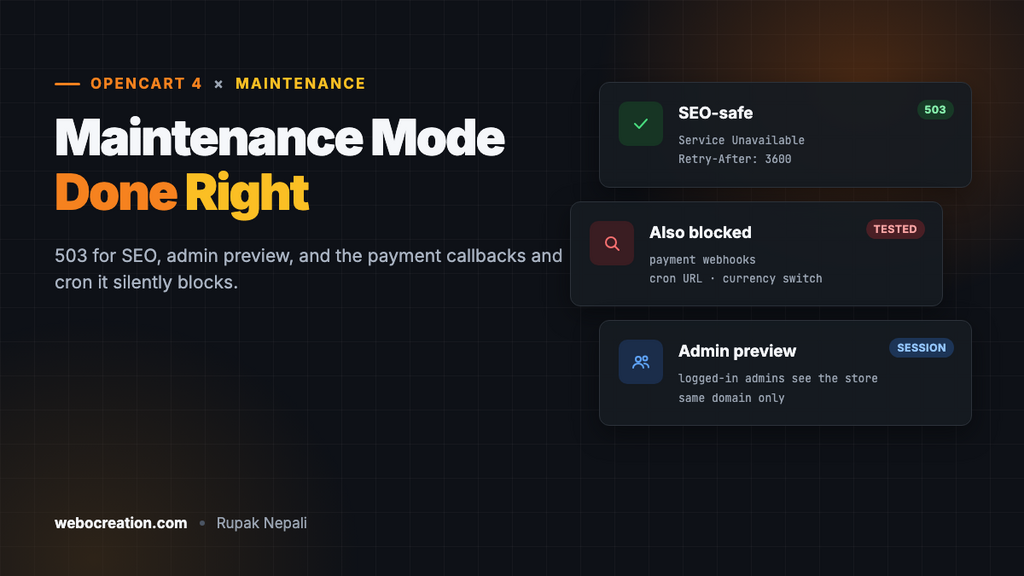
503 Service Unavailable tells Google the outage is temporary, so it keeps your pages indexed and tries again later. Retry-After: 3600 suggests coming back in an hour. A short maintenance window of a few hours does no harm to rankings. Several days of 503s can start to, so keep maintenance short.
Static files are served as normal, because they don’t go through OpenCart: robots.txt and images still returned 200 in our test.
Previewing as admin
If you’re logged in to the admin in the same browser, the store works as normal, so you can check your changes before reopening. We logged in and opened the home page: the full store appeared, while a private window still got the maintenance page.

This works because OpenCart checks the admin login from the same session. If your admin runs on a different domain or subdomain from the store, the session isn’t shared, and you’ll see the maintenance page too.
What it blocks that you might not expect
Here’s the check OpenCart 4.1 runs on every storefront request:
// catalog/controller/startup/maintenance.php (OpenCart 4.1.0.4)
$ignore = [
	'common/language/language',
	'common/currency/currency'
];

// Show site if logged in as admin
$user = new \Opencart\System\Library\Cart\User($this->registry);

if (substr($route, 0, 3) != 'api' && !in_array($route, $ignore) && !$user->isLogged()) {
	return new \Opencart\System\Engine\Action('common/maintenance');
}
Only routes starting with api (OpenCart’s own admin-to-store API) and two listed routes get through. Everything else gets the maintenance page. We tested the consequences:
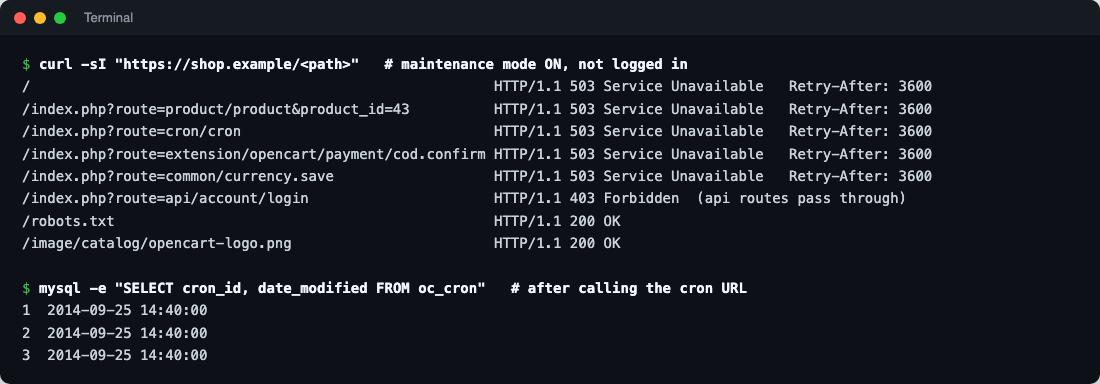
| Request | Response | Consequence |
|---|---|---|
| Any page | 503 + Retry-After | As intended |
route=cron/cron | 503 | Cron jobs don’t run: currency updates, GDPR processing and subscription renewals wait |
A payment extension route (extension/.../payment/...) | 503 | Payment notifications fail: PayPal, Stripe and others get a 503 for webhooks sent during maintenance |
route=common/currency.save | 503 | The currency switcher is blocked too, even though it’s meant to be exempt |
route=api/... | Passes through (needs API login) | Admin order editing still works |
robots.txt, images | 200 | Served directly by the web server |
Payments: the one that costs money
Payment providers notify your store by webhook when a payment completes, is refunded or is disputed. During maintenance those notifications get a 503. Most providers retry for a while (Stripe for days, PayPal several times), so a short window usually recovers on its own. But an order a customer paid for just before you switched on maintenance can sit at Pending until the retry succeeds, and a long window can outlast the retries. Our PayPal guide covers finding and fixing stuck orders.
Cron: the URL is blocked, the command line isn’t
If your cron job calls the URL (wget ".../index.php?route=cron/cron"), it does nothing during maintenance; we checked, and no task’s last-run date changed. The command-line cron.php doesn’t go through the maintenance check (see our cron guide, including the fix it needs on 4.1.0.4). Either way, everything catches up on the first run after you reopen.
The currency switcher: a small bug
The ignore list names common/language/language and common/currency/currency, but in OpenCart 4.1 the routes are common/language.language and common/currency.save, with a dot. The exemption never matches. It only matters if you want visitors to switch currency on the maintenance page, which is rarely needed.
A safe maintenance routine
- Pick a quiet time. Your analytics show when orders are lowest.
- Back up first. Database and files, and check the backup opens (see automated offsite backups).
- Wait out in-progress payments. Switch on maintenance, then wait 10 to 15 minutes before changing anything that touches orders, so customers already at the payment page can finish. (They can’t start a new checkout once maintenance is on.)
- Do the work, then check it as admin in the same browser.
- Switch maintenance off, then check in a private window: home page, a product, add to cart, checkout.
- Check payments and cron afterwards. Look at your payment provider’s webhook log for failed deliveries during the window and resend them, and check the CRON Jobs page’s last run dates.
Better for big changes: a staging copy
Maintenance mode is for minutes to an hour. For an upgrade or a redesign, build and test it on a staging copy of your store, then switch over in a few minutes of maintenance. Our Git, CI/CD and staging guide for OpenCart shows the workflow.
Maintenance in front of OpenCart (Cloudflare)
When OpenCart itself is broken, for example halfway through an upgrade, its maintenance page may not render at all. On Cloudflare you can show a maintenance page at the edge instead: a custom rule that blocks everyone except your IP, with a custom error page on paid plans, or a small Worker that returns a 503 page on the free plan. Exclude your payment providers’ webhook paths so notifications still arrive, and your admin folder so you can still log in.
Customising the maintenance page
- Text: edit
text_messageincatalog/language/en-gb/common/maintenance.php(and other languages), for example “We’re upgrading the store and will be back by 3 pm. Orders placed before 1 pm ship today as normal.” - Design: the template is
common/maintenance; override it in Design → Theme Editor (see our theme editor guide) to add your logo or contact details. - Retry-After is fixed at 3600 seconds in
catalog/controller/common/maintenance.php. That’s fine for most windows; don’t change core files for it.
Troubleshooting
| Problem | Cause and fix |
|---|---|
| I see the maintenance page while logged in as admin | Admin and store are on different domains or subdomains, so the login session isn’t shared. Use the store’s domain for the admin too, or preview from staging |
| Orders paid during maintenance stay Pending | The payment provider’s webhook got a 503. Resend it from the provider’s dashboard, or update the order by hand |
| Currency rates didn’t update that day | The cron URL was blocked; they update on the next run |
| Google Search Console shows server errors | Expected during maintenance. A few hours is harmless; if errors continue after reopening, check maintenance is really off for the right store |

Rupak Nepali is a web developer, manage Webocreation website and the author of six books:
Getting Started with OpenCart Module Development (Packt, 2013),
OpenCart Theme and Module Development (Packt, 2015),
OpenCart 4: Dev Guide for Themes & Extensions (2024),
OpenCart 4: User Manual (2025),
Cloudflare for the Enterprise Website (2026) and
The Technical Web Guide for Marketers (2026).
Rupak has built OpenCart stores and extensions since 2010, has published more than 600 tutorials on Webocreation, and shares free OpenCart extensions on GitHub.
Find Rupak on
GitHub | Amazon | LinkedIn | X | YouTube.