Cloudflare Rules for PrestaShop: The Security, Rate Limiting and Cache Rules Every Store Needs
Copy-ready Cloudflare custom, rate limiting, redirect and cache rules for PrestaShop 8 and 9, checked against a fresh PrestaShop 8.2.9 install, with what each rule might break.
 Rupak NepaliPublished Nov 15, 2026
PrestaShop stores face the same bots as every shop, plus one PrestaShop-specific problem: most compromises come through modules, often by requesting a vulnerable PHP file inside /modules/ directly. In 2022, attackers used an SQL injection to plant fake payment forms on PrestaShop checkouts and steal card details. A handful of Cloudflare rules close off most of these routes before they reach PHP.
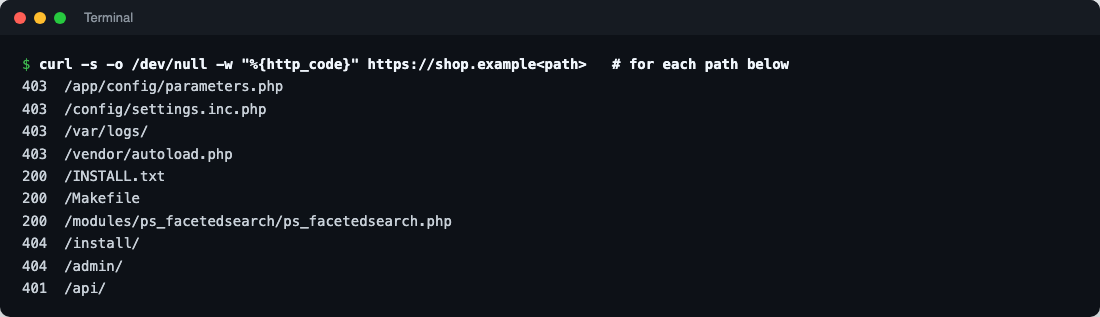
We checked every path in this guide against a fresh PrestaShop 8.2.9 install. The rules also suit PrestaShop 9 and 1.7.
What a fresh PrestaShop exposes
| Path | Response | Notes |
|---|---|---|
/app/config/parameters.php, /config/, /var/logs/, /vendor/ | 403 | PrestaShop’s .htaccess files already block these on Apache |
/INSTALL.txt, /Makefile | 200 | Readable, and they hint at the version |
/modules/ps_facetedsearch/ps_facetedsearch.php | 200, empty | Module PHP files can be requested directly. This module exits safely; vulnerable ones haven’t |
/install/, /admin/ | 404 | Installer removed; admin folder renamed during install |
/api/ | 401 | The webservice asks for a key first, even while it’s disabled |
/robots.txt | 200 | Lists internal folders, but not your admin folder name |
The 403s depend on Apache reading PrestaShop’s .htaccess files. On Nginx, nothing blocks those paths unless your server configuration does, which makes Rule 1 more important there.
Where the rules live
| Rule type | Dashboard location | Free plan allowance (at the time of writing) |
|---|---|---|
| Custom rules (security) | Security → Security rules (older: Security → WAF → Custom rules) | 5 rules |
| Rate limiting rules | Security → Security rules (older: Security → WAF → Rate limiting rules) | 1 rule, URL path only, 10-second window |
| Redirect rules | Rules → Redirect Rules | 10 rules |
| Cache rules | Caching → Cache Rules | 10 rules |
Before you start
1. Update PrestaShop and every module
The July 2022 card-skimming attacks used an SQL injection that PrestaShop fixed in 1.7.8.7 (CVE-2022-36408); PrestaShop also advised turning off the MySQL Smarty cache, which the attackers abused. Since then, most serious PrestaShop vulnerabilities have been in third-party modules. Keep the core updated, remove modules you don’t use (uninstall and delete), and follow Friends of Presta’s security advisories, which track module vulnerabilities.
2. Keep the admin folder secret
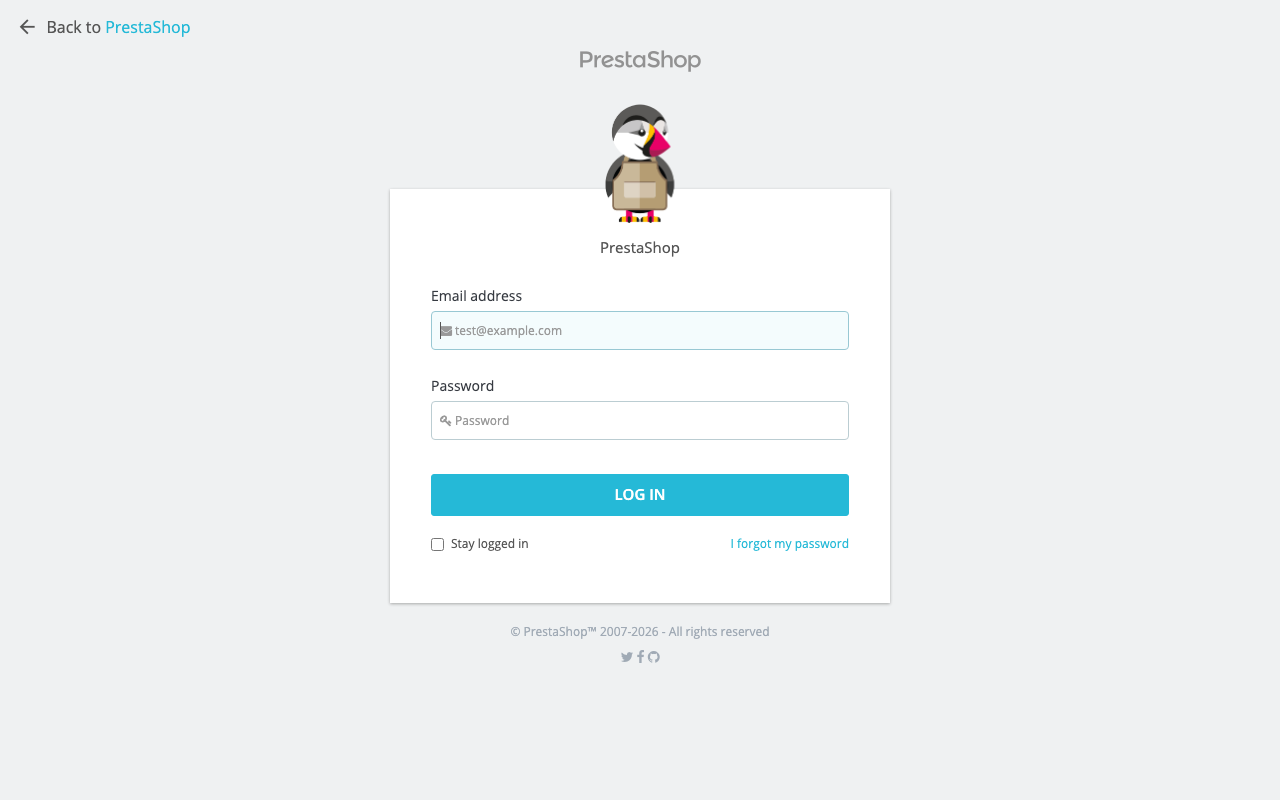
PrestaShop renames the back office folder at install (ours became /admin7k2q/). Keep it that way: don’t link to it, and don’t rename it back to admin. Rule 3 uses its name, so treat that rule as private.
3. Make PrestaShop see real visitor IPs
Behind Cloudflare, every request arrives from a Cloudflare IP. PrestaShop records customer IPs on orders and in its connection statistics, and fraud modules rely on them. Fix it in the web server, trusting only Cloudflare’s ranges:
# Apache, mod_remoteip. Full list: https://www.cloudflare.com/ips-v4 and /ips-v6
RemoteIPHeader CF-Connecting-IP
RemoteIPTrustedProxy 173.245.48.0/20
RemoteIPTrustedProxy 103.21.244.0/22
# ...one line per range...
On Nginx, use set_real_ip_from for each range and real_ip_header CF-Connecting-IP;.
4. Leave Bot Fight Mode off
Bot Fight Mode on the Free plan can’t be skipped for specific paths, so it can challenge payment notifications from PayPal, Stripe, Mollie or Adyen, and orders stop being confirmed.
Paths you must not block
| Path | Used by | Block or challenge? |
|---|---|---|
/index.php?fc=module&module=... and friendly module URLs such as /module/ps_checkout/... | Module front controllers: payment returns, AJAX, webhooks | Never block or challenge |
/themes/..., /js/..., /img/... | Theme assets, scripts and product images | Never block. Cache them |
/modules/.../views/... | Module CSS, JavaScript and images | Never block |
Cart and checkout AJAX (/cart, /order, ?controller=cart) | Adding to cart, checkout steps | Never challenge or cache |
/api/ | The webservice, if an ERP, marketplace connector or app uses it | Only block if nothing uses it (Rule 2) |
Security rules
Rule 1: Block configuration, install and source probes
Action: Block.
(starts_with(http.request.uri.path, "/app/"))
or (starts_with(http.request.uri.path, "/config/"))
or (starts_with(http.request.uri.path, "/var/"))
or (starts_with(http.request.uri.path, "/vendor/"))
or (starts_with(http.request.uri.path, "/install"))
or (starts_with(http.request.uri.path, "/docs/"))
or (http.request.uri.path in {"/INSTALL.txt" "/Makefile" "/composer.json" "/composer.lock" "/phpstan.neon.dist" "/admin/" "/admin"})
or (http.request.uri.path contains "/.env")
or (http.request.uri.path contains "/.git")
or (ends_with(http.request.uri.path, ".sql"))
or (ends_with(http.request.uri.path, ".zip") and not starts_with(http.request.uri.path, "/download/"))
or (http.request.uri.path in {"/wp-login.php" "/xmlrpc.php"})/app/and/config/holdparameters.php(your database password and secret keys);/var/holds logs and cache. Apache already blocks them; this covers Nginx and future misconfigurations./installcatches requests for the installer and renamed copies like/install-old/. Delete any you find./adminis always a scan on a store whose back office has a secret name.- The
.zipline catches backup archives left in the web root, a common leak after migrations.
What it might break: a CMS page or category whose friendly URL starts with /config or /install, such as /installation-service. Add a trailing slash to that line ("/install/") if you have one.
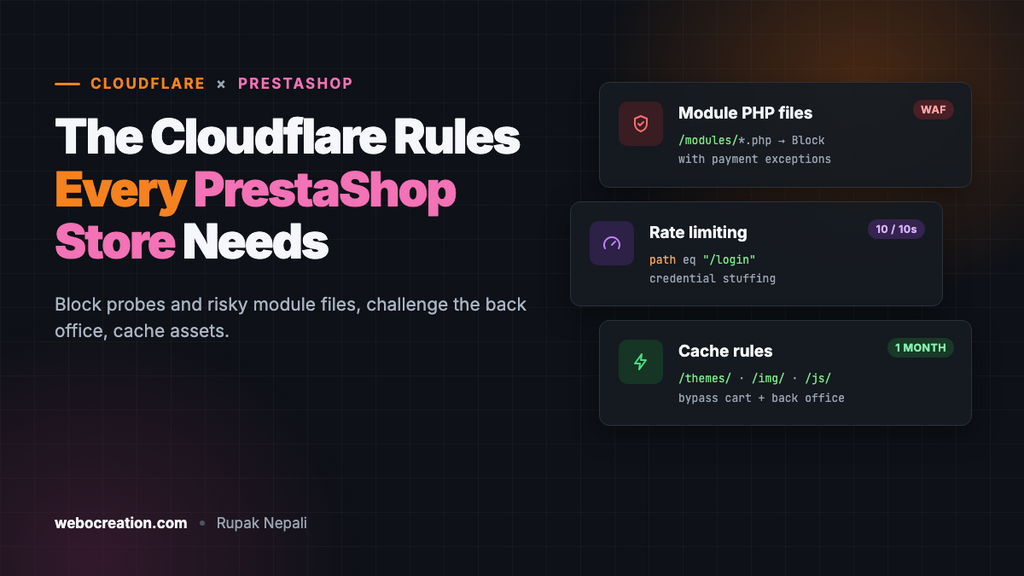
Rule 2: Block direct access to module PHP files
Action: Block, after checking your modules (see below).
(starts_with(http.request.uri.path, "/modules/") and ends_with(http.request.uri.path, ".php"))Modern PrestaShop modules (1.7 and later) handle storefront requests through front controllers, routed via index.php or friendly /module/... URLs, not by calling PHP files inside /modules/. Most module vulnerabilities published in recent years, on the other hand, are in exactly such directly reachable files, like ajax.php scripts. Blocking them closes that whole class.
Check first: some older payment modules still receive notifications at a direct file such as /modules/somepayment/validation.php. Search your access logs for GET /modules/ and POST /modules/ requests ending in .php over the last month. For each one that’s legitimate, add an exception:
(starts_with(http.request.uri.path, "/modules/") and ends_with(http.request.uri.path, ".php")
 and not http.request.uri.path in {"/modules/somepayment/validation.php"})
Then test a full order with every payment method you offer.
Rule 3: Challenge the back office
Action: Managed Challenge.
(starts_with(http.request.uri.path, "/admin7k2q"))
and not ip.src in {203.0.113.10 198.51.100.0/24}
Use your own admin folder and office IPs. Even with a secret folder, the name leaks over time (old emails, browser extensions, staff turnover); the challenge stops automated password guessing if it does. For a remote team, Cloudflare Zero Trust Access (free for up to 50 users) in front of the folder is stronger still. PrestaShop 8 and 9 also support two-factor authentication for employees through modules; use it.
Rule 4: Block the webservice if you don’t use it
Action: Block.
(starts_with(http.request.uri.path, "/api/"))
or (starts_with(http.request.uri.path, "/webservice/"))
The webservice is disabled by default, and we saw it ask for a key even then, but if an ERP, accounting or marketplace connector uses it, skip this rule or add and not ip.src in {...} with that service’s IPs.
Rate limiting: customer logins
Credential stuffing (trying leaked passwords from other sites) targets the customer login. With friendly URLs on, PrestaShop’s login form posts to /login:
- If incoming requests match: URI Path equals
/login(add your language prefix if you have several languages, e.g./en/login) - Characteristics: IP
- Requests: 10 per 10 seconds
- Action: Block for 10 seconds
On paid plans, add http.request.method eq "POST", and consider a second rule for /password-recovery and the checkout, where card-testing bots attack. If your store gets card-testing attacks, also turn on your payment provider’s own fraud tools (Stripe Radar, PayPal’s risk filters); a firewall can only slow them down.
Redirect rule: one hostname
Rules → Redirect Rules → Redirect from WWW to root template (or the reverse), 301, preserve query string. It must match the domain in Shop Parameters → Traffic & SEO → Set shop URL, or PrestaShop will redirect back and loop.
Cache rules
Cache rule 1: Theme, module and product assets
(starts_with(http.request.uri.path, "/themes/"))
or (starts_with(http.request.uri.path, "/img/"))
or (starts_with(http.request.uri.path, "/js/"))
or (starts_with(http.request.uri.path, "/modules/") and http.request.uri.path.extension in {"css" "js" "png" "jpg" "jpeg" "webp" "svg" "gif" "woff" "woff2"})
Eligible for cache, Edge TTL: 1 month, Browser TTL: 1 week. With CCC (Advanced Parameters → Performance → combine, compress and cache) on, PrestaShop gives combined CSS and JavaScript new file names when they change, so long caching is safe. Product images keep their URL when replaced; purge the image URL in Cloudflare if you swap a photo.
Cache rule 2: Never cache the back office, cart or account
(starts_with(http.request.uri.path, "/admin7k2q"))
or (starts_with(http.request.uri.path, "/api/"))
or (http.request.uri.path in {"/cart" "/order" "/login" "/my-account" "/order-confirmation"})
or (http.request.uri.query contains "controller=")
or (http.cookie contains "PrestaShop-")
Action: Bypass cache, placed after rule 1. PrestaShop’s cookie name starts with PrestaShop- followed by a hash. On our test store every visitor received one on their first page view, so in practice this rule keeps all HTML out of the cache and only static assets are cached, which is the safe default. Full-page caching for anonymous visitors is possible on paid plans with care, but test it with carts, currencies and languages before relying on it.
Test everything
curl -s -o /dev/null -w "%{http_code}\n" https://example.com/app/config/parameters.php          # 403
curl -s -o /dev/null -w "%{http_code}\n" https://example.com/INSTALL.txt                         # 403
curl -s -o /dev/null -w "%{http_code}\n" https://example.com/modules/ps_facetedsearch/ps_facetedsearch.php   # 403
curl -s -o /dev/null -w "%{http_code}\n" https://example.com/themes/classic/assets/css/theme.css # 200
curl -sI https://example.com/img/logo.png | grep -i cf-cache-status                               # HIT after a reload
Then place a test order with each payment method, log in to the back office from an allowed IP and from a phone network, and check Security → Events for blocked requests to /modules/ you didn’t expect.
Summary
| Rule | Action | Stops |
|---|---|---|
| Configuration and probes | Block | Config, log, backup and installer scans |
| Module PHP files | Block (with exceptions) | Most module exploits |
| Back office | Managed Challenge | Admin password guessing |
| Webservice | Block (if unused) | API probing |
| Login rate limit | Block 10 s | Credential stuffing |
| Asset cache | Cache 1 month | Origin load |
| Private pages bypass | Bypass | Cached carts and accounts |
More in this series: Cloudflare rules for Magento, WooCommerce, Joomla, WordPress, and for OpenCart, Cloudflare security for OpenCart.

Rupak Nepali is a web developer, manage Webocreation website and the author of six books:
Getting Started with OpenCart Module Development (Packt, 2013),
OpenCart Theme and Module Development (Packt, 2015),
OpenCart 4: Dev Guide for Themes & Extensions (2024),
OpenCart 4: User Manual (2025),
Cloudflare for the Enterprise Website (2026) and
The Technical Web Guide for Marketers (2026).
Rupak has built OpenCart stores and extensions since 2010, has published more than 600 tutorials on Webocreation, and shares free OpenCart extensions on GitHub.
Find Rupak on
GitHub | Amazon | LinkedIn | X | YouTube.