Load More Button and Infinite Scroll for OpenCart 4 Category Pages, Without Hurting SEO (Free Extension)
A free OpenCart 4 extension that replaces pagination on category, search, specials and brand pages with a Load more button or infinite scroll, while keeping the page links in the HTML for search engines.
 Rupak NepaliPublished Nov 15, 2026
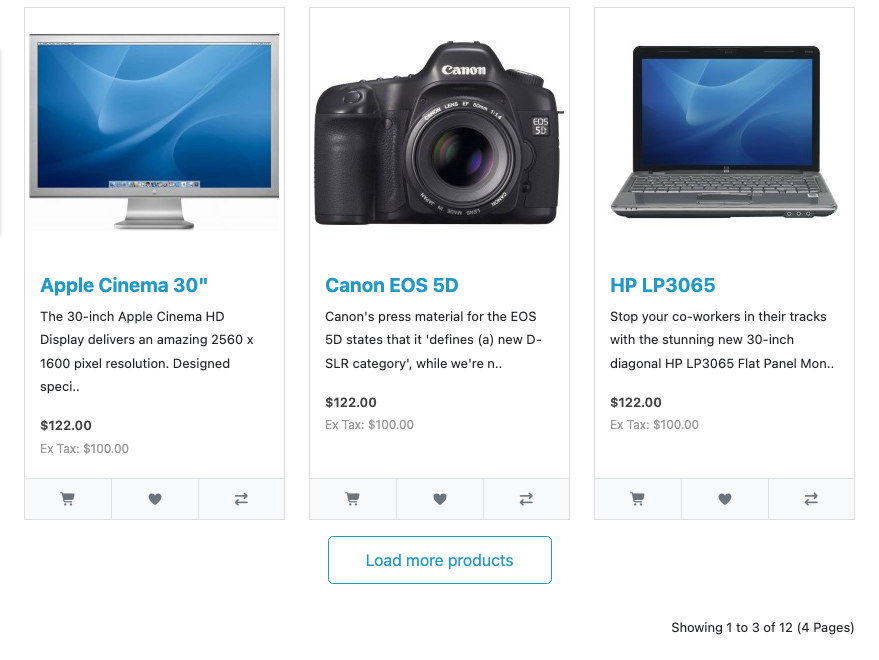
Page numbers at the bottom of a category are a desktop-era habit. On a phone, tapping “2” means a full page load, scrolling back past the header and filters, and losing your place. A Load more button adds the next products under the ones already on screen; infinite scroll adds them as the shopper nears the bottom.
This free extension brings both to OpenCart 4’s category, search, specials and brand pages, with one setting to choose between them. It keeps the normal page links in the HTML, so search engines still reach every product.
Download Load More Products for OpenCart 4 (free, tested on OpenCart 4.1.0.4)
What it does
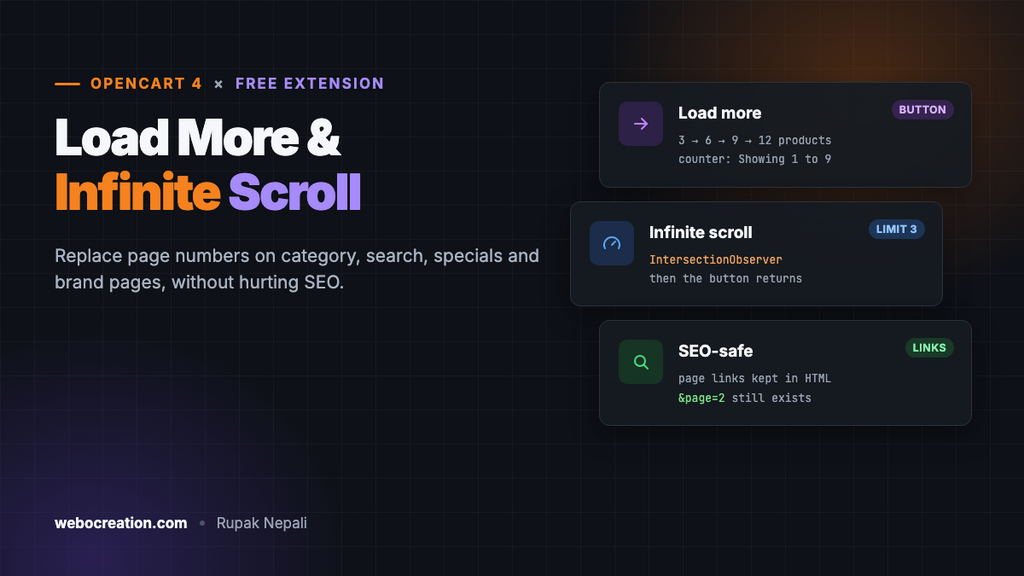
- Two modes: a Load more button, or infinite scroll that loads as the shopper approaches the end of the list.
- A limit for infinite scroll. After a set number of automatic loads (3 by default), the button returns, so shoppers can reach your footer.
- Works on every product listing: categories, search results, specials and brand pages.
- Keeps everything that works: sorting, the products-per-page menu, filters and grid or list view all apply to the loaded products, because each request is just the next normal page.
- SEO-safe: the page links stay in the HTML, hidden, and every page still exists at its own URL.
- Works with other card extensions. Loaded products are OpenCart’s own cards, so buttons added by extensions like Quick View come with them.
Install it
- Download
loadmore.ocmod.zip. - Go to Extensions → Installer, upload it, and click the green +.
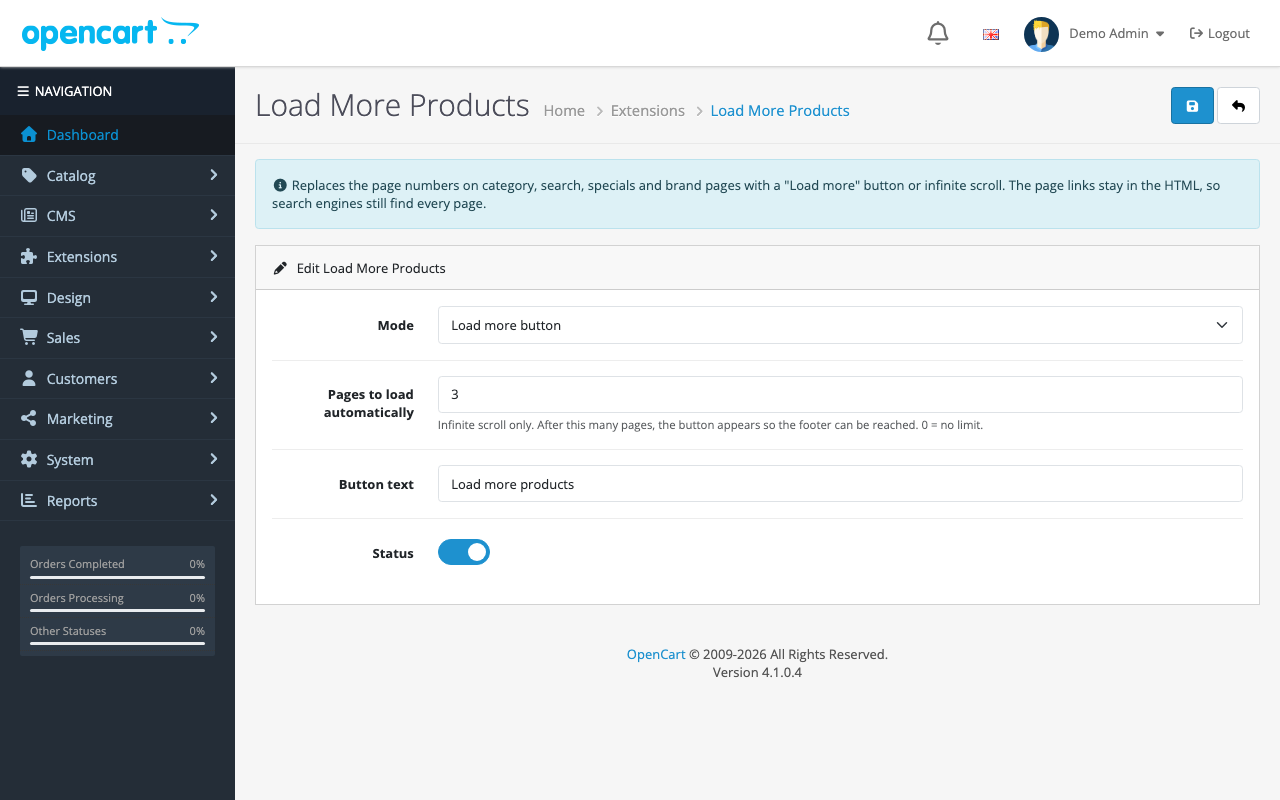
- Go to Extensions → Extensions → Modules and install Load More Products.
- Click Edit, choose the mode, turn Status on and save.
Nothing to add to layouts: open any category with more than one page of products.
How it works
The extension is one footer event and a short script. The event adds the script only on listing pages:
// Only the pages that list products with OpenCart's pagination.
$routes = ['product/category', 'product/search', 'product/special', 'product/manufacturer.info', 'product/manufacturer|info'];

if (!in_array($this->request->get['route'] ?? '', $routes)) {
	return;
}
The script then does what a shopper would do by hand: follow the “next page” link, but instead of leaving the page, it takes the products from the next page and appends them.
Finding the next page, whatever the theme
The default theme’s next link is a > arrow, but themes change the arrows to icons or words. So the script doesn’t look for an arrow. It finds the active page number and takes the link right after it:
// The link after the active page is the next page. Works whatever the arrows look like.
function nextUrl(root) {
  var link = root.querySelector('ul.pagination li.active + li a');
  return link ? link.getAttribute('href') : null;
}
Loading and appending
fetch(url, {credentials: 'same-origin'})
  .then(function (response) {
    if (!response.ok) throw new Error(response.status);
    return response.text();
  })
  .then(function (html) {
    var page = new DOMParser().parseFromString(html, 'text/html');
    var items = page.querySelectorAll('#product-list > *');

    items.forEach(function (item) {
      list.appendChild(document.importNode(item, true));
    });

    // Keep the hidden page links current, so the next page is always found from them.
    var newPagination = page.querySelector('#content ul.pagination');
    if (newPagination) pagination.innerHTML = newPagination.innerHTML;

    // The loaded page says "Showing 21 to 30 of 30 (3 Pages)": change its first number to 1.
    var newResults = newPagination ? newPagination.closest('.row').querySelector('.text-end') : null;
    if (results && newResults) results.textContent = newResults.textContent.replace(/\d+/, '1');

    url = nextUrl(page);
    // ...hide the button when there's no next page
  });
Each request is an ordinary page load on the server, the same one OpenCart serves when someone clicks “2”, so sorting, limits and filters in the URL carry through. Fetching it with the shopper’s cookies keeps their customer group prices and currency.
Updating the results counter by replacing just the first number keeps it working in any language: “Showing 4 to 6 of 12 (4 Pages)” becomes “Showing 1 to 6 of 12 (4 Pages)” without the script knowing a word of English.
Infinite scroll that doesn’t stall
Infinite scroll watches the button with an IntersectionObserver and loads when it comes within 400 pixels of the screen. There’s a subtle catch: the observer only fires when visibility changes. On a tall screen with short pages, the button can still be in view after a load, and the observer never fires again. The script checks for that after each load and continues:
if (!url) {
  wrap.remove();
} else if (mode == 'scroll' && (!auto || loaded < auto) && wrap.getBoundingClientRect().top < window.innerHeight + 400) {
  // Still near the bottom (short pages, tall screens): the observer won't fire again, so keep going.
  load();
}
What we tested
| Test | Result |
|---|---|
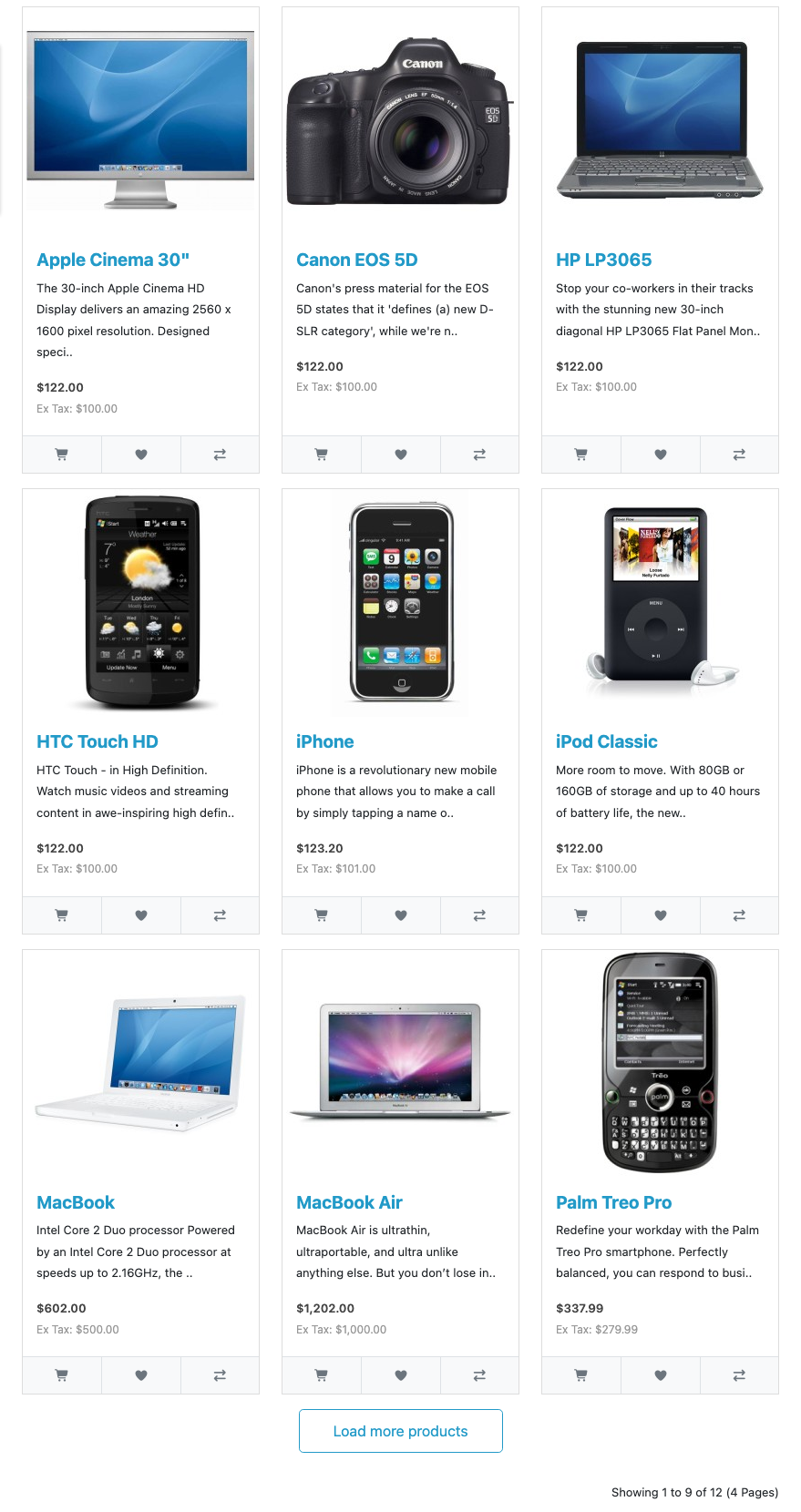
| Button mode, 12 products at 3 per page | 3 → 6 → 9 → 12 products; the button disappeared after the last page |
| Infinite scroll, limit 2 | Scrolling loaded two pages automatically (3 → 9), then stopped and showed the button |
| Clicking the button after the limit | Loaded the last page (12); the button disappeared |
| Results counter | “Showing 1 to 9 of 12 (4 Pages)” after two loads |
SEO: why the page links stay
Search engines don’t click buttons or scroll. If page 2 of a category is only reachable through JavaScript, the products on it can drop out of search. Google’s guidance for infinite scroll and load more is to keep paginated pages with their own URLs, linked with normal <a href> links. The extension does exactly that: OpenCart still renders the full pagination on the server, every page still exists at &page=2, and the script only hides the links visually once it has taken over.
Shoppers without JavaScript, and anyone sharing a link to page 3, get the ordinary paginated category.
Button or infinite scroll?
| Load more button | Infinite scroll | |
|---|---|---|
| Best for | Most stores | Browsing-led catalogs (fashion, art, gifts) |
| Footer reachable | Always | After the automatic-load limit |
| Shopper in control | Yes | Less |
| Server load | Pages load only when asked | Pages load as people scroll, even if they’re not interested |
Start with the button. Switch to infinite scroll if your analytics show shoppers paging deep into categories.
Troubleshooting
| Problem | Cause and fix |
|---|---|
| Page numbers still show, no button | Status is off, or the page has only one page of products. Also check the loadmore_footer event |
| Nothing happens on a third-party theme | The theme renamed #product-list or the pagination’s li.active. Adjust the selectors in the extension’s template |
| Back button returns to page 1 | Expected: the URL doesn’t change as products load, so the browser returns to the first page |
| Loaded products have no Quick View button | Quick View’s click handler must be delegated (ours is), or it won’t see products added later |
More free OpenCart 4 extensions: product quick view, recently viewed products and automatic related products. For category SEO in general, see our OpenCart SEO best practices.

Rupak Nepali is a web developer, manage Webocreation website and the author of six books:
Getting Started with OpenCart Module Development (Packt, 2013),
OpenCart Theme and Module Development (Packt, 2015),
OpenCart 4: Dev Guide for Themes & Extensions (2024),
OpenCart 4: User Manual (2025),
Cloudflare for the Enterprise Website (2026) and
The Technical Web Guide for Marketers (2026).
Rupak has built OpenCart stores and extensions since 2010, has published more than 600 tutorials on Webocreation, and shares free OpenCart extensions on GitHub.
Find Rupak on
GitHub | Amazon | LinkedIn | X | YouTube.