Pardot vs Marketo vs HubSpot for Email and Landing Pages: How Templates, Personalization and Forms Compare
A practical comparison of Pardot (Account Engagement), Marketo Engage and HubSpot for the work marketers do every day: email templates, landing pages, forms and personalization.
 Rupak NepaliPublished Nov 13, 2026
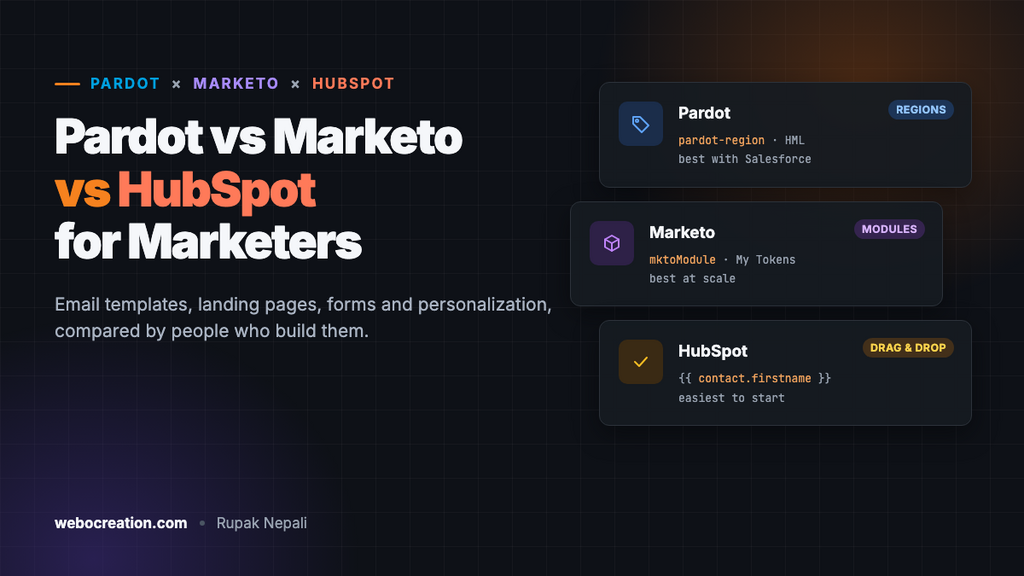
Most comparisons of Pardot, Marketo and HubSpot are feature grids written for buyers: lead scoring, attribution, CRM sync. This one is written for the people who use them every day: the marketers and developers who build the emails, landing pages and forms. We’ve built the same templates in two of them, Pardot and Marketo, so the differences below come from doing the work, not from the brochures.
A quick note on names: Pardot is now Salesforce Marketing Cloud Account Engagement, and Marketo is Adobe Marketo Engage. Most people still use the old names.
The short version
| Pardot (Account Engagement) | Marketo Engage | HubSpot Marketing Hub | |
|---|---|---|---|
| Best for | B2B teams already on Salesforce | Large, complex marketing operations | Small to mid-size teams wanting one easy tool |
| Email templates | HTML with editable regions | HTML with modules and variables | Drag-and-drop editor, or coded HubL templates |
| Landing pages | Layout templates with editable regions | Guided or free-form templates | Drag-and-drop pages and themes |
| Personalization syntax | HML: {{Recipient.FirstName}} | Tokens: {{lead.First Name}} | HubL: {{ contact.firstname }} |
| Logic in emails | {{#if}} conditions, dynamic content | Velocity email scripts, segmentation | HubL if statements, smart content |
| Learning curve for editors | Moderate | Steep | Gentle |
| Developer flexibility | Moderate | High | High (with coded templates) |
Email templates
Pardot: editable regions
A Pardot template is HTML where you mark the editable parts with pardot-region. Everything else locks. Sections can be pardot-repeatable (duplicate, reorder, delete) or pardot-removable (delete only). It’s simple to learn: one attribute does most of the work, and a developer can convert an existing HTML email in an hour. The limits show up as programs grow. There’s no built-in way to offer a library of optional sections, and design settings such as colors have to be edited in the code. Full guide: How to Build an Editable Pardot Email Template.
Marketo: modules and variables
Marketo’s Email 2.0 templates are the most structured of the three. Editable elements (mktoText, mktoImg) sit inside modules, and modules sit inside a container. Editors add modules from a list, so one template can produce a one-paragraph announcement or a ten-section newsletter. Variables put colors, button text and links into a settings panel, so editors change them without touching HTML. The cost is strictness: duplicate IDs or a module in the wrong element and the template won’t validate. Full guide: How to Build a Marketo Email Template.
HubSpot: drag-and-drop first
HubSpot leads with a drag-and-drop email editor that non-technical marketers can use from day one, with brand colors and fonts set once in the account. Developers can build coded templates and custom modules in HubL, HubSpot’s template language, in the Design Manager. It’s the easiest for editors and flexible for developers, but coded email templates must include HubSpot’s required unsubscribe link and company address tokens before they can be used.
Landing pages and forms
All three build landing pages from templates and host them on your domain or a subdomain. The difference is how much freedom editors get, and how much work forms take to style.
| Pardot | Marketo | HubSpot | |
|---|---|---|---|
| Template model | Layout template with %%title%%, %%description%% and %%content%% | Guided template with mktoText, mktoImg and mktoForm elements | Themes and drag-and-drop pages |
| Editor freedom | Editable regions only | Guided: regions only. Free-form: anything. | Drag-and-drop sections within the theme |
| Form styling | Style Pardot’s generated classes (#pardot-form, .form-field) | Override Forms 2.0’s inline widths with !important | Style through the theme; forms inherit theme styles |
| Hardest part | Styling error messages | Undoing the default form layout | Breaking out of the theme for unusual designs |
Our free templates handle the hard parts for the first two: Pardot landing page templates and Marketo landing page templates, both with fully styled forms and error states.
Personalization
All three insert data from the contact record and let you set a fallback for empty fields. The syntax differs:
| Merge field | Fallback for an empty first name | |
|---|---|---|
| Pardot | {{Recipient.FirstName}} | {{#if Recipient.FirstName}}Hi {{Recipient.FirstName}},{{else}}Hi there,{{/if}} |
| Marketo | {{lead.First Name}} | {{lead.First Name:default=there}} |
| HubSpot | {{ contact.firstname }} | A default value set when inserting the token in the editor |
For logic beyond fallbacks, Pardot has HML conditions and dynamic content, Marketo has Velocity email scripts (the most powerful, and the most technical), and HubSpot has HubL conditions and “smart content” rules in the editor. Cheat sheets: Pardot HML and Marketo tokens and Velocity.
Running programs at scale
This is where the three differ most:
- Marketo is built around programs you clone. An event program contains its emails, landing pages, smart campaigns and My Tokens; to run the next event you clone it and change a few tokens. For teams running dozens of similar campaigns, nothing else saves as much time.
- Pardot lives inside Salesforce. Campaigns, prospects and opportunities are Salesforce records, so sales sees marketing activity without another login, and reporting connects marketing to revenue. If your company runs on Salesforce, that integration usually decides the question.
- HubSpot keeps marketing, sales and service in one CRM. It’s the quickest to set up and the easiest to hand to a new hire. Very large or unusual processes can outgrow it, though its higher tiers close much of the gap.
Which one should you choose?
| Your situation | Our pick |
|---|---|
| Your sales team lives in Salesforce | Pardot |
| Many regions, products or brands, with a marketing operations team | Marketo |
| A small team that wants marketing running this month | HubSpot |
| Non-technical editors building most emails | HubSpot, or Marketo with well-built modular templates |
| Heavy personalization and logic in emails | Marketo |
| Tight budget | HubSpot’s lower tiers |
Prices for all three depend on edition, contact count and contract, and change often, so get current quotes. Factor in the people cost too: Marketo usually needs a dedicated admin, Pardot needs someone who knows Salesforce, and HubSpot can often be run by the marketers themselves.
Whichever you choose: build templates once, properly
The platform matters less than the templates. A team with two well-built, modular templates sends better emails faster than a team with forty copies of an old one. Lock the layout, make only the right parts editable, put brand settings where editors can find them, and always set personalization fallbacks. Our free templates for Pardot and Marketo are a good starting point for either.

Author of four Opencart book.
The recent are Opencart 4 developer book and Opencart 4 user manual