SMS and WhatsApp Order Notifications for OpenCart 4: Twilio, the WhatsApp Cloud API, Consent, 10DLC and 2026 Pricing
Send order confirmations, shipping and pickup updates from OpenCart 4 by SMS or WhatsApp. Which messages to send, consent and opt-out, US 10DLC registration, WhatsApp templates and the October 2026 pricing change, phone number formatting, and working PHP code using Twilio and the WhatsApp Cloud API.
 Rupak NepaliPublished Oct 28, 2026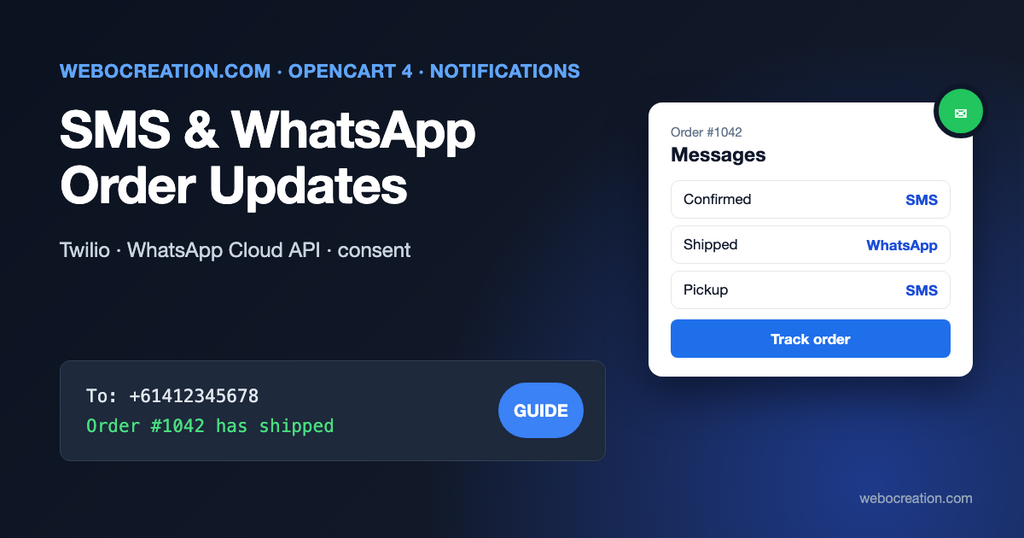
OpenCart 4 tells customers about their orders by email: a confirmation, then an email for each status change you choose to notify. Email works, but it’s slow to be read and often lands in a promotions tab. A text message saying “Your order #1042 has shipped, tracking: …” gets read within minutes, and so does a WhatsApp message in countries where WhatsApp is how people communicate.
This guide shows how to add SMS and WhatsApp notifications to OpenCart 4 properly: which messages are worth sending, the consent and registration rules that catch stores out, what WhatsApp charges from October 2026, and code that sends the messages.
Which messages to send
Keep it to messages the customer is waiting for:
| Event | SMS / WhatsApp text | Worth it? |
|---|---|---|
| Order confirmed | “Thanks, Ana! Order #1042 is confirmed. Total $127.20.” | Yes, for high-value or slow-shipping orders |
| Shipped | “Order #1042 has shipped with UPS: [tracking link]” | Yes: the most useful message |
| Out for delivery / delivered | From the carrier, if they offer it | Often better left to the carrier |
| Ready for pickup | “Order #1042 is ready at our Main St store until 6pm” | Yes, for click and collect |
| Payment problem | “We couldn’t take payment for #1042. Pay here: [link]” | Yes |
| Promotions | “20% off this weekend” | Only with separate marketing consent |
Every additional message costs money and attention. Customers who get three texts per order start ignoring them, or replying STOP.
Consent, opt-out and registration
Ask for permission at checkout
Order updates are transactional, but sending texts still needs the customer’s permission in most countries, and marketing texts need explicit, separate consent. A practical setup:
- Add a checkbox at checkout or in the account, unticked by default: “Send me order updates by text message”. Store it as a customer custom field (Customers > Custom Fields, location Account) so it’s saved with the customer and the order.
- Never reuse it for promotions. If you want SMS marketing, ask separately and record when and where consent was given.
- Honor opt-outs: STOP, UNSUBSCRIBE and similar replies must stop messages immediately. Twilio’s Messaging Services handle standard opt-out keywords for you.
Rules differ by country (TCPA in the US, PECR in the UK, GDPR and national laws in the EU). This is not legal advice; check what applies where your customers are.
US: register for A2P 10DLC
If you send to US numbers from a normal US number, carriers require registration of your brand and use case (“A2P 10DLC”). Twilio’s changelog announced the end of the grace period plainly:
All unregistered messages bound for the U.S. from +1 10DLC numbers are blocked starting September 1st., 2023.
Twilio, U.S. A2P 10DLC: full blocking of traffic sent from unregistered numbers
Registration takes your legal business name, tax ID, website and a description of the messages, and approval can take days. Do it before you build anything. Toll-free numbers and short codes are alternatives with their own verification.
WhatsApp: templates, the 24-hour window and pricing
WhatsApp works differently from SMS. You can’t send free-form messages to customers whenever you like. Meta’s documentation explains the rule:
When a WhatsApp user messages you or calls you, a 24-hour timer called a customer service window starts. […] Businesses can only send non-template messages to users when this window is open.
Meta, Pricing on the WhatsApp Business Platform
Order notifications are usually sent outside that window, so they must use message templates that Meta approves in advance. Order updates belong in the utility category. Keep them strictly informational: adding a promotional sentence to an order update can get the template classified as marketing, which is charged at a higher rate.
Pricing changed on October 1, 2026. According to Meta’s pricing documentation:
- Meta charges per delivered message, at a rate that depends on the recipient’s country and the template category.
- Utility templates sent inside an open customer service window used to be free; from October 1, 2026 they’re billable.
- Service messages (your free-form replies inside the window) became chargeable too, with 1,000 free service messages per month per business phone number.
- Meta stopped delivering service messages for businesses without a payment method on file once they became chargeable.
Check Meta’s current rate card for your customers’ countries before you estimate costs.
Phone numbers: the boring part that breaks everything
OpenCart’s telephone field is free text. Customers type 0412 345 678, (555) 010-0100, +44 7700 900123 or nothing at all. SMS and WhatsApp APIs need E.164 format: a plus sign, country code and number, no spaces (+61412345678).
- Make the telephone field required at checkout if you send texts (System > Settings > Option > Telephone Required).
- Convert numbers using the country of the shipping or payment address. The reliable way is Google’s libphonenumber (in PHP:
giggsey/libphonenumber-for-php), which knows every country’s format. - If a number can’t be parsed, skip the text and log it; don’t guess.
How to build it
There are two architectures. Pick the one that fits how you run the store.
| A. OpenCart event | B. Webhooks + small service | |
|---|---|---|
| How | A small extension sends the message from catalog/model/checkout/order.addHistory/after | Our free order webhooks extension posts order events to a script that sends the message |
| Pros | Everything inside OpenCart | Retries, logs, no slowdown in checkout, easy to switch provider |
| Cons | Runs during checkout; provider downtime affects your store | One more small script to host |
We recommend B. The webhook extension already handles signing, queueing and retries, so the receiving script only has to decide what to send.
The receiver (PHP)
This script receives order.created and order.status_changed webhooks, verifies them (the verification code is explained in the webhooks article), and sends a message for the statuses you choose:
<?php
// notify.php: receives OpenCart Order Webhooks and sends SMS or WhatsApp messages.
require __DIR__ . '/verify.php'; // the signature check from the webhooks article; exits on failure

$event = json_decode(file_get_contents('php://input'), true);
$order = $event['data'];

// Map OpenCart order_status_id values to messages. 2 = Processing and 3 = Shipped in a default install;
// check yours under System > Localisation > Order Statuses.
$messages = [
	2  => 'Thanks {name}! Order #{order} is confirmed. Total {total}.',          // Processing
	3  => 'Good news {name}: order #{order} has shipped. Track it here: {track}',  // Shipped
	17 => 'Order #{order} is ready to collect at our Main St store.'                // a "Ready for pickup" status you add (check its ID)
];

$status = (int)$order['order_status_id'];

if (!isset($messages[$status]) || empty($order['customer']['telephone'])) {
	http_response_code(200);
	exit('nothing to send');
}

$phone = toE164($order['customer']['telephone'], $order['payment_address']['iso_code_2'] ?? 'US');

if (!$phone) {
	error_log('notify: cannot parse phone for order ' . $order['order_id']);
	http_response_code(200);
	exit;
}

$text = strtr($messages[$status], [
	'{name}'  => $order['customer']['firstname'],
	'{order}' => $order['order_id'],
	'{total}' => number_format($order['total'] * $order['currency_value'], 2) . ' ' . $order['currency_code'],
	'{track}' => 'https://example.com/index.php?route=account/order.info&order_id=' . $order['order_id']
]);

sendSms($phone, $text);

http_response_code(200);
echo 'sent';
Check consent before sending, too: include your consent custom field in the decision (for example by looking it up through the OpenCart API, or by only notifying customer groups that opted in).
Sending an SMS with Twilio
Twilio’s Messages API takes a form-encoded POST with your Account SID and Auth Token. Using a Messaging Service SID (instead of a single From number) gives you opt-out handling and number pools:
function sendSms(string $to, string $body): void {
	$sid = getenv('TWILIO_ACCOUNT_SID');
	$token = getenv('TWILIO_AUTH_TOKEN');

	$curl = curl_init('https://api.twilio.com/2010-04-01/Accounts/' . $sid . '/Messages.json');

	curl_setopt_array($curl, [
		CURLOPT_POST           => true,
		CURLOPT_USERPWD        => $sid . ':' . $token,
		CURLOPT_POSTFIELDS     => http_build_query([
			'To'                  => $to,
			'MessagingServiceSid' => getenv('TWILIO_MESSAGING_SERVICE_SID'),
			'Body'                => $body
		]),
		CURLOPT_RETURNTRANSFER => true,
		CURLOPT_TIMEOUT        => 10
	]);

	$response = curl_exec($curl);

	if ((int)curl_getinfo($curl, CURLINFO_RESPONSE_CODE) >= 300) {
		error_log('notify: Twilio error ' . $response);
	}
}
Keep messages short. A plain-text SMS segment holds 160 characters; a single emoji or non-Latin character switches the whole message to Unicode, with 70 characters per segment, and each segment is billed.
Sending a WhatsApp template with the Cloud API
Create and get approval for a utility template in WhatsApp Manager first, for example order_shipped with the body “Hi {{1}}, your order #{{2}} has shipped. Track it here: {{3}}”. Then:
function sendWhatsApp(string $to, string $name, string $order_id, string $link): void {
	$payload = [
		'messaging_product' => 'whatsapp',
		'to'                => ltrim($to, '+'),
		'type'              => 'template',
		'template'          => [
			'name'       => 'order_shipped',
			'language'   => ['code' => 'en_US'],
			'components' => [[
				'type'       => 'body',
				'parameters' => [
					['type' => 'text', 'text' => $name],
					['type' => 'text', 'text' => $order_id],
					['type' => 'text', 'text' => $link]
				]
			]]
		]
	];

	$curl = curl_init('https://graph.facebook.com/v26.0/' . getenv('WA_PHONE_NUMBER_ID') . '/messages');

	curl_setopt_array($curl, [
		CURLOPT_POST           => true,
		CURLOPT_POSTFIELDS     => json_encode($payload),
		CURLOPT_HTTPHEADER     => ['Authorization: Bearer ' . getenv('WA_ACCESS_TOKEN'), 'Content-Type: application/json'],
		CURLOPT_RETURNTRANSFER => true,
		CURLOPT_TIMEOUT        => 10
	]);

	$response = curl_exec($curl);

	if ((int)curl_getinfo($curl, CURLINFO_RESPONSE_CODE) >= 300) {
		error_log('notify: WhatsApp error ' . $response);
	}
}
Use a permanent system-user token from Meta Business Settings, not the 24-hour test token from the getting-started page. Twilio also offers WhatsApp through the same Messages API if you’d rather use one provider for both channels.
Avoid double notifications
OpenCart sends an email when you tick Notify while changing an order status. Decide per status which channel the customer gets: email plus text for confirmation is fine, email plus text plus WhatsApp for every status is not. Make sure your order emails themselves are delivered reliably first; see email deliverability for ecommerce.
Launch checklist
- Consent checkbox at checkout, stored with the customer.
- Telephone required, numbers converted to E.164.
- US 10DLC (or toll-free) registration approved before sending to US numbers.
- WhatsApp utility templates approved; payment method on file with Meta.
- One or two message types to start: shipped, and ready for pickup if you offer it.
- Opt-out keywords tested; opted-out numbers never messaged again.
- Costs estimated per country and checked after the first month.
For marketing texts and flows, Klaviyo and similar platforms handle consent and opt-outs for you: see connecting OpenCart to Klaviyo.

Author of four Opencart book.
The recent are Opencart 4 developer book and Opencart 4 user manual