Admin Activity Log for OpenCart 4: See Who Changed What, When, With Before and After Values (Free Extension)
Record who added, changed or deleted products, orders, customers, coupons and settings in the admin, with old and new values, logins, failed logins and order status changes.
 Rupak NepaliPublished Nov 22, 2026
A price changed overnight. A coupon appeared that nobody remembers creating. A category vanished. When several people work in an OpenCart admin, sooner or later someone asks “who changed this?”, and OpenCart 4 can’t answer. It records customer activity, but nothing about what staff do in the admin.
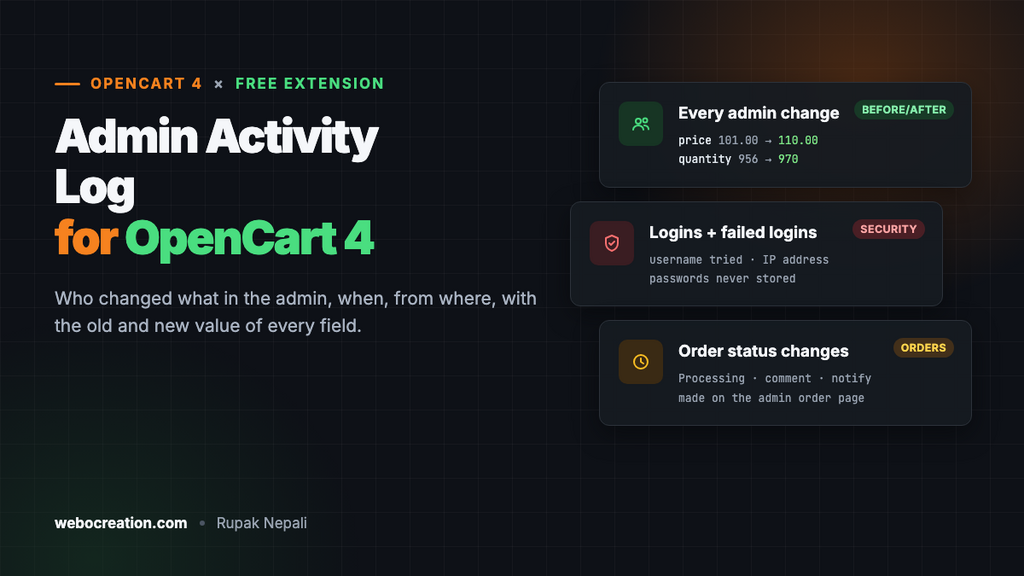
This free extension keeps that record: who added, changed, copied or deleted what, when, from which IP address, and for changes, the old and new value of every field. It also records logins, failed logins and order status changes.
Download Admin Activity Log for OpenCart 4 (free, tested on OpenCart 4.1.0.4)
What gets recorded
- Changes to products, categories, brands, information pages, options, attributes, reviews, customers, coupons, layouts, banners, SEO URLs, users, user groups and more, with each changed field’s old and new value.
- Settings: saving System > Settings, or any extension’s settings, records exactly which keys changed. Saving without changing anything isn’t recorded.
- Additions, copies and deletions, with the record’s name (product name, coupon name, customer name…).
- Order status changes made on the admin order page, with the new status, the comment and whether the customer was notified.
- Logins and failed logins, with the username tried.
Passwords, API keys, tokens, salts and similar fields are never stored: if one changes, the log shows that it changed, with •••• instead of the values.
Install
- Go to Extensions > Installer, upload
activitylog.ocmod.zipand click the green + button. - Go to Extensions > Extensions, choose Modules, and install Admin Activity Log.
- Click Edit, open the Settings tab, turn Status on and save.
Recording starts from that moment. The log is on the Activity tab of the same page.
Reading the log
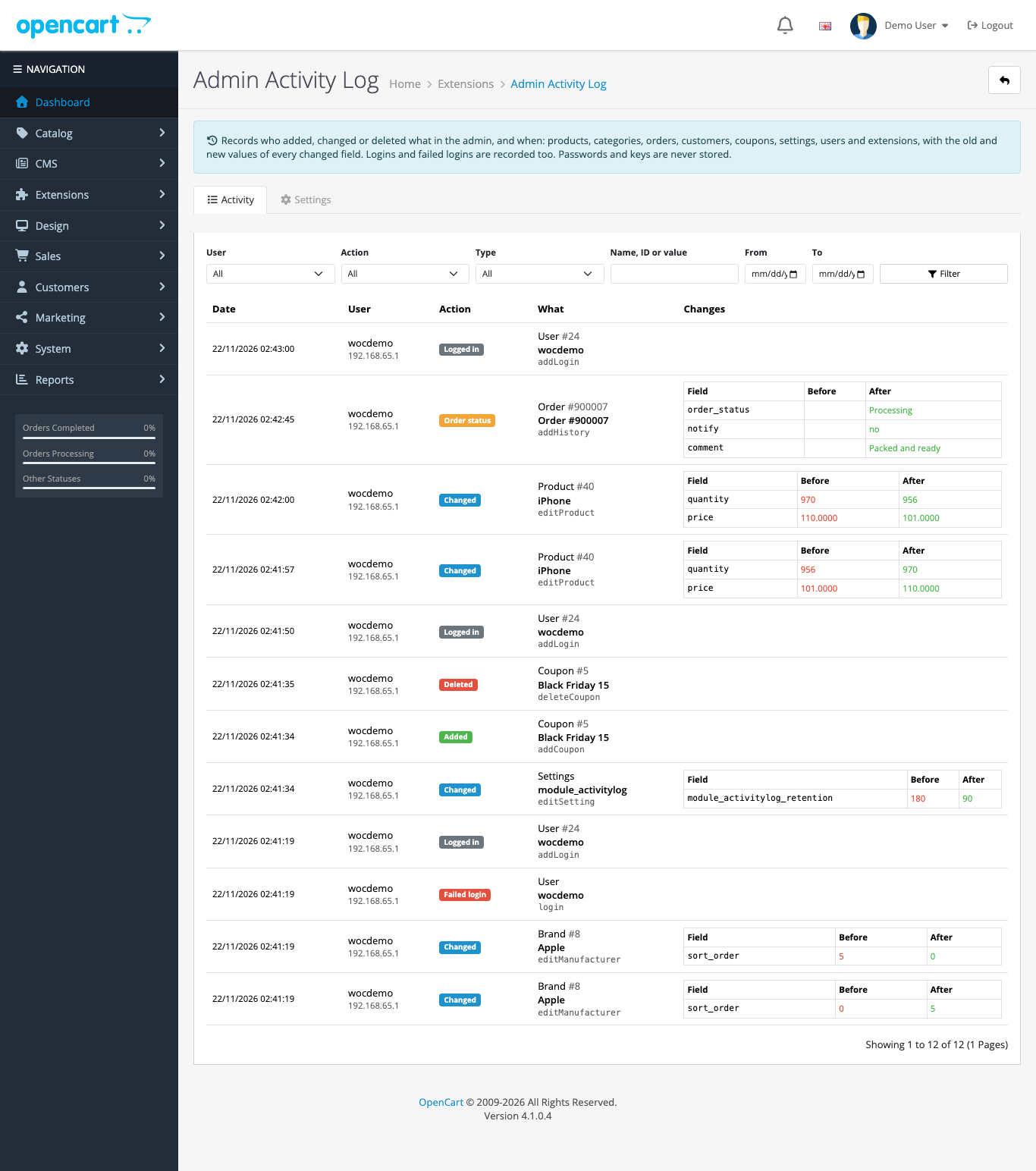
Each entry shows the date, the user and their IP address, a coloured action (Added, Changed, Deleted, Copied, Order status, Logged in, Failed login), what it was about, and for changes, a table of fields with the value before in red and after in green. When we raised the iPhone’s price from 101 to 110 and its stock from 956 to 970 in the product form, the entry read exactly that: quantity 956 → 970, price 101.0000 → 110.0000. Nothing else, because nothing else changed.
Filter by user, action, type (product, order, settings…), a date range, or a keyword. The keyword searches names, IDs and values, so “iPhone”, an order number or a coupon code all work.
Settings
- Keep entries for: 180 days by default. Older entries are deleted automatically.
- Don’t log: model methods to leave out, one per line, with
*as a wildcard. The defaults leave out OpenCart’s own housekeeping, such as the login tokens it creates and the currency rates it updates when an admin logs in. Without that line, every login added a row per currency to the log.
Who should see the log
The log is on the extension’s page, so it follows OpenCart’s permissions: only user groups with access to extension/activitylog/module/activitylog can read it, and only groups with modify permission can change its settings. Give staff accounts access to the parts of the admin they need and leave this one to the owner. See OpenCart 4 users, user groups and permissions.
There’s no “clear log” button, on purpose: a log that the person being audited can wipe isn’t an audit log. Uninstalling the extension removes its events but keeps the table, for the same reason.
Security uses
- Failed logins show password guessing against your admin, with the usernames tried and the IP.
- Logins show which accounts are used, from where, and when. A login at 3 a.m. from an unknown IP is worth a look.
- Settings changes show if someone changed the store email, a payment extension’s settings or the admin’s own security options.
- Users: new admin users and user group changes are recorded, a common step after a break-in.
Pair it with two-factor authentication and the steps in OpenCart security in 2026.
How it works
OpenCart 4 fires an event before and after every model method. The extension listens to all of the admin’s add*, edit*, copy* and delete* methods with wildcard triggers such as admin/model/*.edit*/after. Before an edit or delete, it reads the record with the model’s own getter (catalog/product → getProduct()), and after an edit it reads it again and compares.
Two details made the log readable:
- Only the outermost call is logged. Models call other models: saving a brand calls
addStore,deleteSeoUrlsByKeyValue,addSeoUrlanddeleteLayouts. Our first version logged all five. A depth counter now records only the save itself. - The model event route has no prefix. The trigger is
admin/model/catalog/product.editProduct/after, but the route passed to the handler is justcatalog/product.editProduct.
Order status changes needed one more step. The admin order page runs the storefront’s API in the same PHP request, through a store instance with its own session, so the storefront side can’t see the admin user. An admin event on sale/order.call hands the user over just before the call, and a storefront event on checkout/order.addHistory writes the entry.
Uninstall
Uninstalling removes the events; the log table stays. Drop oc_activitylog in phpMyAdmin if you really want it gone.

Rupak Nepali is a web developer, manage Webocreation website and the author of six books:
Getting Started with OpenCart Module Development (Packt, 2013),
OpenCart Theme and Module Development (Packt, 2015),
OpenCart 4: Dev Guide for Themes & Extensions (2024),
OpenCart 4: User Manual (2025),
Cloudflare for the Enterprise Website (2026) and
The Technical Web Guide for Marketers (2026).
Rupak has built OpenCart stores and extensions since 2010, has published more than 600 tutorials on Webocreation, and shares free OpenCart extensions on GitHub.
Find Rupak on
GitHub | Amazon | LinkedIn | X | YouTube.