Minimum Order Amount for OpenCart 4: Set a Minimum Cart Value or Quantity per Customer Group (Free Extension)
A free OpenCart 4 extension for minimum orders: a minimum cart value and/or item count per customer group (retail and wholesale), a friendly progress notice in the cart, and checkout closed until the minimum is reached.
 Rupak NepaliPublished Nov 16, 2026
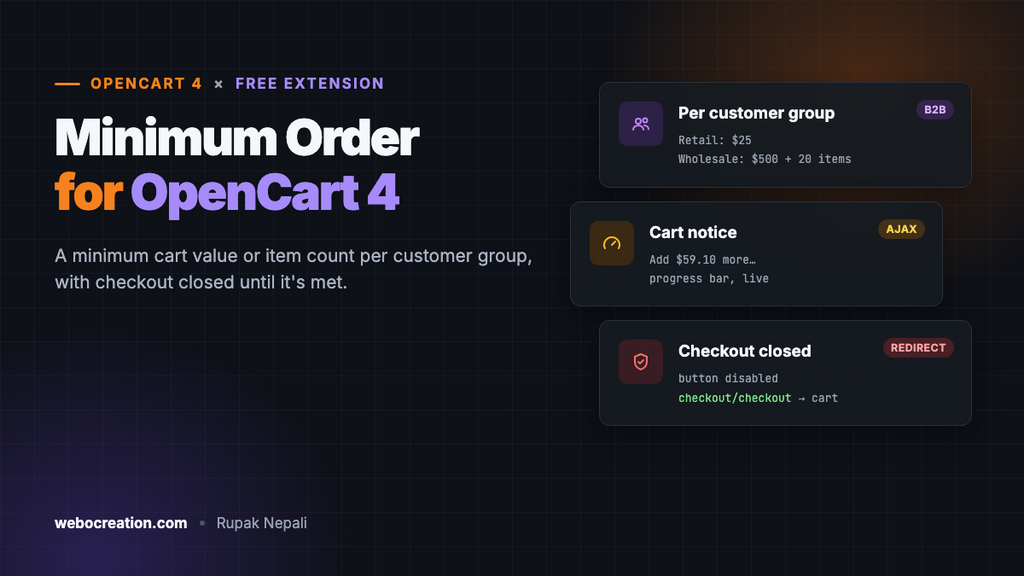
Small orders can cost more to pack and ship than they earn. Wholesale customers should order in quantity. Delivery stores often can’t drive across town for a $5 basket. All of these need a minimum order, and OpenCart 4 doesn’t have one: its “Low Order Fee” adds a charge to small orders, and its product “Minimum Quantity” works per product, not per cart.
This free extension adds a true minimum: a cart value and/or number of items per customer group, a clear message in the cart, and no checkout until the minimum is met.
Download Minimum Order Amount for OpenCart 4 (free, tested on OpenCart 4.1.0.4)
What it does
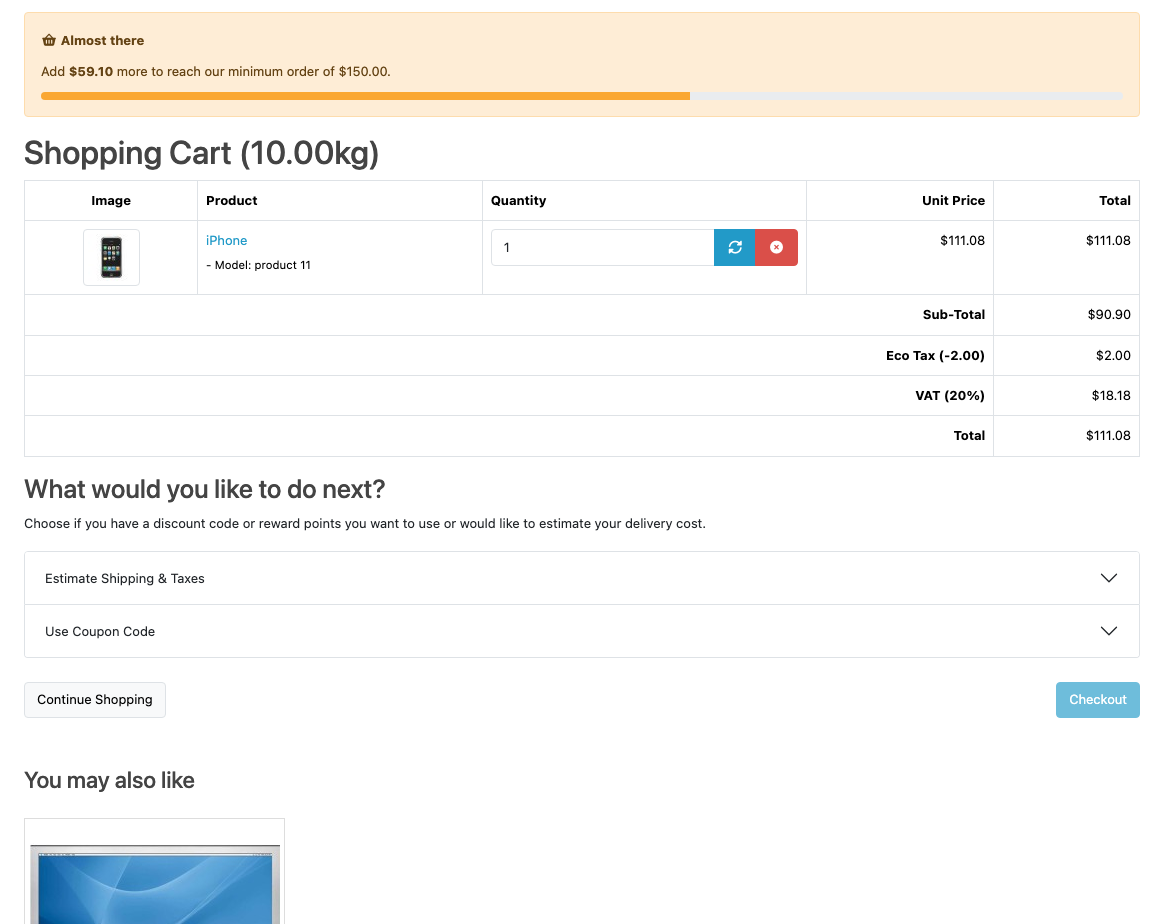
- Rules per customer group. For example $25 for retail customers, and $500 and 20 items for a Wholesale group. Groups without a rule have no minimum.
- Amount, quantity or both. Use either, or both together.
- Tells shoppers exactly what’s missing: “Add $59.10 more to reach our minimum order of $150.00”, in their selected currency, with a progress bar.
- Updates as they shop. Change a quantity in the cart and the notice updates with it.
- Closes checkout properly. The Checkout button is disabled, and going straight to the checkout address sends the shopper back to the cart.
Install it
- Download
minorder.ocmod.zip. - Go to Extensions → Installer, upload it, and click the green +.
- Go to Extensions → Extensions → Modules and install Minimum Order Amount.
- Click Edit, enter a minimum for each customer group that needs one, turn Status on and save.
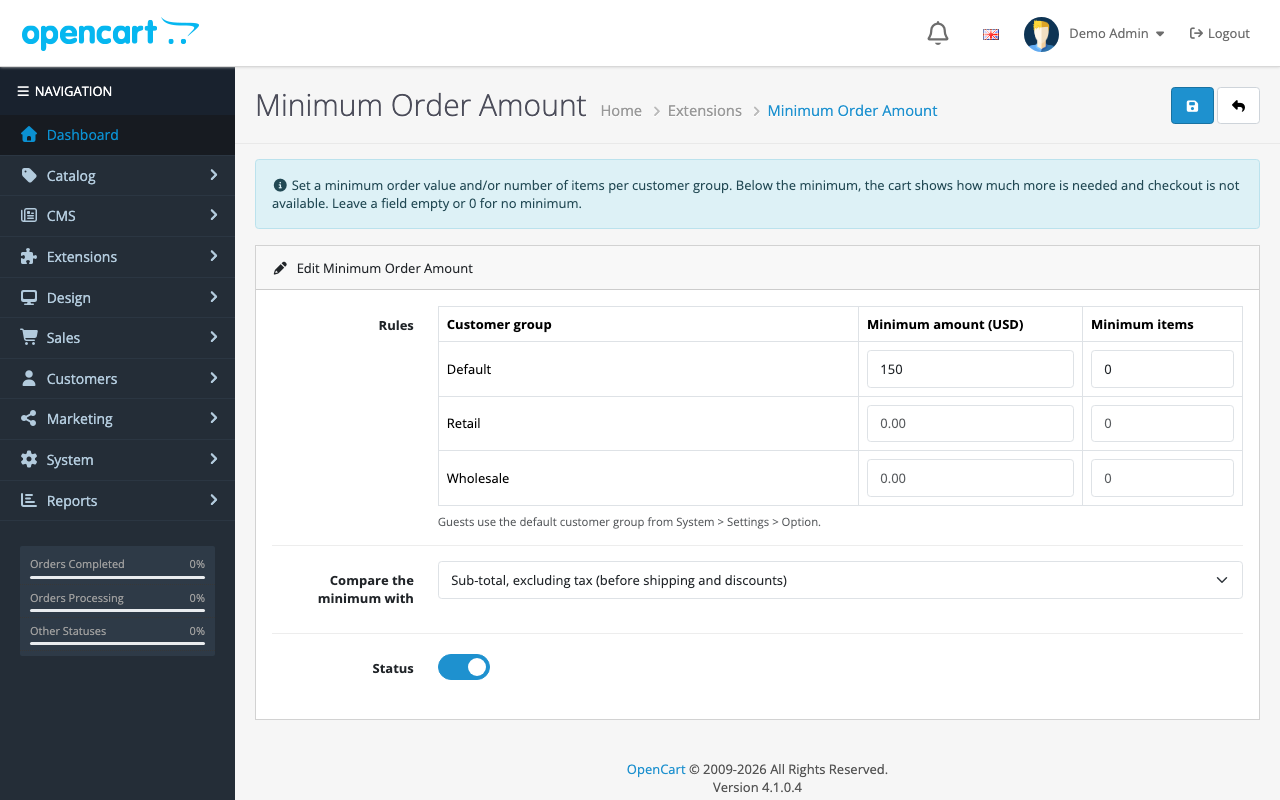
Guests use your default customer group (System → Settings → Option → Customer Group), so its rule is the one most shoppers see.
Sub-total or total?
The Compare the minimum with setting chooses what counts towards the minimum:
| Option | Counts | Use when |
|---|---|---|
| Sub-total, excluding tax | Product prices before tax, shipping and discounts | Most stores: the minimum means “at least this much product” |
| Product total including tax | Product prices including tax, before shipping and discounts | Your prices are shown including tax and you want the minimum to match what shoppers see |
Shipping, coupons and reward points never count. That’s deliberate: a minimum is about the size of the order, and a coupon shouldn’t push a cart back under the line after the shopper has passed the check.
We tested
On our test store, the Default group had a minimum of $150 (sub-total excluding tax):
| Cart | Result |
|---|---|
| 1 × iPhone, sub-total $90.90 | Notice: “Add $59.10 more to reach our minimum order of $150.00”; Checkout button disabled |
| Same cart, typing the checkout URL | Redirected back to the cart |
| 2 × iPhone, sub-total $181.80 | No notice, Checkout button active, checkout opens |
How it works
| Event | Trigger | What it does |
|---|---|---|
minorder_cart | catalog/view/checkout/cart_list/after | Adds the notice and disables the Checkout button |
minorder_checkout | catalog/controller/checkout/checkout/before | Sends carts below the minimum back to the cart |
Why the cart list, not the cart page
OpenCart 4’s cart page reloads its product list by AJAX whenever a quantity changes or a product is removed (checkout/cart.list). Hooking the list template, not the page, means the notice is redrawn with every change, without any JavaScript of our own.
Closing checkout
Disabling a button isn’t enough: anyone can type the checkout address. The second event runs before OpenCart’s checkout controller. In OpenCart 4.1 a before event can’t cancel a controller, so it redirects instead, the same way OpenCart’s own checkout sends an empty cart back:
public function checkout(string &$route, array &$args): void {
	if ($this->shortfall()) {
		$this->response->redirect($this->url->link('checkout/cart', 'language=' . $this->config->get('config_language'), true));
	}
}
Calculating what’s missing
$rules = (array)$this->config->get('module_minorder_rule');
$rule = $rules[(int)$this->config->get('config_customer_group_id')] ?? [];

$min_amount = (float)($rule['amount'] ?? 0);
$min_quantity = (int)($rule['quantity'] ?? 0);

// Amounts are in the default currency, like OpenCart's prices.
$amount = $this->config->get('module_minorder_basis') == 'total' ? $this->cart->getTotal() : $this->cart->getSubTotal();
$quantity = $this->cart->countProducts();
Minimums are entered in your default currency, like product prices. The message converts them with $this->currency->format(), so a shopper browsing in euros sees the shortfall in euros.
Good minimum order practice
- Say it before the cart. Mention the minimum in your header, delivery information page or product pages, so it isn’t a surprise at checkout.
- Pair it with suggestions. A shopper $12 short wants something to add. Our free automatic related products extension fills the cart page with ideas, and frequently bought together helps on product pages.
- Consider a fee instead. OpenCart’s built-in Low Order Fee (Extensions → Order Totals) lets small orders through with a surcharge. A hard minimum suits wholesale; a fee often suits retail better.
- Different rules for trade. Combine this with customer group prices for wholesale accounts; see B2B and wholesale in OpenCart 4.
Troubleshooting
| Problem | Cause and fix |
|---|---|
| No notice for guests | The rule is set for a group that isn’t your default customer group |
| Notice shows but the amount looks wrong | Check the “Compare with” setting: sub-total excludes tax |
| Checkout button still active on a custom theme | The theme changed the button’s markup. Checkout is still blocked by the redirect; adjust the button pattern in the extension’s event if you want it disabled too |
| Customers can pay below the minimum through an express button (PayPal on the product page) | Express buttons skip the cart. Disable them, or check whether your payment extension offers a minimum amount setting |
More free OpenCart 4 extensions: sale countdown timer, product badges and estimated delivery date.

Rupak Nepali is a web developer, manage Webocreation website and the author of six books:
Getting Started with OpenCart Module Development (Packt, 2013),
OpenCart Theme and Module Development (Packt, 2015),
OpenCart 4: Dev Guide for Themes & Extensions (2024),
OpenCart 4: User Manual (2025),
Cloudflare for the Enterprise Website (2026) and
The Technical Web Guide for Marketers (2026).
Rupak has built OpenCart stores and extensions since 2010, has published more than 600 tutorials on Webocreation, and shares free OpenCart extensions on GitHub.
Find Rupak on
GitHub | Amazon | LinkedIn | X | YouTube.