Transactional Email for OpenCart 4: Amazon SES vs Mailgun vs Brevo vs Resend (Prices, SMTP Settings, Tested)
Which email service should send your OpenCart order confirmations? We compare Amazon SES, Mailgun, Brevo and Resend on 2026 pricing and free tiers, test each provider's SMTP endpoint, and give the exact OpenCart 4.1 settings, including the tls:// versus ssl:// detail that trips people up.
 Rupak NepaliPublished Nov 15, 2026
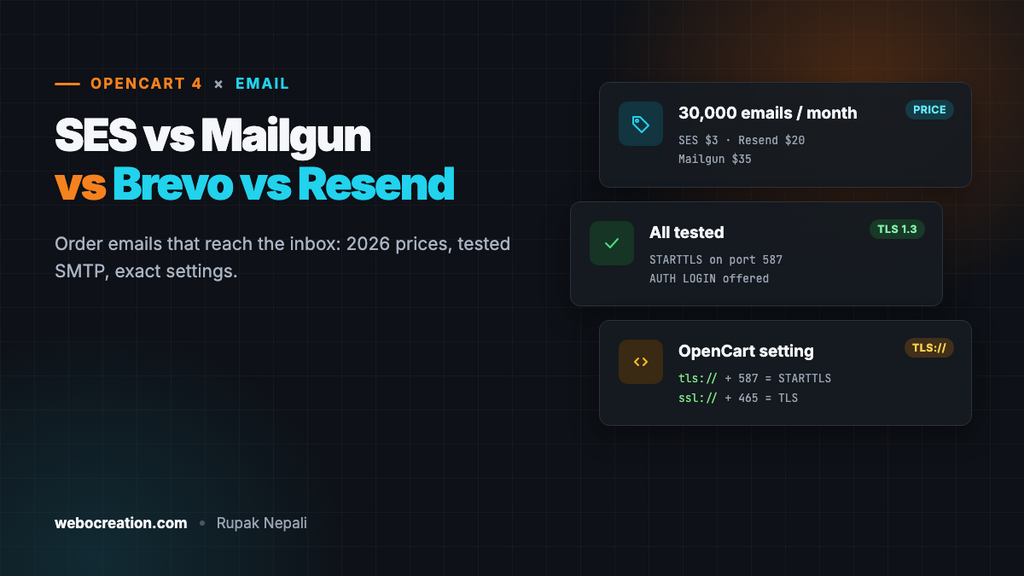
Order confirmations, shipping updates, password resets: if these land in spam, customers think the order failed, and they email you or file a chargeback. Out of the box, OpenCart sends them with PHP’s mail function from your web server, which usually means no DKIM, a shared server IP with a mixed reputation, and a fair chance of the spam folder.
The fix is to send through a transactional email service over SMTP. This guide compares four popular ones, Amazon SES, Mailgun, Brevo and Resend, on current pricing, tests each provider’s SMTP endpoint, and gives the exact OpenCart 4.1 settings for each.
The short answer
| If you… | Choose |
|---|---|
| Want the lowest cost at any volume and don’t mind AWS’s console | Amazon SES |
| Want a generous free tier for a small store, plus marketing email in the same account | Brevo |
| Want the simplest setup and a modern dashboard | Resend |
| Want detailed logs, routing and a long track record | Mailgun |
All four work with OpenCart’s built-in SMTP: no extension needed.
Prices in November 2026
From each provider’s pricing page, checked on 15 November 2026:
| Amazon SES | Mailgun | Brevo | Resend | |
|---|---|---|---|---|
| Free | No permanent free tier; new AWS accounts get up to $200 in credits | 100 emails a day | 300 emails a day | 3,000 a month, max 100 a day |
| Entry paid plan | Pay as you go: $0.10 per 1,000 | Basic: $15/mo for 10,000 | Starter: from about $9/mo for 5,000 | Pro: $20/mo for 50,000 |
| Next plan | Bundled plans from $0.16 per 1,000 (Essentials) with added features | Foundation: $35/mo for 50,000; Scale: $90/mo for 100,000 | Higher volumes priced by emails per month | Scale: from $90/mo for 100,000 |
| Extra emails | Same per-1,000 rate | $1.10 to $1.80 per 1,000, by plan | Buy a bigger plan or credits | $0.90 per 1,000 (less on high Scale tiers) |
| Dedicated IP | $24.95 per IP per month | Higher plans | Higher plans | $30/mo add-on on Scale |
SES also charges $0.12 per GB of attachments, which matters only if you attach PDFs to every order email. Brevo’s plans are built around marketing contacts and volume, so check its pricing page for the exact price at your volume.
What a store would actually pay
| Monthly transactional emails | SES (pay as you go) | Mailgun | Brevo | Resend |
|---|---|---|---|---|
| 1,500 (about 50 a day) | $0.15 | Free | Free | Free |
| 6,000 (about 200 a day) | $0.60 | $15 (Basic) | Free (under 300 a day) | $20 (over 100 a day) |
| 30,000 | $3 | $35 (Foundation) | Paid plan | $20 (Pro) |
| 100,000 | $10 | $90 (Scale) | Paid plan | $35 (Pro tier for 100,000) |
Watch the daily caps on free plans. A store averaging 50 order emails a day can still exceed 100 on a sale day, and emails over the cap are refused, not queued.
We tested each SMTP endpoint
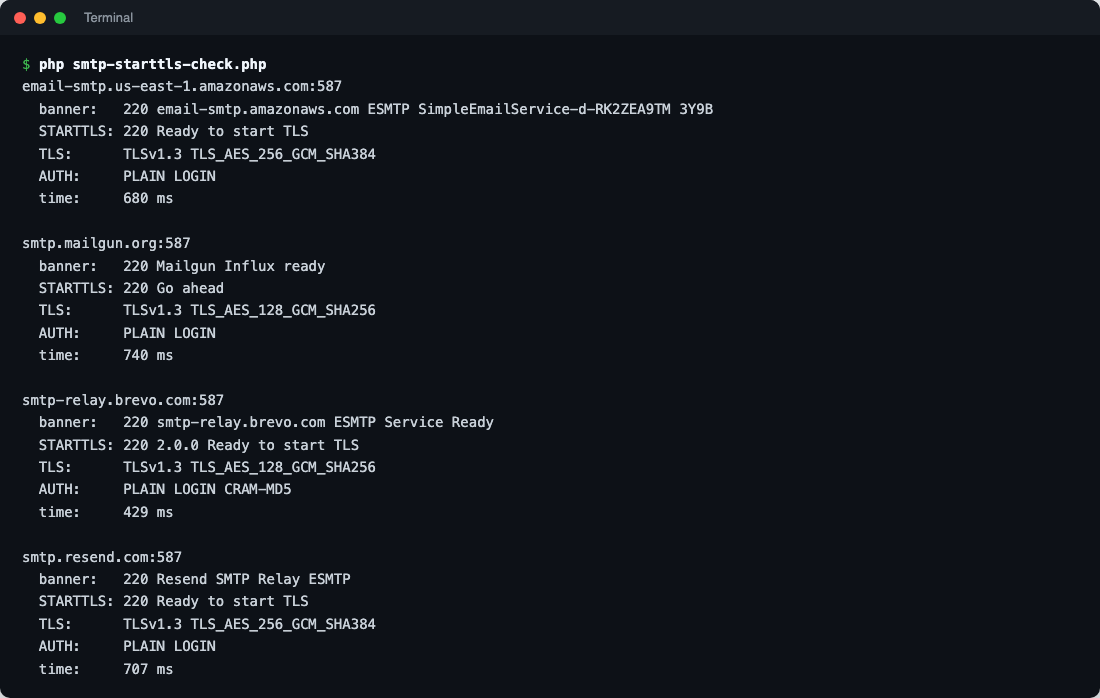
OpenCart’s SMTP client logs in with AUTH LOGIN after upgrading the connection to TLS. We connected to each provider’s server from PHP 8.3 (the same PHP OpenCart runs on), sent EHLO, upgraded with STARTTLS and listed the login methods offered, without logging in or sending mail:
| Provider | Server (port 587) | TLS | AUTH methods | Round trip |
|---|---|---|---|---|
| Amazon SES (us-east-1) | email-smtp.us-east-1.amazonaws.com | TLS 1.3 | PLAIN LOGIN | 680 ms |
| Mailgun (US) | smtp.mailgun.org | TLS 1.3 | PLAIN LOGIN | 740 ms |
| Brevo | smtp-relay.brevo.com | TLS 1.3 | PLAIN LOGIN CRAM-MD5 | 429 ms |
| Resend | smtp.resend.com | TLS 1.3 | PLAIN LOGIN | 707 ms |
Round trips are from one test location and include the TLS handshake; they’re not a speed ranking. Delivery speed to the inbox is a few seconds with any of them.
The OpenCart 4.1 SMTP settings
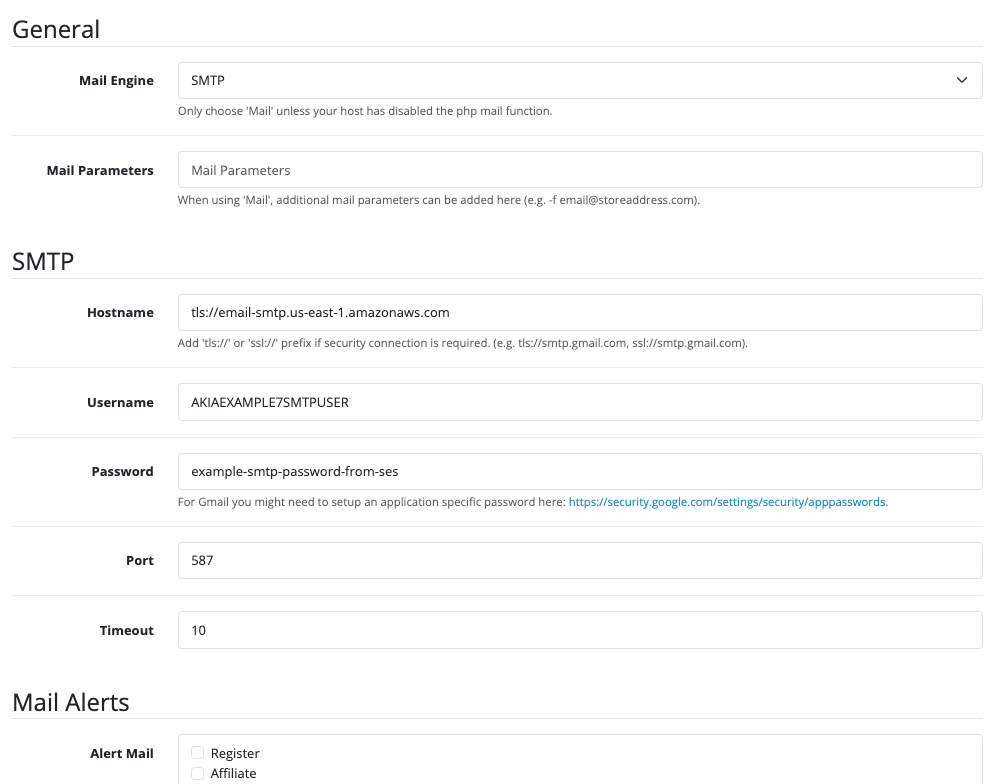
Go to System → Settings, edit your store, and open the Mail tab. Set Mail Engine to SMTP:
tls:// or ssl://? It matters
OpenCart’s hostname prefix chooses how the connection is encrypted. We read the 4.1.0.4 SMTP code to be sure:
| Hostname | What OpenCart does | Use with port |
|---|---|---|
tls://smtp.example.com | Connects in plain text, then upgrades with STARTTLS before logging in | 587 |
ssl://smtp.example.com | Connects with TLS from the first byte | 465 |
smtp.example.com (no prefix) | No encryption at all: the password is sent in the clear | Never |
Mixing them up (ssl:// with 587, or tls:// with 465) gives a timeout or a “STARTTLS not accepted” error.
Settings for each provider
| Hostname | Port | Username | Password | |
|---|---|---|---|---|
| Amazon SES | tls://email-smtp.REGION.amazonaws.com | 587 | SES SMTP username | SES SMTP password |
| Mailgun | tls://smtp.mailgun.org (EU: smtp.eu.mailgun.org) | 587 | The domain’s SMTP login, e.g. postmaster@mg.example.com | That login’s SMTP password |
| Brevo | tls://smtp-relay.brevo.com | 587 | Your SMTP login from Brevo’s SMTP & API page | An SMTP key |
| Resend | tls://smtp.resend.com | 587 | resend | An API key |
Set Timeout to 10 or 15 seconds. Also check System → Settings → Store → E-Mail: it’s the From address on every order email, and its domain must be one you’ve verified with the provider.
One thing to know: OpenCart 4.1 shows the SMTP password in a plain text field in the admin. Anyone with access to System → Settings can read it, so use a key you can revoke, created just for the store, and keep settings access to administrators (see users and permissions in OpenCart 4).
Provider setup notes
Amazon SES
- Verify your domain in the SES console (Identities). SES gives you three CNAME records for DKIM (“Easy DKIM”).
- Request production access. New SES accounts start in a sandbox: you can only send to verified addresses, with low daily limits. Order emails to customers won’t go out until AWS approves your request, usually within a day; describe your use (order confirmations to customers who placed an order).
- Create SMTP credentials under SMTP settings. These are not your AWS access keys: SES generates a separate SMTP username and password.
- Pick a region close to your server and use its endpoint, such as
email-smtp.eu-west-1.amazonaws.com.
Mailgun
- Add a sending domain, ideally a subdomain such as
mg.example.com, and publish the SPF and DKIM records it lists. - Choose US or EU region when adding the domain; the SMTP host differs.
- Create SMTP credentials per domain. Logs on the cheaper plans are kept for a short time (1 day on Free and Basic), so you can’t look far back when a customer says they never got an email.
Brevo
- Authenticate your domain under Senders, Domains & Dedicated IPs (it gives you DKIM and a Brevo code TXT record).
- Create an SMTP key under SMTP & API. The SMTP login shown there is not your account email.
- The free plan’s 300 emails a day are shared with any marketing email you send from the same account.
Resend
- Add your domain and publish its DKIM, SPF (on a
sendsubdomain) and optional DMARC records. - Create an API key with “Sending access” only, and use it as the SMTP password with the username
resend. - Resend also accepts ports 465 (use
ssl://), 2587 and 2465 if your host blocks 587.
Authenticate, then test
Whichever you choose, make sure your From domain passes SPF or DKIM in alignment, so DMARC passes. Each provider’s DKIM records do that for you. If you already have an SPF record with many services, watch the 10-lookup limit; providers that use their own bounce domain (SES with its default MAIL FROM, Resend’s send subdomain) don’t need to be in your main SPF record at all.
Then test: place a test order to a Gmail address, open the email, choose Show original, and check for SPF: PASS, DKIM: PASS with your domain, and DMARC: PASS. If OpenCart shows an SMTP error when placing the order, the error log (System → Maintenance → Error Logs) has the server’s reply.
Troubleshooting
| Error or symptom | Cause and fix |
|---|---|
| “Error: AUTH LOGIN not accepted” or 535 authentication failed | Wrong username or password; for SES, using AWS access keys instead of SMTP credentials |
| Timeout connecting | Your host blocks outgoing port 587. Try 465 with ssl://, or 2587 on Resend; ask your host to open the port |
| “STARTTLS not accepted” | tls:// used with port 465. Use 587 |
| Emails only reach your own address (SES) | The account is still in the SES sandbox. Request production access |
| Mail refused: “sender not verified” or similar | The store E-Mail address uses a domain you haven’t verified with the provider |
| Delivered, but in spam | DKIM isn’t set up for your domain, or DMARC fails. Check the email’s original headers |
Related: the Gmail SMTP app password setup (fine for testing, not for a store’s volume), SPF, DKIM and DMARC for e-commerce, and for newsletters, one-click unsubscribe.

Rupak Nepali is a web developer, manage Webocreation website and the author of six books:
Getting Started with OpenCart Module Development (Packt, 2013),
OpenCart Theme and Module Development (Packt, 2015),
OpenCart 4: Dev Guide for Themes & Extensions (2024),
OpenCart 4: User Manual (2025),
Cloudflare for the Enterprise Website (2026) and
The Technical Web Guide for Marketers (2026).
Rupak has built OpenCart stores and extensions since 2010, has published more than 600 tutorials on Webocreation, and shares free OpenCart extensions on GitHub.
Find Rupak on
GitHub | Amazon | LinkedIn | X | YouTube.