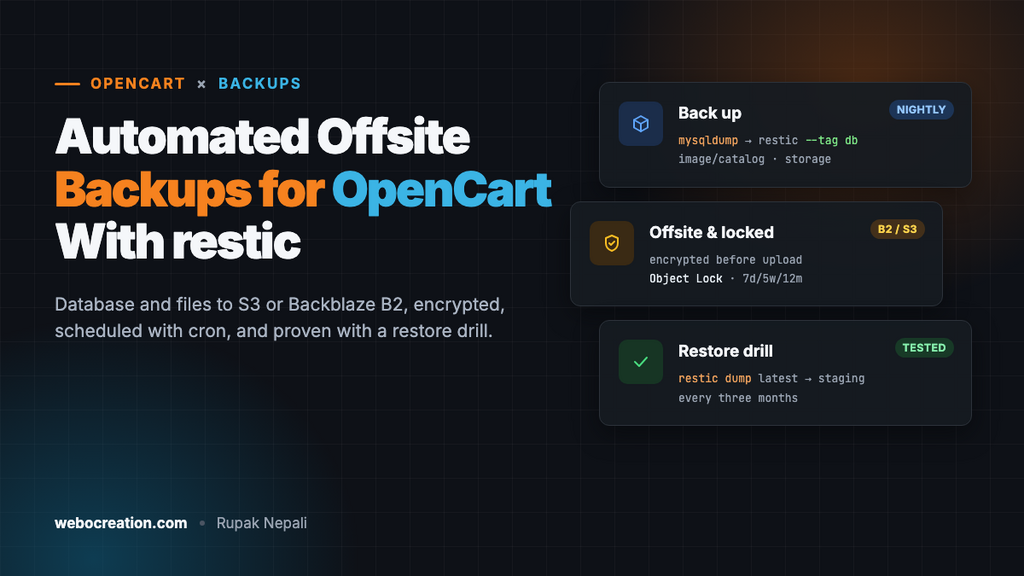
Automated Offsite Backups for OpenCart: Database and Files to S3 or Backblaze B2 With restic, Cron and a Restore Drill
Automatic, encrypted offsite backups for OpenCart: database and files to Backblaze B2 or S3 with restic and cron, plus a restore drill to prove they work.
 Rupak NepaliPublished Nov 13, 2026
Most store owners find out how good their backups are on the worst day: the server is hacked, an extension upgrade wipes a table, the hosting company loses a disk, or someone deletes 400 products in the admin. At that point “the host does backups” turns out to mean a snapshot from nine days ago, on the same account the attacker controls.
This guide sets up automatic, encrypted, offsite backups for an OpenCart 3 or 4 store with free, open-source tools, and, more importantly, a way to prove you can restore them.
What you need to back up
An OpenCart store is a database plus a few folders. Some of them aren’t where you’d expect.
| What | Where | Why it matters |
|---|---|---|
| Database | MySQL or MariaDB | Products, customers, orders, settings, SEO URLs. The store itself. |
| Product and banner images | image/catalog/ | Usually the only copy of your product photos. |
| Downloads and customer uploads | storage/download/, storage/upload/ (OpenCart 4, or the folder you moved storage to) | Digital products you sell and files customers attached to orders. |
| Config files | config.php, admin/config.php | Paths, database name, and in OpenCart 4 the storage location. |
| Theme and extensions | extension/, catalog/view/theme/, any core changes | Can be reinstalled, but only if you know exactly which versions you had. |
Skip storage/cache/, storage/session/ and storage/logs/: they’re rebuilt automatically and change constantly.
If your code is in Git (see our Git, CI/CD and staging guide), the code is already backed up elsewhere; you still need the database, images, downloads and uploads.
Why the built-in options aren’t enough
System > Maintenance > Backup / Restore in the OpenCart admin exports database tables to an SQL file (how it works). It’s useful before a risky change, but:
- It runs only when someone clicks it.
- It doesn’t include images, downloads or uploads.
- On large stores it times out.
- The file stays on the same server. If the server goes down, so does the backup.
Hosting backups (cPanel, Plesk, your VPS provider’s snapshots) are better, but check four things: how often they run, how long they’re kept, whether they’re stored somewhere other than your server, and whether you can restore a single table or folder without a support ticket. A snapshot of a hacked server taken after the hack is also hacked.
What you want is the 3-2-1 rule: three copies of your data, on two kinds of storage, one of them offsite, ideally in an account an attacker on your server can’t delete.
The tools
- mysqldump (or
mariadb-dump) exports the database consistently while the store is running. - restic is a free backup program. It encrypts everything on your server before it leaves, deduplicates (only changed data is uploaded each night, so daily backups of a 20 GB image folder cost almost nothing in storage), and keeps a history of snapshots you can restore from.
- Object storage: Backblaze B2, Amazon S3, Cloudflare R2 or Wasabi. For most stores, B2 or R2 costs a few dollars a month or less.
You need SSH access to the server. On shared hosting without SSH, use your host’s backup tool plus a weekly manual download, and plan to move to a VPS.
Step 1: a database user just for backups
Don’t put your store’s main database password in a backup script. Create a read-only user:
CREATE USER 'backup'@'localhost' IDENTIFIED BY 'a-long-random-password';
GRANT SELECT, SHOW VIEW, TRIGGER, EVENT, LOCK TABLES ON `opencart_db`.* TO 'backup'@'localhost';
FLUSH PRIVILEGES;
Store its password in a file only the backup user can read, /root/.my.cnf (or the home directory of whichever user runs the backup):
[client]
user=backup
password=a-long-random-password
chmod 600 /root/.my.cnfTest it: mysqldump --single-transaction --no-tablespaces opencart_db | head should print SQL, not an error.
Step 2: create the bucket and restic repository
- In Backblaze B2 (or your provider), create a private bucket, for example
mystore-backups. - Create an application key that can only access that bucket.
- Install restic:
apt install resticon Debian/Ubuntu, or download the latest release from GitHub (you want 0.17 or newer for the--stdin-from-commandoption used below).
Create /root/restic.env with the connection details:
export RESTIC_REPOSITORY="s3:https://s3.us-west-004.backblazeb2.com/mystore-backups/opencart"
export AWS_ACCESS_KEY_ID="your-key-id"
export AWS_SECRET_ACCESS_KEY="your-application-key"
export RESTIC_PASSWORD_FILE="/root/.restic-password"
Generate a repository password and initialise the repository:
openssl rand -base64 32 > /root/.restic-password
chmod 600 /root/restic.env /root/.restic-password
source /root/restic.env
restic init
Store a copy of the restic password somewhere off the server, such as your password manager. Without it, the backups can’t be decrypted by anyone, including you.
Step 3: the backup script
Save as /root/backup-opencart.sh, and change the paths and database name:
#!/bin/bash
set -euo pipefail

source /root/restic.env

STORE=/var/www/opencart          # the folder with index.php
STORAGE=/var/www/storage         # OpenCart 4 storage folder (see config.php DIR_STORAGE)
DB=opencart_db

# 1. Database: streamed straight into restic, no SQL file left on disk.
#    If mysqldump fails, restic fails too, and the snapshot isn't saved.
restic backup --tag db --stdin-filename "$DB.sql" --stdin-from-command -- \
  mysqldump --single-transaction --quick --routines --triggers --no-tablespaces \
  --default-character-set=utf8mb4 "$DB"

# 2. Files: images, downloads, uploads and config.
restic backup --tag files \
  "$STORE/image/catalog" \
  "$STORE/config.php" "$STORE/admin/config.php" \
  "$STORAGE/download" "$STORAGE/upload" \
  --exclude "$STORE/image/cache"

# 3. Keep 7 daily, 5 weekly and 12 monthly snapshots, and delete the rest.
restic forget --keep-daily 7 --keep-weekly 5 --keep-monthly 12 --prune

# 4. Check the repository, reading a random 2% of the data each night.
restic check --read-data-subset 2%
Notes on the options:
--single-transactionexports InnoDB tables as they were at one moment, without locking the store. OpenCart 4 uses InnoDB; if an old OpenCart 2 or 3 store still has MyISAM tables, convert them, or the dump of those tables isn’t consistent.--no-tablespacesavoids the “Access denied; you need the PROCESS privilege” error on MySQL 8.image/cacheis excluded because OpenCart rebuilds resized images fromimage/catalog.
Make it executable and run it once by hand:
chmod 700 /root/backup-opencart.sh
/root/backup-opencart.sh
restic snapshots
The first run uploads everything and may take a while. Later runs only upload what changed.
Step 4: schedule it and get told when it fails
Run it every night at 2:30, when the store is quietest:
crontab -e
30 2 * * * /root/backup-opencart.sh >> /var/log/backup-opencart.log 2>&1 && curl -fsS -m 10 --retry 3 https://hc-ping.com/your-check-uuid > /dev/null
The curl at the end pings a monitoring service such as Healthchecks.io (free for a few checks) only if the script succeeded. If no ping arrives by morning, it emails you. A backup that silently stopped working three months ago is the most common way backups fail.
For a busy store, run the database part more often, for example every four hours, as a second cron line with only the restic backup --tag db command. Losing a day of orders is worse than losing a day of product photos.
Step 5: protect the backups from an attacker
An attacker with root on your server can read /root/restic.env and delete your backups with the same key. Two ways to stop that:
- Object Lock / immutability. Backblaze B2 and S3 support Object Lock: files can’t be deleted or changed for a set number of days, even with valid keys. Enable it on the bucket with a retention period longer than the time you might take to notice a hack (30 days is common), and run
forget --prunefrom a different, trusted machine with a separate key. - An append-only target. restic’s
rest-serverhas an--append-onlymode: the store server can add snapshots but not delete them.
At minimum, use a bucket in a separate account from your hosting, with its own login and two-factor authentication.
Step 6: the restore drill
A backup you’ve never restored is a hope. Do this once now, and then every three months, on a staging server or a local copy (never on the live store):
source /root/restic.env

# Which snapshots exist?
restic snapshots

# Restore the latest database into a staging database
restic dump latest --tag db /opencart_db.sql | mysql staging_db

# Restore files to a temporary folder
restic restore latest --tag files --target /tmp/restore-test
ls /tmp/restore-test/var/www/opencart/image/catalog | head
Then point a staging copy of the store at staging_db and the restored images, log into the admin, and check: recent orders are there, product images load, a downloadable product downloads. Time how long it took and write the steps down. That’s your recovery plan.
To restore one deleted product photo, or the oc_product_description table after a bad bulk edit, you don’t need a full restore:
restic restore latest --tag files --target /tmp/r --include "/var/www/opencart/image/catalog/products/shirt-2.jpg"
restic dump latest --tag db /opencart_db.sql | sed -n '/CREATE TABLE `oc_product_description`/,/UNLOCK TABLES/p' > product_description.sql
A short checklist
- Database backed up at least daily, more often for busy stores.
image/catalog,storage/download,storage/uploadand bothconfig.phpfiles included.- Encrypted before upload; password stored off the server.
- Offsite, in an account the store server can’t delete from.
- Monitored: you’re told when a night is missed.
- Restored successfully in the last three months.
If you’re recovering from a hack, restore from a snapshot taken before the compromise and then close the hole; our OpenCart security and hacked store recovery guide covers how to find when that was.

Author of four Opencart book.
The recent are Opencart 4 developer book and Opencart 4 user manual