Cloudflare Rules for Shopware 6: The Security, Rate Limiting and Cache Rules Every Store Needs
Copy-ready Cloudflare custom, rate limiting, redirect and cache rules for Shopware 6, checked against a fresh Shopware 6.7.2.2 in production mode, including why you must not block /api/ and how Shopware's own login throttling interacts with Cloudflare.
 Rupak NepaliPublished Nov 17, 2026
Shopware 6 is built differently from older PHP shops. The web server’s document root is the public/ folder, so configuration and source files aren’t reachable from the web at all, and Shopware throttles failed logins itself. That leaves fewer holes to plug with Cloudflare, but a few Shopware-specific traps: the admin is a JavaScript app that talks to /api/, payment plugins receive webhooks there too, and the admin path is the same on every store.
We checked every path in this guide against a fresh Shopware 6.7.2.2 running in production mode (APP_ENV=prod). The rules also suit Shopware 6.5 and 6.6.
What a fresh Shopware 6 exposes
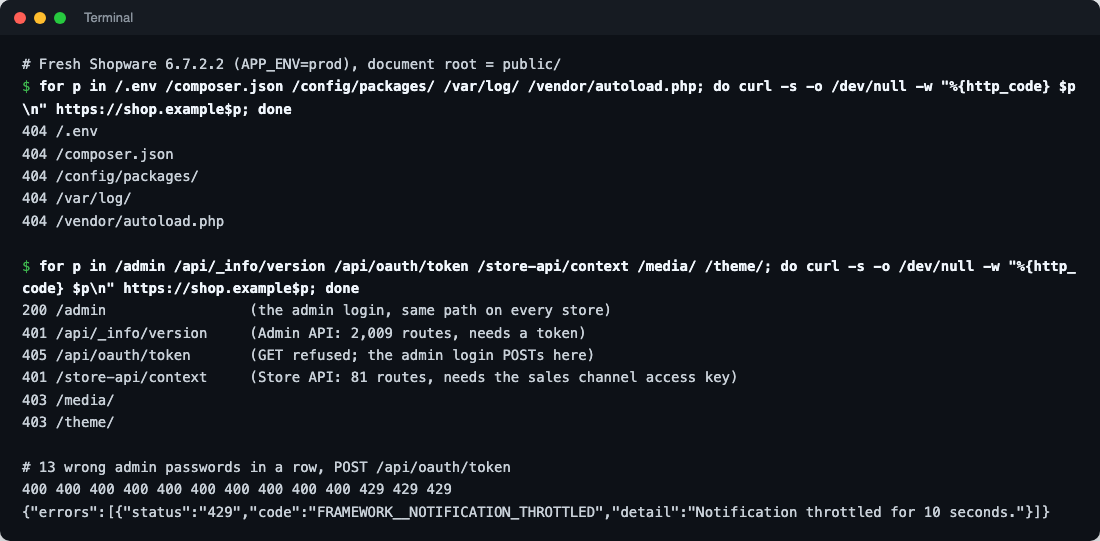
| Path | Response | Notes |
|---|---|---|
/.env, /composer.json, /config/, /var/log/, /vendor/ | 404 | Outside the document root. Only exposed if the server points at the project folder instead of public/ |
/admin | 200 | The admin login, at the same path on every Shopware store |
/api/... | 401 | The Admin API: 2,009 routes in our install. The admin itself, integrations, apps and payment webhooks use it |
/api/oauth/token | 405 for GET | The admin login form POSTs here |
/store-api/... | 401 | The Store API: 81 routes, needs the sales channel’s access key. Used by headless frontends and apps |
/media/, /theme/, /bundles/ | 403 for the folder | Files inside are public assets |
/account/login | 200 | The customer login |
Shopware already throttles logins
Shopware ships a rate limiter for the admin login, customer login, guest login and password resets. We sent 13 wrong admin passwords in a row: the first 10 returned 400, then Shopware answered 429 Too Many Requests (“throttled for 10 seconds”). Shopware’s default configuration uses a time back-off, so the allowed rate drops further (15 per 30 seconds, then 20 per minute) and resets after 24 hours without failures. The customer login showed “Too many login attempts. Please wait 10 seconds before trying to log in again.” after 10 failures.
That limiter keys on the email address and the client IP. Behind Cloudflare, unless the server is told otherwise, every request comes from a Cloudflare IP, so:
- an attacker’s failures and real customers’ attempts can be counted together when they share a Cloudflare edge, locking out real people;
- Shopware’s logs and order records show Cloudflare addresses instead of customers’.
So the first job is restoring real visitor IPs.
Before you start
1. Restore real visitor IPs
Do it in the web server, trusting only Cloudflare’s ranges, so PHP and Shopware see the visitor’s address:
# Apache, mod_remoteip. Full list: https://www.cloudflare.com/ips-v4 and /ips-v6
RemoteIPHeader CF-Connecting-IP
RemoteIPTrustedProxy 173.245.48.0/20
RemoteIPTrustedProxy 103.21.244.0/22
# ...one line per range...
On Nginx, use set_real_ip_from for each range and real_ip_header CF-Connecting-IP;. Test by logging in to the admin and checking the IP that appears in your web server’s access log.
2. Check the document root
Our 404s depend on the server pointing at public/. Some hosting panels point at the project folder and use a rewrite instead; then /.env may be readable, with your database password and app secret. Request https://your-store/.env: it must not return the file. Rule 1 below blocks it either way.
3. Use Full (strict) SSL
Set SSL/TLS to Full (strict) with a valid certificate on the server. Flexible mode sends traffic to the server over plain HTTP, and Shopware’s sales channel domains are configured with https://, which leads to redirect loops or mixed URLs.
4. Leave Bot Fight Mode off
Bot Fight Mode on the Free plan can’t be skipped for specific paths, so it can challenge payment webhooks and the requests of ERP or marketplace integrations to /api/, and they can’t solve challenges.
Paths you must not block
| Path | Used by | Block or challenge? |
|---|---|---|
/api/ | The admin app (every click), integrations, apps, and payment plugin webhooks | Never block. Don’t challenge it either, apart from the login (rate limit only) |
/store-api/ | Headless frontends, apps, some plugins | Never block if you use any of them |
/payment/finalize-transaction | Customers returning from the payment page | Never block or challenge |
/widgets/, /checkout/ | Cart, off-canvas cart and checkout requests | Never challenge or cache |
/theme/, /media/, /thumbnail/, /bundles/ | CSS, JavaScript, images | Never block. Cache them |
Security rules
Rule 1: Block configuration and probe requests
Action: Block.
(http.request.uri.path contains "/.env")
or (http.request.uri.path contains "/.git")
or (starts_with(http.request.uri.path, "/vendor/"))
or (starts_with(http.request.uri.path, "/var/"))
or (starts_with(http.request.uri.path, "/config/"))
or (starts_with(http.request.uri.path, "/recovery/"))
or (http.request.uri.path in {"/composer.json" "/composer.lock" "/symfony.lock" "/install.lock" "/shopware-installer.phar.php"})
or (ends_with(http.request.uri.path, ".sql"))
or (ends_with(http.request.uri.path, ".zip") and not starts_with(http.request.uri.path, "/media/"))
or (http.request.uri.path in {"/wp-login.php" "/xmlrpc.php" "/phpinfo.php"})/.envholds the database URL andAPP_SECRET;/var/holds logs and cache. They’re outsidepublic/on a correct setup; this covers misconfigured ones.shopware-installer.phar.phpis Shopware’s web installer. Delete it frompublic/after installing; the rule covers you if someone forgets./recovery/was the updater and installer in Shopware 6.4 and older.
What it might break: a category or landing page whose SEO URL starts with /config or /var. Add a trailing slash to those lines (you’ll see the page in Security → Events if it’s blocked).
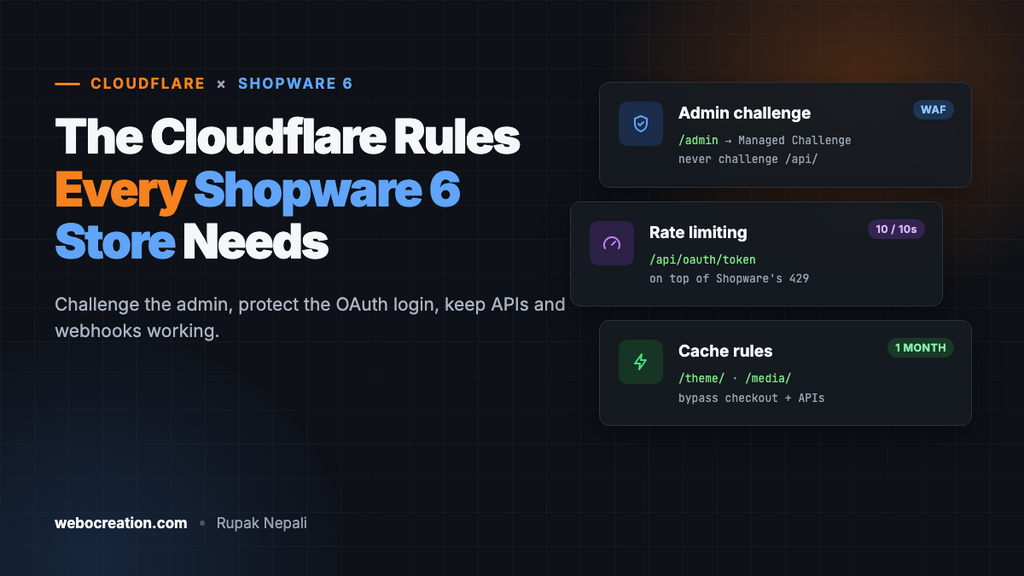
Rule 2: Challenge the admin
Action: Managed Challenge.
(http.request.uri.path eq "/admin" or starts_with(http.request.uri.path, "/admin/"))
and not ip.src in {203.0.113.10 198.51.100.0/24}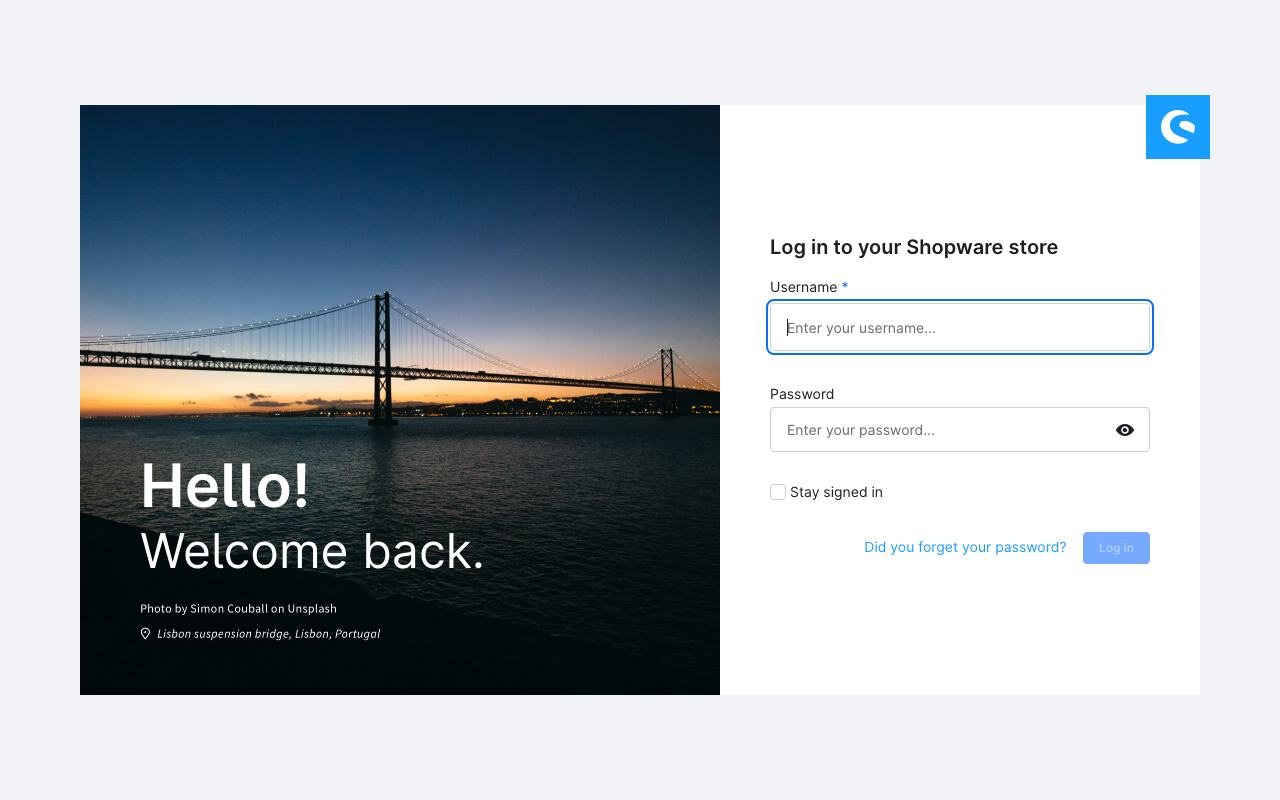
/admin on every store.Use your own office IPs. The challenge applies to the admin page itself. After a person passes it, Cloudflare’s clearance cookie also covers the admin app’s calls to /api/, because they come from the same browser.
Don’t add /api/ to this rule. Integrations, apps and payment webhooks call /api/ without a browser and can’t solve a challenge. For a team working from many places, put Cloudflare Zero Trust Access (free for up to 50 users) in front of /admin instead. Give every admin user their own account with a strong, unique password.
Rule 3: Block admin API logins from outside, if you can
Action: Block. Only if every admin user and integration logs in from known IPs.
(http.request.uri.path eq "/api/oauth/token")
and not ip.src in {203.0.113.10 198.51.100.0/24 192.0.2.50}
/api/oauth/token is where both the admin login and integrations get their access tokens. Include your office, your developers, and the servers of every integration (ERP, PIM, marketplace connector) that uses API credentials. If you can’t list them all, skip this rule and rely on the rate limit below.
Rule 4: Block the Store API if you don’t use it
Action: Block.
Most Shopware stores use the built-in storefront, which doesn’t call /store-api/ from browsers for normal shopping. If you don’t run a headless frontend, mobile app or app that uses it, you can block it. Check your access logs for /store-api/ requests over a week first; if there are legitimate ones, skip this rule.
(starts_with(http.request.uri.path, "/store-api/"))Rate limiting: logins
Shopware’s own throttling is good, but it still lets every attempt reach PHP. One Cloudflare rule stops floods earlier. On the Free plan you get one rule, matching the path only, so pick the target that matters most for you:
- If incoming requests match: URI Path equals
/account/login(customer login; with language prefixes, e.g./de/account/login, use a separate rule on paid plans), or/api/oauth/token(admin login) - Characteristics: IP
- Requests: 10 per 10 seconds
- Action: Block for 10 seconds
Ten per ten seconds is far above what a person does, so it won’t trouble customers, but it cuts a credential-stuffing bot down to one attempt a second. On paid plans, add http.request.method eq "POST", cover both logins and /account/recover, and use longer windows. Don’t rate-limit all of /api/: the admin app makes many requests a second while staff work.
Redirect rule: one hostname
Rules → Redirect Rules → Redirect from WWW to root template (or the reverse), 301, preserve query string. It must match the domain configured for your sales channel (Sales Channels → your storefront → Domains), or Shopware answers the other hostname with an error page.
Cache rules
Cache rule 1: Theme, media and bundle assets
(starts_with(http.request.uri.path, "/theme/"))
or (starts_with(http.request.uri.path, "/media/"))
or (starts_with(http.request.uri.path, "/thumbnail/"))
or (starts_with(http.request.uri.path, "/bundles/"))
Eligible for cache, Edge TTL: 1 month, Browser TTL: 1 week. On our install, theme CSS and JavaScript lived under a hashed folder with a timestamp, such as /theme/6f4de39d.../css/all.css?1757936479, and media URLs carried ?ts=, so new versions get new URLs and long caching is safe. Keep the query string in the cache key (Cloudflare’s default) for that reason. Our server sent these files with no Cache-Control header at all, so without this rule Cloudflare falls back to its defaults.
Cache rule 2: Never cache the admin, APIs, account or checkout
(starts_with(http.request.uri.path, "/admin"))
or (starts_with(http.request.uri.path, "/api/"))
or (starts_with(http.request.uri.path, "/store-api/"))
or (starts_with(http.request.uri.path, "/account"))
or (starts_with(http.request.uri.path, "/checkout"))
or (starts_with(http.request.uri.path, "/widgets/"))
or (starts_with(http.request.uri.path, "/payment/"))
Action: Bypass cache, placed after rule 1.
What about HTML pages?
Shopware has its own HTTP cache for pages; our home page came back with an Age header from it, and Cache-Control: no-cache, private, which tells Cloudflare not to cache it. Leave it that way unless you know what you’re doing. Shopware decides per request whether a page can be cached, based on the visitor’s cookies (cart, login, currency, language). Caching HTML at Cloudflare without replicating that logic shows one customer’s cart or prices to another. Shopware’s documentation describes reverse-proxy setups (Varnish, Fastly) that handle this properly.
Test everything
curl -s -o /dev/null -w "%{http_code}\n" https://example.com/.env                     # 403
curl -s -o /dev/null -w "%{http_code}\n" https://example.com/composer.json            # 403
curl -s -o /dev/null -w "%{http_code}\n" https://example.com/api/_info/version        # 401 (still reachable)
curl -s -o /dev/null -w "%{http_code}\n" https://example.com/admin                    # 403 challenge, from a non-allowed IP
curl -sI "https://example.com/theme/<hash>/css/all.css?<timestamp>" | grep -i cf-cache-status   # HIT after a reload
Then log in to the admin, place a test order with each payment method, and check that integrations still sync. Look at Security → Events for blocked /api/ requests you didn’t expect.
Summary
| Rule | Action | Stops |
|---|---|---|
| Configuration and probes | Block | .env, installer and backup scans |
| Admin page | Managed Challenge | Automated admin password guessing |
| OAuth token from unknown IPs | Block (if possible) | Admin API login attempts |
| Store API | Block (if unused) | API scraping |
| Login rate limit | Block 10 s | Credential stuffing |
| Asset cache | Cache 1 month | Origin load |
| Private paths bypass | Bypass | Cached carts and accounts |
More in this series: Cloudflare rules for Magento, PrestaShop, WooCommerce, Laravel and Django, and for OpenCart, Cloudflare security for OpenCart.

Rupak Nepali is a web developer, manage Webocreation website and the author of six books:
Getting Started with OpenCart Module Development (Packt, 2013),
OpenCart Theme and Module Development (Packt, 2015),
OpenCart 4: Dev Guide for Themes & Extensions (2024),
OpenCart 4: User Manual (2025),
Cloudflare for the Enterprise Website (2026) and
The Technical Web Guide for Marketers (2026).
Rupak has built OpenCart stores and extensions since 2010, has published more than 600 tutorials on Webocreation, and shares free OpenCart extensions on GitHub.
Find Rupak on
GitHub | Amazon | LinkedIn | X | YouTube.