Request a Quote for OpenCart 4: B2B Quote Requests and “Price on Request” Products (Free Extension)
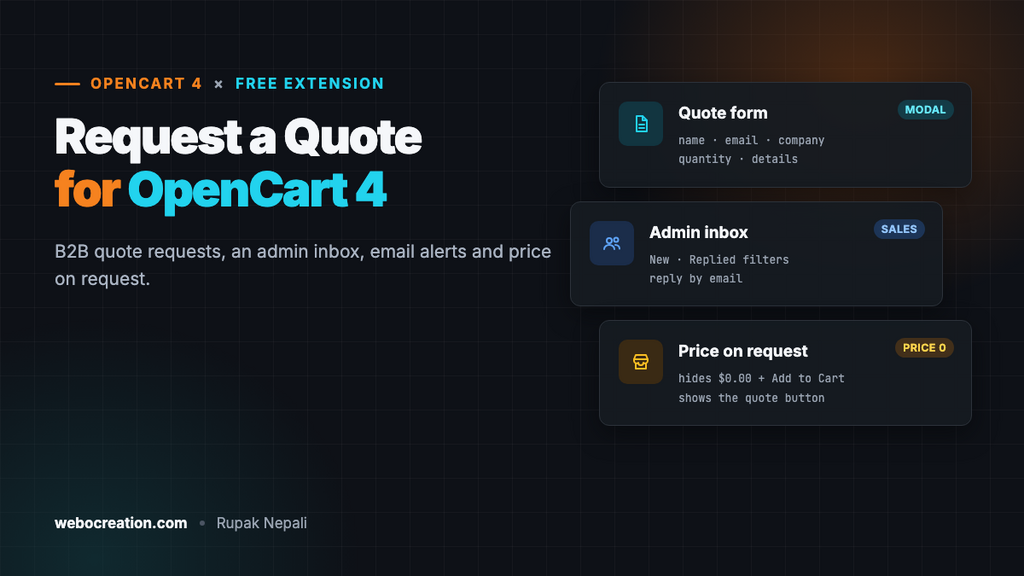
A free OpenCart 4 extension that adds a Request a quote button and form to product pages, saves requests to an admin inbox under Sales, emails the store, and can replace Add to Cart with "Price on request" for products priced 0.
 Rupak NepaliPublished Nov 16, 2026
Not every sale fits a cart. A company wants 25 laptops and expects a volume price. A customer wants a product engraved, or delivered abroad. Some products have no fixed price at all: made to measure, installed on site, or priced by the day’s material cost. These customers either email you with half the details, or give up.
OpenCart 4 has quantity discounts and customer groups, but no way to ask for a quote. This free extension adds a Request a quote button and form to product pages, saves every request in an inbox in your admin, and emails you when one arrives. For products without a price, it can replace Add to Cart with “Price on request”.
Download Request a Quote for OpenCart 4 (free, tested on OpenCart 4.1.0.4)
What it does
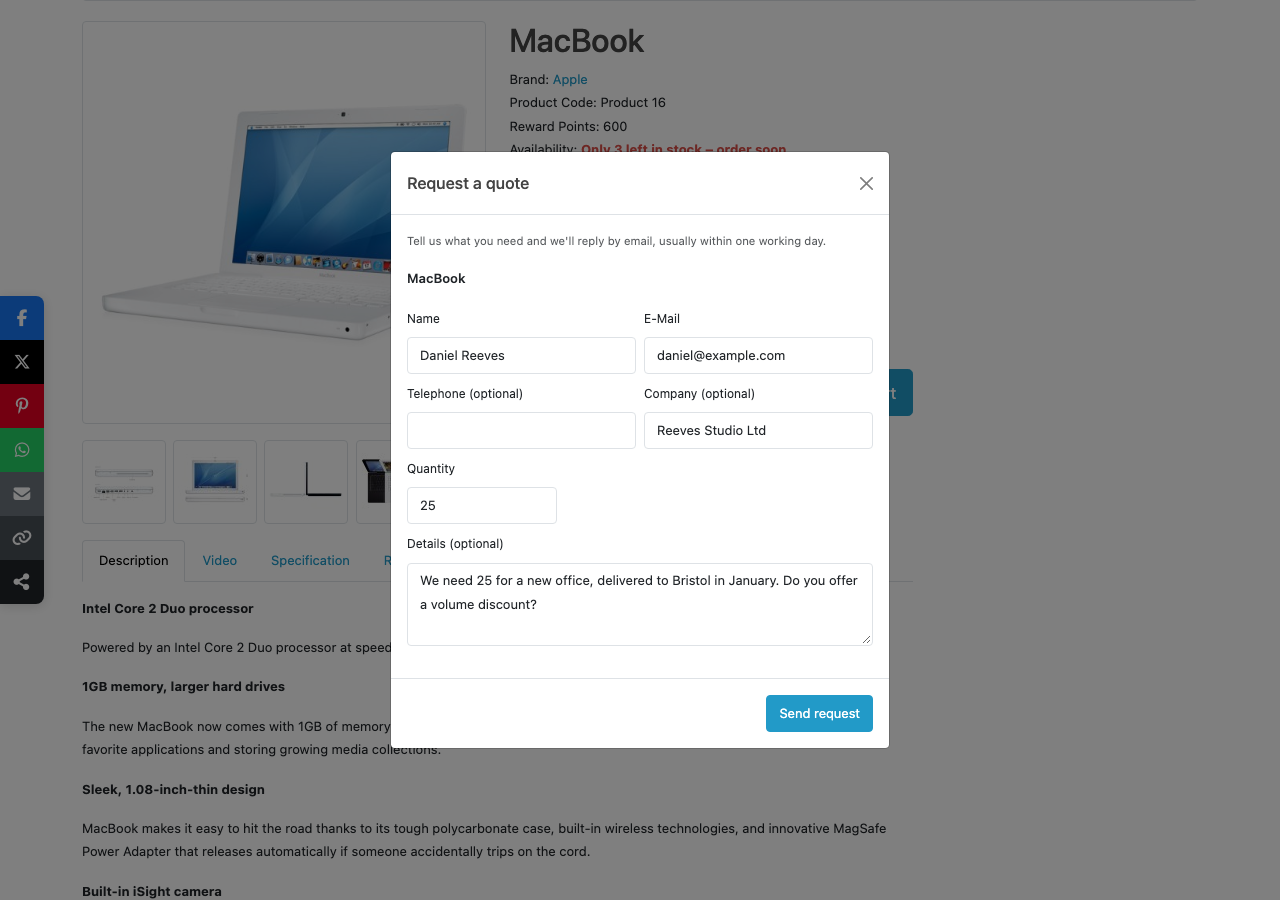
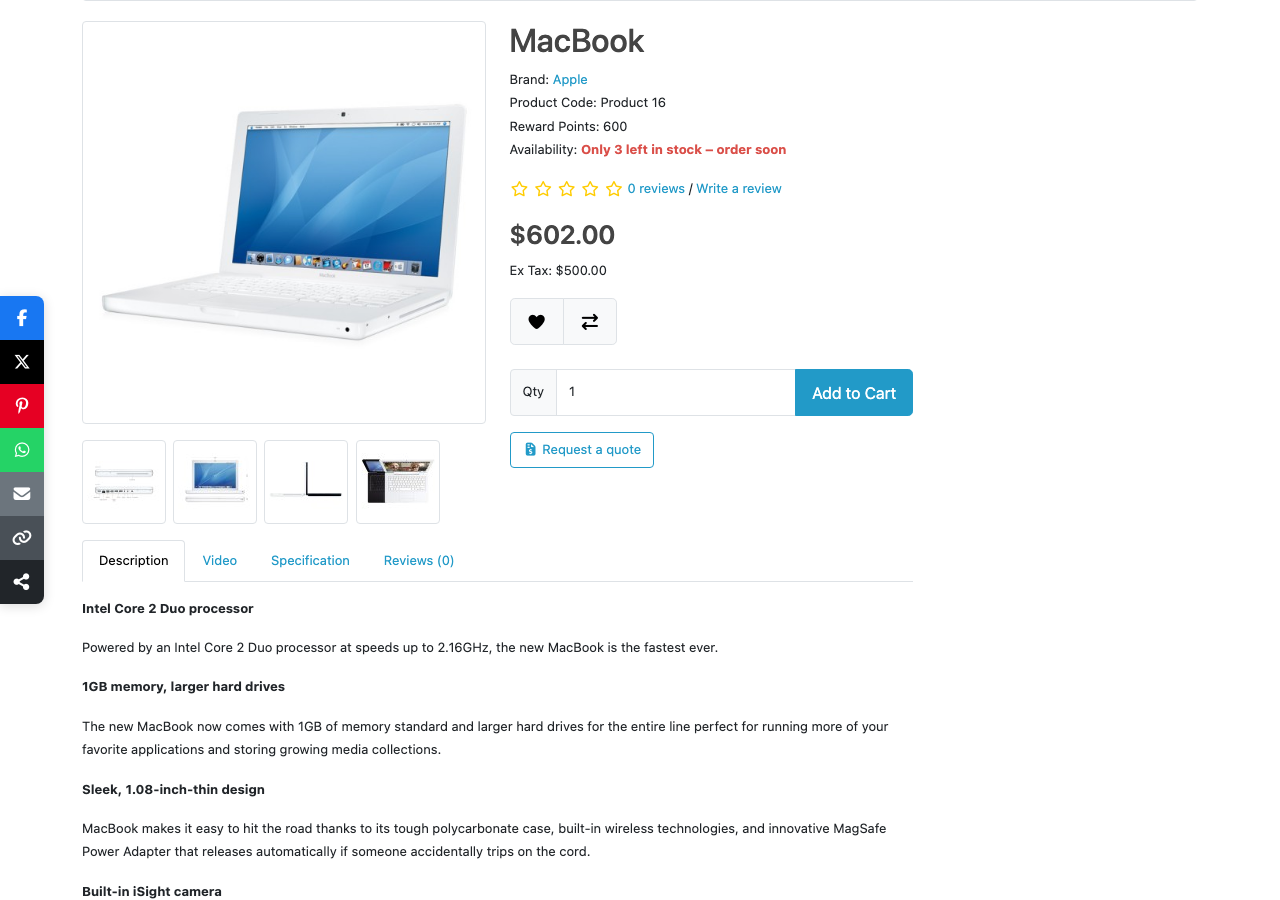
- A button on product pages, under Add to Cart, opening a short form: name, email, telephone, company, quantity and details.
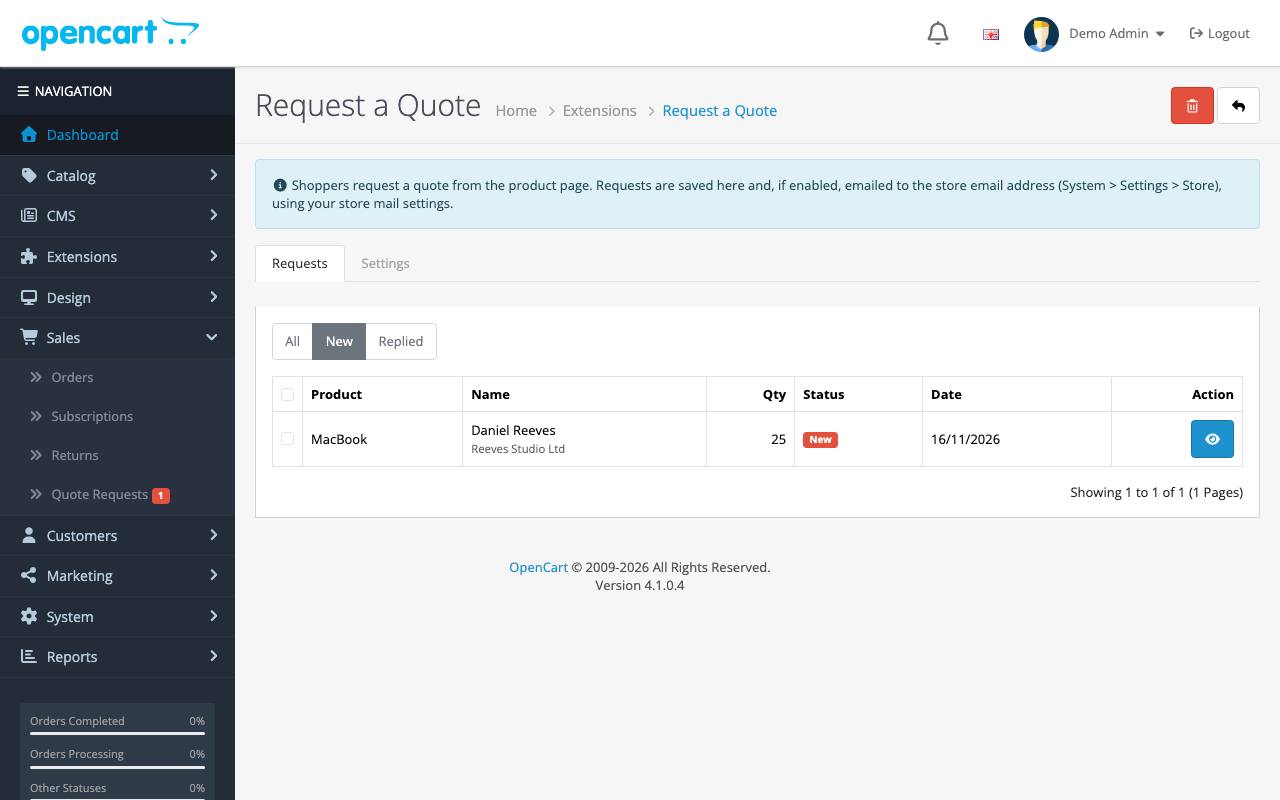
- An inbox in the admin at Sales → Quote Requests, with a badge counting new requests, New and Replied filters, and a detail page.
- Email alerts to the store address, with Reply-To set to the customer, so you can answer straight from your mailbox.
- “Price on request” mode: on products priced 0, Add to Cart and the $0.00 price are replaced by the quote button.
- Spam protection: a hidden honeypot field, one request a minute per visitor, and server-side validation.
- Requests are never lost. They’re saved before the email is sent, so a mail problem doesn’t lose a lead.
Install it
- Download
requestquote.ocmod.zip. - Go to Extensions → Installer, upload it, and click the green +.
- Go to Extensions → Extensions → Modules and install Request a Quote. This creates the
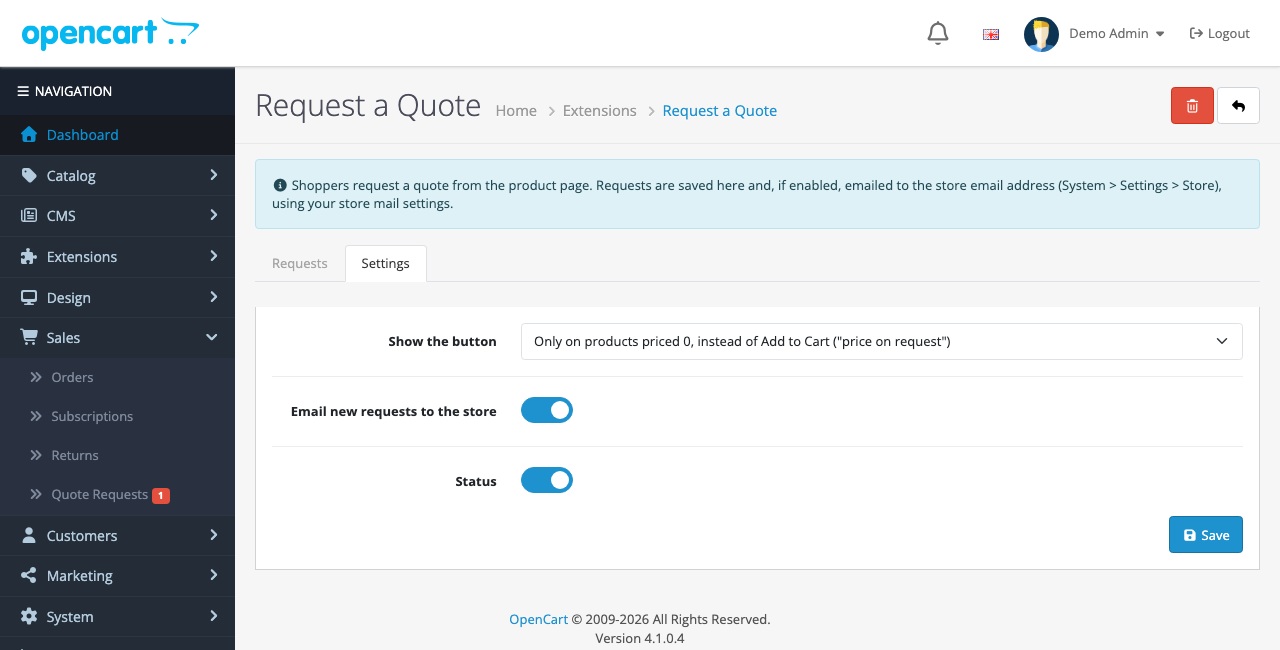
oc_quote_requesttable and two events. - Click Edit, open Settings, choose where the button shows, turn Status on and save.
| Setting | Options |
|---|---|
| Show the button | On every product, under Add to Cart: for bulk and custom orders alongside normal sales. Only on products priced 0: “price on request” products, where the quote replaces Add to Cart |
| Email new requests to the store | Sends each request to the store email in System → Settings → Store, using your mail settings |
| Status | On or off |
What shoppers see
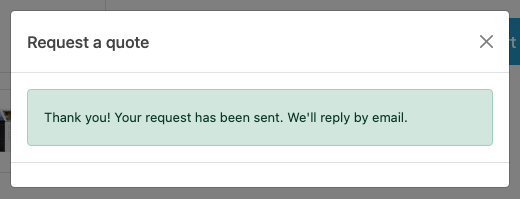
The quantity starts at the product’s minimum quantity. After sending, the form is replaced by a thank-you message:
“Price on request” products
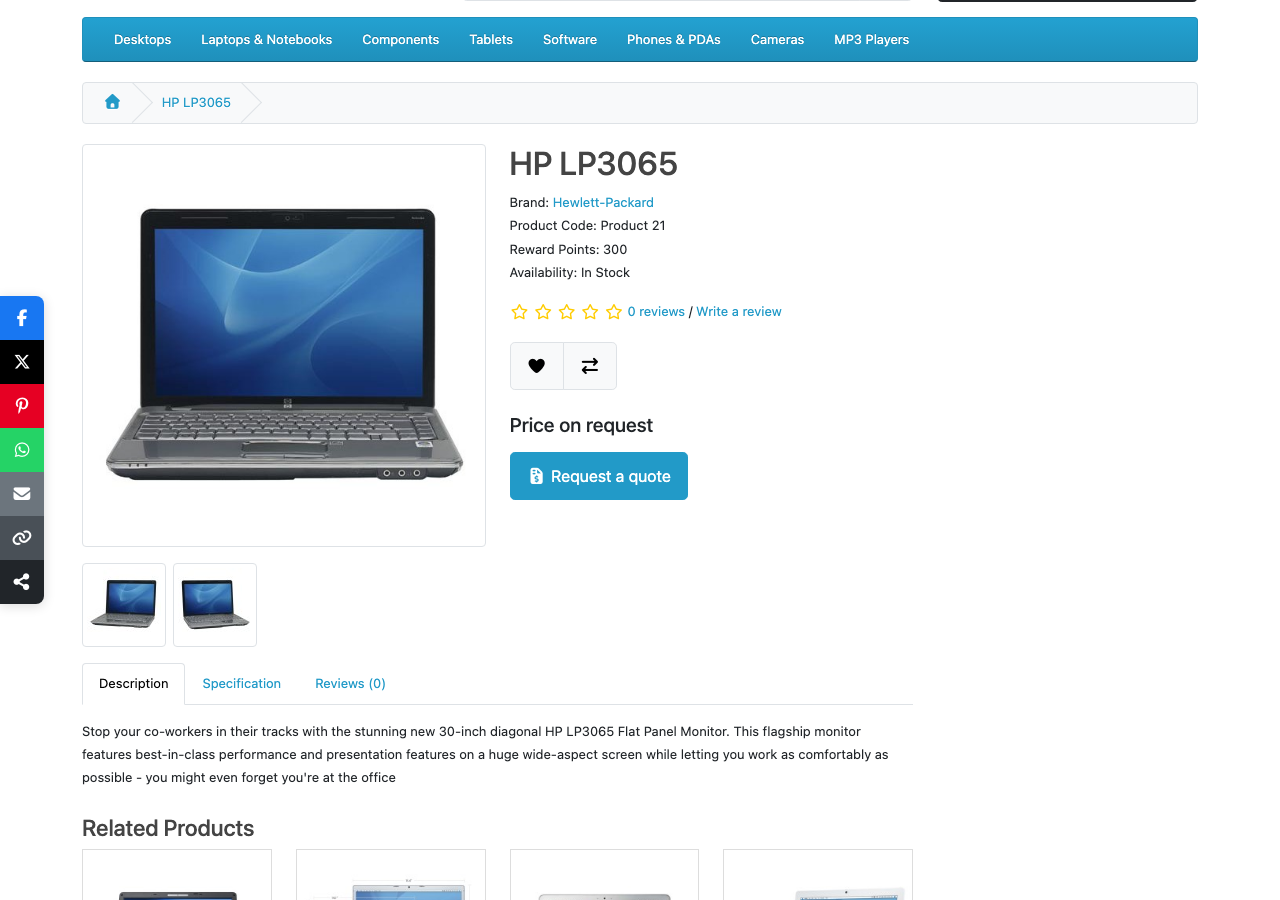
In the second mode, set a product’s price to 0 and the product page shows “Price on request” and the quote button instead of a $0.00 price, the quantity box and Add to Cart. Products with a price are untouched:
Category and search pages still list the product; their price and button come from your theme’s product cards. If $0.00 there bothers you, hide prices of 0 in the theme, or put these products in their own category.
Managing requests
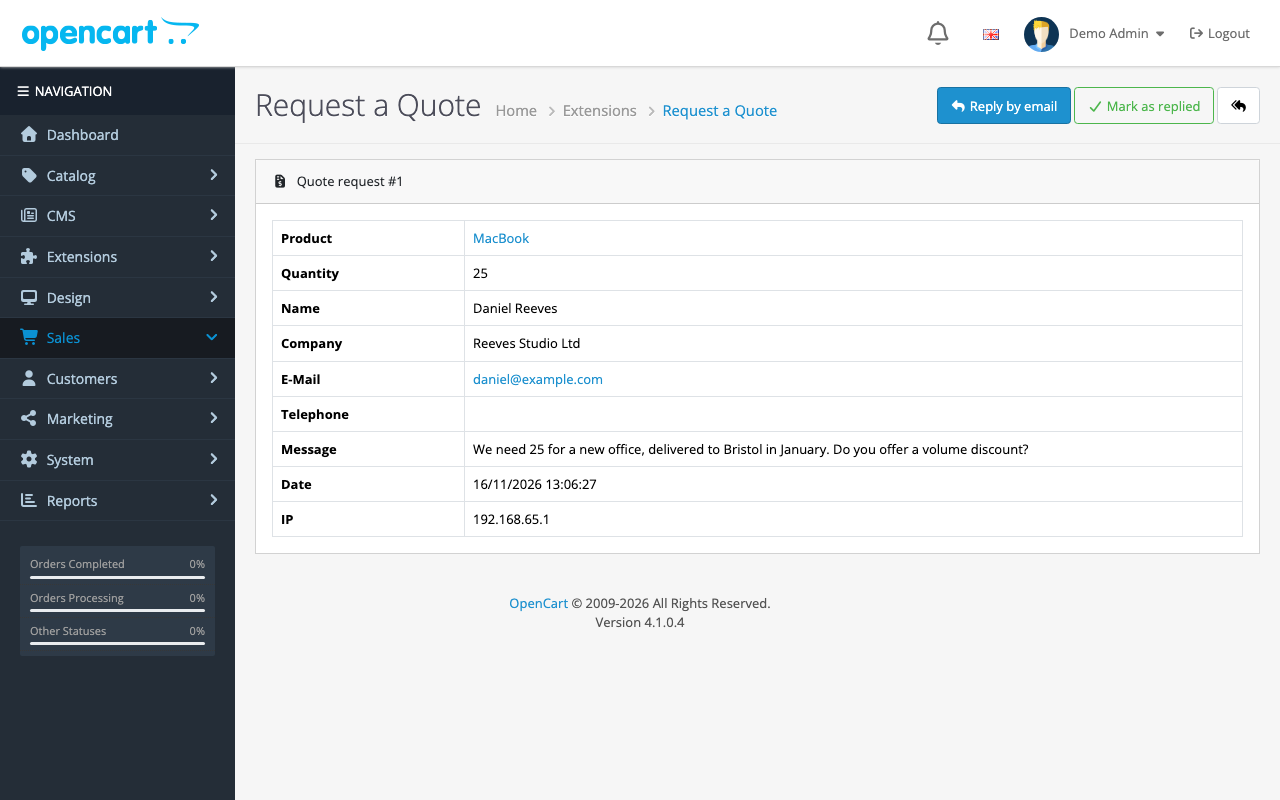
Open a request to see everything the customer sent, the date and IP address. Reply by email opens your email program with the address and subject filled in. When you’ve answered, click Mark as replied so the request leaves the New list.
Turning a quote into an order
Two ways work well with OpenCart’s own features:
- A coupon for this customer. Create a coupon in Marketing → Coupons for the agreed discount, limited to the product, with Uses Per Coupon set to 1, and send a coupon link in your reply. The customer checks out normally.
- A quantity discount. For repeat B2B buyers, add a discount row on the product’s Discount tab for their customer group and quantity. See B2B and wholesale pricing in OpenCart 4.
For one-off custom work, you can also create the order yourself in Sales → Orders and send the customer a payment link from your payment provider.
How it’s built
| Part | Where | What it does |
|---|---|---|
| Table | oc_quote_request | Product, store, customer, contact details, quantity, message, status, IP, date |
| Event | catalog/view/product/product/after | Inserts the button and form after the Add to Cart form; hides it in price-on-request mode |
| Event | admin/view/common/column_left/before | Adds Sales → Quote Requests with the badge |
| Controller | extension/requestquote/module/requestquote.send | Validates, saves and emails the request (JSON) |
Validation and spam protection
// Bots fill in the hidden field; people never see it.
if (!empty($post['website'])) {
	$json['error']['warning'] = $this->language->get('rq_error_closed');
}

// One request a minute per visitor.
if (!empty($this->session->data['requestquote_time']) && time() - $this->session->data['requestquote_time'] < 60) {
	$json['error']['warning'] = $this->language->get('rq_error_wait');
}
The product ID is checked against the catalog, the email with FILTER_VALIDATE_EMAIL, the quantity between 1 and 1,000,000, and every field has a length limit matching its database column. If bots still get through, add our free Cloudflare Turnstile extension.
Save first, then email
Many stores’ mail settings are broken without anyone noticing. The request is saved before the email is tried, and the email runs inside try/catch, so an SMTP error writes a line to the error log instead of losing the lead or showing the customer an error:
try {
	$mail = new \Opencart\System\Library\Mail($this->config->get('config_mail_engine'), $mail_option);
	$mail->setTo($this->config->get('config_email'));
	$mail->setFrom($this->config->get('config_email'));
	$mail->setSender($store);
	$mail->setReplyTo(html_entity_decode($request['email'], ENT_QUOTES, 'UTF-8'));
	$mail->setSubject(sprintf($this->language->get('rq_mail_subject'), $id, $product_name));
	$mail->setText($text);
	$mail->send();
} catch (\Throwable $e) {
	$this->log->write('Request a Quote: email for request #' . $id . ' failed: ' . $e->getMessage());
}
The email is sent from your store address (so SPF and DKIM pass) with Reply-To set to the customer, rather than pretending to come from the customer’s address, which would fail DMARC. To check your setup, see transactional email for OpenCart 4.
Testing
| Test | Result |
|---|---|
| A request for 25 MacBooks with company and message | Saved as request #1, shown under New with a badge of 1 |
| A second request within a minute | “Please wait a minute before sending another request.” |
| The hidden field filled in | Refused, nothing saved |
| Empty name, invalid email, quantity 0 | An error under each field |
| Price-on-request mode, product priced 0 | “Price on request” and the button; no $0.00, no Add to Cart. Priced products: no button |
| Reply by email | Opened a new email to the customer with the subject filled in |
Troubleshooting
| Problem | Cause and fix |
|---|---|
| No button | Check Status and mode: in “priced 0” mode only products with price 0 get it. The theme must have OpenCart’s id="form-product" form |
| Requests saved but no email | Check System → Settings → Mail, then System → Maintenance → Error Logs for a “Request a Quote” line |
| “Requests cannot be sent right now” | The extension is off, or the product is disabled |
Uninstalling keeps the requests table, so reinstalling doesn’t lose them. To delete the data, run DROP TABLE oc_quote_request; afterwards.
More free OpenCart 4 extensions: product Q&A, sticky add to cart, coupon links and age verification.

Rupak Nepali is a web developer, manage Webocreation website and the author of six books:
Getting Started with OpenCart Module Development (Packt, 2013),
OpenCart Theme and Module Development (Packt, 2015),
OpenCart 4: Dev Guide for Themes & Extensions (2024),
OpenCart 4: User Manual (2025),
Cloudflare for the Enterprise Website (2026) and
The Technical Web Guide for Marketers (2026).
Rupak has built OpenCart stores and extensions since 2010, has published more than 600 tutorials on Webocreation, and shares free OpenCart extensions on GitHub.
Find Rupak on
GitHub | Amazon | LinkedIn | X | YouTube.