Show demo how our Advanced featured OpenCart 3 module works
 Rupak NepaliPublished Dec 18, 2018
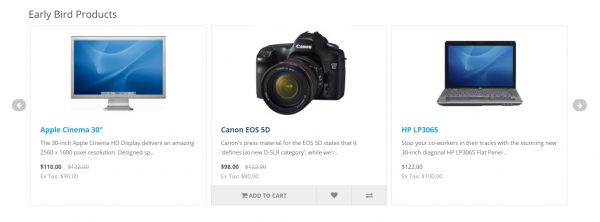
With features of the featured module of OpenCart our Advanced featured OpenCart module will contain following features:
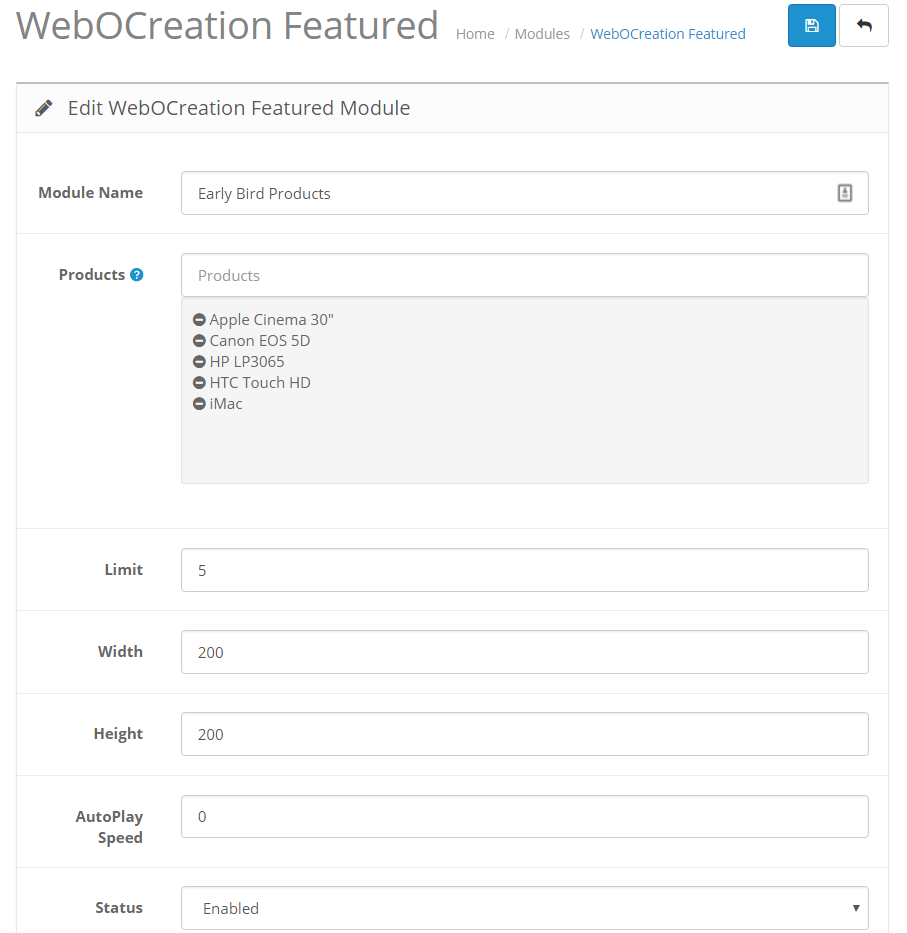
- The module name is shown in the Title, instead of just “Featured” in the default featured module. With this, you can change and enter any wording you like. In ours let’s say “Early Bird Products”
- Products scrolls showing some slider effects.
- At loading, it shows the only image, title, and price but on hover over it shows the “Add to cart”, “Wishlist” and “Compare” buttons.
- It also changes the default image to another additional image.
- You can customize the speed of scrolling. If you entered zero then it will not scroll, to see hidden products need to click on the arrows.
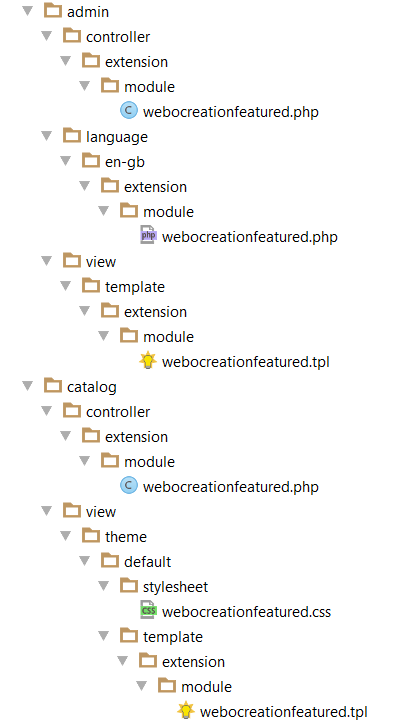
Files and folders contained in the Advanced Featured Module:
Download Advanced Featured Module
The front end will look like below image:
Back end settings will look like below image:
All of its codes are defined in the following links:
Install, configure, uninstall, remove OpenCart module tutorial
Customize layouts and positions to show different modules in opencart
The workflow of the Hello world module
Backend Hello world module Opencart
Frontend Hello world module Opencart
Configure and show how default featured module works Opencart 3
Single Instance Opencart module VS multi-instance Opencart module
Single Instance module, Form creation, validation, and submission to the database
Single instance module frontend login module, Opencart 3 documentation [post]
Multi-instance slider testimonials module, Opencart 3 development tutorial [post]
Multi-instance testimonial free, Opencart 3 module development tutorial [post]
We hope this opencart tutorial helps you understand the featured module flow. Let us know if you have any questions or suggestions, please subscribe to our YouTube Channel for Opencart video tutorials. You can also find us on Twitter and Facebook.

Rupak Nepali is a web developer, manage Webocreation website and the author of six books:
Getting Started with OpenCart Module Development (Packt, 2013),
OpenCart Theme and Module Development (Packt, 2015),
OpenCart 4: Dev Guide for Themes & Extensions (2024),
OpenCart 4: User Manual (2025),
Cloudflare for the Enterprise Website (2026) and
The Technical Web Guide for Marketers (2026).
Rupak has built OpenCart stores and extensions since 2010, has published more than 600 tutorials on Webocreation, and shares free OpenCart extensions on GitHub.
Find Rupak on
GitHub | Amazon | LinkedIn | X | YouTube.