Testimonials for OpenCart 4: Manage Customer Testimonials and Show Them in a Slider (Free Extension)
A free OpenCart 4 testimonials extension: Catalog > Testimonials with photo, star rating and translations, and a multi-instance Bootstrap 5 slider. Keeps testimonials from our OpenCart 3 module development tutorial.
 Rupak NepaliPublished Nov 19, 2026
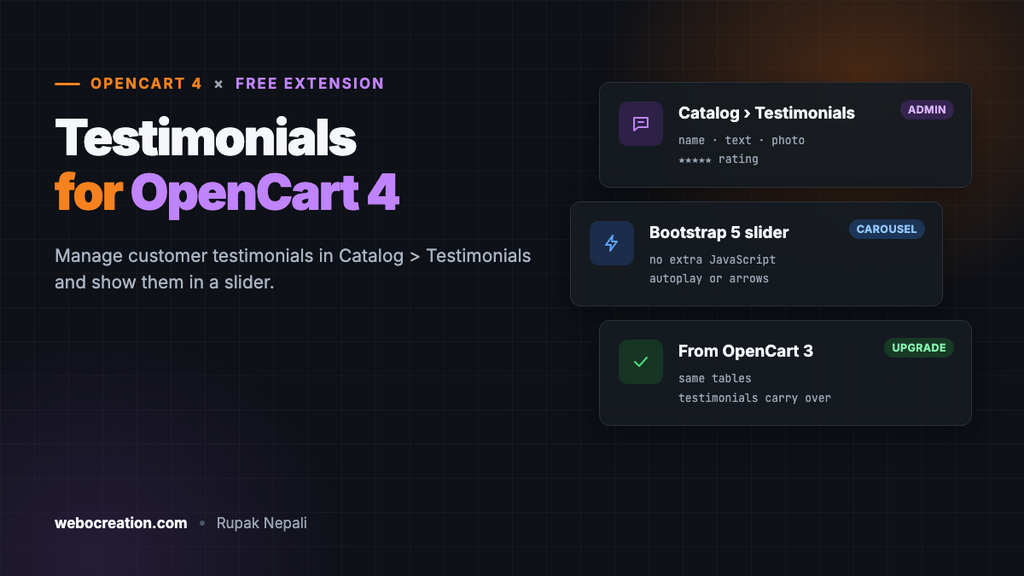
Shoppers trust other customers more than they trust your product descriptions. A few short testimonials on the home page or the checkout page (“delivered in two days, packaging was perfect”) answer the quiet question every first-time visitor has: is this store real, and will my order arrive?
This free extension gives OpenCart 4 a place to manage testimonials and a slider to show them. It’s the OpenCart 4 version of the multi-instance testimonials module we built step by step in our OpenCart 3 module development tutorial, finished and ready to install.
Download Testimonials for OpenCart 4 (free, tested on OpenCart 4.1.0.4)

What it does
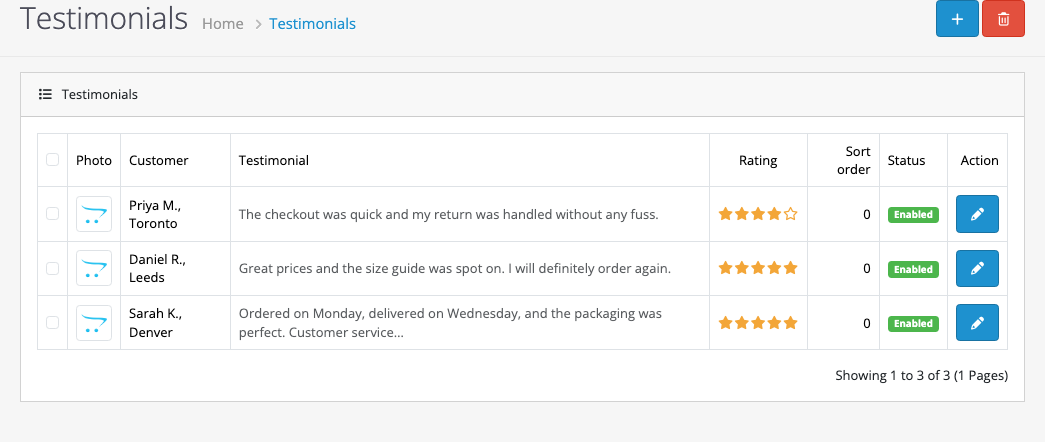
- Catalog → Testimonials in the admin: a list with add, edit and delete.
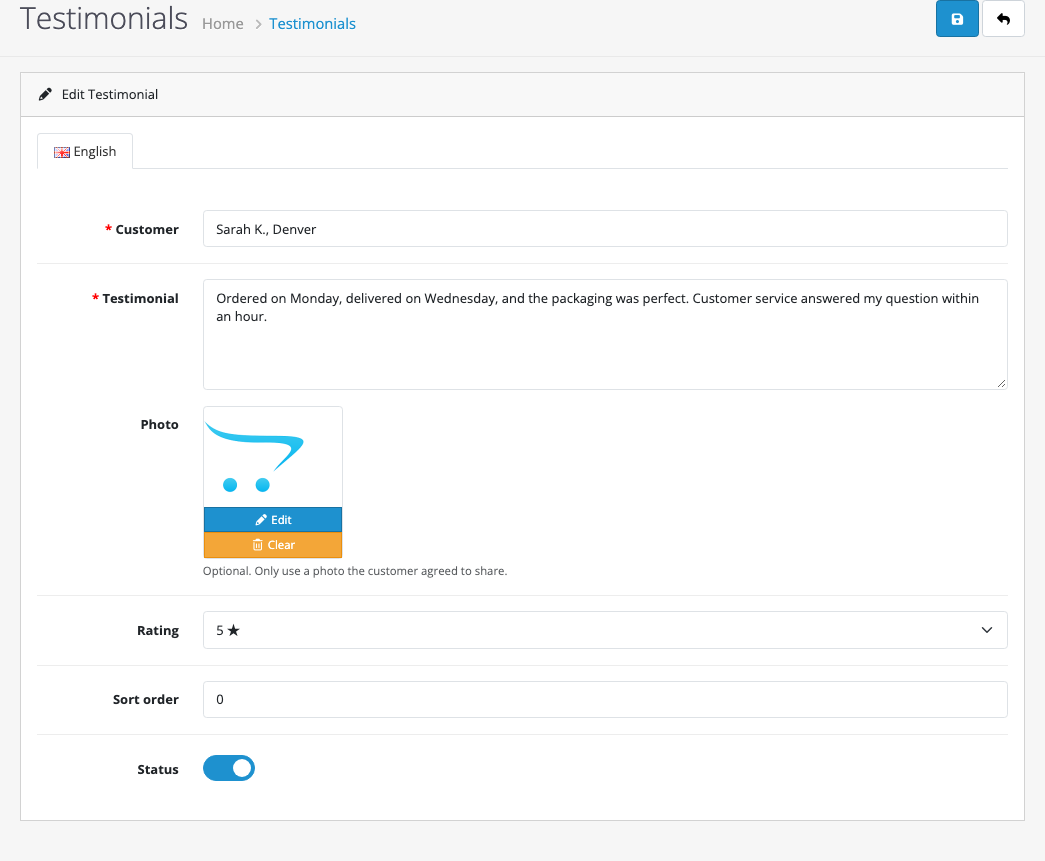
- Each testimonial has the customer’s name, the text, an optional photo, a star rating, a sort order and a status, with a tab for every store language.
- A slider module using Bootstrap 5’s carousel, which OpenCart 4 already loads: no extra JavaScript library.
- Multi-instance. Create several sliders, for example a large one on the home page and a short one in a column on checkout.
- Keeps your OpenCart 3 testimonials. Same table names and columns as the tutorial, so a migrated database carries them over.
Install it
- Download
testimonial.ocmod.zip. - Go to Extensions → Installer, upload it, and click the green +.
- Go to Extensions → Extensions → Modules and install Testimonials with the green +. This creates the tables and adds Catalog → Testimonials to the menu.
- Add your testimonials in Catalog → Testimonials.
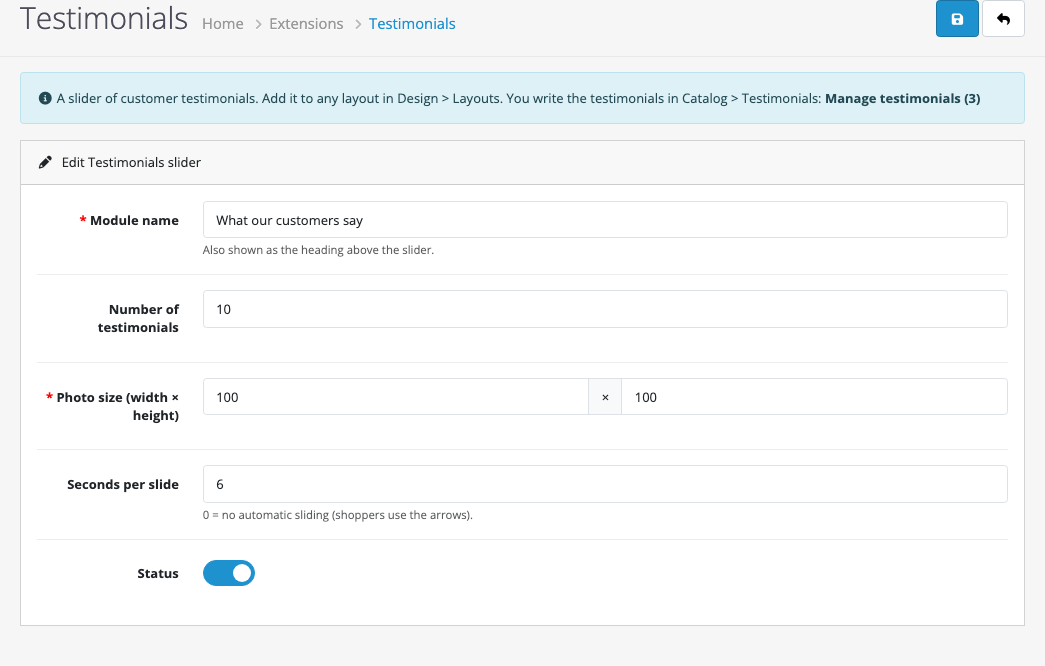
- Back in Modules, click the blue + next to Testimonials to create a slider, then add it to a layout in Design → Layouts.
Add testimonials
A few tips that make testimonials more convincing:
- Be specific. “Ordered Monday, delivered Wednesday” beats “Great store!”.
- Add a city or company after the name: “Sarah K., Denver”.
- Only publish real testimonials, with permission, and only use a customer’s photo if they agreed. Invented reviews are against consumer protection rules in many countries, including the US FTC’s rule on fake reviews.
- Use the rating honestly. A 4-star testimonial reads as more believable than a wall of fives. Choose “No stars” for testimonials without a rating.
Create a slider
| Setting | What it does |
|---|---|
| Module name | The heading above the slider. |
| Number of testimonials | How many enabled testimonials to include, in sort order. |
| Photo size | Photos are shown round, at this size. |
| Seconds per slide | 0 turns automatic sliding off, so shoppers move through them with the arrows. |
Upgrading from the OpenCart 3 tutorial
The OpenCart 3 tutorial stored testimonials in oc_testimonial and oc_testimonial_description. The extension creates those tables only if they don’t exist, then adds the new rating column if it’s missing:
if (!$this->db->query("SHOW COLUMNS FROM `" . DB_PREFIX . "testimonial` LIKE 'rating'")->num_rows) {
    $this->db->query("ALTER TABLE `" . DB_PREFIX . "testimonial` ADD `rating` TINYINT(1) NOT NULL DEFAULT '5' AFTER `image`");
}
So after migrating your store to OpenCart 4, install the extension and your testimonials are already in Catalog → Testimonials, each with five stars until you change it. Uninstalling the extension keeps the tables too, so you never lose testimonials by reinstalling.
Changes from the OpenCart 3 version
- Disabled testimonials stay hidden. The OpenCart 3 storefront query didn’t check the status, so switching a testimonial off didn’t remove it from the slider. The OpenCart 4 version only shows enabled testimonials in the shopper’s language.
- Bootstrap 5 carousel in place of the old Swiper plugin, with keyboard-accessible arrows and screen-reader labels.
- New star rating per testimonial.
- Testimonials are managed in Catalog → Testimonials, with the tables created on install (the tutorial had you run the SQL by hand).
- Testimonial text is shown as text with line breaks, never as HTML, so a pasted script can’t run on your storefront.
Testing
| Test | Result |
|---|---|
| Save an empty testimonial | “Enter the customer name (2 to 64 characters)!” and “Write the testimonial (at least 10 characters)!” |
| Three testimonials added (5, 5 and 4 stars) | Listed in Catalog → Testimonials with stars and status |
| Slider “What our customers say” on the Home layout | Three slides with stars, quote and name, autoplaying every 6 seconds |
| Catalog menu | Testimonials appears for users with access to the extension |

Rupak Nepali is a web developer, manage Webocreation website and the author of six books:
Getting Started with OpenCart Module Development (Packt, 2013),
OpenCart Theme and Module Development (Packt, 2015),
OpenCart 4: Dev Guide for Themes & Extensions (2024),
OpenCart 4: User Manual (2025),
Cloudflare for the Enterprise Website (2026) and
The Technical Web Guide for Marketers (2026).
Rupak has built OpenCart stores and extensions since 2010, has published more than 600 tutorials on Webocreation, and shares free OpenCart extensions on GitHub.
Find Rupak on
GitHub | Amazon | LinkedIn | X | YouTube.