MTA-STS and TLS-RPT Setup: Force Encrypted Email Delivery to Your Domain (With Cloudflare, Step by Step)
How MTA-STS stops attackers from downgrading or redirecting email sent to your domain, how TLS-RPT reports problems, and how to publish both (including a free Cloudflare Worker for the policy file), with live examples from Gmail, Outlook and Yahoo.
 Rupak NepaliPublished Nov 15, 2026
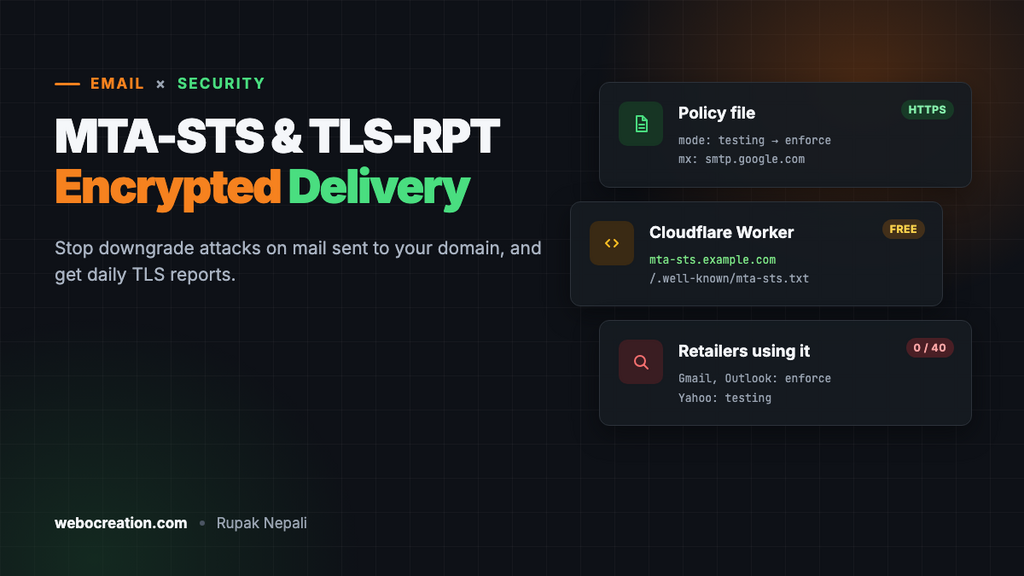
SPF, DKIM and DMARC protect mail you send. MTA-STS protects mail you receive: customer replies, supplier invoices, password resets for your own accounts. Without it, a server sending to you will happily fall back to an unencrypted connection, or deliver to a fake mail server, if someone in the middle tampers with the connection. MTA-STS tells senders: always use TLS, only to these servers, or don’t deliver at all.
Its companion, TLS-RPT, sends you daily reports about delivery problems, so a broken certificate on your mail server shows up in a report rather than as missing email.
The problem MTA-STS solves
Mail servers talk to each other with “opportunistic” TLS: the sending server asks for encryption with STARTTLS, but if the answer is missing or the certificate is wrong, it sends in plain text anyway. An attacker who can sit on the network path can strip the STARTTLS offer and read the mail, and DNS spoofing can point your MX at their server. Neither leaves a trace for you to notice.
MTA-STS (RFC 8461) closes that gap. You publish a policy saying which mail servers are yours and that TLS is required. Supporting senders, Gmail, Outlook and Yahoo among them, cache the policy and refuse to deliver over a connection that doesn’t match it.
The three parts
| Part | Where | Purpose |
|---|---|---|
| Policy file | https://mta-sts.example.com/.well-known/mta-sts.txt | Lists your MX hosts and the mode |
| MTA-STS DNS record | TXT at _mta-sts.example.com | Says a policy exists, and its version ID |
| TLS-RPT DNS record | TXT at _smtp._tls.example.com | Where to send daily reports |
The policy is served over HTTPS, not DNS, on purpose: an attacker who can spoof DNS can’t also fake a valid HTTPS certificate for mta-sts.example.com.
How the big mailbox providers do it
$ dig +short TXT _mta-sts.gmail.com
"v=STSv1; id=20190429T010101;"

$ curl https://mta-sts.gmail.com/.well-known/mta-sts.txt
version: STSv1
mode: enforce
mx: smtp.google.com
mx: gmail-smtp-in.l.google.com
mx: *.gmail-smtp-in.l.google.com
max_age: 86400

$ dig +short TXT _smtp._tls.gmail.com
"v=TLSRPTv1;rua=mailto:sts-reports@google.com"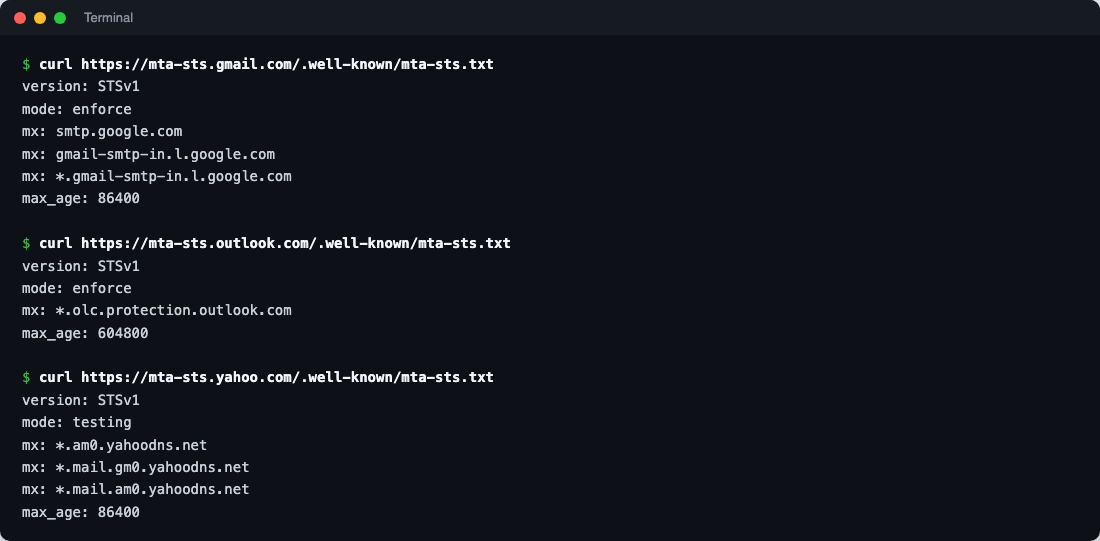
| Domain | Mode | max_age | TLS-RPT |
|---|---|---|---|
| gmail.com | enforce | 86400 (1 day) | mailto |
| outlook.com | enforce | 604800 (7 days) | HTTPS endpoint |
| yahoo.com | testing | 86400 (1 day) | mailto |
Even Yahoo runs its own domain in testing mode, which tells you this is a deliberate, careful rollout, not a switch to flip on day one.
And stores? We checked 40 large retailers, from Amazon and Walmart to Zalando and Tesco, on the same day. None published MTA-STS or TLS-RPT, even though 38 of them enforce DMARC. It’s one of the most under-used email protections there is, which also means it’s an easy way to be ahead.
Step 1: List your MX hosts
dig +short MX example.com
1 smtp.google.com.
Every MX host must be in the policy, and each must present a valid TLS certificate for its name. Google Workspace and Microsoft 365 handle that for you. Use wildcards where the provider does:
| Mail provider | mx lines |
|---|---|
| Google Workspace | mx: smtp.google.com plus mx: aspmx.l.google.com and mx: *.aspmx.l.google.com if your MX records still use the older names |
| Microsoft 365 | mx: *.mail.protection.outlook.com |
| Zoho Mail | mx: *.zoho.com (or your region’s domain, e.g. *.zoho.eu) |
| Your own server | Its exact hostname, matching its certificate |
Step 2: Write the policy
Start in testing mode. Senders then report problems to you through TLS-RPT but still deliver:
version: STSv1
mode: testing
mx: smtp.google.com
mx: aspmx.l.google.com
mx: *.aspmx.l.google.com
max_age: 86400| Field | Values |
|---|---|
mode | testing (report only), enforce (refuse non-matching delivery), none (withdraw the policy) |
mx | One line per MX host; *. wildcards match one label |
max_age | Seconds senders cache the policy. 86400 (a day) while testing; up to 31557600 (a year) once stable |
Lines end with CRLF or LF; the file is plain text.
Step 3: Host it at mta-sts.yourdomain
The file must be served at exactly https://mta-sts.example.com/.well-known/mta-sts.txt, with a valid certificate for mta-sts.example.com, as text/plain, without redirects.
The easy way: a Cloudflare Worker
If your DNS is on Cloudflare, a Worker serves the policy without any hosting. Create a Worker with this code:
// Serves the MTA-STS policy for mta-sts.example.com. Edit the mx lines and mode.
const POLICY = [
  'version: STSv1',
  'mode: testing',
  'mx: smtp.google.com',
  'mx: aspmx.l.google.com',
  'mx: *.aspmx.l.google.com',
  'max_age: 86400'
].join('\r\n') + '\r\n';

export default {
  async fetch(request) {
    const url = new URL(request.url);

    if (url.pathname === '/.well-known/mta-sts.txt') {
      return new Response(POLICY, {
        headers: { 'Content-Type': 'text/plain; charset=utf-8', 'Cache-Control': 'max-age=3600' }
      });
    }

    return new Response('Not found', { status: 404 });
  }
};
Then, in the Worker’s Settings → Domains & Routes, add a Custom Domain: mta-sts.example.com. Cloudflare creates the DNS record and certificate for you. It runs well within the Workers free plan: senders fetch the policy rarely, because they cache it for max_age.
Without Cloudflare, any web host works: create the subdomain, add a free certificate, and upload the file to .well-known/mta-sts.txt inside it. Make sure the server doesn’t redirect it to www or to HTTPS on another host.
Step 4: Publish the DNS records
_mta-sts.example.com.    TXT  "v=STSv1; id=20261115T000000"
_smtp._tls.example.com.  TXT  "v=TLSRPTv1; rua=mailto:tls-reports@example.com"
The id is any string up to 32 letters and digits. Senders only re-fetch your policy when the id changes, so change the id every time you edit the policy file. A timestamp makes that easy.
TLS-RPT reports arrive daily as gzipped JSON from Google, Microsoft and others, so use a dedicated mailbox, or point rua at a DMARC or TLS reporting service that turns them into charts. Many DMARC report tools handle TLS-RPT too.
Step 5: Test, then enforce
- Check the policy URL in a browser and with an MTA-STS checker (MXToolbox, Hardenize and others have free ones).
- Leave testing mode on for two to four weeks and read the TLS-RPT reports. A healthy report shows only successful sessions; failures name the MX host and the reason (certificate mismatch, STARTTLS not offered).
- When reports are clean, change
mode: testingtomode: enforce, raisemax_age(a week, then longer), and change the id.
A TLS-RPT report looks like this (trimmed):
{
  "organization-name": "Google Inc.",
  "date-range": {"start-datetime": "2026-11-14T00:00:00Z", "end-datetime": "2026-11-14T23:59:59Z"},
  "policies": [{
    "policy": {"policy-type": "sts", "policy-domain": "example.com", "mx-host": ["smtp.google.com"]},
    "summary": {"total-successful-session-count": 412, "total-failure-session-count": 0}
  }]
}
Changing mail provider later
This is the one way MTA-STS can hurt you. In enforce mode, senders that cached your policy will refuse to deliver to MX hosts not on it, for up to max_age. Before moving to a new provider:
- Add the new provider’s MX hosts to the policy (keep the old ones), and change the id.
- Wait at least one
max_ageperiod. - Switch your MX records.
- Remove the old hosts from the policy, and change the id again.
If you’re short of time, switch the policy to mode: testing (new id) a max_age before the move instead.
Troubleshooting
| Problem | Cause and fix |
|---|---|
| Checker says “policy not found” | The URL redirects, uses a certificate for another name, or isn’t at exactly /.well-known/mta-sts.txt |
| Edits don’t take effect | The id in DNS didn’t change, so senders keep the cached policy |
| Reports show “certificate-host-mismatch” | An MX host’s certificate doesn’t match its name. Fix it before enforcing |
| Reports show failures for an MX you don’t recognise | An old MX record still exists. Remove it, or add it to the policy |
Part of our email deliverability series: BIMI, one-click unsubscribe, Google Postmaster Tools, and the foundations in SPF, DKIM and DMARC.

Rupak Nepali is a web developer, manage Webocreation website and the author of six books:
Getting Started with OpenCart Module Development (Packt, 2013),
OpenCart Theme and Module Development (Packt, 2015),
OpenCart 4: Dev Guide for Themes & Extensions (2024),
OpenCart 4: User Manual (2025),
Cloudflare for the Enterprise Website (2026) and
The Technical Web Guide for Marketers (2026).
Rupak has built OpenCart stores and extensions since 2010, has published more than 600 tutorials on Webocreation, and shares free OpenCart extensions on GitHub.
Find Rupak on
GitHub | Amazon | LinkedIn | X | YouTube.