Ecommerce Incident Postmortems: Turning Outages into Conversion Wins
 Rupak NepaliPublished Jun 15, 2026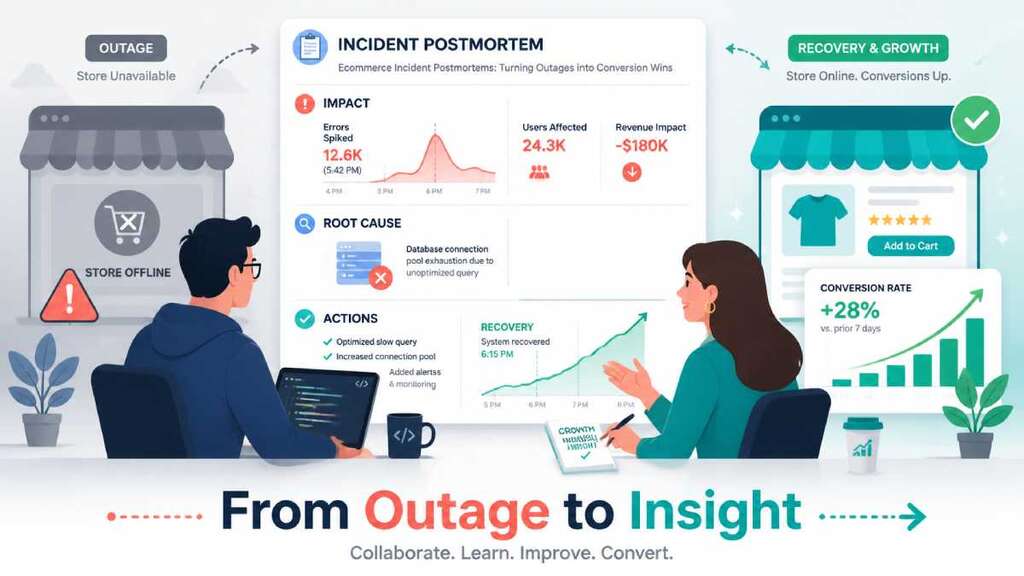
Incident postmortems can turn painful ecommerce outages into concrete conversion wins—if you write them in a way that connects technical root causes to customer impact and revenue, not just “what went wrong on the server.”
Below is a blog‑style guide you can publish or adapt.
Why ecommerce teams need postmortems (not just “error logs”)
When checkout breaks, a payment gateway goes down, or bots flood your store, you don’t just lose uptime—you lose orders, ad spend, and trust.
Good incident postmortems help you:
- Quantify what happened in terms of customers and revenue, not just CPU and status codes.
- Find the systemic causes behind the incident, not just the last failing component.
- Prioritize fixes that reduce future incidents and improve conversion rates (for example, fallback gateways, better observability, and bot defenses).
Most templates from SRE and SaaS can work for ecommerce, but you need to explicitly add marketing and conversion‑focused sections.
A simple ecommerce incident postmortem template
You want something short enough that people will actually fill it in, but rich enough to drive changes.
You can use this 7‑section structure:
- Summary – 2–3 sentences, customer‑impact first.
- Impact (technical + business) – who was affected, for how long, and rough revenue impact.
- Timeline – key events from detection to resolution.
- Root cause – what failed and why, using a simple “5 Whys” or similar.
- Detection & response – how it was detected, how fast you reacted, and what slowed you down.
- What went well / what didn’t – honest, blameless reflection.
- Action items – 3–7 concrete changes with owners and dates.
This mirrors modern “blameless postmortem” templates, but we’ll layer in ecommerce‑specific details like conversion rate changes, affected campaigns, and bot/traffic quality.
1) Summary: start with the customer experience
Bad summary: “Stripe API timeout errors between 14:20 and 15:00 UTC.”
Good ecommerce summary:
“For 40 minutes, most shoppers could not complete card payments at checkout, causing a ~90% drop in completed orders during a live promotion.”
Guidelines:
- 1–3 sentences max.
- Describe what users experienced (errors, slowness, blocked action).
- Mention duration and affected area (checkout, account login, PDPs).
- Optional: high‑level revenue impact (for example, “estimated $X in lost orders”).
2) Impact: show both the system and revenue
Take inspiration from incident templates that ask for “Who was impacted” and “Revenue at risk.”
For ecommerce, include:
- Technical:
- Affected routes or services (for example, POST /checkout, payment API).
- Error rates (5xx, 4xx), timeouts, or latency spikes.
- Customer:
- % of sessions unable to complete checkout or login.
- Devices or regions affected (for example, mobile only, EU only).
- Business:
- Estimated lost orders: sessions × typical conversion × AOV × outage duration.
- Impact on active campaigns (for example, “affected traffic from Meta/Google search ads during sale period”).
Example language:
- 2,300 sessions reached checkout during the 45‑minute window.
- Checkout completion rate dropped from 2.8% to 0.3%, for an estimated 50–60 lost orders.
- With an AOV of $80, we estimate ~$4,000 in direct lost revenue, not counting repeat customers who never got to buy.
Even approximate numbers are better than “unknown,” and calculators for downtime losses can help estimate impact.
3) Timeline: keep it factual and short
Most SRE templates recommend a UTC timeline with key events only.
For ecommerce, log:
- Detection (monitoring alert, customer reports, marketing noticing conversion drop).
- Confirmation (dashboards/logs prove issue).
- Mitigation attempts (rollbacks, feature flags, traffic steering).
- Resolution (issue fixed, traffic back to normal).
- Post‑incident communication (status page, internal announcements).
Example:
- 14:22 – Stripe 5xx error rate jumps from <0.1% to 40% on POST /payment.
- 14:25 – Conversion dashboard shows checkout completions down 85% vs prior 15 minutes.
- 14:28 – On‑call engineer acknowledges alert in Slack, pauses paid campaigns.
- 14:33 – Payment traffic rerouted to backup gateway.
- 14:40 – Checkout success rate back to baseline; campaigns cautiously resumed.
4) Root cause: go beyond “the gateway was down”
Use a brief “5 Whys” to find the systemic cause.
For ecommerce incidents, systemic causes often include:
- No fallback payment gateway or routing.
- No alerts targeting checkout specifically (only generic uptime checks).
- Bot protections are misconfigured, blocking humans or overloading systems.
- Performance regressions on mobile were not tested before release.
Example chain for a broken payment method:
- Why did customers see a payment failed?
→ The primary gateway’s API started returning 5xx errors. - Why did that stop almost all orders?
→ We had no backup payment route configured; all traffic used the failing gateway. - Why did we not detect it quickly?
→ We monitored general uptime but not checkout error rate or gateway status. - Why did we not have checkout‑specific monitoring?
→ Monitoring was set up around infrastructure metrics, not conversion or route‑level health.
Systemic cause (one sentence):
“We relied on a single payment gateway, with no health‑based routing or checkout‑specific monitoring, so a partner outage instantly translated into a checkout outage and lost sales.”
5) Detection & response: measure how fast you caught it
Modern postmortem templates highlight Time to Detect (TTD), Time to Mitigate (TTM), and Time to Resolve (TTR).
For ecommerce, detection shouldn’t only come from ops alerts; it should also come from:
- Observability dashboards (checkout error/latency spikes).
- Funnel analytics (sudden drop in Checkout→Purchase).
- Bot and traffic monitoring (unusual bot spikes during campaigns).
Questions to answer:
- Did an alert fire? Was it actionable or noisy?
- Did marketing or customer support notice conversion issues first?
- Did we have a runbook for payment/bot/checkout incidents?
This section helps you decide which alerts, dashboards, and runbooks to improve.
6) What went well / what didn’t (blameless)
Borrow from blameless postmortem practices:
Example “what went well”:
- On‑call responded within 5 minutes of alert.
- Marketing quickly paused paid campaigns to avoid wasting budget on a broken funnel.
- Existing dashboards made it easy to confirm checkout failure, not just guess.
Example “what didn’t”:
- No automatic fallback to a secondary payment provider, increasing downtime.
- No alert on spike in checkout failures; we noticed only when marketing reported “sales look weird.”
- Incident updates did not reach customer support until 20+ minutes in, leading to inconsistent messaging to customers.
Keep this section focused on systems and processes, not individuals.
7) Action items: tie fixes to conversion and revenue
Postmortems only matter if they produce 3–7 high‑impact changes with owners and dates, not a long wish list.
For ecommerce incidents, you’re looking for actions like:
- Add secondary payment gateways and routing based on gateway health and status pages.
- Add checkout‑specific alerts: spike in 5xx or failed payments, drop in Checkout→Purchase conversion, p95 latency on /checkout above threshold.
- Improve bot detection and WAF rules to reduce fraudulent/bot traffic without hurting real customers.
- Add mobile performance tests and budgets for checkout so slow releases are caught before going live.
Each action item should answer:
- What will change (monitoring, code, infra, process)?
- Who owns it?
- When will it be done?
- How will we measure success (for example, “no single‑gateway outage should drop completed checkouts by more than X%”).
Example 1: Broken payment method during a sale
Scenario: Your only credit card gateway has a 90‑minute outage during a flash sale, causing a 90% drop in successful checkouts.
In the postmortem, make sure you include:
- Impact:
- Checkout error rate and conversion drop with rough lost revenue estimate.
- Campaigns affected (for example, “Google Ads + Meta spend during the incident”).
- Root cause:
- Reliance on a single gateway, no fallback routing, and no automated gateway health checks.
- Business lens:
- How much ad spend was effectively wasted sending traffic to a broken checkout, and how to prevent that link breaking again.
Key actions:
- Implement payment router with multiple gateways and status checks.
- Add alerts for failed payment attempts and gateway status page changes.
- Create a “campaign emergency” playbook: pause or adjust campaigns when checkout is degraded.
Example 2: Slow checkout on mobile is killing conversions
Scenario: A new release adds heavy JS and third‑party tags on checkout, pushing mobile p95 load times above 4–5 seconds and cutting conversion significantly.
In the postmortem:
- Impact:
- p95 latency on /checkout before vs after the change.
- Mobile Checkout→Purchase conversion drop, by device and browser.
- Root cause:
- No performance budgets or RUM alerts on checkout; change was tested on desktop only.
- Business lens:
- Estimated revenue lost during the degradation period; potential longer‑term abandonment from frustrated users.
Actions:
- Add mobile RUM and performance alerts for checkout (LCP/INP/TTFB thresholds).
- Establish a performance budget for checkout bundles and third‑party tags.
- Require pre‑release testing on real mobile devices or emulators for every checkout‑related change.
Example 3: Bot flood destroys analytics and performance
Scenario: A bot campaign starts hammering your product listings and checkout, causing:
- Traffic spikes with almost no conversions.
- Analytics dashboards distorted (conversion rate plummets).
- Higher error and timeout rates from overloaded backend services.
In the postmortem:
- Impact:
- Additional requests served, % of traffic suspected as bot, and infrastructure cost impact.
- Distortion of funnel metrics (for example, “GA4 shows 3× traffic but flat revenue”).
- Root cause:
- Insufficient WAF/bot rules and rate limiting on search, listing, and checkout endpoints.
- Business lens:
- Misleading marketing decisions due to polluted data, wasted ad budget, and degraded experience for real customers.
- Misleading marketing decisions due to polluted data, wasted ad budget, and degraded experience for real customers.
Actions:
- Deploy bot detection and WAF rules to challenge/block abusive traffic, especially on search and checkout.
- Create bot‑filtered analytics segments and alert when bot traffic suddenly spikes so teams know metrics are skewed.
- Add rate limits on sensitive endpoints to protect infra and checkout reliability.
A good ecommerce incident postmortem reads like a short story about how customers and revenue were affected, why it happened, and what you’ll change—with enough technical detail for engineers and enough business framing for marketing and leadership. If you treat each outage as a conversion experiment you didn’t mean to run, your postmortems become one of the most powerful tools for making both your store and your revenue more resilient.

Author of four Opencart book.
The recent are Opencart 4 developer book and Opencart 4 user manual