Product Video for OpenCart 4: YouTube and Vimeo on Product Pages Without Slowing Them Down (Free Extension)
A free OpenCart 4 extension that puts YouTube or Vimeo videos on product pages, in a Video tab or under the product images, with a click-to-load player that keeps pages fast and loads no video cookies until the shopper presses play.
 Rupak NepaliPublished Nov 16, 2026
A 30-second video answers questions that photos can’t: how big it really is, how the fabric moves, how the gadget works. But pasting a YouTube embed into a product description has a cost. Each embedded player loads hundreds of kilobytes of YouTube’s scripts on every page view, whether anyone plays the video or not, and sets cookies before the shopper has agreed to anything.
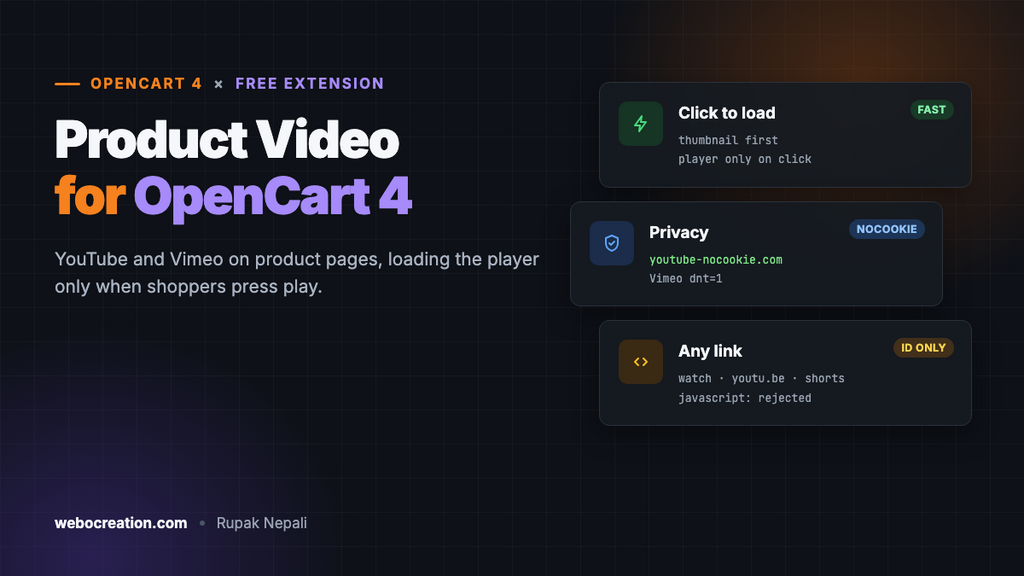
This free extension adds videos to OpenCart 4 product pages the light way: a thumbnail with a play button, and the real player loaded only when someone presses play.
Download Product Video for OpenCart 4 (free, tested on OpenCart 4.1.0.4)
What it does
- YouTube and Vimeo, from any normal link: watch pages, youtu.be, Shorts, embed links and vimeo.com.
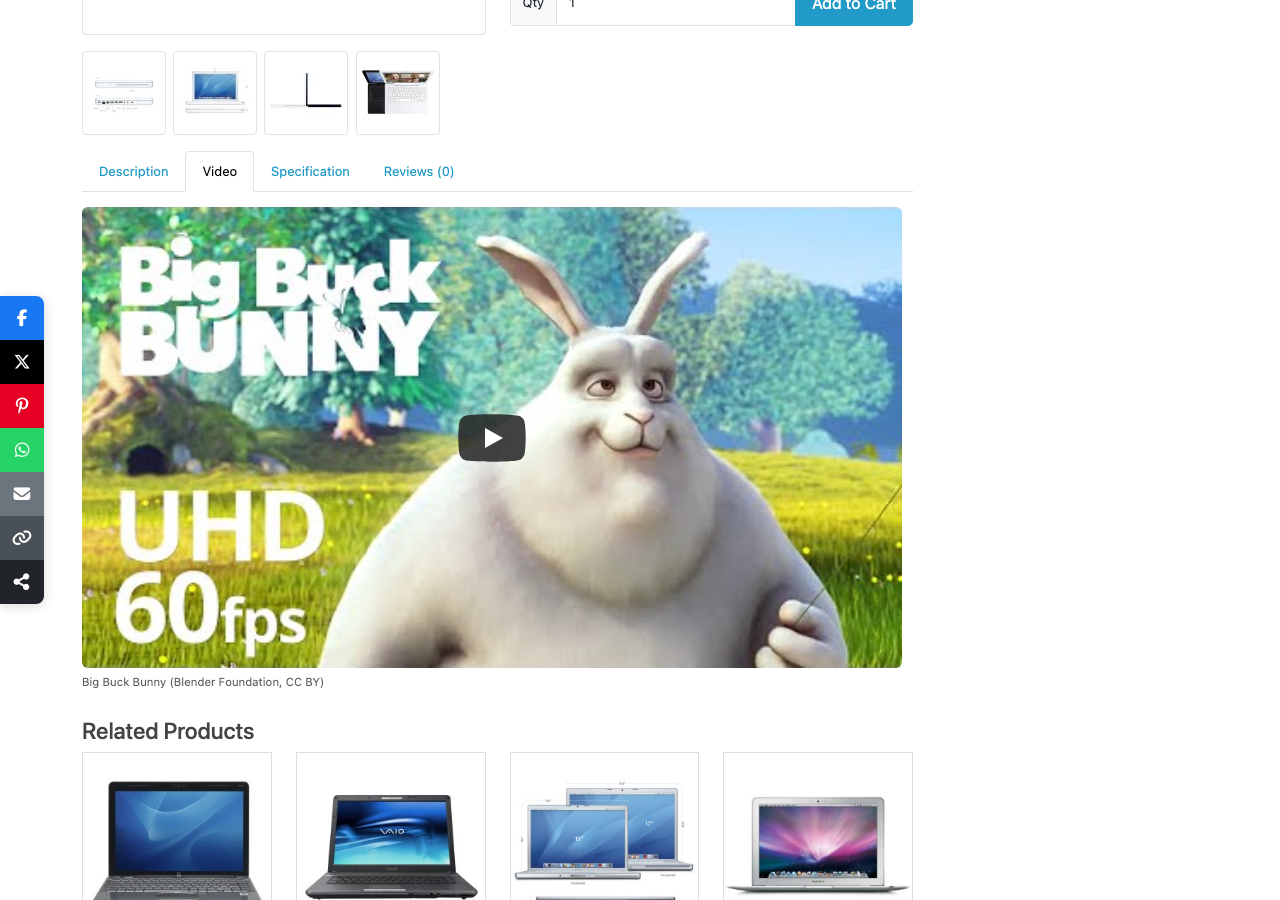
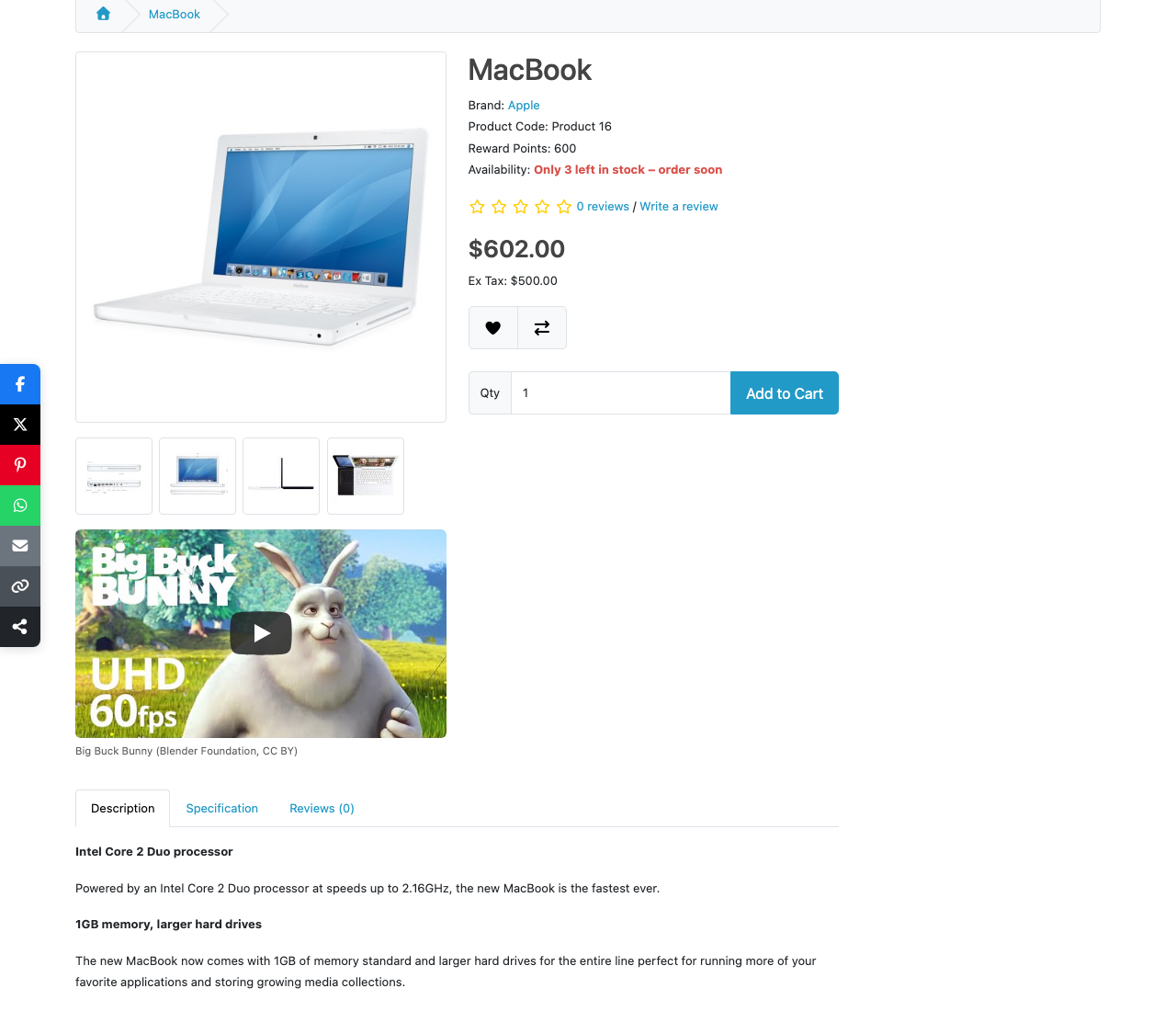
- Two positions: a “Video” tab next to Description, or under the product images.
- Several videos per product, with titles and a sort order.
- Click to load. Pages show a thumbnail; the player and its scripts load only on click.
- Privacy-friendly. YouTube videos play from
youtube-nocookie.comand Vimeo with “do not track”, and nothing loads from either until the click. - Safe input. Only the video ID is stored, never embed code, so a pasted link can’t inject anything into your pages.
Install it
- Download
productvideo.ocmod.zip. - Go to Extensions → Installer, upload it, and click the green +.
- Go to Extensions → Extensions → Modules and install Product Video (this creates the
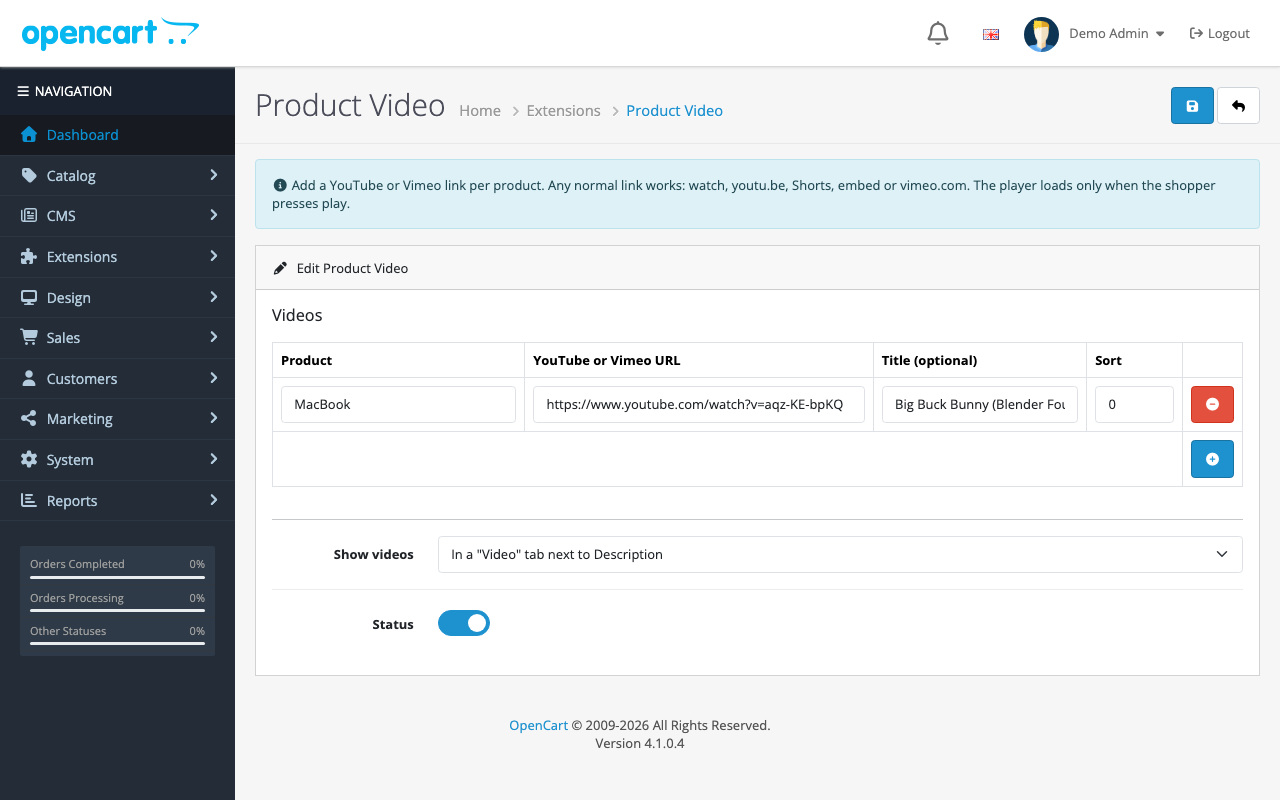
oc_product_videotable). - Click Edit. For each video, click +, type the product name and pick it, then paste the video link.
- Choose the position, turn Status on and save.
Click to load: why it matters
A standard YouTube embed loads its player, scripts and styles as soon as the page opens. For a shopper who never plays the video, that’s wasted data and a slower page, which shows up in your Core Web Vitals. The extension shows YouTube’s thumbnail image instead, with a play button drawn in SVG, and swaps in the real player only on click:
// Swap the thumbnail for the real player only on click: no video scripts or cookies load before that.
document.querySelectorAll('.oc-video-play').forEach(function (button) {
  button.addEventListener('click', function () {
    var iframe = document.createElement('iframe');
    iframe.src = button.getAttribute('data-embed');
    iframe.title = button.getAttribute('aria-label');
    iframe.allow = 'accelerometer; autoplay; clipboard-write; encrypted-media; gyroscope; picture-in-picture; fullscreen';
    iframe.allowFullscreen = true;
    button.replaceWith(iframe);
  });
});
The embed URL includes autoplay=1, so one click both loads and starts the video. In our test, clicking the thumbnail created the player with https://www.youtube-nocookie.com/embed/aqz-KE-bpKQ?autoplay=1&rel=0, and the video started.

Vimeo doesn’t offer a thumbnail by a predictable URL, so Vimeo videos show a dark box with the play button until clicked. If that matters, use YouTube for product videos, or upload the video to both.
Accepting any link, storing only the ID
Store staff paste links from wherever they find them. The admin accepts all the common formats and keeps only the provider and the 11-character YouTube ID or numeric Vimeo ID:
// youtube.com/watch?v=ID, youtu.be/ID, youtube.com/shorts/ID, youtube.com/embed/ID, youtube-nocookie.com/embed/ID
if (preg_match('~(?:youtube(?:-nocookie)?\.com/(?:watch\?(?:.*&)?v=|embed/|shorts/|live/)|youtu\.be/)([A-Za-z0-9_-]{11})~', $url, $match)) {
	return ['provider' => 'youtube', 'video_id' => $match[1]];
}

// vimeo.com/123456789, player.vimeo.com/video/123456789
if (preg_match('~vimeo\.com/(?:video/)?(\d{6,12})~', $url, $match)) {
	return ['provider' => 'vimeo', 'video_id' => $match[1]];
}
We tested it against ten inputs:
| Pasted | Stored |
|---|---|
youtube.com/watch?v=aqz-KE-bpKQ | youtube aqz-KE-bpKQ |
youtu.be/aqz-KE-bpKQ?si=abc123 | youtube aqz-KE-bpKQ |
youtube.com/watch?list=PL123&v=aqz-KE-bpKQ&t=30s | youtube aqz-KE-bpKQ |
youtube.com/shorts/aqz-KE-bpKQ | youtube aqz-KE-bpKQ |
youtube-nocookie.com/embed/aqz-KE-bpKQ | youtube aqz-KE-bpKQ |
vimeo.com/76979871 | vimeo 76979871 |
player.vimeo.com/video/76979871?h=abc | vimeo 76979871 |
youtube.com/channel/UCxyz | Rejected |
example.com/video.mp4 | Rejected |
javascript:alert(1)//youtu.be/ | Rejected |
A rejected row is highlighted with “Not a YouTube or Vimeo video URL!” and nothing is saved until it’s fixed.
Adding a tab without editing the theme
The product page has a tab bar (Description, Specification, Reviews). A view event finds it in the finished HTML and adds a Video tab after the first one, plus its panel:
$tab = '<li class="nav-item"><a href="#tab-video" data-bs-toggle="tab" class="nav-link">' . $this->language->get('pv_tab') . '</a></li>';
$pane = '<div id="tab-video" class="tab-pane fade mb-4">' . $html . '</div>';

$output = preg_replace('/(<ul class="nav nav-tabs">\s*<li class="nav-item">.*?<\/li>)/s', '$1' . $tab, $output, 1, $count);

if ($count) {
	$output = preg_replace('/(<div class="tab-content">)/', '$1' . $pane, $output, 1);
}
The tab itself is Bootstrap’s, which OpenCart’s default theme already uses, so it opens and closes like the others.
Product videos and SEO
- Host on YouTube, embed on the product. People search YouTube for product demos and reviews, so the video can be found there too; put the product link in its description.
- Write a title that describes the video (“How the hoodie fits: size M on 180 cm”), and say in the description what the video shows. The text helps both shoppers and search engines.
- Want rich results? Google can show video results for pages with
VideoObjectstructured data. Our product structured data guide covers JSON-LD in OpenCart 4; a VideoObject can be added the same way.
Troubleshooting
| Problem | Cause and fix |
|---|---|
| No Video tab | Status is off, the product has no video, or your theme renamed the tab bar (nav nav-tabs). Try the “under the images” position |
| Thumbnail shows, but the video won’t play | The video’s owner disabled embedding, or it’s private. Open the link in a private window to check |
| Black box instead of a thumbnail | It’s a Vimeo video (no predictable thumbnail), or the YouTube video has no high-quality thumbnail |
| “Choose a product!” on save | Type in the product field and pick from the list; typing a name without picking doesn’t link it |
Uninstalling keeps the oc_product_video table, so reinstalling doesn’t lose your links. More free OpenCart 4 extensions: size chart popup, product Q&A and sale countdown timer.

Rupak Nepali is a web developer, manage Webocreation website and the author of six books:
Getting Started with OpenCart Module Development (Packt, 2013),
OpenCart Theme and Module Development (Packt, 2015),
OpenCart 4: Dev Guide for Themes & Extensions (2024),
OpenCart 4: User Manual (2025),
Cloudflare for the Enterprise Website (2026) and
The Technical Web Guide for Marketers (2026).
Rupak has built OpenCart stores and extensions since 2010, has published more than 600 tutorials on Webocreation, and shares free OpenCart extensions on GitHub.
Find Rupak on
GitHub | Amazon | LinkedIn | X | YouTube.