Senior Frontend Interview Guide, Part 9: Authentication, MFA, and Frontend Security
In financial applications, security is not a feature; it is the product. A frontend engineer at a bank or fintech is expected to understand how users authenticate, how tokens and sessions work, how multi-factor authentication is integrated, and how to defend against the common web attacks. This…
 Rupak NepaliPublished Nov 9, 2026
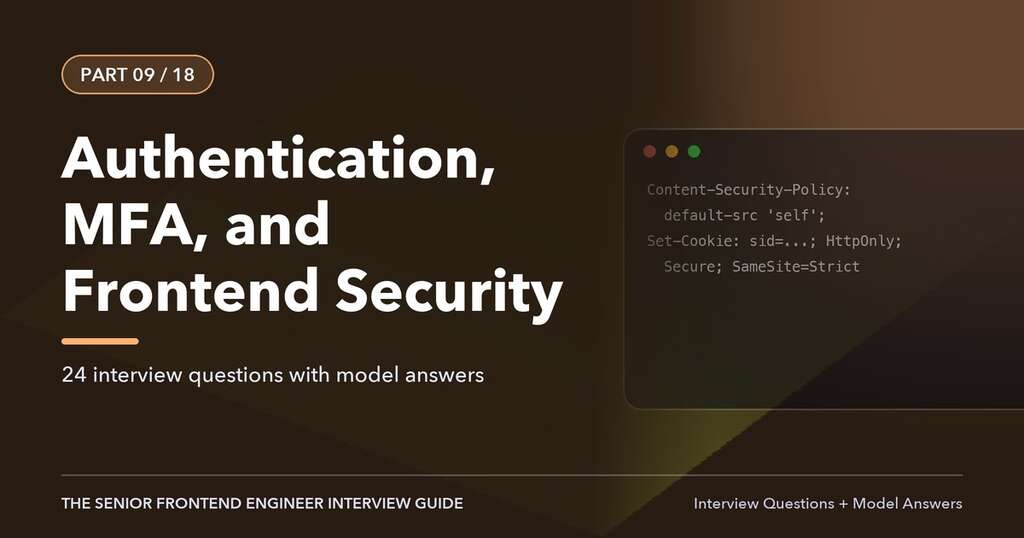
This article is Part 9 of 18 in The Senior Frontend Engineer Interview Guide, and includes 24 interview questions with model answers.
In financial applications, security is not a feature; it is the product. A frontend engineer at a bank or fintech is expected to understand how users authenticate, how tokens and sessions work, how multi-factor authentication is integrated, and how to defend against the common web attacks. This chapter covers authentication protocols, session and token management, MFA and passkeys, the OWASP Top 10 from a frontend perspective, XSS, CSRF, clickjacking, Content Security Policy, and secure coding practices.
Authentication versus Authorization
- Authentication (AuthN) verifies identity: who are you?
- Authorization (AuthZ) decides permissions: what are you allowed to do?
The frontend participates in both but enforces neither. It can hide a button a user may not use, but the backend must reject the request anyway, because anything in the browser can be modified by the user. “The frontend is a user experience layer, not a security boundary” is a sentence worth saying in interviews.
Sessions and Tokens
Server-Side Sessions with Cookies
The traditional model: after login, the server creates a session record and sends a session ID in a cookie. The browser sends the cookie automatically on each request.
Set-Cookie: __Host-session=a8f3...; Path=/; Secure; HttpOnly; SameSite=Lax; Max-Age=900Cookie attributes:
| Attribute | Effect |
|---|---|
HttpOnly |
JavaScript cannot read the cookie, so XSS cannot steal it directly |
Secure |
Sent only over HTTPS |
SameSite=Strict |
Never sent on cross-site requests |
SameSite=Lax |
Sent on top-level cross-site navigations with safe methods (GET), not on cross-site POSTs or subresource requests; the default in modern browsers |
SameSite=None |
Sent on all cross-site requests; requires Secure |
Domain, Path |
Scope of the cookie |
__Host- prefix |
Requires Secure, Path=/, and no Domain, locking the cookie to one host |
Token-Based Authentication
With token-based authentication, the client presents a token, typically a JWT (JSON Web Token), in the Authorization header.
A JWT has three base64url-encoded parts: header, payload (claims), and signature:
eyJhbGciOiJSUzI1NiIsImtpZCI6IjEifQ.eyJzdWIiOiJ1c2VyLTEyMyIsImV4cCI6MTc2...}.signatureCommon claims: sub (subject), iss (issuer), aud (audience), exp (expiration), iat (issued at), scope, and custom claims like roles.
Important facts:
- A JWT is signed, not encrypted (unless it is a JWE). Anyone can decode the payload. Never put secrets or sensitive personal data in it.
- The frontend may decode a token to read display information or the expiry time, but must never trust it for security decisions; the server validates the signature.
- JWTs are hard to revoke before expiry, which is why access tokens are short-lived (5 to 15 minutes) and paired with refresh tokens.
Where to Store Tokens
This is one of the most debated interview questions. A strong answer covers the trade-offs:
| Storage | XSS risk | CSRF risk | Notes |
|---|---|---|---|
localStorage / sessionStorage |
High: any injected script can read it | None (not sent automatically) | Simple but exposes long-lived tokens to XSS |
| JavaScript memory (variable) | Lower: not persisted, but an active XSS can still call APIs | None | Lost on reload; needs silent refresh |
| HttpOnly cookie | Token cannot be read by scripts | Must be mitigated (SameSite, CSRF tokens) | Server/BFF must handle it |
| BFF pattern (tokens on server; session cookie to browser) | Tokens never reach the browser | Mitigated with SameSite and CSRF tokens | Recommended for high-security SPAs |
The current recommendation for high-security browser applications, reflected in the IETF’s “OAuth 2.0 for Browser-Based Applications” guidance, is the Backend-for-Frontend pattern: the BFF is a confidential OAuth client, stores tokens server-side, and gives the browser an HttpOnly, Secure, SameSite session cookie. If tokens must live in the browser, keep the access token in memory, keep it short-lived, and use refresh token rotation.
Note that no storage choice makes XSS harmless. If an attacker can run script in your page, they can make authenticated requests as the user. Preventing XSS is the primary control.
OAuth 2.0 and OpenID Connect
OAuth 2.0 is an authorization framework that lets an application obtain limited access to an API on behalf of a user. OpenID Connect (OIDC) is an identity layer on top of OAuth 2.0 that adds the ID token (a JWT describing the authenticated user) and standard endpoints such as /userinfo and discovery (/.well-known/openid-configuration).
Roles
- Resource owner: the user.
- Client: your application.
- Authorization server: the identity provider (Okta, Auth0, Entra ID, Ping, Keycloak, or the bank’s own IdP).
- Resource server: the API.
Authorization Code Flow with PKCE
The recommended flow for single-page applications and mobile apps. The implicit flow, which returned tokens directly in the URL fragment, is deprecated.
- The app generates a random
code_verifierand derivescode_challenge = BASE64URL(SHA256(code_verifier)). - The app redirects the user to the authorization server’s
/authorizeendpoint withresponse_type=code,client_id,redirect_uri,scope=openid profile ...,state(CSRF protection),nonce(replay protection for the ID token), and thecode_challenge. - The user authenticates (password, MFA, passkey) and consents.
- The authorization server redirects back to
redirect_uriwith a one-timecodeand thestate. - The app verifies
state, then posts thecodeand the originalcode_verifierto the/tokenendpoint. - The server verifies that the verifier matches the challenge and returns an access token, ID token, and usually a refresh token.
async function startLogin() {
  const verifier = base64url(crypto.getRandomValues(new Uint8Array(32)));
  const challenge = base64url(new Uint8Array(
    await crypto.subtle.digest('SHA-256', new TextEncoder().encode(verifier))
  ));
  const state = crypto.randomUUID();
  sessionStorage.setItem('pkce', JSON.stringify({ verifier, state }));
  const params = new URLSearchParams({
    response_type: 'code', client_id: CLIENT_ID, redirect_uri: REDIRECT_URI,
    scope: 'openid profile accounts.read payments.write',
    state, code_challenge: challenge, code_challenge_method: 'S256',
  });
  window.location.assign(`${AUTH_SERVER}/authorize?${params}`);
}
PKCE (Proof Key for Code Exchange) protects against interception of the authorization code: an attacker who steals the code cannot exchange it without the verifier, which never left the app. In practice, use a certified library (oidc-client-ts, the IdP’s SDK) rather than hand-rolling the flow, or let the BFF perform it as a confidential client.
Refresh Token Rotation
Each time a refresh token is used, the server issues a new refresh token and invalidates the old one. If an old refresh token is ever reused (indicating theft), the server revokes the whole token family. Combined with short access token lifetimes, this limits the damage of a leaked token.
Single Sign-On and Logout
SSO lets users authenticate once with the IdP and access multiple applications. Logout must clear the local session, revoke tokens where possible, and call the IdP’s end-session endpoint (RP-initiated logout). Back-channel or front-channel logout notifies other applications.
Session Management in the UI
Financial applications typically enforce:
- Idle timeout: log out after a period of inactivity (often 5 to 15 minutes), with a warning dialog shortly before (“Your session will expire in 60 seconds. Stay signed in?”). The warning must be accessible: focus moves to the dialog, it is announced, and users can extend time (WCAG 2.2.1 Timing Adjustable).
- Absolute timeout: a maximum session length regardless of activity.
- Cross-tab synchronization: use
BroadcastChannelorstorageevents so logging out in one tab logs out all tabs, and activity in one tab extends the session for all. - Clearing sensitive data on logout: clear query caches, stores, and any in-memory data, and navigate to a page that does not show the previous user’s data when the back button is pressed (send
Cache-Control: no-storefor authenticated pages).
const channel = new BroadcastChannel('session');
channel.onmessage = e => {
  if (e.data === 'logout') auth.localLogout();
  if (e.data === 'activity') idleTimer.reset();
};
function logout() {
  channel.postMessage('logout');
  queryClient.clear();
  auth.logout();
}
Multi-Factor Authentication
MFA requires two or more factors from different categories:
- Something you know: password, PIN, security questions (weak).
- Something you have: phone (SMS/voice code), authenticator app (TOTP), hardware security key, push notification on a registered device.
- Something you are: biometrics, usually used to unlock a device-bound credential.
Factor Strength
| Factor | Phishing resistant | Notes |
|---|---|---|
| SMS / voice OTP | No | Vulnerable to SIM swap and interception; still common for broad reach |
| Email OTP | No | Depends on email account security |
| TOTP (authenticator app) | No | Codes can be phished in real time |
| Push notification | No (unless number matching) | Vulnerable to “MFA fatigue” attacks; number matching mitigates |
| FIDO2 / WebAuthn (security keys, passkeys) | Yes | Bound to the website’s origin, so a fake site cannot use it |
Step-Up Authentication
Banks often require additional authentication for high-risk actions: adding a new payee, sending a large wire, changing contact details. The frontend flow:
- The user initiates an action.
- The API responds with a challenge (for example, 401 or 403 with an
insufficient_user_authenticationerror and required authentication level, as described in RFC 9470 for OAuth step-up). - The frontend presents the MFA challenge (or redirects to the IdP with
acr_valuesrequesting a stronger level). - After success, the frontend retries the action with the elevated token or session.
async function submitWire(payload) {
  try {
    return await api.post('/wires', payload, { headers: { 'Idempotency-Key': key } });
  } catch (err) {
    if (err.kind === 'stepUpRequired') {
      await mfa.challenge({ reason: 'wire_transfer', methods: err.allowedMethods });
      return api.post('/wires', payload, { headers: { 'Idempotency-Key': key } });
    }
    throw err;
  }
}
Reusing the same idempotency key on the retry ensures the wire is not sent twice.
Building an Accessible OTP Input
<label htmlFor="otp">Enter the 6-digit code sent to your phone ending 4821</label>
<input id="otp" name="otp" inputMode="numeric" autoComplete="one-time-code"
       pattern="[0-9]{6}" maxLength={6} aria-describedby="otp-help" />
<p id="otp-help">The code expires in 5 minutes.</p>
A single input with autocomplete="one-time-code" lets iOS and Android offer the code from SMS automatically. Split six-box inputs look attractive but frequently break paste, autofill, and screen reader usability; if used, they must handle paste of the full code and announce properly. Also provide “Resend code” with a cooldown, alternative methods, and rate-limited attempts (enforced server-side).
WebAuthn and Passkeys
WebAuthn is the browser API behind FIDO2. The authenticator (platform authenticator like Touch ID or Windows Hello, a phone, or a security key) creates a public/private key pair per site. The private key never leaves the authenticator; the server stores only the public key. Authentication signs a server challenge, and the browser includes the origin in the signed data, which is why it is phishing-resistant.
Passkeys are WebAuthn credentials that can sync across a user’s devices via their platform account (iCloud Keychain, Google Password Manager) and can replace passwords entirely.
// Registration (options come from the server)
const options = await api.post('/webauthn/register/options').then(r => r.data);
const credential = await navigator.credentials.create({
  publicKey: {
    ...options,
    challenge: base64urlToBuffer(options.challenge),
    user: { ...options.user, id: base64urlToBuffer(options.user.id) },
  },
});
await api.post('/webauthn/register/verify', serializeCredential(credential));

// Authentication
const authOptions = await api.post('/webauthn/login/options').then(r => r.data);
const assertion = await navigator.credentials.get({
  publicKey: { ...authOptions, challenge: base64urlToBuffer(authOptions.challenge) },
  mediation: 'conditional',   // offer passkeys in the username field's autofill
});
await api.post('/webauthn/login/verify', serializeAssertion(assertion));
Libraries like SimpleWebAuthn handle the encoding details. The server must verify challenges, origins, and signature counters.
The OWASP Top 10 from a Frontend Perspective
The OWASP Top 10 (2021 edition, with an updated edition in progress) lists the most critical web application risks. Those with direct frontend relevance:
| Risk | Frontend relevance |
|---|---|
| A01 Broken Access Control | UI hiding is not access control; never rely on client-side checks or IDs the user can edit |
| A02 Cryptographic Failures | HTTPS everywhere, HSTS, no sensitive data in URLs or storage |
| A03 Injection (includes XSS) | Output encoding, sanitization, safe DOM APIs |
| A05 Security Misconfiguration | Security headers, CSP, no source maps or debug endpoints exposed in production |
| A06 Vulnerable and Outdated Components | Dependency scanning, lockfiles, timely updates |
| A07 Identification and Authentication Failures | Session management, MFA, secure token handling |
| A08 Software and Data Integrity Failures | Supply chain: SRI, lockfiles, signed builds, CI security |
Cross-Site Scripting (XSS)
XSS lets an attacker run JavaScript in your users’ browsers in the context of your origin, which means they can read the page, act as the user, and steal any data JavaScript can access.
- Stored XSS: malicious script saved on the server (a payee nickname, a support message) and rendered to other users.
- Reflected XSS: script in a request (URL parameter) echoed back in the response.
- DOM-based XSS: client-side code takes attacker-controlled data (URL fragment,
postMessage) and writes it to a dangerous sink.
Dangerous Sinks
element.innerHTML,outerHTML,insertAdjacentHTML,document.writedangerouslySetInnerHTMLin Reacteval,new Function,setTimeoutwith a stringhref/srcattributes withjavascript:URLs- Unvalidated redirects:
window.location = params.get('next')
Defenses
- Rely on framework escaping. React escapes text content and attribute values.
{userInput}is safe. - Avoid HTML sinks. If you must render HTML (rich text from a CMS), sanitize with DOMPurify using a strict configuration.
- Validate URLs. React 18 warns on
javascript:URLs but does not block them. Allow onlyhttps:(and perhapsmailto:) in user-provided links. - Content Security Policy as defense in depth.
- Trusted Types (Chromium browsers) to make DOM sinks reject plain strings, forcing code through vetted policies.
- Validate redirects against an allowlist of internal paths.
import DOMPurify from 'dompurify';

function SafeHtml({ html }) {
  const clean = useMemo(() => DOMPurify.sanitize(html, {
    ALLOWED_TAGS: ['p', 'b', 'i', 'em', 'strong', 'a', 'ul', 'ol', 'li'],
    ALLOWED_ATTR: ['href'],
  }), [html]);
  return <div dangerouslySetInnerHTML={{ __html: clean }} />;
}

function safeHref(url) {
  try {
    const parsed = new URL(url, window.location.origin);
    return ['https:', 'mailto:'].includes(parsed.protocol) ? parsed.href : '#';
  } catch { return '#'; }
}
Content Security Policy
CSP is an HTTP response header that tells the browser which sources of scripts, styles, images, frames, and connections are allowed. A strong policy makes most XSS unexploitable even if an injection bug exists.
Content-Security-Policy:
  default-src 'self';
  script-src 'self' 'nonce-r4nd0m' 'strict-dynamic';
  style-src 'self';
  img-src 'self' data: https://cdn.bank.example;
  connect-src 'self' https://api.bank.example https://login.bank.example;
  frame-src https://js.processor.example;
  frame-ancestors 'none';
  base-uri 'none';
  object-src 'none';
  form-action 'self';
  upgrade-insecure-requests;
report-to csp-endpoint;- Nonce-based or hash-based
script-srcwith'strict-dynamic'is the modern recommendation; avoid'unsafe-inline'and'unsafe-eval'. frame-ancestors 'none'prevents your site from being framed (clickjacking).- Roll out with
Content-Security-Policy-Report-Onlyfirst and monitor reports. - In micro frontend platforms, CSP must list every CDN origin that serves remotes in
script-src(or use'strict-dynamic'with nonces) and every API inconnect-src.
Cross-Site Request Forgery (CSRF)
CSRF tricks a logged-in user’s browser into sending a state-changing request to your site from another site, relying on cookies being attached automatically. It affects cookie-based authentication; tokens in Authorization headers are not sent automatically, so they are not vulnerable in the same way.
Defenses:
- SameSite cookies (
LaxorStrict) block most cross-site requests from carrying cookies. - Synchronizer token or double-submit cookie: the server issues a CSRF token, the frontend sends it in a custom header (
X-XSRF-TOKEN), and the server verifies it. Axios and Spring Security support this pattern out of the box. - Check
Origin/Sec-Fetch-Siteheaders on the server for state-changing requests. - Never perform state changes on GET requests.
Clickjacking
An attacker loads your page in an invisible iframe and tricks users into clicking buttons (“Confirm transfer”). Prevent framing with Content-Security-Policy: frame-ancestors 'none' (or a specific allowlist) and the legacy X-Frame-Options: DENY header.
Other Security Headers
| Header | Purpose |
|---|---|
Strict-Transport-Security: max-age=63072000; includeSubDomains; preload |
Force HTTPS, prevent downgrade attacks |
X-Content-Type-Options: nosniff |
Prevent MIME sniffing |
Referrer-Policy: strict-origin-when-cross-origin (or no-referrer) |
Avoid leaking URLs with sensitive paths |
Permissions-Policy: camera=(), geolocation=() |
Disable unneeded browser features |
Cross-Origin-Opener-Policy: same-origin |
Isolate browsing context from cross-origin popups |
Cache-Control: no-store |
Prevent caching of sensitive pages and API responses |
Secure Coding Practices for the Frontend
- No secrets in the bundle. Everything shipped to the browser is public, including environment variables baked in at build time (
VITE_*,REACT_APP_*). - Minimize sensitive data on the client. Mask account numbers (
****4821), avoid fetching full card numbers, and never log PII or tokens to the console, analytics, or error trackers. Configure error-tracking SDKs to scrub fields. - No sensitive data in URLs. URLs end up in history, logs, and Referer headers.
- Validate on the client for UX, on the server for security.
postMessagesafety. Always checkevent.originagainst an allowlist and validate message shape; specify the exact target origin when sending.- Safe external links. Modern browsers default to
noopenerfortarget="_blank", but addingrel="noopener noreferrer"explicitly is still good practice. - Dependency hygiene. Lockfiles,
npm audit/Snyk/Dependabot, review new dependencies, pin versions, and use a private registry proxy. Supply chain attacks (malicious packages, compromised maintainers) are a major risk. - Subresource Integrity for third-party scripts loaded from CDNs:
<script src="..." integrity="sha384-..." crossorigin="anonymous">. - Disable autocomplete only where appropriate; password managers improve security, so do not block them on login fields.
- Protect against tabnabbing, open redirects, and prototype pollution (avoid deep-merging untrusted objects; use
Object.create(null)orMapfor dictionaries keyed by user input). - Production builds: strip debug code, do not expose source maps publicly (upload them privately to the error tracker), and disable React DevTools hooks if policy requires.
Fraud Prevention and Device Signals
Banks layer additional controls that touch the frontend: device fingerprinting SDKs, behavioral biometrics (typing cadence), bot detection (CAPTCHA, invisible challenges), velocity limits, and confirmation of payee name (checking that the account name matches). The frontend integrates these SDKs, passes their signals to the backend with sensitive requests, and must handle challenge flows gracefully and accessibly.
Interview Questions and Answers
Q1. What is the difference between authentication and authorization?
Authentication verifies who the user is; authorization determines what they may do. The frontend uses both to shape the experience, but the server must enforce them on every request because client-side checks can be bypassed.
Q2. Where would you store a JWT in a single-page application?
For a high-security app, I would avoid storing tokens in the browser at all by using a backend-for-frontend that holds tokens and issues an HttpOnly, Secure, SameSite session cookie, plus CSRF protection. If tokens must be in the browser, keep a short-lived access token in memory and use rotated refresh tokens. I avoid localStorage for tokens because any XSS can read it. In every case, preventing XSS remains the primary defense.
Q3. Explain the Authorization Code flow with PKCE.
The client creates a random code verifier and sends its SHA-256 hash (the code challenge) with the authorization request. After login, the authorization server returns a one-time code. The client exchanges the code plus the original verifier for tokens. Since only the client knows the verifier, an intercepted code is useless. It replaced the implicit flow for SPAs.
Q4. What is the difference between an ID token and an access token?
The ID token (OIDC) is a JWT for the client that describes the authenticated user and the authentication event; it should not be sent to APIs. The access token is for the resource server, authorizing API calls with specific scopes; the client should treat it as opaque.
Q5. Why are access tokens short-lived?
Because bearer tokens grant access to anyone holding them and are hard to revoke before expiry. Short lifetimes limit the damage of leakage. Refresh tokens, ideally rotated and bound to the client or stored server-side, obtain new access tokens without user interaction.
Q6. What is XSS, and how do you prevent it in React?
Cross-site scripting is the injection of attacker-controlled script into a page. React escapes values rendered in JSX, which prevents most XSS. Risks remain with dangerouslySetInnerHTML, javascript: URLs in href, direct DOM manipulation, eval, and third-party scripts. Prevent with sanitization (DOMPurify), URL validation, avoiding dangerous sinks, a strict CSP with nonces, and Trusted Types.
Q7. What is CSRF, and does it affect token-based APIs?
CSRF forces a user’s browser to send an authenticated request to a site from a malicious site, relying on automatically attached cookies. APIs that require a token in an Authorization header are not vulnerable in the same way because browsers do not attach it automatically. Cookie-based sessions need SameSite cookies, CSRF tokens in custom headers, and origin checks.
Q8. What does a Content Security Policy do?
It restricts where the browser may load scripts, styles, images, frames, and connections from, and whether inline scripts can run. A strict nonce-based policy prevents injected scripts from executing, providing defense in depth against XSS. It also controls framing via frame-ancestors. Roll it out in report-only mode first.
Q9. How would you integrate MFA into a login flow?
Delegate primary authentication and MFA to the identity provider when possible, using OIDC with the provider’s hosted pages or SDK. In custom flows, after password verification the server returns an MFA challenge with allowed methods; the UI presents the chosen method (OTP input with one-time-code autocomplete, push approval with number matching, or WebAuthn), handles resend and fallback methods, and submits the response. Rate limiting and lockout are enforced server-side.
Q10. What is step-up authentication?
Requiring a stronger or more recent authentication for sensitive actions, such as adding a payee or sending a wire. The API signals that the current authentication level is insufficient, the frontend triggers an MFA challenge or IdP re-authentication with higher assurance, and then retries the action, reusing the idempotency key.
Q11. Why are passkeys phishing-resistant?
The credential is a key pair scoped to the website’s origin, and the browser includes the origin in the data the authenticator signs. A phishing site on a different domain cannot request or use the credential. There is also no shared secret for the user to type or the server to leak.
Q12. Why is SMS considered a weak second factor?
It is vulnerable to SIM swap attacks, SS7 interception, malware on the phone, and real-time phishing where the attacker relays the code. It is still better than no second factor and widely accessible, so many banks offer it alongside stronger options like authenticator apps and passkeys.
Q13. How do you implement session timeout with a warning?
Track user activity and server session expiry, show an accessible modal warning before expiry with a countdown and options to stay signed in or sign out, extend the session through a server call when the user chooses to continue, synchronize across tabs with BroadcastChannel, and on expiry clear client-side data and redirect to login with a clear message.
Q14. What is clickjacking, and how is it prevented?
An attack that loads your site in a hidden frame and tricks users into clicking on it. Prevent it with frame-ancestors 'none' in CSP and X-Frame-Options: DENY.
Q15. What security headers would you configure for a banking web app?
A strict CSP, Strict-Transport-Security with preload, X-Content-Type-Options: nosniff, Referrer-Policy, Permissions-Policy, frame-ancestors 'none' (and X-Frame-Options), Cross-Origin-Opener-Policy, and Cache-Control: no-store for sensitive responses. Cookies use Secure, HttpOnly, SameSite, and the __Host- prefix.
Q16. Can you hide a feature from unauthorized users by not rendering it?
You can hide it for user experience, but that is not security. The API must enforce authorization because users can call endpoints directly or modify client code. Also, avoid shipping sensitive admin-only code or data to users who should not see it, by splitting code and fetching data based on server-side permissions.
Q17. What is Subresource Integrity?
An integrity attribute containing a cryptographic hash of a script or stylesheet. The browser refuses to execute the resource if its content does not match, protecting against compromised CDNs. It works for static, versioned files; it cannot be used for scripts that change without notice.
Q18. How do you protect against supply chain attacks in npm dependencies?
Use lockfiles and deterministic installs (npm ci), audit and monitor dependencies with automated tools, review new and updated dependencies, limit the number of dependencies, use a private registry proxy with policies, disable install scripts where possible, pin GitHub Actions to commit SHAs, and generate SBOMs.
Q19. How should a frontend handle sensitive data such as account numbers?
Fetch only what is needed, display masked values by default with an explicit reveal action (possibly requiring step-up), never store them in web storage or URLs, exclude them from logs and analytics, clear them on logout, and prevent caching with no-store.
Q20. What is the risk of window.postMessage, and how do you use it safely?
Any window can send messages to yours, and messages you send to a wildcard target origin can be read by unexpected recipients. Always specify the exact target origin when sending, verify event.origin against an allowlist when receiving, validate the message schema, and never execute received data as code.
Q21. What is an open redirect, and why does it matter?
When an application redirects to a URL taken from user input (such as ?next=) without validation, attackers can craft links on your trusted domain that send users to phishing sites, or steal OAuth codes. Validate redirect targets against relative internal paths or an allowlist.
Q22. How do you prevent sensitive data from appearing in error tracking tools?
Configure the SDK’s beforeSend hook to scrub fields such as tokens, account numbers, and form values; disable session replay on sensitive screens or mask all input; avoid putting sensitive data in error messages or URLs; and review captured data regularly.
Q23. What are Trusted Types?
A browser security feature, enforced through CSP (require-trusted-types-for 'script'), that makes dangerous DOM sinks like innerHTML reject plain strings and accept only typed objects created by named policies. It turns DOM XSS prevention into a reviewable, centralized concern.
Q24. How do you implement logout correctly in an SPA?
Clear in-memory tokens, caches, and stores; call the server to invalidate the session and revoke refresh tokens; call the identity provider’s end-session endpoint for SSO; notify other tabs; and redirect to a public page. Ensure authenticated pages are not served from the browser cache after logout.
Key Takeaways
- The frontend shapes the experience; the backend enforces security.
- Use Authorization Code with PKCE (or a BFF) and short-lived, rotated tokens.
- Prefer phishing-resistant MFA (passkeys) and implement step-up for high-risk actions.
- XSS is the most important frontend threat: avoid dangerous sinks, sanitize, and deploy a strict CSP.
- Protect cookies with
HttpOnly,Secure, andSameSite, and defend against CSRF and clickjacking.
← Part 8: REST APIs, Web Services, and Axios · All chapters · Part 10: Accessibility and WCAG Compliance →

Author of four Opencart book.
The recent are Opencart 4 developer book and Opencart 4 user manual