How to add a google map in Contact us page of OpenCart? – no coding needed
 Rupak NepaliPublished Dec 28, 2018
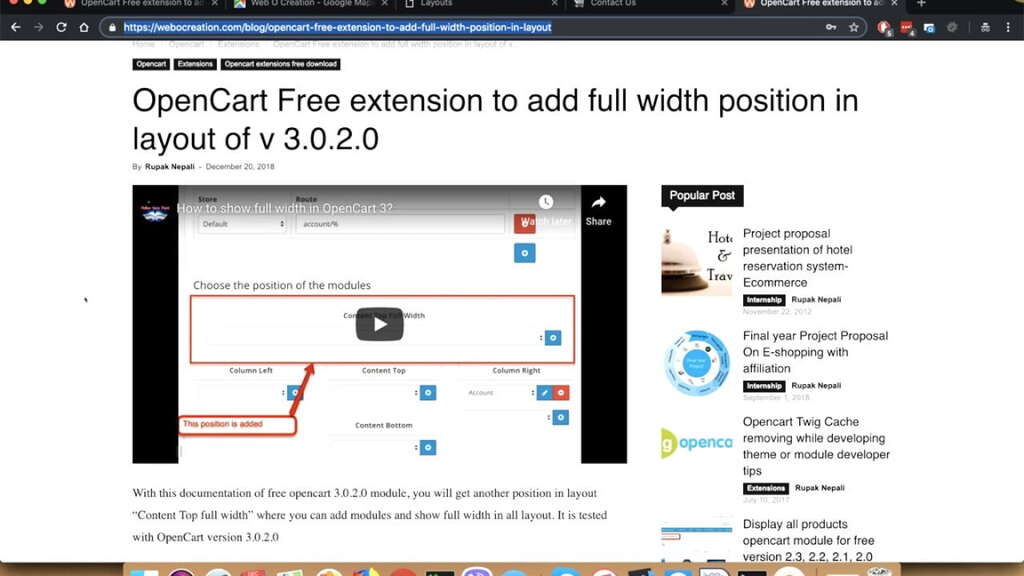
This OpenCart tutorial shows you how to add a google map to the contact us page of OpenCart without coding or programming knowledge, we will show you how to use the HTML content default OpenCart module and add the map to the contact us page.
Let’s get started by going to https://google.com/maps then searching your locations in it. Once you find the location
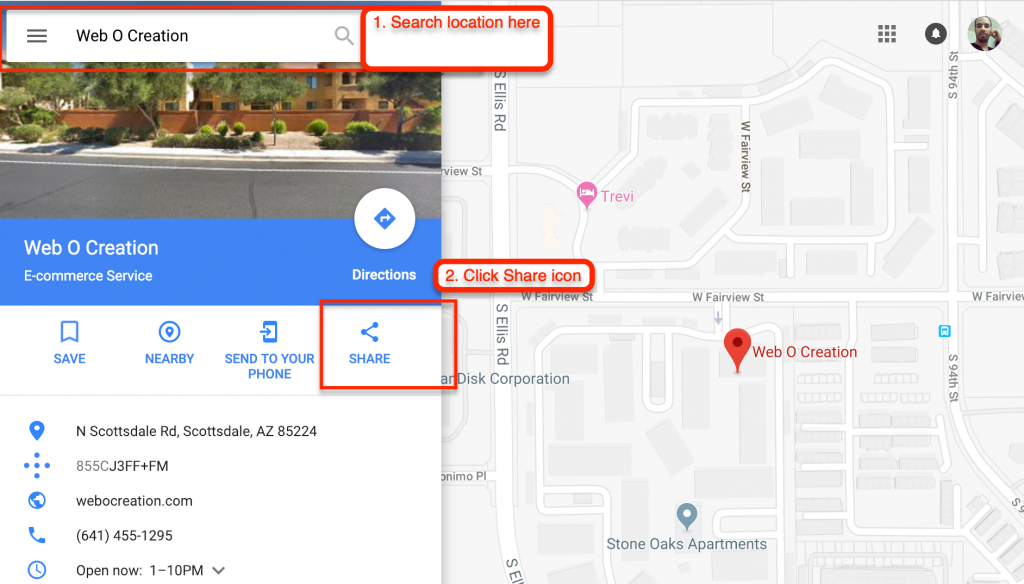
When you click the “Share” icon you will see a popup click “Embed a map” then click “Copy HTML”

Now go to your store OpenCart admin >> Extensions >> Extensions >> Choose the extension type “Modules” >> Then scroll to see the “HTML Content”. If you see the green button here, first click to install it.
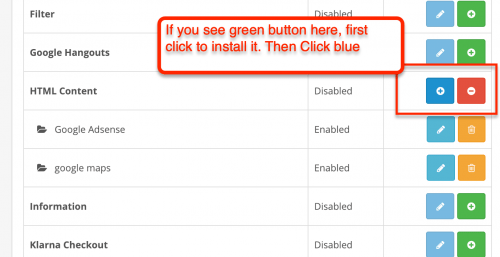
Then, click the blue button to add a new module.
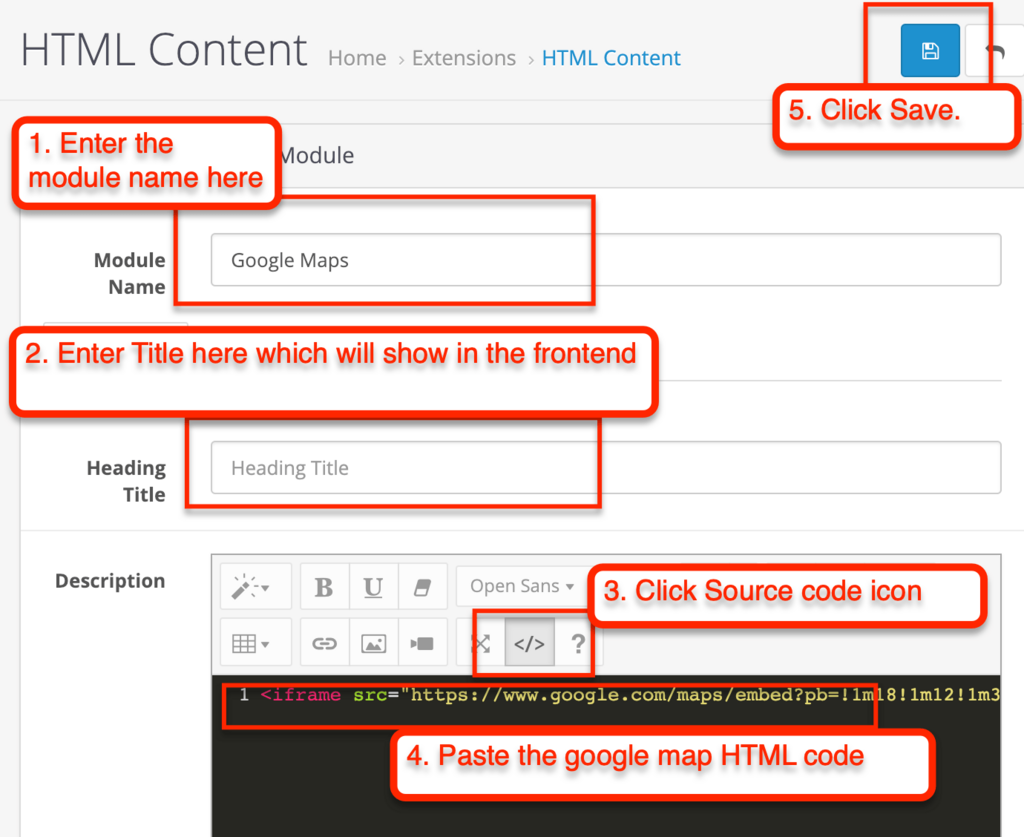
- Enter the module name in “Module Name” field
- Enter the title that you want to show in the front-end, you can leave it blank if you don’t need
- Click the “Source Code” icon
- Paste the google map HTML code
- If you want full-width map then you have to change the width to 100%
- Again click the Source code icon
- Then click Save button
Now go to Admin >> Design >> Layouts >> Edit “Contact” then add the Google Map module in your desired position.
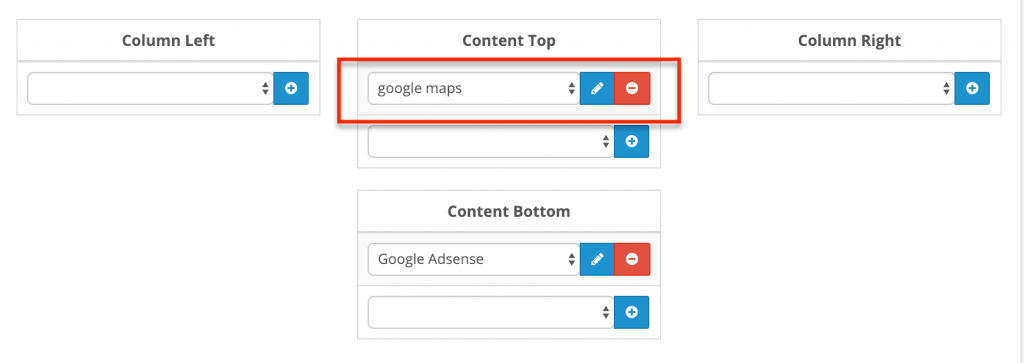
Then click save and see your front end.
You can see our demo here:
See Demo of Google map in Contact us page of OpenCart
Let us know if need any help

Rupak Nepali is a web developer, manage Webocreation website and the author of six books:
Getting Started with OpenCart Module Development (Packt, 2013),
OpenCart Theme and Module Development (Packt, 2015),
OpenCart 4: Dev Guide for Themes & Extensions (2024),
OpenCart 4: User Manual (2025),
Cloudflare for the Enterprise Website (2026) and
The Technical Web Guide for Marketers (2026).
Rupak has built OpenCart stores and extensions since 2010, has published more than 600 tutorials on Webocreation, and shares free OpenCart extensions on GitHub.
Find Rupak on
GitHub | Amazon | LinkedIn | X | YouTube.
thanks a lot!