Checkout Forensics: 20 Micro‑Issues that Kill Ecommerce Conversions
 Rupak NepaliPublished Jun 14, 2026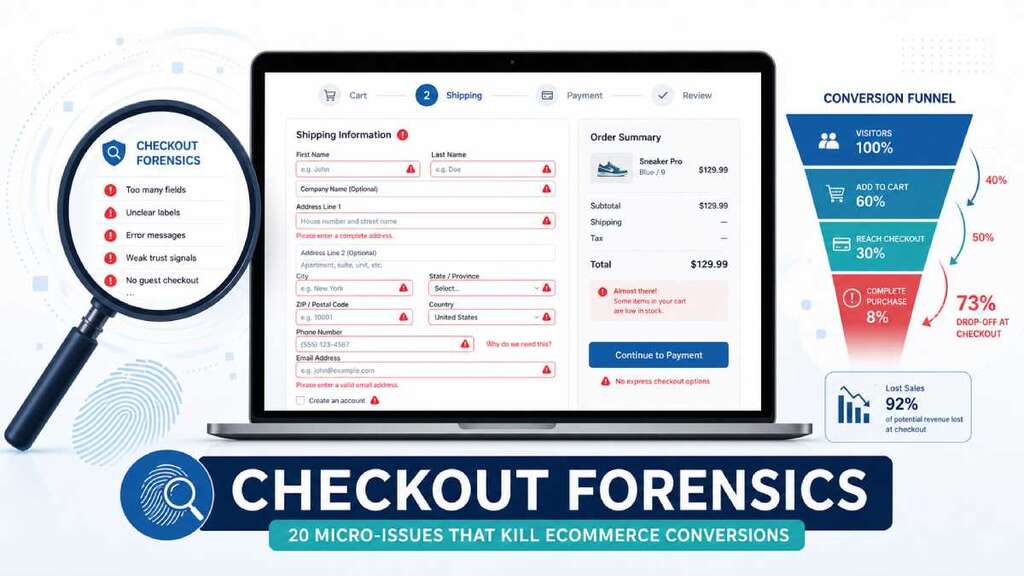
Most checkout problems aren’t dramatic—they’re small friction points that quietly kill conversions. In 2026, average cart abandonment still sits around 70%, and “checkout issues” remain one of the top reported reasons shoppers bail. Research shows that extra costs, mandatory account creation, and long or complicated checkout flows drive a huge share of those lost orders.
This post is a forensic walkthrough of 20 tiny checkout issues that silently cost you money, plus how to spot and fix them—using OpenCart as the concrete example.
Why micro‑issues matter more than you think
Baymard and similar UX studies consistently find that form friction—not just the number of steps—is one of the biggest drivers of checkout abandonment.
- The average checkout has roughly 11+ form fields, even though most stores need only 7–8 to complete a purchase.
- As field counts cross 7–10, abandonment climbs sharply, with 27–37% of users citing “too long or complicated” forms as the reason they quit.
In other words, every unnecessary field, unclear error, or small UX bug is real money leaking out of your funnel.
Let’s audit those leaks.
1. Forced account creation before checkout
One of the top abandonment reasons is being forced to create an account before ordering. New shoppers see it as friction and a privacy risk.
OpenCart example
- In OpenCart, enable Guest Checkout and Checkout without registering in the admin so first‑time buyers aren’t blocked by account creation.
- Keep “Create an account” as an option after they’ve already committed to the order, not as a gate up front.
2. Hidden shipping and fees until the last step
Nearly half of shoppers abandon when they see unexpected costs (shipping, taxes, fees) at the final checkout screen.
OpenCart example
- Show estimated shipping and taxes earlier—cart page, mini‑cart, and even product pages—using built‑in tax rules and shipping estimates.
- Ensure your checkout summary box is always visible and updated as options change, not only on the final confirmation step.
3. Too many required fields
Studies show that the number of fields has a stronger impact on abandonment than the number of steps.
- Each extra field beyond 7–8 significantly reduces conversion rates.
OpenCart example
- Audit
checkout/checkout.twigand remove anything you don’t absolutely need: fax, second phone, company field for B2C, redundant address lines. - Make less‑critical fields optional instead of mandatory and visually de‑emphasize them.
4. Wrong input types and keyboards on mobile
On mobile, using the wrong input types (text instead of email, tel, or number) forces extra taps and errors.
OpenCart example
- Update your checkout Twig templates so that email, phone, and postal code fields use appropriate
typeattributes, and setautocompletehints. - Test the end‑to‑end flow on real devices—especially with long forms and small screens.
5. No inline validation—only errors on submit
Form benchmarks show that inline validation (validating when the field loses focus) lifts completion rates by 5–13%, especially on longer forms.
If users only see errors after clicking “Confirm order” and losing context, they’re more likely to give up.
OpenCart example
- Add basic JS validation to the most error‑prone fields (email, postcode, required address) and show success/error states on blur.
- Avoid generic “Please check the form” alerts; highlight the specific field in error.
6. Clearing all fields after any error
Forcing users to re‑enter all data after a validation error is a conversion killer; up to 55% of shoppers will abandon if they have to re‑enter card or shipping info.
OpenCart example
- Make sure your controller logic re‑renders the form with the user’s previously entered values intact.
- When validation fails, highlight only the problem fields and scroll to the first error instead of wiping everything.
7. Confusing or generic error messages
Technical error messages and generic “Error!” prompts cause abandonment because the user doesn’t know what to fix.
OpenCart example
- Replace raw gateway or API error codes with human‑readable messages like “This card was declined. Try another card or contact your bank,” not “Payment error: code 5021”.
- Keep messages adjacent to the relevant field and use clear, friendly language.
8. Poor field order and grouping
Bad ordering—such as asking for postcode last or mixing billing and shipping fields—forces users to zig‑zag mentally, adding friction.
OpenCart example
- Group address inputs logically: name → street → city → postcode → country → region.
- If most orders are domestic, pre‑select your main country and move exotic options into a searchable dropdown.
9. No visible progress indicator
Progress indicators reduce uncertainty and abandonment by letting users know “where they are” and what’s left.
OpenCart example
- If you use multi‑step checkout, add a simple visual stepper (“Cart → Details → Shipping → Payment → Review”) above the form.
- Ensure the step labels reflect what actually happens on each page.
10. Slow checkout pages and heavy scripts
More than half of shoppers say they will abandon if they have to wait more than a few seconds for pages to load. Heavy JS, unoptimized images, and third‑party widgets can stall your most valuable page.
OpenCart example
- Audit your checkout route with browser DevTools and Lighthouse; remove unnecessary scripts and third‑party tags from checkout templates.
- Use Cloudflare and server‑side caching where safe, and avoid running heavy A/B or tracking scripts on the final steps.
11. Distracting header, mega menus, and promos
Checkout pages that look like every other page—with full navigation, sliders, and promos—invite distraction and leaks out of the funnel.
OpenCart example
- Use a simplified header/footer on checkout: logo + minimal nav, no mega menus, no hero sliders.
- Move newsletter popups, cross‑sells, and long marketing content away from the payment step.
12. Weak trust signals at the moment of payment
Around 17–25% of shoppers abandon because they don’t fully trust the site with card details.
OpenCart example
- Show visible SSL/https indicators, concise security copy (“Secure checkout, encrypted connection”), and recognized payment provider logos near the payment form.
- Make sure your page loads without mixed‑content warnings or browser security errors.
13. Limited payment options
Not having the payment methods shoppers expect—wallets, local methods, BNPL—leads to drop‑off, especially across different regions and demographics.
OpenCart example
- Offer at least one major card processor plus one or two regionally relevant methods (PayPal, wallets, or local gateways).
- Hide or reorder methods so the most common ones appear first; don’t bury them.
14. Limited or unclear shipping options and ETAs
Shoppers want predictable delivery; unclear or inflexible options push them away.
- Lack of clear delivery dates or limited choices is a subtle but real conversion drag.
OpenCart example
- Configure shipping methods with descriptive labels and realistic ETAs (“Delivered in 2–4 business days”).
- If possible, show a free shipping threshold or the cheapest option early in the journey.
15. Coupon box UX that creates friction
Shoppers will go hunting for codes if the coupon box is prominent; they may return with a bad code, and failed coupons are a frequent abandonment trigger.
OpenCart example
- Keep the coupon field accessible, but not the hero of the page.
- Provide clear, specific error messages for invalid or expired codes, and avoid nuking the form when a code fails.
16. No easy cart editing from checkout
If users need to leave checkout to change quantity or remove an item, they’re at higher risk of abandoning entirely.
OpenCart example
- Include a small order summary in checkout with quantity controls or at least “Remove” links and a quick way back to cart without losing data.
- Ensure any cart changes instantly refresh totals without a full reload where possible.
17. Forced newsletter opt‑in or unexpected consents
Surprise checkboxes for newsletters or ambiguous consent language increase friction and distrust.
OpenCart example
- Make newsletter opt‑in clearly optional and default to unchecked.
- Use concise, honest copy about what subscribing means; keep legal/GDPR copy readable, not walls of text.
18. No “save cart” or recovery path
Life happens. If there’s no “save for later” option, non‑committal shoppers either abandon or use the cart as a wishlist, which isn’t structured for recovery.
OpenCart example
- Enable basic wishlist features and make them visible near the cart.
- Use abandoned cart emails (via extensions) to bring people back when they do drop off.
19. Technical glitches, JS errors, and timeouts
Broken validation, JS errors, and session timeouts show up as generic “something went wrong” moments that users rarely bother to report.
OpenCart example
- Log errors server‑side and track console errors on checkout specifically.
- Shorten time between releases and regression tests: every theme or extension update should include a full test of the checkout journey.
20. No analytics on where checkout fails
You can’t fix what you don’t measure. Many stores track “added to cart” and “thank you,” but not where the leak happens: shipping step, payment step, address form, or after errors.
OpenCart example
- Instrument step‑level events (viewed checkout, started shipping, selected payment, submit order) in GA4 or your analytics of choice.
- Combine that with error logging so you can see not just that people drop, but what they were trying to do when they did.
Turning this into a repeatable “checkout forensic” process
You can turn these 20 micro‑issues into a simple forensic checklist:
- Start with data: identify drop‑off steps and devices.
- Run a detailed form and interaction audit against this list.
- Fix the highest‑impact friction first: unnecessary fields, hidden costs, forced accounts, trust signals, speed.
- Re‑measure conversion and abandonment after each batch of changes.
The big wins rarely come from a total redesign—they come from eliminating the dozen tiny cuts that make a shopper decide “not worth it” right when they were ready to pay.

Author of four Opencart book.
The recent are Opencart 4 developer book and Opencart 4 user manual