Age Verification Popup for OpenCart 4: An Accessible Age Gate for Alcohol, Vape and CBD Stores (Free Extension)
A free OpenCart 4 extension that shows an accessible age confirmation popup on the first visit, with your own age, wording and exit link, remembered for the days you choose, plus an honest look at what an age gate does and doesn't do legally.
 Rupak NepaliPublished Nov 16, 2026
Stores selling alcohol, vape products, CBD, knives or adult products are often expected to show an age confirmation before visitors browse. Payment providers and marketplaces ask for it in their acceptable-use reviews, and in some places it’s a condition of a licence. OpenCart 4 doesn’t have one.
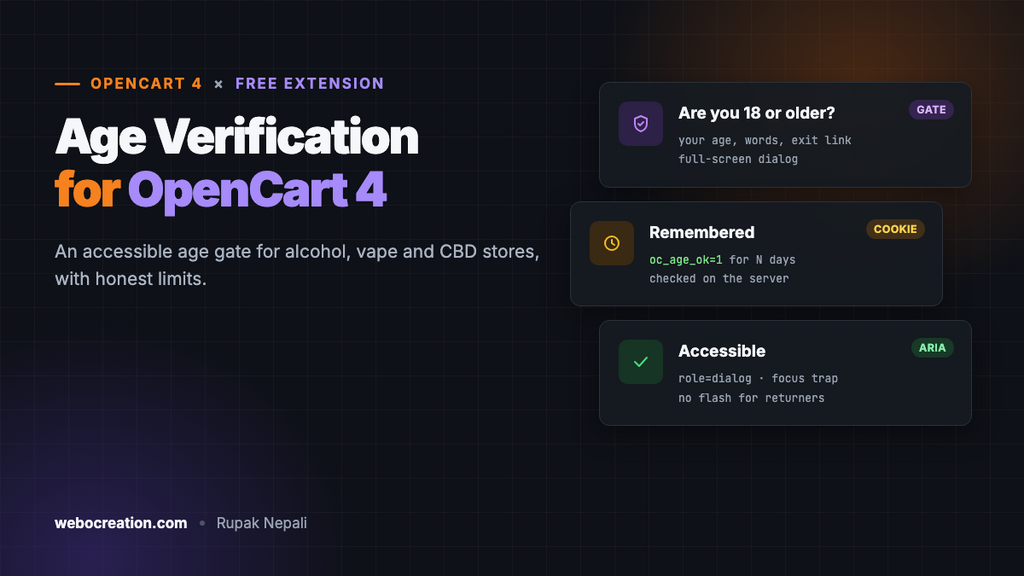
This free extension adds a full-screen “Are you 18 or older?” popup on the first visit, with your own age, wording and exit link, and remembers the answer so returning visitors aren’t asked every time.
Download Age Verification for OpenCart 4 (free, tested on OpenCart 4.1.0.4)

An age gate is not age verification
Read this before relying on it. A popup asking “Are you 18?” is a self-declaration: anyone can click Yes. It shows that you ask, which payment providers and some regulators expect, but it doesn’t verify anyone’s age.
Where the law requires you to check a buyer’s age, for example alcohol or vape sales by post in many countries and US states, you need real checks as well: an age verification service at checkout, ID checks by the courier (“adult signature required” services), or both. Check the rules for every country or state you ship to, and keep the popup as the first, simplest layer.
What it does
- A full-screen popup on the first visit, on every page, until the visitor answers.
- Your age and words. Set the minimum age (18, 19, 21…), heading, message and button texts.
- A leave link. “No” goes to the address you choose.
- Remembers the answer on that device for the number of days you set, or until the browser closes.
- Accessible. A proper dialog for screen readers, with focus on the Yes button and kept inside the dialog while it’s open.
- No flash for returning visitors. The server checks the cookie, so people who already answered never see the popup appear and vanish.
Install it
- Download
ageverify.ocmod.zip. - Go to Extensions → Installer, upload it, and click the green +.
- Go to Extensions → Extensions → Modules and install Age Verification.
- Click Edit, set the age and wording, turn Status on and save.
- Open your store in a private window to see it.
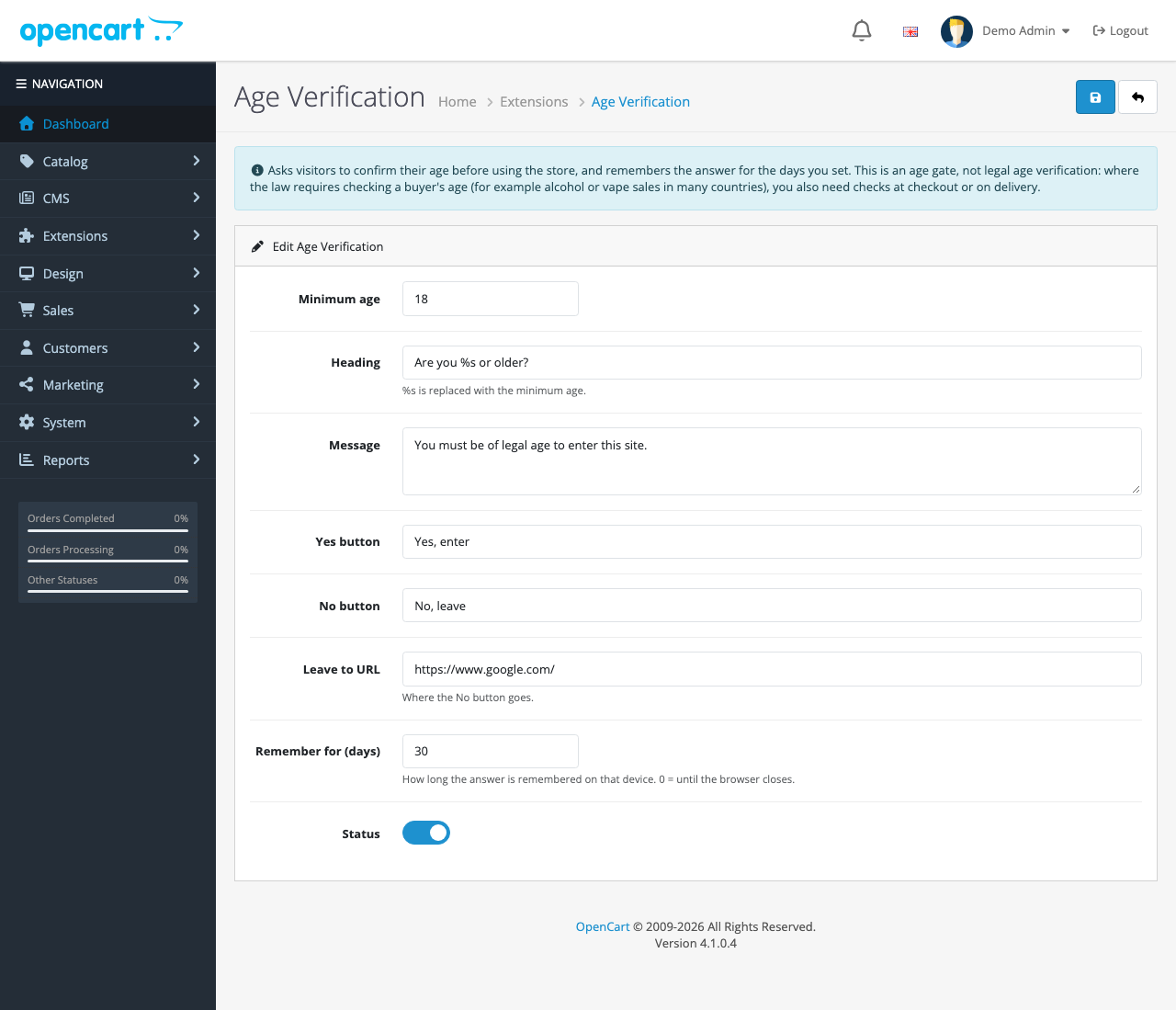
| Setting | Default | Notes |
|---|---|---|
| Minimum age | 18 | 21 for alcohol in the US; 19 in some Canadian provinces |
| Heading | Are you %s or older? | %s becomes the age |
| Message | You must be of legal age to enter this site. | Line breaks are kept |
| Yes button, No button | Yes, enter / No, leave | Use clear words. “Enter” and “Leave” work better than “Yes” and “No” alone |
| Leave to URL | https://www.google.com/ | Must start with http:// or https:// |
| Remember for (days) | 30 | 0 means until the browser is closed |
On phones

How it’s built
| Part | Where | What it does |
|---|---|---|
| Event | catalog/view/common/footer/after | Adds the dialog before </body>, unless the cookie is set |
| Cookie | oc_age_ok=1 | Set when the visitor clicks Yes, for the days you chose |
| Settings | module_ageverify_* | Age, wording, exit link, days, status |
Checking the cookie on the server
if (($this->request->cookie['oc_age_ok'] ?? '') === '1') {
	return;
}
Many age gates add the popup to every page and hide it with JavaScript if a cookie exists, so returning visitors see it flash. Checking in PHP means the popup isn’t in the page at all for them.
Remembering the answer
yes.addEventListener('click', function () {
  // 0 days = a session cookie, gone when the browser closes.
  document.cookie = 'oc_age_ok=1; path=/; SameSite=Lax' + (days > 0 ? '; Max-Age=' + (days * 86400) : '');
  gate.remove();
  document.body.classList.remove('oc-agegate-open');
});
Accessibility
The popup is a role="dialog" with aria-modal="true" and its heading and message as label and description, so screen readers announce it straight away. Focus starts on the Yes button, and Tab and Shift+Tab cycle between the two buttons instead of wandering into the hidden page behind. The page behind doesn’t scroll while the popup is open.
Does an age gate hurt SEO?
Google’s guidance on intrusive interstitials, the popups it treats as a poor experience on mobile, exempts popups shown because of a legal obligation, and gives age verification as an example. The store’s content is still in the page’s HTML behind the overlay, so search engines can read it. Keep the popup simple (no newsletter sign-up inside it) so it stays an age gate.
The cookie only records that the visitor clicked Yes, which is needed for the feature to work; it doesn’t track anyone. Still, mention it in your cookie policy.
Testing
- First visit with no cookies, on desktop and at 390 px: the popup covered the store.
- Clicked “Yes, enter”: the popup disappeared and the
oc_age_ok=1cookie was set, so the server stops adding the popup on later pages.
Troubleshooting
| Problem | Cause and fix |
|---|---|
| The popup doesn’t appear | You probably answered it already. Use a private window or delete the oc_age_ok cookie |
| It asks every visit | “Remember for” is 0, or the visitor’s browser deletes cookies on close |
| A full-page cache shows it to everyone, or no one | The cache must vary by the oc_age_ok cookie, or skip caching for visitors without it |
| Another popup appears on top | Newsletter or cookie popups should wait until the age gate is answered; check their delay settings |
More free OpenCart 4 extensions: announcement bar, request a quote, coupon links and sticky add to cart.

Rupak Nepali is a web developer, manage Webocreation website and the author of six books:
Getting Started with OpenCart Module Development (Packt, 2013),
OpenCart Theme and Module Development (Packt, 2015),
OpenCart 4: Dev Guide for Themes & Extensions (2024),
OpenCart 4: User Manual (2025),
Cloudflare for the Enterprise Website (2026) and
The Technical Web Guide for Marketers (2026).
Rupak has built OpenCart stores and extensions since 2010, has published more than 600 tutorials on Webocreation, and shares free OpenCart extensions on GitHub.
Find Rupak on
GitHub | Amazon | LinkedIn | X | YouTube.