How to let the Opencart APIs work for all IP addresses?
 Rupak NepaliPublished Jun 15, 2024
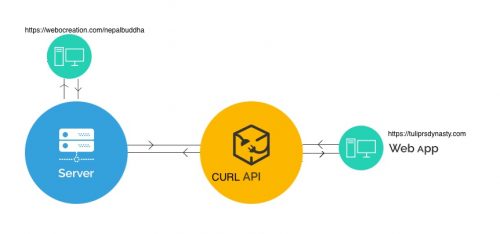
Opencart checks the IP address to allow the API calls, but sometimes you need to let all IP addresses do the API calls, for example, while testing the API. To allow all IP addresses to comment following the line of code at catalog/controller/api/account/login.php
//$json[‘error’] = sprintf($this->language->get(‘error_ip’), $this->request->server[‘REMOTE_ADDR’]);
if ($api_info) {
	// Check if IP is allowed
	$ip_data = [];

	$results = $this->model_account_api->getIps($api_info['api_id']);

	foreach ($results as $result) {
		$ip_data[] = trim($result['ip']);
	}

	if (!in_array($this->request->server['REMOTE_ADDR'], $ip_data)) {
		//$json['error'] = sprintf($this->language->get('error_ip'), $this->request->server['REMOTE_ADDR']);
	}
} else {
	$json['error'] = $this->language->get('error_key');
}
To learn more about Opencart API following posts help more:

Rupak Nepali is a web developer, manage Webocreation website and the author of six books:
Getting Started with OpenCart Module Development (Packt, 2013),
OpenCart Theme and Module Development (Packt, 2015),
OpenCart 4: Dev Guide for Themes & Extensions (2024),
OpenCart 4: User Manual (2025),
Cloudflare for the Enterprise Website (2026) and
The Technical Web Guide for Marketers (2026).
Rupak has built OpenCart stores and extensions since 2010, has published more than 600 tutorials on Webocreation, and shares free OpenCart extensions on GitHub.
Find Rupak on
GitHub | Amazon | LinkedIn | X | YouTube.