
Tips to Overcome Mobile App Deployment Challenges

Launching a mobile app is a pivotal step in the app development journey. As a leading mobile app development company, we recognize the importance of making your app accessible across various platforms, guaranteeing flawless performance, and meeting diverse user expectations. Numerous challenges arise during this crucial implementation phase, potentially impacting the success of your application. Recognizing these challenges and implementing effective strategies to overcome them is essential for a seamless and triumphant application launch. In this article, we will explore the prevalent challenges encountered in mobile app deployment and offer practical tips, drawing from our expertise as a trusted mobile app development company, to ensure a successful launch.

Identification of Common Implementation Challenges

Before discussing the solutions, it is essential to understand the common challenges faced during mobile app deployment. These challenges often include:

Scalability: Ensuring that your application can handle an increasing number of users, functions, and resource demands without compromising performance.

Cross-platform compatibility: Address the unique requirements of various platforms (such as iOS and Android) and ensure that the app provides a consistent user experience.

Inadequate testing: Failure to thoroughly test the application across multiple devices, OS versions, and network conditions, resulting in undetected errors and performance issues.

App Store Optimization (ASO): Improving your app’s visibility in app stores, can significantly impact your success.

Monitor and improve application performance: Constantly collect and analyze user feedback and performance metrics to improve application quality and user experience.

Let’s explore these challenges and their solutions in more detail, starting with adopting a scalable architecture.

Adopt a Scalable Architecture

One of the most critical aspects of mobile app deployment is ensuring that your app can scale to accommodate the growing number of users, features, and resource demands. A scalable architecture allows you to add features, expand functionality, and increase capacity without overloading the system or compromising performance. Here are some practical tips for adopting a scalable architecture:

Make a growth strategy: Determine possible areas for expansion, such as more users, additional features, or system integration. Consider these factors during the design phase to ensure that your application architecture can adapt to growth-related changes without compromising performance.

Modular architecture: Implement a modular architecture that divides the application into independent and interconnected modules. This approach allows you to isolate and update specific components without affecting the entire system, making it easier to scale and maintain your application.

Optimize resource utilization: Ensure your application efficiently uses system resources (such as memory, CPU, and network resources) to avoid performance bottlenecks and ensure smooth operation at scale. To do this, you may use techniques like caching, data storage optimization, and network overhead reduction.

Make use of cloud-based services: Make use of infrastructure and cloud-based services for your mobile application. This approach allows you to quickly scale your application resources, such as server power and storage, in response to user demand. Cloud-based services offer built-in redundancy, security, and automatic updates, making scaling even simpler.

Load balancing: Distribute incoming requests across multiple servers to avoid overloading a single server and ensure high availability and reliability. Load balancing techniques can help your application handle increased user traffic without causing slowdowns or downtime.

Adopting a scalable architecture from the beginning will ensure that your application can grow and evolve, significantly improving its performance, stability, and user experience.

Prioritize Cross-platform Compatibility

With many devices, operating systems, and screen sizes on the market, ensuring cross-platform compatibility is essential to achieving a large user base and a seamless user experience. Developing apps that work seamlessly across platforms like Android, iOS, and the web can be challenging, but it’s crucial to the success of your app. Here are some tips for prioritizing cross-platform compatibility during the deployment process:

Use Cross-platform Development Frameworks

Several cross-platform development frameworks allow developers to create mobile applications for multiple platforms using a single code base. These frameworks, such as React Native, Flutter, and Xamarin, allow businesses to save time, effort, and resources while reducing potential implementation issues. Still, it is critical to carefully select the right framework based on your specific application requirements, technical expertise, and desired platform support.

Adhere to Platform-specific Design Guidelines

Every platform has its own set of design standards, elements of the user interface, and user experience requirements. To ensure smooth and consistent user experiences across platforms, it is essential to follow respective design guidelines, such as Material Design for Android and Human Interface Guidelines for iOS. While cross-platform frameworks can speed up the development process, adhering to platform-specific design principles will improve the user experience.

Consider Progressive Web Application Development

Another approach to prioritizing cross-platform compatibility is the development of progressive web applications (PWA). PWAs are web applications that offer a native experience on both mobile and desktop devices. They can be accessed through a web browser, can be installed on devices, and can work offline. PWAs can be an attractive option for businesses looking to reach a broader audience without developing standalone apps for multiple platforms.

Test on Real Devices

While emulators and simulators can be helpful during the development process, it is essential to test your app on multiple real devices with different operating systems, screen sizes, and hardware configurations. Testing on actual hardware ensures a more realistic evaluation of the app’s cross-platform capabilities by revealing how users interact with it in real time.

A Powerful Testing Strategy

Deploying mobile apps requires careful consideration of testing. An effective testing strategy helps identify and fix issues before deployment, ensuring a smooth user experience and reducing the chances of receiving negative reviews on the app store. To provide a quality application, consider implementing a testing strategy that consists of the following:

Functional Testing

Functional testing ensures the application works as intended and meets all specified requirements. Test every feature and functionality across all devices and platforms, checking buttons, navigation, forms, and other UI elements. Consistency is paramount, as users expect an app to perform similarly across platforms.

Test of Performance

Performance testing involves measuring the responsiveness, scalability, stability, and resource usage of the application under different conditions. This includes testing under different network conditions, device configurations, and user loads. Additionally, consider stress and load testing to ensure your application can handle maximum user traffic and scale smoothly as needed.

Security Testing

Security is a primary concern for both users and application developers. Protect user data and privacy by rigorously testing the application for vulnerabilities and data breaches. Implement encryption, authentication, and other security measures to ensure your application complies with industry standards and regulations, such as GDPR and CCPA.

Usability Testing

Usability testing involves evaluating the user interface and application experience from the user’s perspective. This process helps identify potential obstacles, confusing navigation, or counterintuitive layouts that could negatively impact the user experience. Gather feedback from real users and consider A/B testing to fine-tune the app’s usability.

In addition to these testing strategies, consider integrating with various testing tools, services, and continuous integration/continuous deployment (CI/CD) pipelines to automate and optimize the testing process.

Incremental Implementation with A/B Testing

As businesses continually evolve and update their mobile applications, it is important to ensure that new features and improvements effectively meet user needs. Incremental deployment with A/B testing is a great way to minimize the risk of introducing new features that degrade the user experience. The following advice can help you implement A/B testing successfully:

Identify Key Metrics and Objectives

Before launching an A/B test, determine the key metrics and objectives you want to measure. These can include conversion rates, user engagement, session duration, or any other specific goal you want your app to achieve. Set benchmarks and establish criteria for a successful test.

Implement A/B Testing Scenarios

Create two or more versions of your program, each with a different feature or design component. These variations are then randomly shown to users to evaluate their performance against predetermined metrics. Employ appropriate tracking and analytics tools to closely monitor user interactions and collect user preferences and behavior information.

It is Analyzed and Repeated

After running the A/B test for a predetermined period, analyze the results to determine which variation performed best against the established metrics. Use these insights to make data-driven decisions and refine your application as needed. Continually iterate and test new features and improvements to optimize the user experience and achieve desired goals.

Utilizing incremental deployment with A/B testing is a strategic approach adopted by many companies to mitigate risks during the introduction of new features. Through this process, companies providing mobile application development services can gain valuable insights into user preferences, allowing for a refined and high-quality application that surpasses user expectations. This iterative deployment method not only enhances the overall user experience but also ensures a smoother integration of new features, showcasing the expertise of mobile application development services.

Direct Mail – Top 10 reasons why people need to use Handwriting letters

In an age where digital messages flood our inboxes, the tactile experience of receiving something we can hold in our hands stands out. Studies show that handwritten mail leads to a 27% greater brand recall than digital interactions. Imagine the impact of something so personal in this fast-paced, digital world!

The benefits of handwritten letters aren’t just anecdotal either; research backs it up. In fact, 94% of people open, read, or save their mail, and 70% say that receiving mail from a company leaves them with a better impression of that brand. This is why handwritten letters are a valuable addition to any lead generation strategy. Here are ten compelling reasons why you should incorporate handwritten letters into your direct mail campaigns:

1. They Get Opened and Read

In today’s noisy digital landscape, cutting through the clutter can be challenging, especially with email marketing. People receive fewer physical letters these days, and as a result, they give mail more attention. According to Royal Mail and a US Postal study, 65% of people focus more on posted mail. Over 90% of those who receive handwritten mail will open and read it, making it one of the most effective forms of marketing.

2. They Drive Higher Response Rates

Effective marketing hinges on response rates, and handwritten letter services have proven to deliver impressive results. While a “good” response rate for email marketing is around 10%, handwritten letters typically boost response rates three times higher at about 30%. One major retailer even reported a 50% increase in response rates after using handwritten letters!

3. They’re Personal

Handwritten letters stand out because they’re inherently personal. Unlike emails, which can feel impersonal, a handwritten letter carries the warmth and emotion of the sender. The process of physically writing the letter creates a deeper emotional connection, making it the ultimate form of one-to-one communication.

4. They’re Unexpected

It might be a nice surprise to receive a letter written by hand. The element of surprise adds a sense of joy and excitement, leading to a memorable experience. This “surprise and delight” factor often results in a stronger emotional connection with the recipient.

5. They Last Longer

Studies by Royal Mail show that 45% of mail stays in the home for over four weeks, and it is often reread multiple times. This contrasts sharply with emails, which are easily forgotten or deleted. Handwritten letters stay in the recipient’s environment, continuing to deliver your message long after it’s been received.

6. They Get Shared

Approximately 15% of recipients will share their mail with others, whether it’s the content itself that piques interest or the simple joy of receiving something special. This sharing helps keep your message alive in the minds of multiple people.

7. They Drive Website Traffic

Handwritten mail is not just a way to engage recipients; it is able to pressure action additionally. According to Royal Mail, 25% of UK adults made a purchase or donation after receiving junk mail, and 41% searched online

 for more statistics. This provides a huge opportunity for online entrepreneurs to harness the energy of unsolicited mail.

8. They’re Trusted

Traditional mail enjoys a high level of trust, with 87% of people viewing it as credible. In contrast, the rise in online and email scams has led many consumers to view digital messages with suspicion. This trust in physical mail, especially handwritten notes, helps build a more positive relationship with your audience.

9. They Offer Creative Opportunities

Handwritten letter services provide limitless opportunities for creativity. Unlike email, which is constrained by digital templates, you can experiment with different stationery, materials, and unique presentation styles. For example, the Bank of New Zealand once sent shredded cash to potential customers to demonstrate the wastefulness of other banks, resulting in a 13% increase in inquiries.

10. They’re Easier Than You Think

You might assume that sending handwritten letters to hundreds of people seems like a not possible venture, however, it’s no longer. Direct mail services provide a solution by turning in 100% real robotically handwritten letters. This allows you to ship large volumes of customized letters with a minimum attempt to your component, giving you the advantage of handwritten mail without the time commitment.

Why Don’t More People Use Handwritten Letters?

Despite all their blessings, there are two primary reasons why some companies avoid handwritten letters:

They’re Time-Consuming Handwriting letters in bulk can be a sizable time dedication. In today’s fast-paced commercial enterprise world, finding the time to handwrite hundreds of letters can also seem impossible.

They’re Expensive Handwriting and sending letters may be pricey. In addition to the time investment, you’ll want to buy stationery and stamps, adding to the overall cost. For larger campaigns, this could end up prohibitively high priced.

In the end, at the same time as handwritten letters may additionally seem like luxurious and time-eating funding, their effectiveness in developing meaningful connections with capability clients is plain. With gear like Pioneer Direct Marketing, you may harness the power of handwritten mail without the trouble, making it a useful tool for your 2024 marketing method.

How to sync two folders between two Google VM instances?

Let’s say your first VM instance is WEB1 and the second VM instance is WEB2. In the WEB1 VM instance, there is one folder called “uploads” at /var/www/html/wp-content/ and you want to transfer all the files and folders inside it to WEB2 at /var/www/html/wp-content so for that you can use the rsync command.

First, check if the rsync is installed in the WEB1 VM instance by running

rsync --version

Then check who you are, by running the command

whoami

Let’s say the output is WHOAMIOUTPUT. Now view the content of the public key

cat /home/WHOAMIOUTPUT/.ssh/id_rsa.pub

If no key is set then add the SSH key in the WEB1 VM instance just by running the following command:

ssh-keygen

Run the following command to see the SSH public key

cat /home/WHOAMIOUTPUT/.ssh/id_rsa.pub

Copy the output, it starts with ssh-rsa ….

SSH public key

and add it to the Metadata of the Google Cloud.

Go to Google Cloud>> Select the project >> Compute Engine>> Metadata >> SSH KEYS tab edit it and enter the SSH public key that you copy from above at the end. If your WEB2 VM instance is in a different project then you need to select a different project.

Metadata Google Cloud Platform

Now find the IP of the WEB2 VM instance by going to Project >> Compute Engine >> VM instance and get the IP address of WEB2 VM, let’s say the IP is 11.22.33.44, then your command will be like below:

sudo rsync -e  "ssh -i /home/WHOAMIOUTPUT/.ssh/id_rsa" -avzh /FROM_FOLDER_Path WHOAMIOUTPUT@11.22.33.44:/TO_FOLDER_PATH

When you have to move from the WEB1 var/www/html/wp-content/uploads folder to the WEB2 var/www/html/wp-content/ then below is an example command.

sudo rsync -e  "ssh -i /home/WHOAMIOUTPUT/.ssh/id_rsa" -avzh /var/www/html/wp-content/uploads WHOAMIOUTPUT@11.22.33.44:/var/www/html/wp-content/

In this way, you can sync two folders between two Google VM instances by which you may have removed the export-import processes. Please let us know if you know of any other easy way.

13 UI/UX design tools that will be used in 2024

The need to constantly innovate and offer pleasant experiences is increasingly important for companies. That’s why in 2024, it’s no longer enough to master the basics. You also need to know which UI UX design service tools can help improve customer experiences and push your skills to the next level. So while you hone your skills to stay competitive, here are the 13 best UI/UX tools that will help you create innovative designs in 2024:

Table of Contents

  1. Sketch
  2. Adobe XD
  3. Balsamiq
  4. Axure
  5. Figma
  6. InVision Studio
  7. Framer
  8. Origami Studio
  9. FlowMap
  10. Proto.io
  11. Marvel
  12. Optimal workshop
  13. Webflow
  14. Hire UI/UX designers from StarTechUP!


Sketch

If you’re a user interface designer, you’ve probably heard of Sketch. Not only is he popular, he’s practically a legend! Sketch is the go-to tool for designers, and it’s easy to see why.

Sketch is an all-in-one design toolset that covers the entire design process. With more than 700 extensions, it integrates perfectly with other programs. Equipped with a set of intuitive vector editing tools, it offers everything you need for a collaborative design journey, from initial ideation to delivery to the developer.

Although it was originally a Mac-only application, it now includes a web application accessible from any browser. However, a native Windows app remains unavailable.

Key features worth mentioning of Sketch:

  • Easy-to-use vector editing and editable Boolean operations for smooth iteration.
  • Infinite canvas, adaptable artboards, customizable presets, and grids for multiple screens.
  • Variable fonts and OpenType for complete typographic control.
  • Smart reusable components for a consistent design.
  • Cross-platform tools for collaboration and live feedback.


Adobe XD

When it comes to the best UX tools, we cannot ignore Adobe XD. It’s Adobe’s offering for UI UX design services, and let’s be honest, Adobe is like design software royalty. So it’s no surprise that they offer an all-inclusive design experience.

Adobe XD gives you vector-based UI tools to create amazing prototypes and mockups. Plus, the interface will be familiar, like other Adobe programs, so you’ll feel right at home.

XD is part of the Adobe Creative Cloud suite, so you can expect it to be packed with features and functions to bring your designs to life. And the best? You can collaborate in real-time, making it the preferred choice of UI designers around the world.

Key features worth mentioning of Adobe XD:

  • User interface kits: Apple Design, Google Material Design, and Amazon Alexa, among others.
  • 3D transformations for depth and perspective (AR and VR possibilities).
  • Components and states for fast and scalable design. Create, update, and sync UI elements effortlessly.
  • Robust animation: video, Lottie playback, micro-animations, motion effects, scroll groups, anchor links.
  • Voice prototypes: voice commands, voice playback, integrated voice functions.

Balsamiq

An esteemed wireframing tool, Balsamiq has stood the test of time, becoming a beloved staple in the UX/UI design world. Adored by designers, product managers, and innovators alike, Balsamiq steals the show as one of the best UI design tools out there.

Balsamiq combines the best of UI and UX, but what really makes it shine are its low-fidelity wireframes. With a deliberate choice of a hand-drawn and cartoonish style, he brings a playful and unique display of elements.

Balsamiq offers a wide range of UI controls and icons, both built-in and community-generated. With Balsamiq’s linking capabilities, UX designers create prototypes for demos or usability tests.

Whether you’re a beginner or a professional, you can easily create customizable templates, patterns, and component libraries for future designs. In fact, it is a very useful tool during the ideation phase thanks to its sketch aspect that encourages brainstorming.

Key features worth mentioning of Balsamiq:

  • Compatible with Mac and PC
  • Recreate the experience of drawing on a notepad or whiteboard
  • More emphasis on structure and content than features
  • Minimum learning curve
  • Hundreds of integrated components
  • Drag and drop function

Axure

Axure is the ultimate UI design tool that allows designers to create functional and realistic prototypes. With endless possibilities for event triggers, conditions, and actions, unleash your creativity to explore captivating digital experiences.

It is a powerful tool for creating UX documentation along with interactive prototypes. With support for mouse, touch, and keyboard events, you can trigger interactions and add conditions and variables to improve your prototypes.

Axure is also easy to use, especially with its handy widgets. For example, you can drag and drop text fields, drop-down lists, and radio buttons. Plus, with multi-state dynamic panels, you can create anything from pop-ups to scrolling and sliding mobile screens.

This tool is ideal for project managers who do not have design or programming knowledge. They can document any issues within the platform and get everyone on the same page, working toward the same goal.

Key features worth mentioning of Axure:

  • Share prototypes instantly using the Axure Cloud feature
  • Sync with Slack and Microsoft Teams for real-time updates
  • Documentation and prototypes to improve the exchange between designers and developers.
  • Update available for co-authoring, revision history, and team hosting.
  • Seamless project delivery with extensive documentation, ideal for non-coders.

Figma

Figma is a leading collaboration tool for UI design, effortlessly bridging the gap between designers, developers, and project managers. It’s a game-changer in the world of UX tools, boosting collaboration and unleashing limitless creativity.

This browser-based UX design tool offers you a wide range of features, including wireframing. You’ll find component-based schematic kits equipped with an easy-to-use drag-and-drop interface. It’s very easy to insert, customize, and organize all the elements of your UI design.

FigJam, Figma’s collaboration environment, allows multiple designers to work simultaneously on a project. It’s like Google Docs, but for design. Get real-time information about who is online and actively working. See your team members’ progress and collaborate seamlessly.

Key features worth mentioning of Figma:

  • Auto Layout for responsive design
  • Perform Boolean operations for combinations of shapes
  • Interactive editing at 60 fps to preview sharp designs
  • Use Vector Networks pen tool for design

InVision Studio

InVision Studio is one of the tools in the InVision suite. It is accompanied by InVision Cloud, where you can connect, store and share your entire product design process. It has InVision DSM, a design systems manager, and a library to store and control all your brand and UX components.

InVision Studio simplifies communication for UI UX Design agencies. With collaboration features, it allows for instant feedback, real-time document updates, and a digital whiteboard for team collaboration and sharing ideas.

It is one of the most recommended tools for UX designers of all levels, as well as their collaborators throughout the product marketing organization. It is the ultimate tool for rapid prototyping and seamless approval processes.

Key features worth mentioning of Invison Studio:

  • Rapid UX Prototyping with Vector Drawings
  • InVision DSM centralizes brand assets for a single source of truth
  • Organize approved assets for the content marketing team

Framer

Framer, formerly known as Framer X, is a powerful UX tool that provides realistic product examples and prototypes. It is one of the best options for professional UI designers as it offers an intuitive interface and minimal learning curve.

Framer prides itself on being “the only prototyping software based on web technologies.” It is an amazing browser-based tool with drag and drop features. You can start with a blank canvas and incorporate pre-made components and interactive elements to bring your prototypes to life.

It also includes tons of plug-ins that offer UI designers a wide range of features such as UI kits, players, and other useful components. With UI kits, designers can easily integrate social media channels like Twitter and Snapchat.

Key features worth mentioning of framer:

  • Initial collaboration with JavaScript for development translation
  • Allows you to create complex augmented reality and virtual reality prototypes
  • Multiple UI tools for functional and usable prototypes
  • React support for modern web design

Origami Studio

Origami Studio was meticulously crafted by Facebook specifically for its designers, incorporating a touch of complexity that sets it apart from others like Sketch or InVision.

This platform offers you an easy-to-use interface and all the tools you need to build complete prototypes. Thanks to a sophisticated patch editor, designers have the opportunity to integrate advanced features. The final result? Prototypes that look and function like a real application or web page.

However, since it was initially created for Facebook designers but is now available for free, it has a bit of a learning curve. This can make it a complex prototyping tool for beginners.

But do not worry; Origami Studio is one of the most advanced UX design tools on the market that brings your designs to life with realistic interactions. Plus, it integrates perfectly with Sketch.

Key features worth mentioning of Origami studio:

  • Build logical prototypes with the patch editor
  • Access the patch library in real time for great functionality
  • Copy and paste Sketch layers seamlessly
  • All in one for prototyping, design, and animation

FlowMap

While many other tools try to combine UI and UX into a single platform, Flow Map focuses exclusively on the art of UI UX Design Services.

Flow app provides an easy way to map user flows using a low-fidelity, wireframe-style approach. You can easily create diagrams using shapes, lines, and icons. It’s perfect for visualizing the user journey, from beginning to final conversion goals.

The nice thing is that it allows you to iterate over a traditional sitemap in the form of a tree diagram while offering Trello-like features to track status.

Key features worth mentioning of Flowmap:

  • Includes user research features
  • Easy-to-use sitemap tool with collaboration support
  • The Personas feature helps in creating buyer personas
  • Organization chart tool for project collaboration, planning, and communication

Proto.io

Proto.io is undoubtedly one of the few UI and UX design tools that allow you to create high-fidelity prototypes with ease. It has really established itself as a competent software.

Proto.io equips designers with a comprehensive set of tools to organize, create, and test accurate mockups. Streamlines collaboration and enables fluid communication through video comments.

When it comes to integrating with testing tools, Proto.io integrates seamlessly with leading market testing tools such as Lookback, Userlytics, and Validately.

Key features worth mentioning of Proto.io:

  • 1,000+ customizable templates for web and mobile
  • 250+ UI components and 6,000+ digital assets
  • Plugins for Sketch, Figma, Adobe XD, and Photoshop
  • Various interactions: tactile, gestural, transitions

Marvel

Whether you’re an experienced UI designer or just getting started in the role, Marvel’s design platform makes the design process a breeze.

Thanks to its simple design and prototyping tools, creating wireframes, designs, and prototypes is a breeze. Generate design specifications instantly and connect integrations to supercharge your workflow. And if you’re part of a large team, Marvel Enterprise 3 is here to help you create exceptional products at scale.

Marvel design software has a slight learning curve, making it very effective for efficient prototyping and interface design.

Key features worth mentioning of Marvel:

  • Prototypes, deliveries, and rapid tests
  • Integrates with Sketch, Jira, Maze, Smartmockups, etc.
  • Use gestures to create prototypes
  • Handoff includes HTML/CSS for developers

Optimal workshop

Optimal Workshop is the ultimate toolbox for UX research, bringing together 5 amazing tools in total:

OptimalSort: Card Sorting for Information Architecture Planning

Treejack: Evaluate website navigation and information search

Chalkmark: One-click testing tool for an intuitive interface

Questions: Create online surveys and add screening questions to capture the right participants.

Reframer: Organize information from qualitative research

The strength of this design platform lies in its ability to test and evaluate the usability, accessibility and intuitiveness of a website or app. Its solutions accurately measure the user experience of companies in various sectors.

Key features worth mentioning of Optimal workshop:

  • Integrated tools for professional UX designers
  • Create surveys, tests, focus groups, and interviews to gain insight into your user research.
  • Get detailed data about users and how they interact with your design.
  • Design easy-to-understand reports

Webflow

With Webflow, design like a pro without needing any knowledge of HTML or CSS. It features intuitive drag-and-drop functionality that allows you to create stunning user interfaces effortlessly.

When you use Webflow to create a prototype, you’ll need to create a real website that generates precise HTML, CSS, or JavaScript code for micro-interactions. This saves you time. Instead of taking what’s sketched out in a prototype and building a design from scratch, you already have everything you need to hand the HTML code to a developer.

Webflow is a super scalable UI design tool that comes with a fast, reliable, and hassle-free hosting network. And if you don’t feel like starting from scratch, you can also use one of their templates!

Key features worth mentioning of Webflow:

  • Generate CSS, HTML, or Javascript for micro-interactions
  • Instant start with various UI templates
  • Supports CMS for SEO, social networks, and content marketing

React Native vs. Swift: which one should you choose?

Swift and react native always create confusion among developers about which one to choose for mobile app development. Both technologies are relatively new. React is JavaScript’s framework and Swift is Apple’s new programming language.

What is React Native?

React Native is used to develop applications for iOS and Android systems natively. It is a framework of Javascript. 

Complex cross-platform applications can be developed using React Native. React Native can be if your project is going to be large-scale and deeply rooted. It has extensive documentation and stronger support. 

Inside the company, Jordan Walke discovered a way to use a background JavaScript thread to create UI elements for iOS. To improve this prototype so that the technology can be used to develop native applications, Facebook decided to put together an internal Hackathon. 

After months of development, Facebook released the first version of React in 2015. Christopher Chedeau, during a technical conference, explained that Facebook was already using React Native in production.

The operating principles of React Native are virtually identical to those of ReactJs, other than RN does not manage the DOM over the virtual DOM. It operates directly in a background process on the end device, which explains the JavaScript written by developers.

Additionally, it interacts with the native device through serialization, and batch bridging, and facilitates asynchronous communications. Rather it uses pure JavaScript with JSX syntax.

Advantages of React Native

  • Known for its impeccable performance

The main benefit of React Native is it helps in improving performance through native controls and modules. By connecting to both native operating system components, React Native produces code for the native APIs freely and in advance. 

There is a performance improvement because it uses a separate thread from the native APIs and UI. 

  • Modular architecture

Program functions can be segregated into interchangeable and free blocks, called modules, by using modular programming. Development can be more versatile and coordinate with each other in a better way by using this software technique. 

React Native helps custom software development companies to update apps seamlessly and quickly because of its intuitive modular architecture. Just like codes for web and mobile APIs, modules can also be reused.

  • See changes instantly

Hot reloading or live reloading is something that React Native offers, and this allows developers to instantly see the changes that have been made to the code. These changes can be viewed simultaneously in another live preview window. Thanks to real-time feedback, developers gain a huge advantage.

  • Quickly release updates to your apps 

Releasing updates to apps used to be time-consuming as developers had to go through a separate build process again with each app. That process has been simplified with React Native. Along with updating both apps at once, the entire process has become simpler and can be completed faster.

As you develop updates and improvements for your end users, developers apply them through OTA (over-the-air) updates. These updates are deployed even when users use the app. 

So the next time the user opens the app, the update will be ready. There is no longer a need to manually update apps through app stores and get approval from Android or Apple which in turn saves a lot of time and speeds up the process. 

  • Extending an existing application

Do you have an existing application that you want to scale profitably? You can easily insert React Native UI components into your existing app without the need to rewrite the entire app. This can be a huge advantage, especially when you don’t want to rewrite the existing application entirely, but rather augment it.

To know more about the benefits of React Native, please read the Top 10 Advantages of React Native

Disadvantages of React Native

React Native, like any other technology, has its limitations. Facebook, together with the React Native community, is addressing most of these issues. Still, there are some limitations you should be aware of.

  • Not suitable for heavy-duty

React Native is a better choice when an app doesn’t need a lot of heavy lifting. If your apps require a lot of heavy lifting, opting for native development will be a better option. 

  • It is an emerging platform that needs to be updated in many aspects

React Native is still young and a new version is released regularly. These constant updates come with new ported native components, bug fixes, improved custom components, and performance improvements.

It cannot be called a disadvantage, but it is surely a limitation of React Native. If you want to maintain your app for the long term, you may need to update the platform with every build and therefore React Native might not be the best option.

  • Poorly typed language

React Native uses JavaScript code, CSS-like style sheets, and HTML-like tags for layout. The advantage here is that developers can enjoy the benefits that JavaScript offers, but there are also some problems. Unlike Java and Swift, JavaScript does not impose any variables and parameters on functions. This means that a variable can be anything at any given time.

  • Native language dependence

If developers don’t find some functionality in React Native, they end up writing native modules. These modules can be a bridge between native code and React Native code. Therefore, when developing an app, you will have to learn to program natively using the native language or ask a native developer for help. 

  • Patent and licensing controversy

Patent and licensing controversy is a major issue facing developers with React Native. Along with a BSD-style license, the mobile app framework has version 2, an additional grant of patent rights from Facebook. Facebook updated the patent and open-source licenses for React Native in 2017. According to this update, if you dispute Facebook over a patent issue, the company can terminate your right to use Facebook’s open-source projects.

  • Lack of long-term commitment

When using React Native, developers are concerned about the lack of long-term commitment to projects. React Native, like CocoaPod, is not a plug-and-play solution. It is not just a library or SDK, but a complete platform for software development services. If Facebook stops maintaining it, projects running on React Native will stop. Currently, there is no replacement for React Native.

Popular React Native Apps

  • Facebook
  • Walmart
  • Bloomberg   

Swift is an easy-to-learn powerful programming language. It’s an automatic programming language for iOS, macOS, tvOS, watchOS, and more. Writing Swift code is fun and interactive. The syntax is expressive and concise. It also includes updated features that developers love. By design, Swift code is secure and also produces software super fast.  

Advantages of Swift

  • Rapid development process

Swift is a clean, expressive language with simplified grammar and syntax. It is easier to write and read. Since it is concise, it requires less code than Objective-C to accomplish the same task. ARC (automatic reference counting) does all the work management and tracking of application memory usage. Therefore, developers do not have to do it manually and the time required to create an iOS app with Swift is less.

  • Easy to climb

With Swift, you can develop a future-proof product and one that can be extended with new features when needed. Typically, Swift apps are easier to scale. 

  • Improved performance and security

Swift was designed to outperform Objective-C and focus on speed and performance. A 40% increase in performance was claimed when it was initially released. Over the years, several tests and benchmarks have been done to prove this. Additionally, Swift code can be optimized for better performance.

  • Security

Security is another of Swift’s strong points. Its error handling and robust writing system prevent errors and code failures in production. It has a shorter feedback cycle and hence developers can instantly notice errors in the code and fix them.

  • Reduced memory footprint

When it was released, Swift introduced dynamic libraries to iOS. These libraries exist outside of the code and are only loaded when they are needed. Dynamic libraries do not need to have copies in all program files. 

  • Interoperability with Objective-C

The Swift programming language is compatible with Objective-C, and within the same project, developers can use them interchangeably. This is particularly beneficial for large projects that are being updated or expanded. While leveraging the Objective-C codebase, developers can add more features using Swift. This makes the transfer process easier and risk-free.

  • Memory management is automatic

Swift uses ARC (automatic memory counting). It is a technology that aims to add a garbage collector function. This was not introduced in iOS previously. Go, C#, and Java are some of the languages ​​that use garbage collectors to remove instances of classes that are no longer used.

Although they reduce the memory footprint, they end up adding 20% ​​to the CPU. iOS developers had to manage memory manually before ARC. Now, memory is managed automatically and application performance increases without lagging CPU or memory.

  • Learnability and a vibrant open-source community

Thanks to Apple’s corporate support, Swift has gained one of the most vibrant and active open-source communities. Although it is a young language, there are many resources available for developers.

  • Device Compatibility and Full Stack Potential

The initiative to put Swift in the cloud has been successful. Server-side Swift works seamlessly with popular backend technologies. Using Swift on both the front-end and back-end of your application enables code reuse and sharing, reducing development efforts and speeding up the development process.

Swift Limitations

  • Swift is still quite young

Swift is a programming language that is only six years old. It is practically an infant language compared to Objective-C which was introduced in the 1980s. Therefore, Swift might be limited as it suffers from the complications of growing up. Application developers can benefit from more specific native libraries, tools, and resources to quickly solve certain problems.

Also, the community is not as strong and big as the developers would like it to be. Although it is growing rapidly, the numbers still do not compare to other open-source communities. The number of Swift developers sharing their knowledge online is still lacking and hence developers don’t know who to turn to when faced with real-life scenarios.

  • Compatibility issues

Backward compatibility issues are another of Swift’s limitations. The language is evolving radically, but in some ways, it is not stable. You should know that all new versions of this programming language are not compatible with previous versions.

This means that projects you have made in versions 1.0 or 2.0 of Swift can no longer be maintained or modified in Swift 3.0. However, the Swift 5.0 version has addressed these concerns and claims to have strong backward compatibility.

  • Lack of talent

The Swift community is growing rapidly. However, compared to other open-source languages, it is still much smaller. Finding Swift developers can be a problem.

Popular Swift Apps

  • Slack
  • LinkedIn
  • WhatsApp

How To Promote Your Business With Instagram Reels

Instagram Reels have taken social media internationally by using way of hurricane because of the truth in their launch in 2020.

These short, pleasing movies are a notable way for companies to exhibit products, interact with customers, and power site visitors to their Instagram profiles. With Reels being given top actual property on Instagram’s Discover page, they provide tremendous conceivable for manufacturers searching to promote themselves on the platform.

Instagram Reels: What Are They?

Instagram Reels are 15–30-2d looping multi-clip movies that can be synchronized with music

Additionally, reels let users create aesthetically appealing material with Instagram’s progressive capabilities, such as stickers, clocks, counters, and AR effects.

Much like TikTok, Reels have opened up new innovative avenues for manufacturers and influencers. The vertical video structure is perfect for smartphone viewing and lets agencies use consequences to grasp interest quickly.

How Do I Make My Enterprise Reel Go Viral?

With Instagram’s algorithm favoring pleasing and attractive content, developing viral worthwhile reels is an artwork that takes some practice. Here are a few pointers to amplify views and engagement on your commercial enterprise reels:

  • Use Popular Music or Trends: Using trending audio or music helps your reel get discovered more easily. Look for viral sounds that resonate with your brand aesthetic.
  • Keep it Short and Snappy: Videos are much less than 30 seconds and have the most impact. Use rapid cuts, textual content overlays, and multi-clip enhancing to hold the tempo fast.
  • Leverage Influencers: Getting influencers in your area of interest to collaborate on branded reels can assist in attaining their target market organically.
  • Optimize Hashtags: Include a combination of branded and trending hashtags so your reels exhibit up when humans search for applicable keywords.
  • Post at Peak Times: According to Instagram data, the pleasant instances to put up reels are 9-10 AM, 12-1 PM, and 7-8 PM at some stage on weekdays.

Unlock Savings with PromoCodes Reels

Embark on an exciting journey to unlock exclusive savings with PromoCodes Reels. Whether you’re into fashion, tech, or home essentials, our engaging content brings you fantastic discounts that fit your style. Navigate through our reels to discover incredible deals and make your shopping experience smarter and more thrilling. 

Visit Promoocodes.com, your go-to destination for a plethora of savings. PromoCodes Reels is your passport to a budget-friendly shopping spree – swipe through, explore the trends, and start saving! Don’t omit out on the excitement; dive into Promo Codes Reels these days for a world of exceptional reductions that raise your purchasing game.

Is 1k Views On Reels Good?

For most businesses just starting with Instagram Reels, 1,000 views can be considered a good benchmark. While top influencer reels garner millions of views, 1k views as a brand-new reel creator means your content is reaching a good number of people.

The more reels you post, the more data Instagram’s algorithm will have to understand your content and audience. This helps increase distribution over time. Reels that highlight your products, team, or brand personality also have better chances of driving profile visits. The goal should be to create reels that engage and delight your target demographic.

The Way To See Who Blocked You On Instagram?

If you’re curious about who blocked you on Instagram, check out this informative guide: how to See Who Blocked You On Instagram. This resource provides insights and tips on deducing potential blocks, helping you navigate through the signs and clues that may indicate someone has blocked you on Instagram. Explore the link to uncover more about this intriguing aspect of social media dynamics.

How Much Do Reels Pay For 1m Views?

Currently, Instagram does now not have a companion application that without delay will pay creators for views on reels. However, high-performing reels can nonetheless generate profits in a roundabout way for manufacturers and influencers. 

Businesses can promote products, reductions, or launches through viral reels and direct customers to their online keep or electronic mail list. Influencers can additionally reap followers and company partnership possibilities with pleasing reels.

According to enterprise estimates, influencers cost around $500 to $3000 for branded reels relying on their follower being counted and niche. For 1 million views on a branded reel post, nano and micro-influencers should cost between $1000 to $2500. Brands advantage of the exposure, whilst creators monetize their target audience this way.

How Many Hashtags On Reels?

Instagram recommends the use of a minimum of three hashtags and a maximum of 10 hashtags for reels to optimize discoverability. The proper combination of branded and area of interest hashtags makes it less complicated for your goal target audience to discover your reels organically.

Do important keyword lookups to locate the most famous hashtags in your industry. Combine these with branded tags like your enterprise name, product name, or marketing campaign slogans. Avoid the use of extraordinarily common hashtags like #reelsinstagram or #instagramreels. Position hashtags strategically closer to the beginning or give up for the most impact.

Here are some additional tips for hashtag optimization:

  • Research hashtags used by competitors and influencers in your space.
  • Use local hashtags if you have a physical business location.
  • Leverage trending hashtags and pop culture references when relevant.
  • Monitor the performance of each hashtag and refine based on engagement.

3 Key Benefits Of Using Instagram Reels For Business

  • Increase company recognition – Entertaining and beneficial reels can be extensively shared on Instagram, introducing your manufacturer to new audiences.
  • Drive Internet site visitors – Add hyperlinks to your Instagram bio or without delay inside reels to direct viewers to your Internet site or product pages.
  • Engage followers – Reels create possibilities for clients to interact with your manufacturer in a new, immersive way via feedback and likes.

5 Creative Ways Brands Can Use Instagram Reels

  • Showcase products/services – Create reels focused on specific products, their features, and visual appeal.
  • Behind-the-scenes – Give viewers a peek into your brand’s culture and team with candid office reels.
  • User-generated content – Repost customer videos of them enjoying your product for authenticity.
  • Announce sales/offers – Share discount codes or special promotions using eye-catching text effects.
  • Spotlight influencer collaborations – Develop co-branded content with relevant creators to reach their follower base.

Instagram Reels Best Practices

  • Keep a constant company aesthetic with color schemes, fonts, and song style.
  • Post reels regularly, at least 2-3 instances a week to continue to be the pinnacle of mind.
  • Interact with your target market with the aid of responding to feedback and enticing with different reels.
  • Analyze overall performance facts in Instagram Insights to refine your strategy.
  • Promote your fine-performing reels through Instagram Ads to maximize reach.

Conclusion

Instagram Reels grant a new avenue for manufacturers to categorical creativity and join with shoppers in an attention-grabbing video layout optimized for mobile. By combining amusement cost with your core manufacturer messaging, Reels can assist in pressuring significant enterprise consequences when leveraged efficiently as a phase of your Instagram advertising strategy.

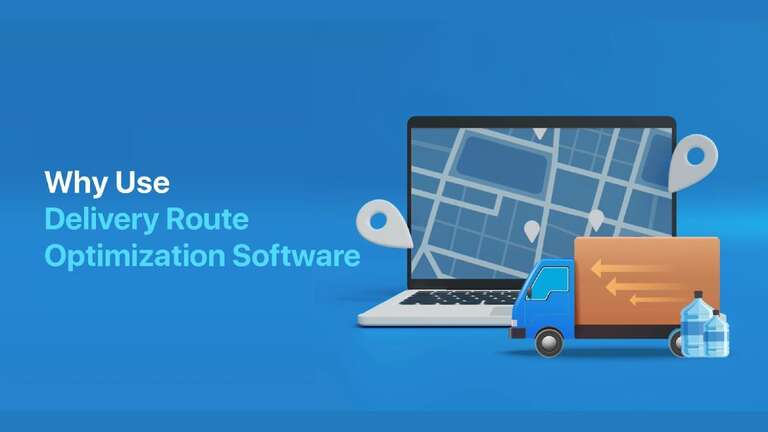
Optimizing Delivery Routes with Delivery Management Software for Maximum Efficiency

Introduction:

Embracing transformational technologies that will reinvent delivery route optimization is essential to imagining the future of logistics and supply chain management. A paradigm change in optimization processes is anticipated with the introduction of future solutions, which are powered by cutting-edge technologies like blockchain, artificial intelligence (AI), machine learning (ML), and the Internet of things (IoT). The future of delivery route optimization software is examined in this essay, which offers a detailed picture of a logistics environment that is not only extremely effective but also sustainable and adaptable to the changing needs of the modern world.

1. The Role of Machine Learning (ML) and Artificial Intelligence (AI):

Adaptive Route Optimization in Real-Time: Artificial intelligence (AI) and machine learning (ML) algorithms that continually evaluate enormous amounts of real-time data will play a major role in futuristic delivery route improvement. These technologies will dynamically adjust to unanticipated disturbances in addition to optimizing routes depending on traffic, weather, and delivery priorities. The algorithms will develop and become more accurate over time as a result of machine learning models’ constant improvement of their predictions.

 Predictive Analytics for Enhanced Planning: Delivery route planning will be able to use predictive analytics thanks to AI and ML. These technologies will be able to predict demand patterns by evaluating past data, giving firms the ability to design optimal routes in advance. The scope of predictive analytics will go beyond traffic conditions to encompass variables like consumer preferences, seasonal fluctuations, and even outside events that might affect delivery timetables.

2. Integration of Internet of Things (IoT):

Infrastructure and Smart Vehicles: An important factor in upcoming route optimization will be the incorporation of IoT devices into infrastructure and delivery trucks. Real-time information about a vehicle’s state, fuel level, and external conditions may be obtained via sensor-equipped vehicles. In order to provide dynamic modifications to traffic flows and real-time route optimization, smart traffic signals and road infrastructure will interact with delivery trucks.

 Data-Driven Decision-Making:  AI and ML algorithms will be able to process data created by the Internet of Things, allowing for data-driven decision-making. When devices are connected to one another, a vast network is formed that takes into account a variety of factors in real time, improving the accuracy of route optimization. An automated and efficient level of delivery logistics will be made possible by this networked environment.

3. Blockchain for Enhanced Transparency and Security:

Immutable Records and Transparency: The delivery route optimization process will experience previously unheard-of transparency with the use of blockchain technology. Every transaction and choice taken throughout the route planning process will be transparently and impenetrably recorded thanks to the immutable ledger of blockchain technology. Accountability along the whole supply chain will be ensured by this transparency, which will foster confidence among stakeholders.

 Enhanced Security and Fraud Prevention: Delivery routes will be more secure thanks to blockchain’s secure and decentralized structure. Delivery processes are made both safe and efficient thanks to the technology’s capacity to establish a chain of custody for every delivery. Furthermore, because blockchain cannot be altered, fraudulent actions will not occur, adding a strong layer of security to the entire logistical process.

4. Autonomous Vehicles and Drone Integration:

Autonomous Vehicles and Advanced Fleet Management: Autonomous vehicle integration is intimately related to the future of delivery route optimization. Autonomous fleets propelled by artificial intelligence (AI) will traverse paths with unparalleled proficiency, adjusting to current circumstances and vehicular trends. By communicating with one another, these cars will be able to coordinate their moves to maximize fleet efficiency.

 Networks of Drone Delivery: With their quick and efficient delivery capabilities, drones will be a familiar sight in logistics in the future. Drone motions will be synchronized by AI algorithms to guarantee a smooth integration with the current delivery routes. In order to reach locations that are difficult for conventional cars to reach, drones will be essential for last-mile deliveries, which will increase the effectiveness of the delivery network as a whole.

5. Augmented Reality (AR) for Route Visualization:

   Augmented Reality for Better Navigation: In the future, delivery route optimization will make use of augmented reality to provide better navigation. Delivery staff will be able to see optimum routes superimposed on the actual world using AR devices. This not only makes navigating easier, but it also lowers mistakes and boosts delivery staff productivity.

   Real-Time Data Visualization: AR interfaces will provide real-time data visualization, revealing information about possible impediments, traffic patterns, and delivery routes. Delivery staff will be able to make well-informed judgments while on the road thanks to this visual augmentation, which will enable them to adjust to changing conditions and optimize their routes instantly.

6. Environmental Sustainability in Route Optimization:

 Green route optimization: Algorithms for route optimization that reduce carbon footprints will target environmental sustainability in the logistics industry going forward. Renewable energy sources for vehicle charging will be taken into account by AI and ML, along with environmentally friendly solutions like hybrid or electric cars. Optimizing green routes will be in line with the increased emphasis on corporate social responsibility while also lessening the impact on the environment.

   Reducing Emissions via Optimization: It will become commonplace to include emission data in route optimization algorithms. By prioritizing routes with lower emissions and analyzing their environmental effect, AI will support international efforts to create a more sustainable and greener future.

7. Customer-Centric Personalization:

Customized Delivery Preferences: In addition to taking into account the quickest and most cost-effective routes, future route optimization will also take into account the unique preferences of each client. In order to customize delivery schedules based on desired time windows, delivery locations, and packaging selections, AI algorithms will evaluate client data. Stronger customer loyalty will result from this customer-centric strategy, which will improve the delivery experience overall.

 Individualized Communication: Throughout the delivery process, individualized communication will be made possible by AI-driven technologies. Clients will have a transparent and customized delivery experience as they will receive real-time updates and alerts based on their choices. In the logistics sector, this degree of customization will usher in a new era of client happiness.

Conclusion:

Sustainability, cutting-edge technology, and a customer-focused mindset come together to form the future of delivery route optimization. Imagining this scene displays a complex logistics ecosystem that seamlessly combines blockchain technology, augmented reality, autonomous cars, drones, machine learning, artificial intelligence, the Internet of Things (IoT), and sustainability of the environment. The integration of blockchain guarantees transparency and trust, while AI and ML redefine efficiency through dynamic route optimization. Delivery staff can make better decisions thanks to augmented reality, and autonomous cars and drones usher in a new era of last-mile delivery. In order to establish a delivery ecosystem that is transparent, customer-focused, and sustainable, TransGenie Delivery Route Optimization Software takes the lead in integrating these technologies. Enterprises adopting 

With its cutting-edge solutions, TransGenie is leading the way into this revolutionary future, where creating unique, environmentally responsible experiences for every consumer is just as important as route optimization.

Delivery Management Software Trends in 2024

Introduction:

Delivery management software is essential for smooth and effective operations in the ever-changing world of supply chain management and e-commerce. The sector is expected to undergo major changes in 2023 as a result of shifting customer expectations and technology breakthroughs. This article examines the new directions in delivery management software and looks ahead to the innovations that will change how companies manage their supply chains and improve the client experience in general.

1. Tracking and Visibility in Real-Time:

The emphasis on real-time visibility and tracking is one of the major themes influencing delivery management software in 2024. Businesses may give consumers accurate information on the location and status of their delivery by integrating Internet of Things (IoT) sensors with cutting-edge GPS technologies. This improves openness and enables proactive problem-solving in the event of delays or unanticipated problems.

For Instance: Amazon Prime

The delivery mechanism offered by Amazon Prime serves as an example of the need for real-time monitoring and tracking. Using the Amazon app, customers can monitor their products in real-time and receive information on their whereabouts, the estimated time of delivery, and any possible delays. This degree of openness not only satisfies contemporary consumer demands but also establishes a standard for the sector. Similar services will probably be included in delivery management software, giving clients peace of mind and information about the progress of their goods.

2. Predictive Analytics with the Goal of Optimizing Routes:

   It is anticipated that delivery management software in the future will use predictive analytics to optimize routes. In order to determine the most effective delivery routes, machine learning algorithms will examine past data, current weather, traffic patterns, and other factors. Optimizing fuel use, not only cuts down on delivery times but also saves money and has a less negative environmental effect.

For Instance: UPS ORION

Predictive analytics is best demonstrated by the UPS On-Road Integrated Optimization and Navigation (ORION) system. ORION helps UPS drivers choose the best routes for deliveries by evaluating information including package weight, destination, and current traffic patterns. Businesses will use similar predictive analytics as delivery management software develops to improve overall operational efficiency, shorten delivery times, and optimize routes.

3. Drones and Autonomous Vehicles:

   Last-mile delivery is about to change with the introduction of drones and driverless cars. The year 2024 will probably see the incorporation of autonomous delivery system integration elements into delivery management software. Using drone technology to ensure the safe and effective delivery of items, particularly in metropolitan areas, is one aspect of this. Other tasks include controlling fleets of autonomous vehicles and route planning.

For Instance: FedEx SameDay Bot

About autonomous delivery, FedEx’s SameDay Bot is a progressive strategy. Delivering little parcels to clients, the bot is made to maneuver across streets and sidewalks. Deliveries managed by delivery management systems will be able to coordinate and optimize the movements of these cutting-edge delivery systems as the use of drones and autonomous vehicles grows.

4. Contactless Delivery and Authentication:

The need for contactless delivery has grown as people continue to adjust to the post-pandemic reality. With capabilities like facial recognition and biometric verification, future delivery management software will concentrate on improving contactless delivery alternatives. By removing the requirement for in-person contact, these innovations expedite the delivery process while simultaneously prioritizing the safety of the consumer.

 For Instance: DoorDash Contactless Delivery

Through the introduction of contactless delivery alternatives during the pandemic, DoorDash, among other firms, has demonstrated an increase in contactless delivery. Clients have the option to leave their orders at the door, and delivery staff may use the app to verify the delivery. Delivery management software is expected to follow suit, adding even more sophisticated contactless features like facial recognition and biometric verification for safe and convenient deliveries.

5. Blockchain for Supply Chain Transparency:

Applications of blockchain technology, including delivery management software, are becoming more and more common in supply chain management. We should anticipate more blockchain integration for improved supply chain transparency in 2023. Ensuring that each stage of the delivery process is documented in an unchangeable and secure ledger, lowers the possibility of fraud and offers a reliable method for all parties involved.

For Instance: IBM Food Trust

Blockchain technology is being used by IBM Food Trust to improve food supply chain transparency. Customers and other stakeholders may follow the path taken by food items from farm to table with the help of this practical application. Similarly, delivery management software may use blockchain technology to provide an unchangeable, transparent ledger that lowers risk and offers a thorough picture of the supply chain process, and reduces the risk of fraud.

6. Customer-Centric Personalization:

   Personalized experiences are what delivery management software will be able to provide in the future. Companies will use client information and preferences to customize delivery alternatives, including preferred delivery locations, time slots, and packaging options. This not only raises consumer happiness but also cultivates brand loyalty in a market that is becoming more and more competitive.

For Instance: Personalized Recommendations for Uber Eats

Uber Eats uses machine learning algorithms to provide customized meal suggestions according to past orders and customer preferences. This degree of tailored, customer-focused experience improves the user interface. With the use of delivery management software, companies will be able to better serve their customers by customizing delivery options such as preferred delivery locations, time slots, and packaging options. This will increase customer loyalty.

Conclusion:

In conclusion, the TransGenie Delivery Management Software shows up as the ideal answer as companies prepare for the prospects and difficulties of 2024. TransGenie puts itself at the forefront of innovation in the delivery management industry with a comprehensive strategy that includes real-time visibility, predictive analytics, integration with autonomous systems, advanced contactless options, blockchain transparency, and customer-centric personalization.

By using TransGenie, businesses may meet and even surpass the expectations of today’s consumers by streamlining their processes and improving the entire customer experience. Businesses can stay flexible in a fast-changing environment because of the software’s capacity to react to new trends. 

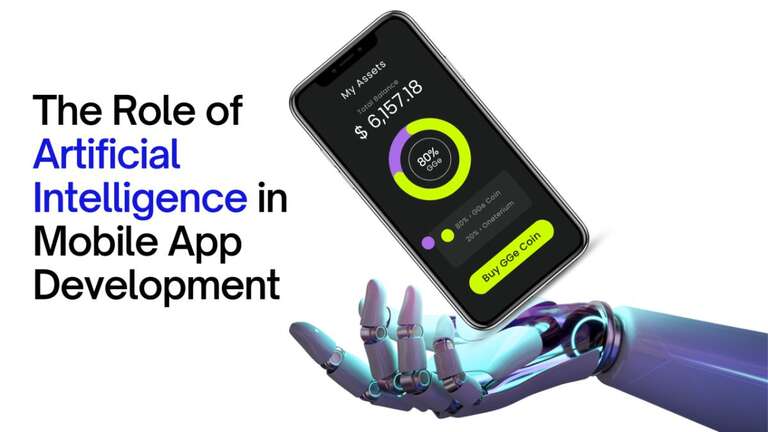
Role of AI in Mobile App Development

The need for complex mobile apps that provide improved user experiences and functionality has increased as a result of the widespread usage of mobile devices and the quick expansion of app stores. Because of this, mobile app developers are always coming up with new and creative methods to use technology breakthroughs to enhance the design and mobile app development company.

Artificial Intelligence (AI), one of the most significant technical developments of the past few years, is starting to revolutionize the creation of mobile applications. Healthcare, banking, retail, and transportation are just a few of the industries that have been significantly impacted by artificial intelligence (AI), a field of computing that focuses on teaching machines to mimic human intellect.

Artificial intelligence (AI) technology and machine learning algorithms hold great promise for mobile app development as they may streamline development procedures, comprehend user preferences, enhance app intelligence, and provide tailored experiences. This article examines several cutting-edge AI-driven trends in mobile app design and development as well as how AI is changing the mobile app development landscape.

AI is Transforming Mobile App Development

AI technologies are starting to find their way into mobile app development, completely changing the way developers create, test, and maintain their apps. The following are a few ways AI is changing the creation of mobile apps:

Enhancing and personalizing user experience: AI is able to provide tailored app experiences by examining usage trends, user behavior, and preferences. Mobile apps with AI offer personalized experiences that boost user happiness and engagement by comprehending user demands and dynamically modifying information.

Process automation and increased productivity: A variety of development and testing procedures may be streamlined with the help of AI-powered automation. Developers may concentrate on more important parts of creating apps by automating repetitive operations, which boosts output, cuts down on development time, and saves money.

Enhanced Security: By analyzing user activity patterns and spotting possible threats, AI-based security systems may improve application security overall and safeguard critical data.

Improved analytics and insights: AI-based analytics has the capacity to analyze vast volumes of data and derive actionable insights, which aid developers in enhancing the functionality and performance of their apps. Developers may make well-informed choices regarding new features and app upgrades by knowing user patterns.

Conversational interfaces: Chatbots and virtual assistants powered by AI provide more natural user interaction with mobile applications. These conversational interfaces enhance the application’s overall usefulness by enabling users to get help and information in a way that is human-like.

Optimizing device resources: Artificial intelligence (AI) has the ability to efficiently control device resources, such as memory and battery life, which enhances the functionality and energy economy of mobile apps.

Innovative Trends in Mobile App Development and Design Powered by AI

Several creative patterns have surfaced as mobile app developers keep delving into the potential of artificial intelligence. Certain themes are already present in well-known mobile apps, while others will influence how mobile app development develops in the future. Here are a few noteworthy developments in mobile app development services and design inspired by AI:

Voice-based user interfaces: AI-based speech recognition and natural language processing algorithms are driving the popularity of voice-enabled apps, which are growing quickly. Voice commands facilitate application interaction and information access for users utilizing these interfaces.

AI Chatbots: Using AI to enable smooth user engagement, chatbots are becoming a common feature of mobile applications. AI-driven chatbots ensure a smooth user experience by comprehending natural language inquiries, learning from user interactions, and responding with replies that are contextually relevant.

Emotion identification: By analyzing facial expressions, voice patterns, and text inputs, AI-based emotion identification algorithms are able to assess and comprehend human sentiment. This feature can assist developers in making apps that react to user emotions and increase user involvement.

Text entry is made faster and more precise thanks to AI-based predictive text entry systems, which are developing quickly. By predicting the next word or phrase, analyzing the user’s input patterns, and adjusting to the user’s writing style, these systems significantly increase writing efficiency.

Computer Vision: New use cases like picture search, visual shopping, and object tracking are made possible by AI-based computer vision algorithms, which provide mobile apps the ability to detect and analyze visual data.

Integration of AR and VR: Artificial Intelligence is a key component in augmenting AR and VR experiences in mobile applications. AI algorithms may generate customized AR and VR environments, leading to immersive and engaging experiences, by comprehending human behavior and preferences.

In addition to making mobile apps more user-friendly and engaging, these cutting-edge AI-driven trends in app development and design also open up new possibilities for how consumers interact with their devices and consume digital information.

Opportunities and Challenges in Using AI to Design Mobile Applications

For both developers and end users, the use of artificial intelligence in mobile application development presents intriguing prospects as well as some difficulties. Teams creating mobile apps are able to provide consumers with increasingly complex and captivating experiences thanks to the increasing usage of AI technology. To make these changes into fruitful endeavors, it is necessary to recognize and solve the obstacles.

Opportunities

Better user experience: By comprehending users’ preferences and requirements, AI-powered mobile apps may streamline user interactions, provide accurate and context-sensitive material, and provide tailored suggestions. An improved level of personalization and flexibility may result in a more interesting and fulfilling user experience.

Enhancing app functionality: Mobile apps may provide greater functionality by using AI technologies like speech recognition, computer vision, machine learning, and natural language processing. Applications have the potential to be more user-friendly, comprehend intricate input forms, and provide users with more contextual relevance.

Data-driven decision-making: AI mobile applications have the ability to gather, examine, and apply user data to enhance decision-making processes. These processes range from enhancing app features and user interface design to optimizing marketing campaigns and revenue-generating schemes.

Increased efficiency in development: AI-based solutions can automate a lot of the work involved in developing mobile apps, including designing user interfaces and locating and resolving faults. This reduces human labor and expedites development schedules. Evolving.

Competitive advantage: By providing cutting-edge features that set their applications apart from the competition and cater to a wider variety of user demands, companies may gain a competitive edge by implementing AI technology in the creation of mobile apps.

Challenges

Ethical concerns: Data security, user privacy, and transparency are among the ethical difficulties that the integration of AI technology brings up. Addressing these issues and guaranteeing the responsible development of AI-based mobile applications need the creation and implementation of clear regulations and guidelines on the use of AI.

difficulties with data privacy: AI-based applications frequently call for the gathering and processing of substantial volumes of user data, which might give rise to serious privacy difficulties. Developers have to strike a compromise between safeguarding user privacy and using data to enhance the app experience.

Talent and abilities needed: A team of AI specialists who comprehend and are capable of creating the required machine learning models, algorithms, and data analysis tools is needed to integrate AI technology into mobile apps. It can be difficult for many companies, particularly small and medium-sized enterprises with limited resources, to find and keep this expertise.

Complex Integration: Resolving intricate algorithmic and data infrastructure problems is frequently necessary for the successful integration of AI solutions into mobile apps. For small teams or teams with low resources, this might be difficult because it takes a lot of time and effort.

Looking Ahead: The Next Wave of AI Innovations in Mobile Apps

We should expect even more revolutionary advancements in the field of mobile app development as AI technologies continue to grow and develop. The following are some patterns and potential advancements in the upcoming years:

Context-aware computing: As artificial intelligence (AI) advances, mobile application development services will be able to provide more personalized and responsive user experiences by better understanding the user’s context, including their actions and physical location. This might be as simple as seamless connection with IoT devices and smart home systems, or as complex as proactive recommendations based on user behavior patterns.

Advanced Personalization: To provide more in-depth personalization, such as hyper-targeted content and recommendations, mobile applications will make use of more complex AI algorithms. As a result, each user will get a customized experience that meets their own requirements and interests.

Automatic app updates: AI-powered technologies can make it possible for mobile apps to be updated and improved automatically in response to user input and use trends. This means that users won’t have to manually update the apps to ensure continual improvement. developers.

Increased integration with augmented and virtual reality: Mobile apps driven by AI are probably going to have a closer relationship with AR and VR, providing consumers with more engaging and immersive experiences that combine the virtual and real worlds.

Improvements in security and privacy will be made possible by AI developments, which will allow for a stronger defense against security threats and privacy violations. AI will also enable dynamic adaptation to protect against new threats and secure user data.

Using these cutting-edge techniques may help companies create unique and engaging user experiences as the usage of artificial intelligence in mobile app development keeps expanding. Businesses may take advantage of AI-powered mobile app development companies and create future-proof mobile apps with cutting-edge functionality, flexibility, and usability by utilizing no-code platforms.

13 Best UX Software to Improve Business User Experience

UX and UI design tools have evolved to a high level and have allowed us to improve the design and development of digital product stages from the beginning to the end. Additionally, the accessibility and ease of use of these tools have never been higher and have truly made product development much easier for professionals. 

From the first day you start working for a company or even when you start your own company, it is important to get your product development process right. Additionally, using the right management tools and templates should be a priority for you. 

Let’s not wait any longer because, in this article, we will show you the best UI UX Design services software that you can use to improve your user experience

Maze

UX UI 2024

Maze is a robust user experience testing software that gives designers the power to run great tests with prototypes or even without them. 

Above all, let’s not forget how important a user research tool is for generating leads for your site. According to a study, if you fail to optimize your UX design, your conversion rates will ultimately fail. 

The number of testing options available is valuable to designers working at each stage of product development. User perceptions can be collected from usability testing with open questions, allowing designers and real users to establish a better relationship with each other. 

Additionally, you can collect quantitative metrics including success rates, A/B testing, and more to help you take action. Overall, Maze offers a wide set of options including third-party prototypes like Adobe XD, Sketch, and more. Of course, it’s never a good idea to just assume what will happen; Conducting a set of research surveys is an effective way to gather product feedback to ensure that the product is what users expect it to be. 

Pricing with Maze is free for individual projects, but if you choose to subscribe to their paid plan.

Adobe XD 

UX UI Adobe

For those who don’t know, Adobe XD is a premium UI UX Design services tool. It has had a significant update in recent years and is a great tool for sharing documents and collaborating. In addition, it is a powerful prototyping tool that generates micro-interactions and said elements. 

However, a big disadvantage of Adobe XD is that it does not allow you and your team to work on a document simultaneously. Both are compatible with Windows and macOS. 

Qualaroo 

UX UI Qualaroo

Before you start doing anything, research is what makes everything perfect, and feedback software like Qualaroo is the only thing that can help you with that. Qualaroo supports user-centric UX and UI research, allowing you to create surveys and share them via emails and links to understand what type of UI and UX elements your product requires. 

Additionally, the tool is specially designed to create surveys that you can use to test your prototype, making internal collaboration much easier. Additionally, these teams can provide feedback much more easily so that the final product is perfect. 

To fit in 

UX UI Davetall

Dovetail is cloud research software for research analysis, data warehouse, note-taking, and more. The software is best known for its collaborative editor of rich text, images, information, files, and sentiment analysis. 

Once you’ve collected your interview data, Dovetail allows you to store your images, research notes, audio recordings, transcripts, and more. Plus, pricing starts at $15 per month with a one-week free trial available.

Sketch

UX UI Sketch

Sketch was once a visual design tool for web products, but it is now considered the best option for element-based design. Sketch is one of the main reasons Adobe created XD. 

Plus, it’s a great option for UX/UI Designers who are beginners, and we can see why considering it’s an easy-to-use interface. Its ability to create some solid interfaces makes it such a powerful contender for product design. 

Since the beginning, Sketch has added more functionality, real-time collaboration and prototyping tools, and third-party plugin integrations, but it’s only available for use on macOS. 

Figma  

UX Ui Figma

Figma is a collaborative tool that allows you to co-edit in real-time with your team. The tool also has an easy-to-use interface, animations, and code for creating high-level prototypes.

Additionally, the tool is available on macOS, Windows, and browsers. Pricing starts at $12 per month per publisher.

InVision 

UX UI Invision

InVision is a mix of three UX/UI tools. InVision allows users to quickly prototype screen layouts and makes all sketches, prototypes, and designs accessible in one area. Additionally, it is recommended for UX designers, whether advanced or not. However, like Sketch, InVision is only available on macOS. 

Balsamiq 

UX Ui Balsamiq

Balsamiq is a top choice wireframing tool and it’s easy to see why that is. Balsamiq has a hand-drawn style method of displaying elements and what’s great about this is how it takes the complexity out of layout and placement of elements. 

Balsamiq is also known as one of the easiest-to-use design tools and is a great alternative for UI designers who have little or no technological knowledge. The overall easy-to-use interface and tool and affordable price make the design tool a favorite for UX designers. Plus, it’s compatible with Windows and macOS and can even be used in a browser. 

applause

UX UI Applause

Applause is a platform used to obtain usability testing participants. It is a premium platform but is mainly used for usability testing. However, when conducting your usability testing, you are provided with a UX expert to assist you with your usability testing. It is available on the web and pricing plans are only available upon request. 

Proto.io 

UX UI porto

One of the few UX design tools that gives you the ability to create high-fidelity prototypes with a high level of ease and has long been known as a competent software. Plus, it’s beginner-friendly and has a slight learning curve, which is great for animation and prototyping. It is available in browsers and has a free trial version. 

Pricing with Proto.io starts at $24 per month. Additionally, some key features available with proto.io are: 

Drag and drop interface 

Built-in UI library that allows you to prototype efficiently in real time 

Full animation features up to 60 frames per second

It offers a high level of flexibility and is easy to design for smartphones, TVs, watches, and more.

Export your screenshots as HTML, PDF, and more

Offers a webview component 

Marvel 

UX UI Marvel

A complete design tool that is used by experts and beginners alike. The software is easy to use and is a great option for prototyping and designing great user interfaces. Additionally, Marvel has enough tools for every stage of product design development, and its main focus is prototyping. 

In this case, users can add screen elements, import layouts, implement a set of gestures, and much more to create a working prototype. As a result, Marvel is the best choice for new designers who quickly need a tool. 

Marvel is compatible with iOS, Android, and browsers. 

Artisanal

Craft is created by InVision and serves as a plugin that allows you to streamline your design workflow with Adobe Photoshop and Sketch. It is a free UI/UX design tool and completely revolutionizes the design process by automating actions and updating your work simultaneously. 

Additionally, Craft promotes collaboration by updating some changes and informing everyone who collaborates. Their design tool is free, so you don’t need to have a free trial to see if it works for you or not. 

UX UI Artisanal

UX tuning

Tweak is an all-in-one UX research software packed with powerful research tools to improve the usability of your digital products, from prototypes to production. It has all the capabilities you need to meet your UX research needs. UX tweak offers a wide range of testing features such as prototype testing, preference testing, website usability testing, and many more. Plus, it’s super simple to use, even if you’re a total beginner who would like to elevate your site.

In summary

That’s all for this article. These are the 13 best user experience software you should consider using to improve your business user experience. We recommend that you carefully read each of the UX software we recommend, compare their prices, and see which one offers the best user experience. 

Each UX software you use will depend on the type of business requirements you have and how they fit into your business. Above all, it is vital to choose one that provides the best user experience. 

Additionally, some UX programs may charge you more money but do not offer the same quality. Quality is more important than price, so pay more attention to the quality that software gives you than to the price.