Unleash Your Creativity With AI Tools for UX Design

Artificial Intelligence, commonly referred to as AI, may seem like a complex term at first glance. However, in the UI UX design services space, AI can be a powerful “assistant” helping in creative processes. In this article, we take a deeper dive into its fundamental concepts and demonstrate AI’s role in optimizing UX design processes and how using AI-powered tools can bring about greater efficiency and creativity in design works.

AI and its Implications on Modern UX

AI is not another buzzword or a mere trend; it represents a transformative shift not just in the UX design space but in vastly all aspects of life. Here, we examine its transformative role in shaping modern UX. From automating routine tasks to producing innovative designs, AI is changing what designers can accomplish. In this subsection, we look closely at real-world examples of AI tools that are revolutionizing this field of design.

Let’s embark on this adventure together to uncover the immense potential of AI tools in UX design, demystifying their concepts and exploring their practical applications.

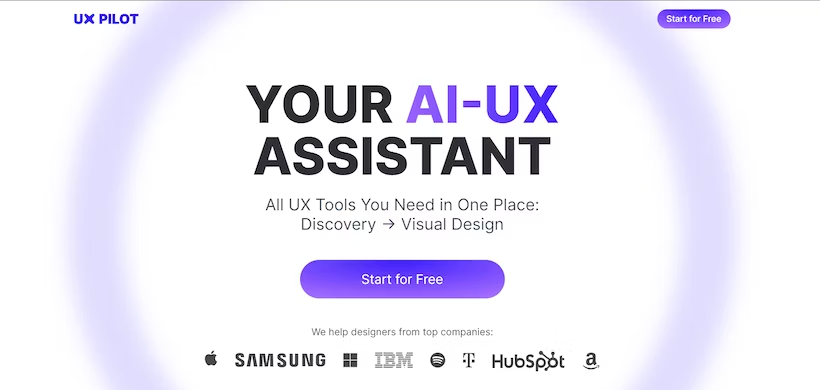
UXPilot by Adam Fard Studio: For Designers by Designers

UXPilot stands as a testament to the ingenuity of AI-driven tools in the realm of UX design. Developed by Adam Fard Studio, this tool is a true ally for designers, crafted with a deep understanding of their needs and challenges. Here are five key features:

AI-UX Design Review: UXPilot leverages AI to conduct in-depth design reviews. It identifies areas for improvement, suggests design enhancements, and ensures that your user interfaces are intuitive and user-friendly.

ChatGPT Integration in Figma: With seamless integration into Figma, UI UX design services Pilot brings the power of ChatGPT right into your design environment. This allows for real-time collaboration, instant insights, and the ability to brainstorm and refine ideas within your design tool.

Custom Workshops: UX Pilot provides the flexibility to create custom workshops tailored to your specific design challenges. These workshops facilitate team collaboration, idea generation, and problem-solving, all guided by AI-powered insights.

Requirements Gathering: The tool assists in gathering project requirements by analyzing user needs and project objectives. It ensures that your design aligns perfectly with the goals of your product or service.

From Requirements to Style Guide: UXPilot covers the entire design journey, from gathering requirements to creating a comprehensive style guide. It streamlines the process, helping designers maintain consistency in design elements.

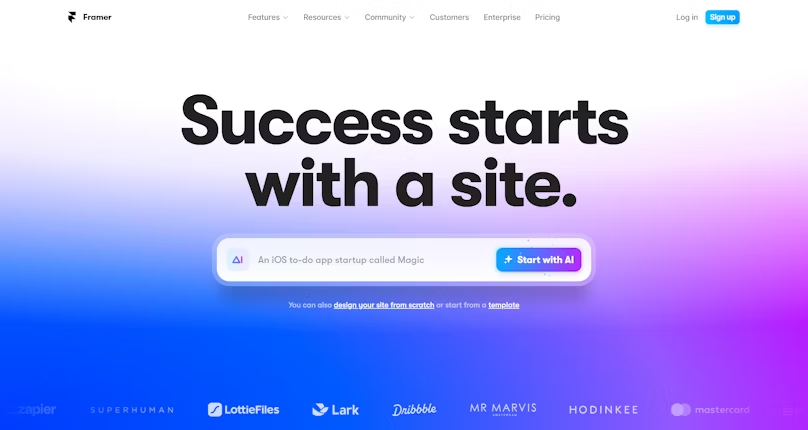
Framer: A Revolution in Website Development

Framer is a fantastic tool that’s been creating waves in the world of web development. Framer isn’t just another tool for design, it’s a revolution. Framer makes use of AI to expand the boundaries of what’s possible in web design.

Custom-designed interactive designs: Framer allows you to design fully custom dynamic web design. There are no limitations on templates or pre-built elements, allowing you the ability to create websites that reflect your ideas precisely.

AI-powered Design Suggestions for Designers: Framer’s algorithms for AI aid you in creating design suggestions. The suggestions taken from these algorithms are built on the user’s behavior and trends, which ensures that your designs aren’t just visually appealing, but also optimized for engagement with users.

Prototype testing: The tool provides an environment that is robust to test prototypes. It is easy to test the usability and functionality of your designs. You can also identify areas of improvement and quickly iterate.

Collaboration Features: Framer facilitates collaboration among design teams. Multiple team members can collaborate on the same project at the same time while sharing feedback and participating in your design in real-time.

Code Export: Framer eases transitions from designing to developing by permitting you to export your production-ready code. This simplifies the transfer process to developers, making sure that your designs are accurately converted into web-based applications.

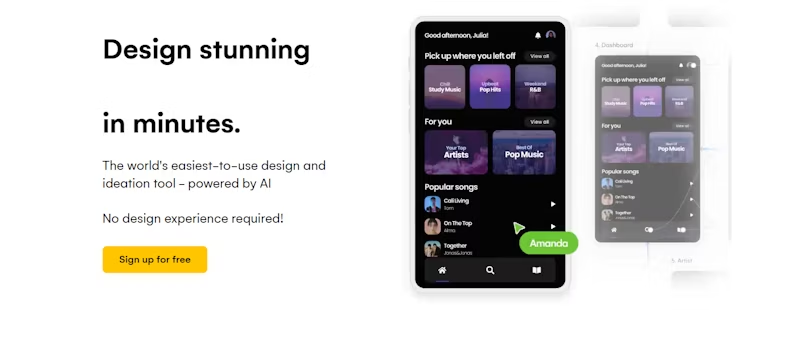
Wizard: Design Automation and Ideation

Wizard is an AI-powered, cutting-edge tool that is focused on ideation and design automation. It provides a range of remarkable tools to simplify the design process and boost creativity:

Instant Design Prototyping: The Uizard lets designers convert sketches and wireframes into interactive prototypes in a matter of minutes. This feature speeds up the prototyping stage, thereby reducing precious time during design.

Real-Time Collaboration: With Uizard Multiple team members can work on designs in real time. This improves communications and helps ensure that everybody is on the same level.

Design-to-Code Converter: Uizard is able to create code from design files. This is a bridge between development and design which makes it simpler to convert designs into functional websites and apps.

AI-Powered Idea: Uizard employs AI to provide layouts and design elements in response to the project’s requirements. It gives creative insight to designers, generating new ideas and improving the design quality.

Users Testing Integration: This tool effortlessly integrates with platforms for user testing which allows designers to collect valuable feedback from users and make data-driven design decisions.


ChatGPT: Generative Content Creation Powerhouse

ChatGPT is an AI-powered program that is known for its unique generative content creation capabilities. It comes with a range of tools that allow users to produce high-quality content with ease:

Human-quality text generation: ChatGPT is a pro at creating text that is similar to human writing. It’s an invaluable tool for bloggers, content creators, and other marketers seeking to create interesting as well as informative material.

Seamless Language Translation: Language barriers are not a problem for ChatGPT. It can translate text into different languages easily and is a useful instrument for the production of global content.

Profound Insights: ChatGPT gives users extensive insights into a broad variety of subjects. If you’re looking to study the subject or gain a better understanding of your target audience, ChatGPT can deliver valuable data.

Multi-purpose Content Creation: This tool can be proficient in creating various kinds of content such as blog post articles, articles as well as social media content, and many more. Its flexibility makes it an essential tool for creators of content.

Continuous Learning: ChatGPT constantly learns and grows from user interaction. This means it changes and improves as time passes, delivering users with ever-sophisticated content.

Jasper: Brand-Focused Content Optimization

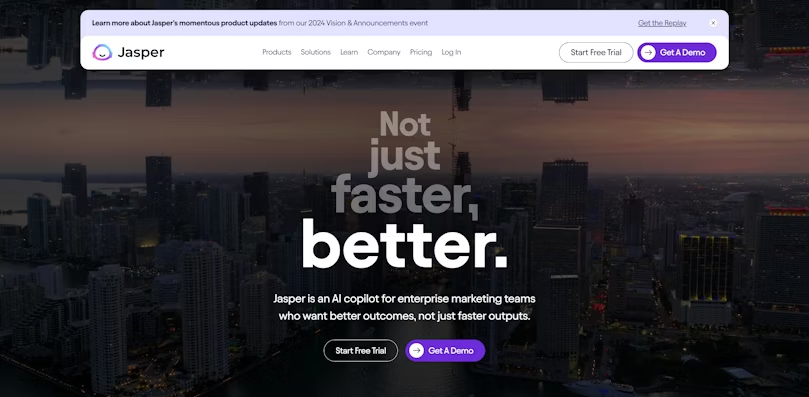
Jasper is a remarkable AI-powered tool designed to optimize content with a focus on branding. It offers a suite of features that cater to businesses looking to enhance their content creation process:

Brand-Centric Content Generation: Jasper excels in creating content that aligns perfectly with your brand’s voice and style. It ensures consistency and reinforces brand identity in every piece of content produced.

Adaptable Writing Styles: Whether you need blog posts, articles, or social media content, Jasper can adapt to various writing styles and genres. This versatility ensures that your content is tailored to your specific needs.

Personalized Writing Preferences: Jasper adapts to your writing preferences over time. It understands your unique style and provides suggestions that resonate with your brand’s character.

Enhanced Writing Abilities: Jasper doesn’t just generate content; it actively collaborates with users to improve their writing skills. It offers feedback and suggestions to elevate the quality of your content.

Effortless Creativity: With Jasper, the creative content production process becomes seamless. It empowers businesses to produce engaging and brand-focused content efficiently.

Fronty: Image to HTML Magic

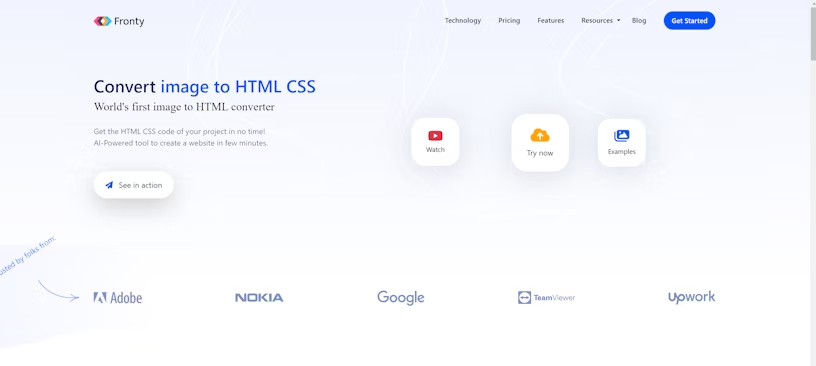
Fronty is an AI-powered program that specializes in converting pictures to HTML code, which makes web development easier and more effective. Here are some of the key advantages of Fronty:

Image-to-HTML Conversion: Fronty makes it easier to complete the process of converting photos to HTML as well as CSS code. Developers and designers can save time and energy by automatizing this process.

Responsive Design: Fronty makes sure that the code generated is flexible, adjusting to various screens and sizes. This helps to create websites that offer a seamless user experience across different platforms.

Clean Code output: It generates clear and well-organized code, which is vital for keeping websites up-to-date and maintained. The resultant websites are functional and user-friendly.

User-Friendly Interface: Fronty provides an intuitive web interface, making the conversion process available to developers and designers with all levels of skill.

integration capabilities: Fronty can integrate the most popular software and tools for design which makes it an adaptable tool to be used in any workflow in web development.

Khroma: Palette Perfection

Khroma is an AI-powered tool that specializes in helping designers develop the perfect colors for their projects. Five key characteristics of Khroma:

Personalized Algorithm: Khroma uses a personalized algorithm based on your color preferences. You can train it to generate colors you like and block ones you don’t right in your browser.

Infinite Combos: The tool has learned from thousands of popular palettes on the internet to create great color combinations. These combos can be viewed as typography, gradients, palettes, or custom images.

Search and Filter: Khroma allows you to search and filter the color generator by hue, tint, value, color, as well as hex and RGB values, making it easy to find the perfect colors.

Save to Your Collection: You can create an unlimited library of your favorite color combinations and save them for future reference. Khroma provides color names, hex codes, RGB values, CSS codes, and WCAG accessibility ratings for each pair.

Efficiency in Workflow: Khroma simplifies the process of selecting colors which saves designers time while aiding them in maintaining the consistency of their designs.

Visualeyes: Testing and Prototyping Marvels

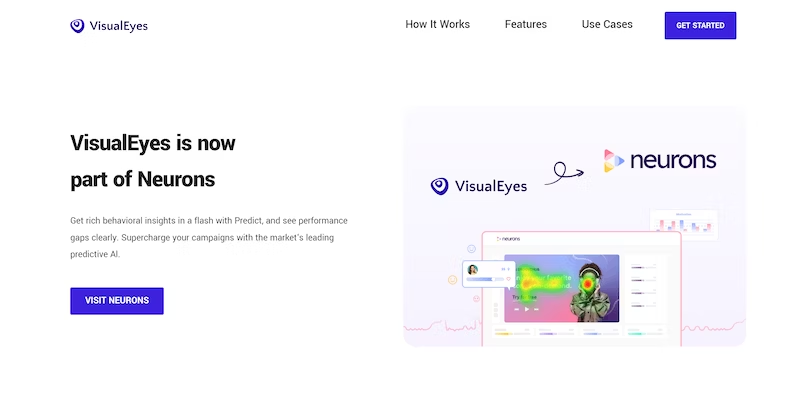
Visualeyes is an AI-powered tool that allows testing and prototyping by users in this UI UX design services process. Five key functions of Visualeyes:

Automation of User Tests: Visualeyes will perform user testing automatically analyze the way the users use your design and provide valuable insight.

click tracking and heatmaps: This tool creates heatmaps and click tracking data to assist designers in understanding the user’s behavior and making better design choices.

Interactive Prototyping: Visualeyes enables designers to build interactive prototypes in a short time and improve the experience of testing for users.

Behavior Analysis: It gives users insight into how they navigate through the prototypes, identifying weak areas and areas of improvement.

Customer Feedback Integration: Visualeyes is a tool to collect feedback from users and feedback, further improving the process of iterative design.

Adobe Sensei: Elevating Adobe Tools with AI

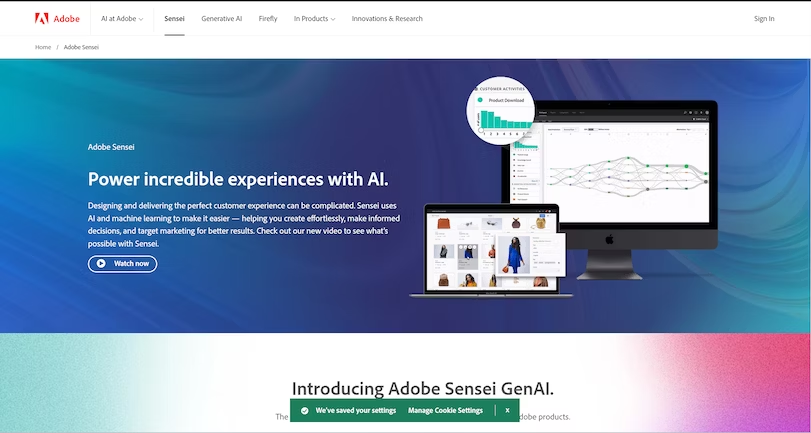
Adobe Sensei is the AI-powered platform of Adobe which integrates with a variety of Adobe toolkits for design. Five key functions in Adobe Sensei:

Image Recognition: Adobe Sensei can instantly recognize and label objects in images and make the management of assets more efficient.

Content-Aware Fill: This feature intelligently fills in gaps or eliminates undesirable items from photos, thereby saving time during the editing process.

The ability to match fonts: Adobe Sensei can suggest font matchups to text within images, which ensures consistency in designs and branding.

Automatic Tagging and Organization: The platform will automatically tag and categorize assets making it easier for users to find and utilize the assets in design projects.

Enhanced Search: The user can search for advanced terms in the design file, which includes looking for specific elements within images.

What is C# used for? A Complete Guide for decision-makers

If you’re thinking about which programming language to use, you’ve probably come across C#. But what is C# used for and why should you care? 

C# developed by Microsoft is a general-purpose programming language. It is an object-oriented programming language that is part of the .NET framework. This makes it very relevant for organizations that need a reliable, scalable, and secure language for a wide range of software development services.

What is C#?

Keys to use

Let’s dive right into the key applications of C#.

Web applications development

  • First on the list is web application development. C# is the core language of ASP.NET, a framework designed specifically for creating dynamic and robust web applications.
  • We’re not talking about basic websites. ASP.NET allows you to create complex, data-driven web applications that can scale to meet the demands of large user bases.
  • Whether you’re building an e-commerce platform, a social media site, or an internal business application, C# provides you with the necessary tools and libraries.

Game development

  • Later, C# has carved out an important role in the world of game development.
  • This is largely due to its seamless integration with Unity, one of the industry’s leading game development engines. Unity’s capabilities are not limited to any specific type of game, meaning you can use C# to develop anything from a mobile puzzle game to a high-definition console game.
  • The language’s object-oriented programming features make it easy to manage complex game architectures, providing both flexibility and control.

Desktop and mobile applications

  • But the usefulness of C# does not end there. The language is also a solid choice for creating both desktop and mobile applications.
  • For desktop applications, Windows Presentation Foundation (WPF) offers a rich set of features to create visually appealing and interactive user interfaces. On mobile, Xamarin lets you use C# to create apps that run smoothly on Android, iOS, and Windows.
  • This cross-platform capability means you can target multiple operating systems without having to learn a new language for each one.

Cloud computing and IoT solutions

  • Finally, let’s not overlook the growing presence of C# in cloud computing and the Internet of Things (IoT).
  • The compatibility of this language with the .NET platform makes it ideal for developing cloud-based applications and services.
  • Whether you want to build a scalable web service or manage IoT devices, C# offers libraries and frameworks that simplify these complex tasks.

Benefits: Why choose C#?

Understanding the benefits of C# can provide valuable information to decision-makers. Here’s a more detailed, yet concise, look at why C# might be the right choice for your projects.

Static typing: Early error detection

One of the most notable features of C# is static typing. This feature allows you to detect errors during the development phase instead of after the application is live. It’s a proactive approach that saves time and resources, making your development process more efficient.

Class libraries: Streamline your development

C# includes a large number of class libraries. These are essentially building blocks of pre-written code that your developers can use. This speeds up the development process and allows you to bring your app to market faster.

Integration with Microsoft Visual Studio: 

All-in-one development environment. C# integrates seamlessly with Microsoft Visual Studio, an industry-leading IDE for software development. This integration provides a unified environment for your development needs, making the process more agile and efficient.

Community Support: A wealth of resources

C# has enormous community support, which is a significant advantage. If your team runs into a problem, there is a good chance that solutions or workarounds are readily available. This community-driven support can be very valuable in resolving issues in a timely manner.

Current Status: What’s new in C#?

Microsoft updates C# frequently to introduce new features and functionality. This constant evolution keeps C# at the forefront of the most popular programming languages. Below are some key points that highlight the continued advances in C#:

Features and functionalities

  • Pattern Matching – This feature allows for more expressive and concise code, making it easier to work with complex data types.
  • Records – Introduced to simplify the creation of immutable types, records are a game-changer for custom software development companies that prioritize immutability in their applications.
  • Nullable Reference Types – This feature helps developers avoid null reference exceptions, a common mistake in C# programming.
  • Asynchronous streams – This makes it easier to work with real-time data and improves the performance of applications that rely on data streams.

Integration with the .NET platform

C# is tightly integrated with the .NET platform, which is updated regularly. The latest versions of .NET offer improved performance, new libraries, and better cloud integration. This makes C# a solid choice for any organization looking to invest in a robust, scalable, and well-supported programming language.

Community Contributions

One of the strengths of C# lies in its enormous support from the community. The community often contributes to the development of the language, offering libraries and frameworks that enrich the C# ecosystem.

Industry adoption

C# is not only popular but also widely adopted in various industries. From web application development to game development and from cloud computing to IoT solutions, C# is a versatile and reliable choice.

Risks and challenges: What to consider

When adopting any programming language, it is important to weigh the pros and cons. C# is a popular programming language with a lot to offer, but it also has its own set of challenges that decision-makers need to consider.

Learning curve

One of the first things to keep in mind is the learning curve. Although C# is an object-oriented language that many find intuitive, it can be more challenging for beginners compared to other languages such as Visual Basic. This could mean a longer onboarding process for new developers, which could slow down the initial stages of development.

Performance optimization

Another concern is performance. C# is a powerful language, but if not optimized correctly, it can result in slower application speeds. This is particularly important for real-time applications, where milliseconds matter.

Compatibility and integration

C# is very versatile and integrates well with various databases and front-end technologies, making it a good choice if you already use Microsoft technologies or the .NET platform. However, if your technology stack is built on other platforms, integrating C# could require more time and resources.

Cost

Although C# itself is free to use, the software development services environment, particularly Microsoft Visual Studio, may require paid licenses. Additionally, since C# is one of the most popular programming languages, the demand for skilled developers can increase labor costs.

Community support

Although C# has enormous community support, it’s worth noting that some niche applications may not have as many resources or solutions readily available as more commonly used technologies. This might mean relying more on internal problem-solving.

Despite these challenges, it is important to note that C# remains a solid choice for a wide variety of software development projects. Its versatility, robustness, and the support of a large community and Microsoft make it a language that can offer more advantages than disadvantages, especially for projects that require scalability, security, and performance.

Sufficiency: Is C# suitable for your project?

The suitability of C# depends on the specific needs of your project. For example, if you are dealing with web services or cloud-based solutions, C# is often the preferred choice. It’s essential to evaluate your project requirements and see how they align with C# capabilities.

Collaboration opportunities with external developers

C# occupies a position as one of the most popular programming languages, creating a favorable landscape for organizations considering external development resources.

C#’s extensive pool of third-party developers offers a wealth of contract and project work options, 

presenting a valuable opportunity for organizations to leverage specialized expertise as needed.

Positive aspects to take into account:

  • Cost Flexibility : 

The deep talent pool for C# allows organizations to find developers to fit various budget constraints. Whether you’re looking for emerging talent or seasoned experts, there’s likely a cost-effective option for your needs.

  • Diverse Skill Sets : 

Since C# is used in a variety of fields, from web application development to game development, you have the opportunity to find developers with the exact skill set that matches your project requirements.

  • Immediate availability : 

The popularity of C# means that there are a large number of developers available for hire. This can streamline the hiring process, allowing you to get started on your project sooner.

  • Ease of project alignment :

Given the structured and well-documented nature of C#, bringing in third-party developers can be a simple process. This helps quickly align them with your project goals.

  • Cultural synergy : 

The large community around C# often shares best practices and values continuous learning, making it easy to find third-party developers who fit well with your organization’s culture and communication style.

Security and Compliance

C# offers robust security features, but like any language, the security of your application ultimately depends on best practices during the development process. Therefore, it is important to consider how C# aligns with your organization’s compliance requirements.

Long term aspects

C# offers several advantages for long-term maintenance, primarily due to its object-oriented programming structure. This allows for modular code, which simplifies updates and changes. Additionally, C# benefits from tremendous community support and regular updates from Microsoft as part of the .NET framework. These factors help make long-term maintenance easier and more cost-effective.

However, there are also considerations:

  • Project complexity: A more complex project will require more specialized knowledge for long-term maintenance.
  • Choice of frameworks: Choice of frameworks can influence long-term maintainability.
  • Costs: Although C# is free, some associated tools and frameworks have costs that can add up.

Alternatives to C#

When considering C# for your next project, it’s important to weigh it against other programming languages that might also meet your needs.

Here are some alternatives:

Java

  • General-purpose object-oriented language: Similar to C#, Java is also a general-purpose programming language.
  • Community Support – Java has a large and active community, comparable to that of C#.
  • Cross-platform: Unlike C#, which is strong on the .NET platform, Java offers broader cross-platform support.
  • Web Application Development – Java is commonly used to create enterprise web applications.

Python

  • Ease of use: Python is famous for its simple syntax, which makes it easy to learn.
  • Versatility: This language is used in various applications, from web services to data analysis and artificial intelligence.
  • Rapid development: Python is designed for agile development and offers several frameworks that speed up the process.
  • Community and libraries: Although different from the .NET framework on which C# is based, Python has an ecosystem of libraries and an active community.

Ruby

  • Developer Ease – Ruby is designed to be easy to read and write, prioritizing the developer experience.
  • Web development: Thanks to Ruby on Rails, a very popular framework, Ruby is a solid choice for web application development.
  • Community: Although smaller than the C# or Java communities, the Ruby community is committed.
  • Flexibility: Ruby allows for greater flexibility in the code, which could be an advantage or a disadvantage, depending on the needs of your project. The best choice will depend on several factors, such as your project requirements, the experience of your custom software development company, and your long-term technology strategy. Therefore, understanding the nuances of these programming languages can provide valuable information for decision-makers.

Conclusion: Make an informed decision

C# is a versatile and reliable programming language that offers a wide range of applications for modern businesses.

From web application development to game development, and from cloud computing to IoT solutions, C# is a strong contender for any organization looking to invest in a robust, scalable, and well-supported programming language.

Decoding Avon Packaging Paper: Uses, Advantages, and More

0

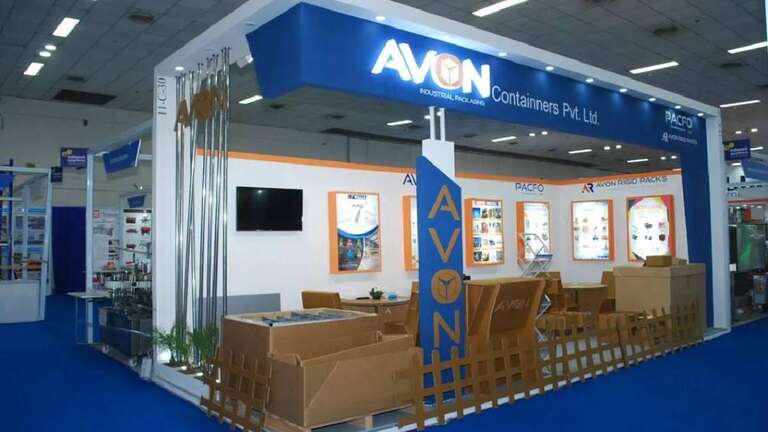
Actually, the packaging is one of the critical factors, which has an effect on the protection of products and, in this way, influences the company’s image. Therefore Avon Packaging Paper can be described as the kind of packaging material that any business will need to package its products effectively, consistently, and with an ecologically friendly type of packaging paper. Now it’s time to demystify buying packaging material online with a closer look at their utilities, benefits, and other sundry features.

Wide Range of Uses

Product Protection

Avon Packaging Paper can be used for various products as it will effectively protect the goods while in transit or in storage. This durable structure makes sure that whatever is placed inside these shelves has a firm base and is intact. In this paper, one can use it to wrap delicate items, fit into gaps of the boxes, or pad other products to avoid being banged up.

Gift Wrapping and Presentation

Avon Packing Paper is also crystal clear and smooth to the touch, which makes it ideal for gift-giving and other presentations. For gift packing or for packing products that are to be sold at the retail shops, this supplement a touch of sophistication and professionality. It also gives the packaging a nice look, which can increase the value that customers attribute to the product when unwrapping it.

Eco-Friendly Packaging

Biodegradable and Recyclable

Another strength of Avon packaging material online is the aspect of environmental management as it is mostly made from recycled material. It is made on paper that is easily biodegradable and recyclable and, therefore, has a small negative effect on the environment. This packaging paper can be valuable to business organizations that support sustainability to invest in such a material that reflects their sustainability ambitions.

Sustainable Sourcing

Subsequently, Avon Packaging is keen on the source of the paper it uses in its packaging thus guaranteeing that it is sustainably sourced. That is, since the company is concerned about environmental conservation, it ensures that the materials used in the packaging paper are sourced responsibly thus conserving natural resources.

The main benefits that Avon Packaging Paper buyers stand to gain include

Strength and Durability

Further Avon Packaging Paper is recognized or renowned for high strength. They are made to be able to handle the challenges of transporting and packing, which makes products safe. This robustness reduces the potential danger to the body and delivers back, increasing the satisfaction of customers.

Versatile and Adaptable

Avon Packaging Paper is perfect for use in permeable packaging because it has a high degree of flexibility to suit it well into packaging requirements. Thus, it can be used for wrapping, cushioning void filling, and when piles of items are to be protected from each other by placing them on layers of the packing material. This makes it highly useful in any packaging plan since it can dynamically change the type of packaging used depending on the market shift.

Customizable Options

Branding and Personalization

Avon Packaging Paper also has the advantage of being customized to contain end business brand attributes. Using printers, with copy on different color papers, logos, brand colors, and designs helps in making more brand exposures and also leaves a lasting impression on the customer. These extra touches make the packaging valuable and effectively enforce the identities of various brands.

Various Sizes and Grades

Avon Packaging Paper offers flexibility in meeting different packaging needs; the product comes in different sizes and grades. If you require thin paper for wrapping fragile goods or thicker grades for extra cushioning, there is a Feltpal for every situation.

Cost-Effectiveness

Affordable Packaging Solution

As a high-quality packaging material, Avon Packaging Paper is easily making it an inexpensive packaging choice. The fact that it is affordable ensures that it can suit any business regardless of their size. Since this paper is quite strong to handle, it is less susceptible to damages and returns, which in turn, is cost-effective in the long run.

Bulk Purchase Benefits

Purchasing Avon Packaging Paper in larger quantities helps reduce the cost further. Some companies may decide to tap into bigger discounts to shave some more costs and of course, order in large quantities to avoid running out of packaging material. Well, this approach is most suitable for organizations with higher volumes, By putting into practice all the concepts they boost the overall volumes.

Conclusion: Why It’s The Smart Choice For Packaging Requirement

Avon Packaging Paper can be identified as multipurpose and extremely wearable as well as sustainable packaging material. Due to flexibility in its usage, its ability to be tailored to meet the specific needs of a given business, and its relatively low cost when compared to other packaging options, FBA is a perfect product to help businesses elevate their packaging solutions. When buying Avon Packaging Paper, they not only safeguard the products but also make a positive statement, boost their brand image as well as adopt environmentally sustainable practices. High privy avails itself of the superiority of Avon Packaging Paper and boosts your packaging service.

Tailored Solutions: Paper Courier Bags

0

As seen in today’s growing world of online business, transport, and courier services, there is greater demand for cost-effective, safe, and environment-friendly reusable packaging materials. Eco-friendly paper courier bags have, therefore, received massive consideration, due to their durability and flexibility in use. This article takes a closer look at paper courier bags and how they suit specific needs and their advantages, uses, and guide on how to make the right choice as to the type of paper courier bags to use.

The Advantages of Paper Courier Bags

1. Eco-Friendly and Sustainable

First and foremost, as has already been mentioned, paper courier bags tend to be environmentally friendly. Composed of a raw material that originates from renewable resources, these bags are easily recyclable and have the capability of biodegradation. Selecting paper means less plastic is used and organizations can say they are minimizing the use of plastics so it would attract the attention of those consumers who are conscious about their environment.

2. Durability and Protection

Modern paper courier bags are also designed specially to have properties similar to that of strength or hardness. Sometimes they have strong sewing on the edges and contain numerous layers of paper which offer most of them excellent anti-tear capabilities. It also ensures that contents are well protected against damaging factors during the transit, thereby preserving the qualities and condition of a shipment.

3. Versatility

There are different types of paper courier bags, which are small, medium, and large, and with handles and without handles, they can fit all types of products. Cosmetics, clothes, papers, subnotebooks, headsets, wallets, and other accessory products or documents are other products that can be shipped in these bags. This also makes them easy to transport because they don’t cost much in terms of weight when they are being shipped.

4. Customization and Branding

In my opinion, paper courier bags, especially those that will be delivered by their respective delivery companies, have a high level of brand exposure. Companies can easily have their symbols, mottos, and other advertising tags embedded on the bags to give value to the bags by creating a professional outlook. If the design is unique or can be made unique, then it works better for the brand and makes for a far better experience for anyone to buy something.

Applications of Paper Courier Bags

1. E-commerce

For the paper courier bag, applications can be seen currently in e-commerce where books, clothing, small accessories, and others can be shipped. These occur in a way that prevents products from getting damaged when they are being delivered to the consumers Their environmentally friendly nature agrees with the current trend toward a greener economy.

2. Retail Stores

Customer transactions can be packed and delivered with paper courier bags online for in-store purchases as well as online purchases. These bags have an upscale touch that appeals to customers and any company that wants to support a sustainability mission. They are also perfect to be used in gift-wrap purposes, or for gifting where they make the packaging more classy.

3. Document Shipping

As for the businesses and individuals who are required to deliver the important papers, they will find the paper courier bags very utility and business-like. They guard documents from water, malicious interference, and rough handling while ensuring the documents reach the right destination.

4. Promotional Use

These bags are ideal for use in areas like tradeshows or any event for that matter since they contain paper. Prepped with logos or slogans, such bags go hand in hand with the business enterprise, making them stronger brand ambassadors.

Some tips on the right paper courier bags Most people who invest in paper courier bags look forward to benefiting in one way or another.

1. Assess Your Needs

Determine the kind of products that need shipping and select the paper courier bags that will ensure adequate protection. For fragile items, elaborate bags with the possibility of adding more layers of protection to them may be an excellent idea.

2. Size and Capacity

Find the appropriate sizes of paper courier bags to accommodate your products without using up a lot of space. The movement within the bag can also be prevented by the use of suitable bags that do not create any movement.

3. Customization Options

Paper courier bags should be embraced for their customization since one can get a bag in their specific design. Other positive changes include adding more of the company’s logo, brand colors, and other related graphic images to the boxes.

4. Eco-Friendly Certifications

It is also important to consider paper courier bags that have certified sustainable raw materials like FSC (Forest Stewardship Council) or PEFC (Programme for the Endorsement of Forest Certification). It shows that the paper used was obtained from a sustainably managed forest which these organizations approved.

5. Supplier Reputation

Select a service provider who can be best described as an authorized dealer that supplies quality products. You can read the recent customers’ comments and see the rating information and that can be useful for making the final decision.

Where Can I Purchase A Paper Courier Bag

1. Amazon

Amazon currently stocks a good variety of paper courier bags from various manufacturers. As with other types of products, bags can also be in-depth described with information about them and customer reviews to identify the most suitable ones to purchase.

2. Avon Packaging

Avon Packaging is a Wausau Wisconsin-based company that specializes in the shipping and packaging industry with products such as paper courier bags. Their product offering is diversified and they ensure that they provide quality products to their clients making them a go-to for businesses.

3. Avon container 

Avon’s container focuses on environmentally friendly product development, thus its products include paper courier bags in different types of recycled paper materials. Due to its dedication to environmental sustainability, it is ideal for any company worried about the environment.

4. Staples

Staples offers office and shipping supplies such as couriers’ bags made of paper. They have flexible delivery services, which also include cheap prices for their products.

Conclusion

Paper courier bags are a green, long-lasting, and flexible material to package products, food, or parcels by enterprises or individuals. Originally, they come with environmentally friendly characteristics that also offer the versatility of protective function for multiple products, and this gives them the suitability to meet today’s shipping requirements. If the correct paper courier bags are selected and if possible customization is made then it will be viable from the business perspective and will be the key to meeting the green consumer’s requirements of the market.

Final year Project Proposal On E-shopping with affiliation

0

Project Proposal On E-shopping with affiliation

A Project Proposal On E-shopping with Affiliation

Submitted By:
Jayman Tamang
Rupak Nepali

Submitted to:
Nobel College
Faculty of management
Pokhara University

July 2010

Table of contents

Chapter 1

  1. Introduction to e-shopping
  2. History of e-shopping
  3. Historical Timeline of E-shopping
  4. Objectives of e-shopping
  5. Current e-shopping sites in Nepal

Chapter 2

  1. Purpose of the project
  2. Scope of the project
  3. Phases of Development of the Project
    3.1 Problem definition: pay by the customer for the product, advertisement
    3.2 Feasibility study
    3.3 Project Analysis
    3.4 Project design
    3.5 Project Coding and Testing

Chapter 3

  1. Tools and techniques that are required
  2. Threats and Risks

Bibliography

Chapter 1

INTRODUCTION

Electronic Commerce or e-commerce is business transactions that take place through communication networks. It is a process of buying and selling products, services, and information over the computer network. E-commerce is a set of dynamic technologies, applications, and business processes that link organizations, customers, suppliers, and communities through electronic transactions and the electronic exchange of information products and services

Electronic commerce that is conducted between businesses and consumers, on the other hand, is referred to as business-to-consumer or B2C. This is the type of electronic commerce conducted by companies such as Amazon.com.

Online shopping is a form of electronic commerce where the buyer is directly online to the seller’s computer usually via the Internet. There is no intermediary service. The sale and purchase transaction is completed electronically and interactively in real-time such as Amazon.com for new books. If an intermediary is present, then the sale and purchase transaction is called electronic commerce such as eBay.com.

History of e-shopping

Originally, electronic commerce meant the facilitation of commercial transactions electronically, using technology such as Electronic Data Interchange (EDI) and Electronic Funds Transfer (EFT). These were both introduced in the late 1970s, allowing businesses to send commercial documents like purchase orders or invoices electronically.

Online shopping, a form of electronic commerce, In 1979 Michael Aldrich, an English inventor, connected a modified 26″ color domestic television to a real-time transaction processing the computer via a domestic telephone line and invented online shopping. The first recorded B2B was Thomson Holidays in 1981 the first recorded B2C was Gateshead SIS/Tesco in 1984. The world’s first recorded online home shopper was Mrs. Jane Snowball, 72, of Gateshead, England in May 1984. During the 1980s Aldrich sold many systems mainly in the UK including Ford, Peugeot, General Motors, and Nissan. The Nissan system of 1984/5 was revolutionary. It enabled a car buyer on a dealer’s lot to both buy and finance the car, including a credit check, online. Aldrich invented both the online shopping system and the business rationale for using it. His 1980s systems were as fast as the 2010 internet shopping systems. They used dial-up and leased telephone lines as broadband was not available
From the 1990s onwards, electronic commerce would additionally include enterprise resource planning systems (ERP), data mining, and data warehousing.

An early example of many-to-many electronic commerce in physical goods was the Boston Computer Exchange, a marketplace for used computers launched in 1982. An early online information marketplace, including online consulting, was the American Information Exchange, another pre-Internet online system introduced in 1991.

The Internet became popular worldwide around 1994 when the first Internet online shopping started; it took about five years to introduce security protocols and DSL allowing continual connection to the Internet. By the end of 2000, many European and American business companies offered their services through the World Wide Web. Since then people began to associate the word “eCommerce” with the ability to purchase various goods through the Internet using secure protocols and electronic payment services.

Historical Timeline

1979: Michael Aldrich invented online shopping
1981: Thomson Holidays, UK is the first B2B online shopping
1985: Nissan UK sells cars and finance with credit checking to customers online from dealers’ lots.
Pizza Hut offered online ordering on its Web page in 1992
1995: Jeff Bezos launches Amazon.com
2010: US e-Commerce and Online Retail sales are projected to reach $173 billion, an increase of 7 percent over 2009

Objectives of e-shopping

The main objectives of the e-shopping are given below:

  1. To provide information about various products in different categories.
  2. Customers can purchase Products Online.
  3. Customers can log in and get various information about products and can purchase a suitable product with price and quality comparison.
  4. Customers can pay online, so security is a must, therefore, e-shopping provides secure transactions.
  5. After-sale e-shopping also provides after-sales service in which customer problem is solved.
  6. Data security is maintained at a relatively high level by implementing it at the Database level, to ensure that only authorized users have access to confidential client information

Current e-shopping sites in Nepal

The current e-shopping sites in Nepal are:

  1. KathmanduMart.com: This site will deliver state-of-the-art Online Solutions by bringing technology and people together to resolve a wide range of shopping necessities.
  2. NetForNepal.com: A site through which you can send gifts to your family & friends in Nepal.
  3. Nepa Rudraksha: Nepa Rudraksha is founded to achieve the objectives of promoting Nepali Rudraksha and Saligrams.
  4. Pashminarus.com: For the finest collection of the highest quality pashmina shawls from Nepal.
  5. Thamel.com: For all kinds of occasions, send gifts to Nepal
  6. Muncha House – An e-commerce site to send gifts to loved ones in Nepal

Chapter 2

Purpose of the project

We cover a wide variety of topics which are:

  1. Build a product catalog that can be browsed and searched
  2. Implement the catalog administration pages that allow adding, modifying, and removing products, categories, departments, and other administrative features
  3. Create your own shopping basket and check-out mechanism in PHP
  4. Increase sales by implementing product recommendations and product reviews
  5. Handle payments using PayPal and other electronic payments.
  6. Implement a customer accounts system
  7. Integrate Amazon.com web services to sell Amazon.com items through our website.

While implementing these features, we’ll learn how to

  1. Design relational databases and write MySQL queries and stored procedures.
  2. Use the MySQL full-text search feature to implement product searching.
  3. Use the Smarty templating engine to write structured and extensible PHP code.
  4. Implement search engine optimization features
  5. Use AJAX to improve the users’ experience utilizing your website
  6. Integrate external web services

Scope of the project

  1. Increasing the value of the content with accessibility, reusability, and durability.
  2. We will develop the necessary skills to get our business on the Web and available to a worldwide audience.
  3. We’ll understand the concepts, and we’ll have the knowledge.
  4. Affiliation program helps to generate many visitors and is one of the best marketing strategies.

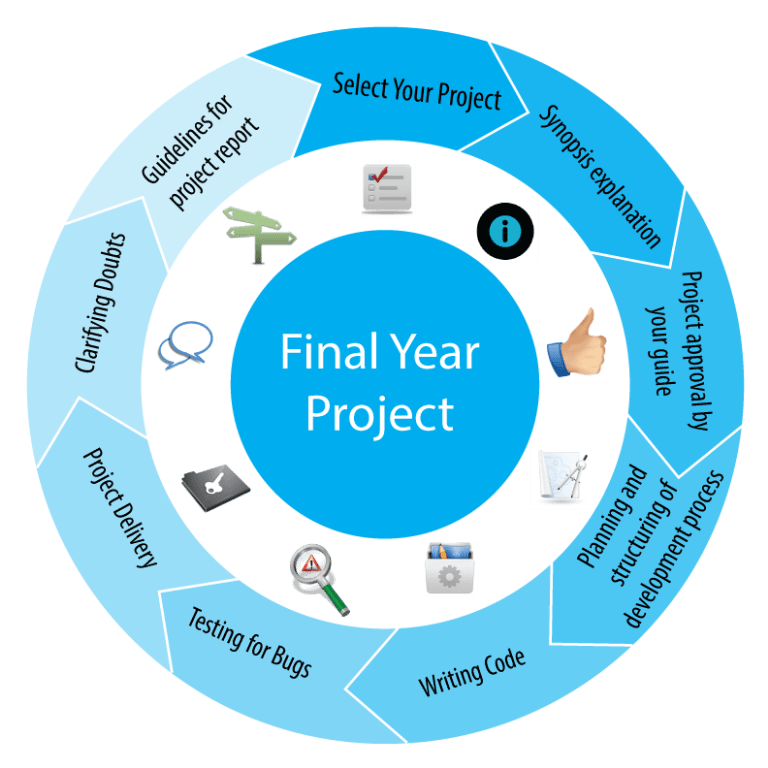
Phases of Development of Project

  1. Problem definition: pay by the customer for the product, advertisement,
  2. Feasibility study
  3. Project analysis
  4. Project design
  5. Project coding and testing

Problem definition

Viewing the latest e-commerce sites implemented in Nepal, it does not contain product reviews, marketing for the products and the sites as well as search engine optimization which ultimately drives visitors to the site and increases the chances that visitors will buy from the same site and not from the competitor.

The sites are also not implementing the latest technology like Drupal, Magento, jQuery, and Ajax and are not user-friendly.

The sites are also not maintaining CRM (customer relationship management) for their future reference

Feasibility study

With the problems addressed above we are making the e-shopping site remove the problems the technological feasibility of this project is that we are using known technologies as well as open-source codes like PHP and MySQL and the operational feasibility is that we can be able to do as per the business requirement, and the economic feasibility is that we are preparing the project as per the partial fulfillment of the BCIS so the economic feasibility is fulfilled.

Project analysis

In this stage, we gather information from different sources for project development. The methods of collecting information are:

  1. Interviewing
  2. Observations
  3. Viewing of documents and manuals from different e-commerce sites

Project design

In this phase, we design the output of the project and its format, inputs, procedures, etc. In this stage we design

  1. PayPal implementation(transactions through PayPal)
  2. Product creation and recommendations
  3. Product Attributes
  4. Creating your own shopping cart
  5. Implementing Ajax features
  6. Searching the catalog and catalog administration
  7. Search engine optimization
  8. Advertisements with affiliation and other media

Project Coding and Testing

In this stage, we convert the system design to a final project using a programming language. In this stage format, error and logic errors are eliminated, and a complete project without any errors.
After completion of coding, the project will be tested to find out that all individual programs perform correctly. Whether the implementation of PayPal, affiliation program, and other services are performing correctly or not is tested.

Date July August September
Phase Week
Feasibility study
Project analysis
Project Design

Project coding and Testing
Documentation

Gantt chart for project

Chapter 3

Tools and techniques that are required

Tools and techniques Name
Text editor Macromedia Dreamweaver
Flash generator Dreamweaver Flash
Programming languages PHP, Mysql, Javascript, Facebook Markup Language, Paypal Code, Jquery, Ajax, Smarty templating, HTML, XML, DHML, Style Sheets (CSS)
Guidance Oscommerce, Drupal, Magento, and other e-commerce sites
Web Server Apache

What are the requirements that we need?

  1. Affiliation program creation
  2. Basic knowledge of SEO and other marketing strategies such as the Facebook application
  3. How Paypal Transactions work or the implementation of the sandbox.
  4. Knowledge of JavaScript, Ajax, Jquery, and Flash.
  5. Embedded code generation
  6. Knowledge of osCommerce, Drupal, Magento, and other e-commerce sites.

Why go online?

  1. Get more customers
  2. Recognize worldwide
  3. Reduce the costs of fulfilling demands or orders.
  4. Increasing Business Revenue
  5. Increasing the operational value
  6. Increase flexibility

Will the site generate revenue?

Of course, there are so many ways to generate revenue and draw customers to E-shopping sites. The most common uses are:
a) Google Adsense
b) Referral Programs
c) Local Advertisements
d) Newspaper and Media
e) Customer relations management.

Read More: Project proposal presentation of hotel reservation system- eCommerce

What’s new in our project?

Basically, e-shopping is a new concept and many projects have already been made and is emerging in new eras and covers many techniques.
In our project E-shopping with affiliation program, the product on our site can be advertised to the other sites and the affiliated account holder can earn money.
The strategy can be PPC (Pay Per Click) means the affiliated account holder can earn money as per the clicks on our product.

Make money with an affiliate program that pays the account holder for every click
Affiliated account holder gets paid for every visitor that clicks on an advertisement. Our goal is to enable you to make as much as possible from your advertising space, by letting advertisers bid on your ad space. We pay monthly, either by check or instantly through PayPal with a minimum of only $50. They can also promote our site with the banners available and other promotional texts and click providers.

Risks and Threats

All this might make it sound as if your e-commerce business can’t possibly fail. Some risks are particularly relevant to e-commerce companies, such as:

  1. Hacking
  2. Credit card scams
  3. Hardware failures
  4. Unreliable shipping services
  5. Software errors
  6. Changing laws

Bibliography

http://en.wikipedia.org/wiki/Electronic_commerce
http://www.ecommerce-blog.org
http://www.phpwebcommerce.com/
https://developer.paypal.com/
http://www.webopedia.com/DidYouKnow/Internet/2007/Affiliate_Marketing.asp
http://www.webopedia.com/TERM/E/electronic_commerce.html
http://www.amazon.com

User-Centric Brilliance: Unleash the Power of Exceptional Design Services

The current importance of accessibility is indisputable. So much so that it is increasingly implemented in practically any sector. As our dependence on the web and digital UI UX design services increases (some companies are already abandoning analog services altogether), ensuring the web is an accessible place is crucial. 

Before we delve into designing accessible online tools, we want to explain what accessibility is, why it’s important, who it affects, and the problems people face when it’s not prioritized. 

What is accessibility?

Broadly speaking, we can say that accessibility allows anyone to use something, whether it is a product, a service, an experience, information, or anything else,  regardless of their situation. The term is usually related to people with some type of functional diversity and, although it is not new, as the Internet relatively is, it is now more relevant than ever. Therefore, the new generation of technology professionals must be prepared to create inclusive designs that guarantee equal access for everyone. 

Among the most common reasons why accessibility is necessary are visual, hearing, motor, or cognitive disabilities, although creating a truly accessible website goes much further. When designing accessible websites for children, for example, designers must put themselves in the children’s shoes and create attractive, interesting, and colorful sites that correctly guide the youngest children. On the other hand, websites intended for seniors should not contain small text or excessively technical information. 

We have just revealed the content of the rest of the publication, but before delving into accessible designs for the aforementioned sectors, we are going to explain the importance of accessibility.

Why is accessibility important?

Very simple: accessibility allows everyone, regardless of age, economic level, degree of disability, or sex, to access the same services. In the case of public services, such as immigration and health, it is even more necessary that people also understand their rights. 

We must strive to ensure that everyone has the opportunity to be an active member of society in all aspects, including web design.

Accessibility in web design

As we have already mentioned, the importance of the Internet has increased exponentially, especially after the COVID-19 pandemic. Suddenly, everything was done online and people with disabilities could not always access the same information or services as others. Herein lies the importance of accessibility in web design: the Internet is a tool that can be used to spread information, learn, and connect with others,  but this only happens when the experience produces the same result for all users.

For something to be accessible online,  it must meet the following requirements :

Perceptible: The user must be able to appreciate the information through one of their senses; For example, if the website is made up of text, it should also contain an audio option for deaf users. 

Understandable: The content must be understandable to the intended audience; If you are creating a website for immigrants, ensuring that information is available in multiple languages ​​makes this task easier.

Operable: If someone can only use the computer by voice, the website should function the same as it would for someone who can use a keyboard or mouse.

Robust: the website must function in the same way as for a person without disabilities, that is, everyone must have an equally satisfactory experience. 

Are accessibility and usability the same thing?

People often use “accessibility” and “usability” interchangeably, but there are several key differences. Although they share similarities, usability focuses on the effectiveness, efficiency, and satisfaction of a design, while accessibility prioritizes that all users, regardless of their disability, can use said design correctly.

Accessible web designs

Now that we have explained what accessibility is and why it is important, especially in web design, we are going to delve into the topic with some specific cases and give you some suggestions. We will start with specific disabilities, but we will also address some common barriers that are not always taken into account. 

Important: As with everything, people’s levels of disability vary considerably. Some people are completely blind and others who only do not distinguish colors; A deaf person can communicate only through sign language or be able to read lips. 

Visual accessibility

When designing a website, keep in mind that people who don’t distinguish between similar colors will easily have difficulty with subtle changes; Therefore, it is recommended to incorporate multiple elements in the design. For example, use both the color red and the word “Error” to communicate a failure to the user. 

In the case of completely blind people, including accessibility options that read the content of the website is a before and after. But be careful: if the website includes many images or a menu, for example, you must make sure that there is an accessible version that can also read that information to the user. 

Hearing accessibility

Creating an accessible design that deaf and hard-of-hearing users can use requires planning: using subtitles that are reviewed, synchronized, and correctly displayed what is being said in the videos is essential. And, if the only method of contact is by phone, consider adding an email or chat option so that people who cannot communicate by phone can have equal access to your company. 

Motor accessibility

People with motor disabilities may suffer from tremors, involuntary movements, paralysis, lack of coordination, or the absence of a limb, which can make using a website very difficult. Fortunately, we’ve made great strides in this area by creating custom keyboards with more space between the keys or different types of mice. When designing a website, make sure that all functions are available through the keyboard, not the mouse, since including software that helps the user navigate is very easy. 

Cognitive accessibility

When talking about accessibility, we often forget that people with cognitive disabilities can also benefit from a personalized web experience. Make sure you implement a clear layout on your site, with buttons and tabs that are easy to read and access. For example, a large amount of text can overwhelm a user with dyslexia. It offers information in various formats (infographics, videos, etc.) and uses simple language. 

Environmental accessibility

Has it ever occurred to you that someone might need your services in a place without Wi-Fi or coverage? Or in a public place where you can’t enter personal data, like the library? Offering offline services and the ability to browse without entering personal information makes your website more inclusive. 

Educational accessibility

Surely you have ever ended up on a website full of technical terminology while searching for information about something. Not everyone has the same level of knowledge about a given topic, so creating very technical or dense content about something immediately excludes people who don’t know it. Use simple, explanatory language and go into detail only when necessary. 

It is essential when creating content for children. Children don’t just visit gaming and entertainment sites: imagine you work on a website so they learn how to call emergency services in case a problem arises. If you present the information as you would for an adult, the child may not understand the most important details. Use images, include videos and audio options, and use writing adapted to the little ones so that the content reaches them. 

Linguistic accessibility

Ensuring that users have equal access to information and services regardless of their native language must be a priority. Especially in the case of government, immigration, or refugee services. Having quality translations, videos with subtitles, and language-specific contact methods will include a sector of the population that was previously banned from the service.

Casual Accessibility

This is the type of accessibility that is least taken into account, but it is as important as the rest. Have you ever answered your phone in the middle of the night and been momentarily blinded by the light from the screen? Or, half asleep, have you pressed the wrong button and ended up in another section of a web page? Giving users the ability to lower the brightness, increase the font size, or use a black-and-white setting can make the design more drinkable. 

Tips to improve web accessibility 

If the points we have discussed have convinced you of the need to create an accessible design for your next project, read our tips to achieve it: 

Include people with different disabilities, ages, and educational levels when creating buyer profiles

Always include alt text on images and graphics

Research the choice of colors and font size before making a decision or include the option to adjust the size

Ensures the site has a mobile version 

Provide quality transcriptions and subtitles on videos and anything with audio

Implement a clear and simple design and language

Creating accessible content is an essential requirement. When you commit to creating truly accessible web designs, your audience will grow and more people will be able to enjoy your product or service. If you’re ready to take the next step and dive headfirst into high-quality, accessible web design, Ironhack’s UI UX Design services bootcamp is the ideal choice for you. 

Future of Business Intelligence trends and predictions

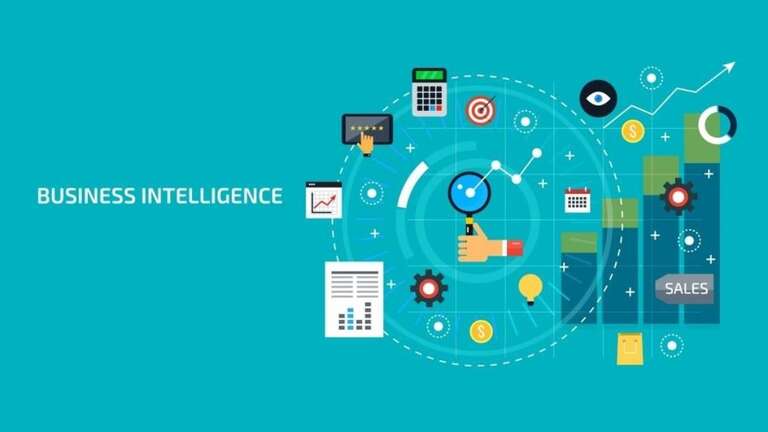
Business intelligence, better known as Business Intelligence (BI); refers to all those technology-driven strategies to analyze each of the data that corresponds to a company, in order to provide actionable information that helps workers, managers, and executives make good business decisions. From a business point of view, BI can be one of the best strategies on the market, not only because of its innate ability to increase revenue in a short period but also because of its ability to improve operational efficiency and gain advantages over the competition.

What is Business Intelligence?

Regardless of the sector, the business universe faces an increasingly challenging environment. This has given rise to the need to look for strategies that maintain a certain number of sales, as is the case of Business intelligence.                                 

Business Intelligence is the set of methodologies, applications, and technologies that allow gathering, analyzing, and transforming business data to convert it into knowledge; so that they are the basis when making an important decision.

Also, it is defined as a variety of tools that provide quick and easy access to information about the current state of an organization, based on available data.

As part of the BI process, companies collect their data, both from external sources and internal systems, then prepare it for analysis, run queries, and create reports to make analytical results available to business users.

This strategy has the ultimate goal of driving better business decisions for software development companies and other businesses that help companies increase their revenue, stand out from their rivals, and improve operational efficiency.

How is the implementation of Business Intelligence?

A company that masters the information and knowledge of its data can be much more productive and have better profitability than organizations that do not keep their data in order.

To use this tool and gain an advantage over the competition, organizations must distinguish strategies, technologies, enterprise software development services, and roles that refine their brand approach.

Currently, many companies implement plans based on Business Intelligence, which allows them to carry out their tasks in an agile way and make precise decisions. However, it is necessary to have a solid foundation and define requirements.

The steps to implement Business Intelligence include: 

  • Determine critical processes.
  • Define roles.
  • Specify metrics and indicators.
  • Identify sources of information.
  • Delimit architecture and technology.
  • Design panels together with users.
  • Manage the project with agile methodologies.

Benefits of Business Intelligence

This is one of the business strategies that resonates the most in the market, thanks to the fact that it combines business analysis, mining, visualization, tools, and data infrastructure to help organizations make accurate decisions and guarantee the future of companies. For this reason, it has a positive impact and numerous benefits:

  • Gather and analyze external and internal information, regardless of its origin or provenance.
  • Improves decision-making by being based on accurate data.
  • Promotes comprehensive reporting to handle large amounts of data.
  • Increases the ability to organize and forecast accurately.
  • It allows you to investigate consumer behaviors and trends in different markets.
  • Provides a more detailed perspective of the organization.
  • Identify each of the company’s failures; allowing them to be corrected and operational efficiency improved.

Business Intelligence Trends

Over the years, Business Intelligence continues to evolve and face the challenges that arise at the business level; For this and many other reasons, as 2022 passes and technological innovations emerge, BI allows those doors to become wider.

Below, we present the main transformations of this commercial strategy:

Business Intelligence becomes operational: With the use of operational business intelligence, also known as operational BI, data is collected from different sources, including user behavior and supply chain suspensions.

More accessible data: with the arrival of new functions, aimed at making data more accessible, BI had an advantage in terms of growth, because previously data analysis had remained in the hands of private profiles.

Information cloud: one of the most notable trends in BI is its adoption of cloud software, which requires information technology (IT) teams to continue operating and providing income to key business applications. .

Rise of Analytics: The enhancement of analytics promises an exciting future for data-driven businesses. Augmented analytics refers to the use of technologies such as AI (artificial intelligence) and machine learning.

Business Intelligence Predictions

Like any other software development, Business Intelligence will continue to grow and strengthen. The modern tools of this strategy open a world of possibilities in which data management will no longer be an impossible mission.

It is important to mention that thanks to the large number of abilities that this instrument has, it is expected to be worth $33,000,000,000 by 2025. Currently, this strategy provides various organizations with ingenious ways to improve productivity and increase profits. As technology advances, the future of BI looks increasingly promising.

Artificial Intelligence for Business Intelligence

When talking about Artificial Intelligence for Business Intelligence, it is normally believed that it is a physical and old-fashioned environment, where gigantic machines process data, but the reality is that it is a web development that allows the use of tools that help companies enhance their brand, facilitating data processing and offering a better customer experience.

Likewise, you can increase the number of sales; Thanks to the fact that there is an order to manage truthful and timely information, which allows predicting the client’s needs and improving communication.

With respect to marketing, both tools are very useful, as they help classify consumers according to their interests, profiles, or preferences to direct personalized recommendations.

In general, by combining Business Intelligence and Artificial Intelligence, strong operational advantages are achieved. Between them:

  • Reduces decision-making times.
  • Improves processes and allows employees to focus on more important tasks.
  • Guarantee customer satisfaction.
  • Increases efficiency and operational agility.

Machine Learning

Machine Learning is a scientific discipline in the field of Artificial Intelligence that creates systems that learn automatically, that is, systems that are capable of identifying complex patterns in thousands of data.

This process is carried out by an algorithm that reviews the data and predicts future behaviors automatically, which means that they can be improved autonomously over time, without human intervention.

The future role of business intelligence

Business intelligence continually evolves according to business needs and software development services, so each year we identify current trends to keep users up to date with innovations. It is clear that artificial intelligence and machine learning will continue to grow and that companies can integrate AI insights into a broader BI strategy. As companies strive to become more data-driven, efforts to share data and collaborate will increase. Data visualization will be even more essential for working together across teams and departments. This article is just an introduction to the world of business intelligence. BI offers near real-time sales tracking capabilities and allows users to discover insights into customer behavior, forecast profits, and more. Various industries such as retail, insurance, and oil have embraced BI, with more joining each year. BI platforms adapt to new technologies and the innovation of their users. Learn about all the trends and changes in business intelligence as we list the top 10 current trends in BI.

Data governance: Key importance for business success

The increase in the need to adequately structure and organize the information generated in companies has encouraged the application of Data Governance for productive and commercial management of the business.

For this reason, according to Webinarcare, companies that have Data Governance management manage to improve data analysis time by 2%, registering a 31% increase in confidence in the quality of the information obtained.

Currently, we find ourselves in a “ data society ”, made up of services that support it, such as Cloud Computing, artificial intelligence, and Big Data.

Learn a little more about these technological methodologies that support the growing culture of intelligent Data Governance in companies.

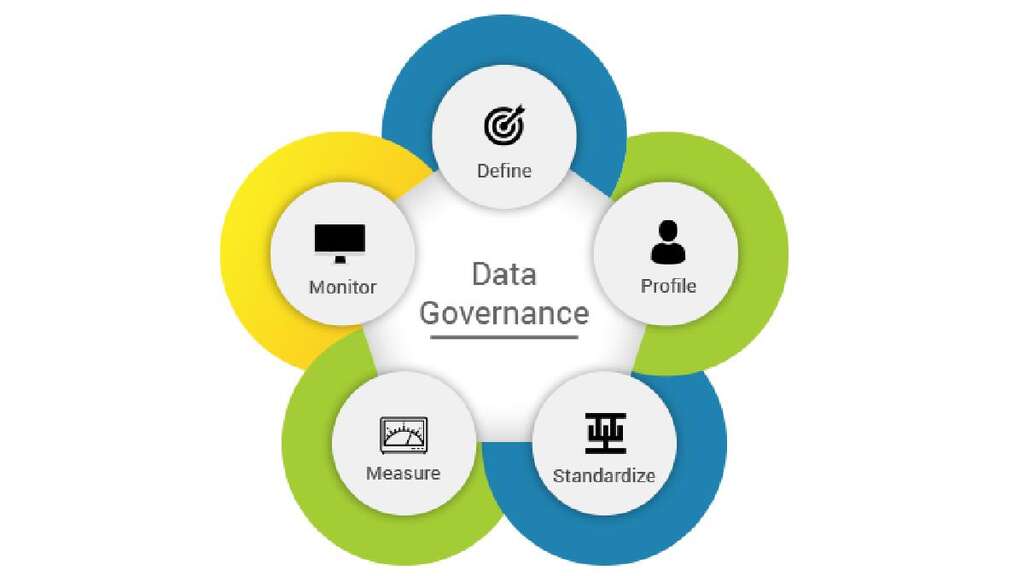
Data Governance

What is Data Governance?

For Google Cloud, Data Governance is a process focused on the rigorous management of information throughout its useful life cycle for the custom software development company, starting from its creation or origin to the application of the analysis results obtained.

Hence, data governance uses the availability, integrity, usability, and security of information to generate the necessary insight into the company’s decision-making.

Its main objective is to increase business productivity, reduce the use of resources, and maximize the security of stored data.

All productive areas can be covered in aspects such as:

  1. Internal company policies and procedures.
  2. Production, distribution, and marketing processes.
  3. Management of human talent and collaborators.
  4. Use of technological resources involved in the management of business processes.

In short, data governance allows you to execute correct decision-making by providing you with more accurate analysis and results of your company’s situation based on the information obtained from the business.

Data governance components

The framework under which Data Governance actions are developed is made up of the policies, rules, processes, business areas and technology implemented in the company.

For TechTarget , this framework must detail aspects such as:

  1. Mission, objectives, and metrics.
  2. Responsible for decision-making and accountability.
  3. Detailed documentation of each process and role.

In the case of technology, tools such as Robotic Process Automation are not a mandatory part of management, but they allow for streamlining the workflow, as well as collaboration and compliance with company policies.

These software are also used to create data catalogs (file and record structure) and other functions that promote governance in the company.

Importance of data governance.

As Data Governance is a system for making business decisions based on the analysis of processes related to information, each individual or group involved in the process becomes responsible for the company’s most precious asset: the data.

These figures reflect the confidence that data governance offers within an organization by providing effective solutions in the management of information in aspects such as sales projections and forecasts, business opportunities, improvements in production processes, etc., 

The alignment of information with business policies under an environment of stability and security has generated this adequate environment to obtain more competitive results.

Therefore, among the notable advantages obtained by implementing this data governance, the following stand out:

  1. Increase in business operational efficiency. Improves production, as well as monitoring processes effectively so that they meet objectives and mitigate errors.
  2. Reduction in costs. By having more assertive activities with less use of resources, the operational costs of the business are reduced.
  3. Increased profitability. Productivity is increased, reducing costs, and allowing for more efficient and economical products and services in greater volume.
  4. Reduction of risks. When you manage data in a controlled and protected environment under processes validated by data governance, you provide reliable final results.
  5. Optimizing data security. The use of technological tools for the digital transformation of the business through solutions such as Cloud Computing and all associated services helps you shield both On-premise and Cloud operations.
  6. Making more precise and correct decisions. Good information governance will always lead to the best results and benefits for software development services and other companies. 

Data Governance Principles

To achieve the benefits described above, PowerData mentions that certain parameters must be followed that will allow you to solve data-related problems efficiently. 

Among these principles, we can mention the following:

  1. Integrity: All participants in data governance must be communicative and truthful in information-related processes.
  2. Transparency: From entering the data in each process, until obtaining the results, it must be done clearly and without manipulation that alters the integrity or content.
  3. Auditability: Data Governance must offer better control of audit processes since it has adequate documentation that supports verification requirements.
  4. Responsibility: Clearly define the tasks and those responsible for making decisions.
  5. Control and Balance: The incorporation of technology in the business must be in correct accordance with the management of standards and requirements in the collection of information.
  6. Standardization: Clear and unique processes must be created that support the data, without generating doubts or operational dualities.
  7. Change management: Data Governance should enable proactive and reactive activities to reference data values, master data, and metadata. 

In summary

The need for companies to effectively regulate the information generated through their operations has allowed Data Governance to cover business sectors with great impact such as banking, finance, and commerce.

These data management projects target all companies regardless of their size, providing continuous improvement of their operations thanks to the establishment of consolidated guidelines with business objectives and appropriate technology.

We know that it is not a process that takes time to carry out, but it can be achieved more easily if changes are applied in the processing of information associated with this culture of data governance.

Design thinking in UX/UI design

To make a profitable product, it needs to solve the right problem for the right audience. We understand that, as a startup founder, you may be a bit biased with your idea. And that’s ok. Design thinking and a bit of common sense will come to the rescue.

Contrary to a common misconception, design is not really about design. It’s used as a solution-driving force by UI UX Design services agencies in the business, healthcare, finance, etc. However, as we’re designers who often work in different domains, we’ll talk about what design thinking actually has in common with design. Especially, considering the design disciplines are changing their focus from the objects of design (old) to the purpose of designing (new).

Design thinking is about problem-solving.

Design – isn’t just pretty visuals, but rather heavy problem-solving.

In order to find the most effective and reliable way to solve a design issue you’ll be conducting research and defining what is the right problem (sometimes it may be different from what you or your customer expects it to be) and once the real issue is completely clarified you can follow the next steps to solve it:

Define the pain points;

Generate ideas on how to overcome the obstacles;

Create the prototype;

Test it.

Why is design thinking important?

Globally speaking, it’s a way of transforming your users’ lives for the better.

Design thinking contains 5 steps that cure users’ real pain points with the help of human-centered design.

Originally, the design thinking concept was formalized to help creative professionals understand the business better and to help businessmen leverage the creative process better.

This procedure isn’t fully linear. Using trial and error you may want to return to a certain phase and repeat it. Oftentimes, you gain a deeper understanding of what you’re actually doing.  At the end of the day, you reach an outcome that satisfies the user’s needs and solves his/her problem or satisfies a desire. Otherwise, why else would people be your clients?

The design thinking methodology allows us to answer daily questions like ‘How to develop a unique business concept?’, ‘what solution is the best for my new business partner?’, ‘how to develop my MVP in the shortest terms?’, ‘how to cut on the estimation time?’, ‘how to accelerate the development process?’ and many, many others.

What’s obvious to one person, can be absolutely not noticed by another.

That’s why it’s crucial that the teams involved in the design thinking process are multidisciplinary. It allows you to get as many points of view from as many different perspectives as possible. Now you can see the problem from an unbiased angle (with a fresh eye).

Phases of design thinking

Let’s quickly go over what you need to know about the 5 key design thinking phases. Referencing to d.school in Stanford University these are:

  • Empathize;
  • Define;
  • Ideate;
  • Prototype;
  • Test;

Design thinking in UX/UI design – phases_bg – Qubstudio

For a better understanding, let’s consider each one in detail. However, let’s keep in mind that if at any stage one of the steps fails, they can go parallel or repeat.

1. Empathize

You are not your target audience.

How often do designers design for designers?

That’s why you’re or your designers’ assumptions based on your vision of problems might not be 100% relevant.

That’s why empathy is the heart of human-centered design. Doing any UI UX design services without it makes pretty much no sense.

You can have empathy as the ability to stick your eyes to any subject or person. For example, if you were the driver, empathizing would mean seeing the world as if you were a passenger, wheel, car radio, seat, air conditioner, etc.

You’ll move away from your own assumptions and start understanding the user and concentrating on their experiences, especially emotional ones.

The other crucial aspect of the empathy phase is to find your user and get (find/receive) as much data as possible. By running data-driven decisions, you’ll make better conclusions about what people are doing, and why and learn about their emotional and physical needs.

The following hints will help you instantly get closer to your users:

  1. In-depth interviews – talk to a target audience representative in an informal atmosphere. Encourage stories, ask open-ended questions, ask ‘why?’, and dig for emotions.
  2. Observe people in their natural environment. Open or hidden, keep in mind, that when people don’t know they’re being observed, they calmly play and behave as usual. You can apply the ‘one day of life’ observation method. Long story short, you ask a person to record every hour everything that happens to him/her.
  3. Diving in their environment to try to experience yourself. For example, how we talk about how we buy products and how we actually behave in a supermarket are different things:
  • Guided tour: Literally intruding into the user’s life and observing his/her home or workplace (or another environment) of the person you’re designing for can reveal true user behavior, habits, and values.
  • Service safari: People are asked to go out ‘into the wild’ and explore examples of what they think good and bad service experiences are.
  • Walk in their shoes: Try your end-user experience by yourself, eat where they eat, spend what they spend, and live how they. Use limits they are experiencing. Record all the data with a photo or video camera.

Understanding your users is key to innovation.

Alright, we’ve gained the data about users. We know, understand and even feel them. So what?

It’s time to define the problem and pain these users are trying to solve.

2. Define

The next stage of Design Thinking is ‘Define the problem’. You need to collect and process all the information you have received in the previous step. It’s time to analyze all the data collected from observations and interviews.

The main value of this stage is to form questions (challenge). Just think of need as a verb, not a noun. There are three types of needs: Explicit needs, Implicit needs, and Needs’ meaning. To get answers that reflect reality, make sure you spend time thinking through your questions thoroughly. The way people answer questions is pretty much determined by the questions asked.

In order to identify the problem correctly, it is necessary to process the received information in the following order:

  • Write down all the problems on the stickers. One sticker – one problem that was announced by your user (hang everything on the wall or on the board).
  • After identifying all the problems it is necessary to group them by a similar symptom (insight), provide a title for each group, and figure out the connections between them.
  • Identify critical problems, and ‘pain points’ as room for improvement.
  • Vote to identify the problems you will try to solve.

After the definition of the problem, the next step would be creating a user persona goal-oriented, paying attention to the insights that you received during the interview.

The next thing is to work out the case ‘point of view’.

Here are some examples of how we create it:

First sight:

User: Alexa

Need: buy a present

Insight: an important date is coming soon and she needs a gift

Real purpose:

User:  A young doctor who spends most of her time on work or studying

Need: do something nice for someone special

Insight: she loves a person who needs to buy a gift but she is a very busy person and doesn’t have enough time to search for a really nice gift.

Create a POV using a simple formula:

Use it to capture and harmonize 3 key elements of a POV: user, need, and insight.

And now it’s time to ask a question. So you choose the problem and rehash it into the question. Ask yourself  ‘How may we?’ – how can we help? Then include the user in your phrasing.

How May/Can We help Alexa to buy a present in one click (fast)?

Advantages:

  • Human-centered
  • Broad enough to keep it creative
  • Narrow enough to make it manageable
  • After forming the right question, you are ready to move to the next step.

3. Ideate

After two previous stages, you can move on with idea generation.

This is the phase where we switch from learning about users and problems to generating solutions for them.

The following tools can help you move forward in this stage: Brainwriting, Worst Possible Idea, and SCAMPER. We’re going to use Brainstorming (ed. mostly because the article author loves this method the most).

Before starting with this methodology, you need to remember the following rules:

  • Say ‘No’ to judgment (DON’T KILL AN IDEA).
  • Say ‘Yes’ to the wildest ideas.
  • Build your idea over the ideas of others (Yes, and…)
  • Go for quantity.
  • Make one conversation at a time.
  • Don’t forget to visualize each idea.
  • Ditch obvious, generic, and obvious ideas.

Start with group generation (20-30 min). Put all the ideas on the stickers. Take 10-15 min to do individual work. Make participants use this time to generate 2 maybe 3 more ideas. See more: IDEO.org’s Brainstorms Rules.

At a certain point, our brain can stop distinguishing good ideas from bad. So it’s time to use the collective mind.

Once you’re done with idea generation (meaning: neither you nor your team will be able to invent at least one more, even at gunpoint) it’s time to choose the one to process during the next steps. To identify viable ideas, they need to be filtered, so the best way is to allow everyone to vote (each member of the team must have 3 votes).

4. Prototype

A simple prototype can do so much.

Why do you need it? Think of this as MVP for MVP. Fail fast and learn quickly. There is no need to spend much time and money on the implementation, just to discover that your assumptions don’t work. Don’t postpone the process until it’s too late and too expensive to fail. Follow the rule  – ‘five minutes and a few cents’. You’re learning fastest by doing.

In order to create an interface prototype you can use:

  • paper to a wireframe by hand
  • live prototype using additional programs
  • vector prototype using the Sketch.

Here’s another rule of thumb – your prototype should not need a software developer.

Moreover, your creative process is not limited at all. You can also use many other materials:

  • cardboard or paper model;
  • storyboard (draw a step-by-step usage scenario).

5. Test

This is the last step, and the best solution is to test your prototype on the same people you have interviewed in the Empathy phase.

It’s crucial that you collect feedback from real people who are using or are going to use your solution. And adequately react to it (which isn’t that easy, if you’re not a robot).

The feedback perception rules are as follows:

  • don’t sell
  • don’t defend
  • ask ‘why?’
  • notice everything.

You can try to give the users a task or simply show them a prototype and follow their actions.

The main task is to understand if there is something that really affects a person and if so, you can start with MVP implementation.  Once the first version is ready you can start over with a more detailed and deeper testing. Still, you need to understand (and be mentally ready:) This step can bring you back to the idea generation phase if your MVP wasn’t really helpful enough to your users.

Iterations are the basis of good UI UX design services. Therefore, you’ll probably need to repeat the entire design thinking process or its individual stages.

Design Thinking and ‘Outside the Box’ Thinking, are the same?

According to the design thinking approach, we must question our knowledge continuously. Such a method enables redefining problems, and finding alternative strategies and ways out. As a result, new solutions contribute to business and personal improvement.

The definition of ‘design thinking’ is often associated with thinking ‘outside the box’. And really, in both cases, the specialists strive to develop new concepts and cognitive methods in order to invent better problem-solving methods.

For example, ‘thinking outside the box’ as an element of design thinking can be mentioned in the work of an artist. Creative people keep on developing their drawing skills, analyzing the outcome, and watching how their creations impact human minds.

The goal is to provide the best solution after:

You analyze the way users interact with it;

Investigate the conditions the product will work in;

Dive deeper into user impressions;

Constantly improve the user experience.

All in all, ‘outside the box’ thinking is simply one of the methods employed by design thinking.

How you can apply design thinking in everyday life (examples with explanations)

Design thinking in UI UX design services – Workshop illustration_bg – Qub Studio

If you implement design thinking in your daily life it will be much easier for you to use it for your business.

Be human-centric

In your daily routines, think of humans first. For example, each time you plan your visit to your parents, think of what they would like to hear from you and build a conversation in such a way.

Exercise your memory

Our mind capabilities are limitless. Try various trainers for memory, read professional literature, extend your contacts, and communicate with different people. Enhance your way of thinking.

Redesign the world around you

All of us need some changes in our lives. Start from the basic things. Add some new colors to your wardrobe, redesign your apartment, visit a new country, and take a look at some new landscapes and places. Something unusual and interesting happens every day and every minute, just don’t be too lazy to look for it.

Use Prototyping

Before making the weighty life choices, build the imaginable ‘prototype’, and visualize the consequences. Build the user journey (in this case – your own journey) and try to estimate the potential risks.


What is UX/UI design and what are its advantages?

What is UX design?

UX is the design of products and services prioritizing the human being, with the aim of creating pleasant experiences for our users.

Donald Norman is credited with coining the term “user experience” in the late 1990s. Norman believed that regardless of your medium, UX Design encompasses all interactions between a potential customer and a company.

It is commonly thought that UI UX design services can only be used on digital products such as websites or mobile applications. However, it is a discipline that can be implemented in both digital and physical services or products.

Whether the user goes to the supermarket to do the grocery shopping, or books a hotel room from an application, UX design can be applied in both cases.

However, the tech industry has adopted the name and practically made it its own. For this reason, whenever we talk about UX design, we think exclusively of digital applications.

User experience is determined by how easy or difficult it is to interact with a product or service.

UX design seeks to answer the following questions:

  • Is the experience easy and intuitive or difficult and confusing?
  • What parts of the process are very complex and could be simplified?
  • Is enough information being provided to the user to make decisions in their process?
  • Does it feel “natural” to navigate the app or definitely not?
  • Does interacting with the app give people the feeling that they are efficiently accomplishing their desired tasks or does it feel like a struggle?

UX design in a nutshell

Here’s what you need to know about UX design in a nutshell:

  • User experience design is, in theory, a non-digital practice (cognitive science), but predominantly used and defined by the digital industry.
  • It is the process of developing and improving the quality of the interaction between a user and all interactions with a company
  • Focuses on the overall feel of the experience
  • The ultimate purpose of UX design is to create easy, efficient, relevant, and completely pleasant experiences for the user.

Now that we have understood what UX design is, we can define what UI design is.

What is UI design?

UI Design refers to the design of the user interface, that is, the graphic design of an application.

It consists of the buttons that users click, the text they read, images, sliders, text input fields, and all other elements that the user interacts with. That also includes screen layout, transitions, interface animations, and every micro-interaction.

UI design is the appearance of an application’s user interface (it’s how it looks) so it involves color combinations and button shapes, the width of the lines, and the fonts used for text.

UI design seeks to make the application’s interface attractive, visually stimulating, and appropriately styled to match the purpose and personality of the application.

UI design seeks to answer the following questions:

  • Do the colors and fonts match the company’s brand identity?
  • Are the animations and micro interactions fluid?
  • Is the visual aesthetic of the site consistent with the story you want to tell?
  • What will the application look like in its mobile version?
  • Is the design of the application visually pleasing to the customer?

Let’s say you mainly care about making the product look aesthetic or pretty.


UI design in a nutshell

  • UI Design Is a Purely Digital Practice
  • A UI designer will think about icons and buttons, typography, color schemes, spacing, images and responsive design
  • UI design transfers brand strengths and visual assets to a product’s interface , ensuring that the design is consistent, coherent, and aesthetically pleasing
  • The final objective of UI design is that the visual aesthetics of the product are pleasant for the user.

Differences between UX and UI

Let’s make an analogy to understand the differences between UX and UI.
Imagine a car rental website, the user interface design (UI design) includes its logo, typography, and composition; On the other hand,UI UX design services have to do with how easy it is to choose a car and the process of renting it.
It is important to understand that UX and UI go hand in hand, you cannot have one without the other. To have a good UX you must have a good UI and vice versa.

However, the main difference to keep in mind is this: UX design is all about the overall feel of the experience, while UI design is all about how the product’s interfaces look and work. A UX designer considers the entire user journey to solve a particular problem, what steps they take, what tasks they need to complete, and how easy the experience is. Much of their work focuses on discovering what kinds of problems and pain points users face and how a certain product could solve them.

You will conduct extensive user research to find out who your target users are and what their needs are in relation to a certain product.

Subsequently, the UX designer will map the user’s journey through a product considering: the information architecture, that is, how content is organized and labeled in a product, and what type of functions the user might need.

This way you will create diagrams that establish the basic plans of the product.

With the skeleton of the product mapped out, the UI designer steps in to bring it to life.

UI design considers all visual aspects of the user journey, including all individual screens and touchpoints the user may encounter.

In short, UX/UI design is the discipline of creating digital products that are simple, intuitive, efficient, and aesthetic for the end user.

The advantages of UX/UI design

Reaping the benefits of great UX/UI design is more vital than most think.

Every time a user does not intuitively understand what they have to do to complete the desired task, they will feel frustrated, as a result they will prefer not to use your application.

That is undoubtedly bad for your product.

It could damage your reputation and even affect your marketing and sales strategies. Here is the importance of a well-designed UX/UI.

Improve customer acquisition

Customer acquisition requires a lot of planning and strategizing, one of which is user experience.

Delivering a strong and valuable user experience gives businesses a huge competitive advantage in attracting and retaining their customers.

The more aesthetically pleasing a brand’s site design and the more intuitive the features are, the easier it will be for them to build trust and therefore the chances of the brand attracting more users and converting them into repeat customers will increase.

Optimize development time and cost through UX/UI

People hate using apps that are buggy, crash frequently, or have an outdated design.

Likewise, a website that is confusing to navigate, uses poor typography and disjointed color schemes, will have a high bounce rate.

These reasons point to the need for brands and companies to turn to a professional design agency because with their help, they will be able to integrate an efficient and optimized UX/UI, which will allow them to save valuable time and costs.

Companies that integrate UX/UI design into their development processes easily identify and address usability issues they encounter during and after development.

Designers can anticipate user needs before releasing the solution to a broader audience and ensure the design is scalable and flexible.

More user engagement

It is a priority for all UXUX designers to prioritize user engagement and use it to inform their design and style choices.

When a potential customer ends up on a brand’s website, the brand has three seconds to convince them that they’ve come to the right place. If you are successful with that, you will have another 30 seconds to hook it.

The easiest way to get visitors to interact with a brand’s site is to guide them toward a particular action through well-thought-out design.

It’s much better for a site to be direct and clear about what it’s supposed to do, and that should take priority over a complicated design that looks great.

How to start making a UX/UI effort in your company

Given all of the above, it is not surprising that good UX/UI design has gone from being desirable to becoming a priority for almost all companies. If you’re not sure how to get started at your company, these steps might help:

Know your industry and your users

Your task is to gain users, make sure you always think from their perspective. The first thing you should do before starting your UX design process is find out what your end users expect. You can achieve this through defining your user personas and studying your competition.

Make sure everyone in your organization knows about your user journey

Everyone on your team should understand users inside and out to resolve friction points and meet their needs. The UX team should have it almost tattooed, newcomers should learn it from you.

Involve everyone in the UX/UI strategy

Working with a happy and committed team will make it easier to connect with end users. To do this, treat your most valuable users, in this case, your employees, as you would your target audience.

Share user feedback with the entire company – even casual conversations with a few customers can drive new improvements or change the way you think. This may be enough to make your collaborators identify with customers and prioritize UX efforts to improve the company’s results.

Prioritize and develop

The Lean Startup philosophy might be helpful to you because it suggests starting small, and focusing on creating the UX design for an MVP rather than the entire product right away.

In that sense, you should start by defining which features are essential to show the value of your application and which can be postponed; Skip every action, screen, or feature that doesn’t help demonstrate your MVP. That will save you time, and money and help you focus on your unique value proposition.

Choose a simple and pleasant interface for the UX/UI of your site

The UI UX design services should be uncluttered and easy to navigate. As for the UI, you could build it using native platform UI components or libraries. This must coincide with the general principles of visual design (unity, balance, hierarchy, proportion, emphasis and contrast), in addition to the principles and conventions of internal design.